
How to Use Lansweeper for Linux: A Practical Guide
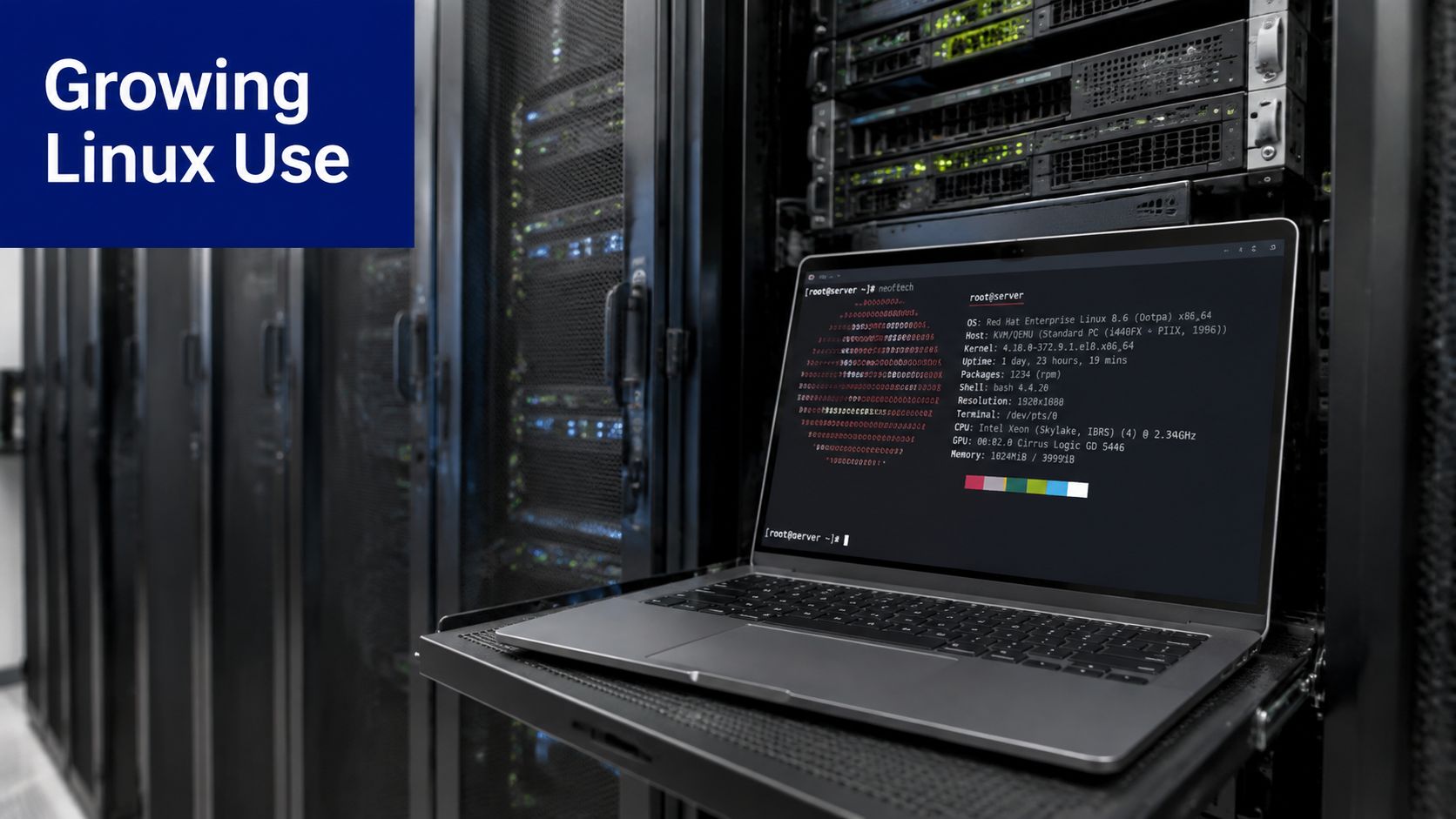
Linux usage on business desktops and laptops rose from 1.6% in January 2025 to 1.9% in June 2025, an 18.75% relative increase. For mixed Linux and Windows environments, Lansweeper provides a practical way to identify those systems, collect inventory, and turn scattered host data into an operational asset view.
The important qualification is that Lansweeper for Linux isn't a single deployment pattern. You can use agentless SSH discovery, credential-free recognition, or the lightweight LsAgent, and each method behaves differently once you move beyond basic device identification. The right design depends on network reachability, host permissions, operating system versions, and whether your servers are headless or managed through restricted firewall zones.
Why Linux Asset Visibility Matters Now
Linux often enters an enterprise through engineering workstations, application servers, cloud workloads, appliances, and specialist infrastructure. Those systems may be managed by different teams, built from different distributions, and governed by different lifecycle policies. A Windows-centric inventory process can therefore leave important Linux assets outside normal ownership, patch planning, and compliance reviews.
The 2025 endpoint data gives the shift a useful operational context. Lansweeper reported Linux usage on business desktops and laptops increasing from 1.6% to 1.9% between January and June, an 18.75% relative increase, as documented by The Register's coverage of Lansweeper's Linux findings. The absolute share remains smaller than Windows, but the direction matters. A small unmanaged population can still contain privileged development systems, production tools, or machines holding sensitive software.
Lifecycle data changes the risk calculation
Inventory is useful only when it supports decisions. Lansweeper's Linux end-of-life reporting helps teams compare different support realities, including Ubuntu LTS releases with support windows as long as 10 years and Fedora's 13-month lifecycle, according to the same Lansweeper Linux reporting coverage. Those timelines create different upgrade pressures across the same estate.
An untracked Ubuntu host can remain outside a planned refresh while a Fedora system reaches lifecycle boundaries much sooner. Lansweeper gives you a way to associate operating system and package information with an asset record, which supports patch planning and ownership reviews rather than relying on informal server lists.
Two collection paths, two operating models
Agentless SSH scanning uses an on-prem sensor to reach Linux and Unix hosts. It can start with credential-free device recognition, then use authenticated SSH for deeper collection. LsAgent installs a lightweight collector on the Linux machine and sends inventory data back to Lansweeper, avoiding a per-scan SSH dependency.
That distinction should be made before you design the rollout. Stackingo.com is a useful reference point for structured enterprise tooling and licensing decisions, including the practical question of whether a mixed discovery model fits your estate better than a single method.
Setting Up Lansweeper for Linux Discovery
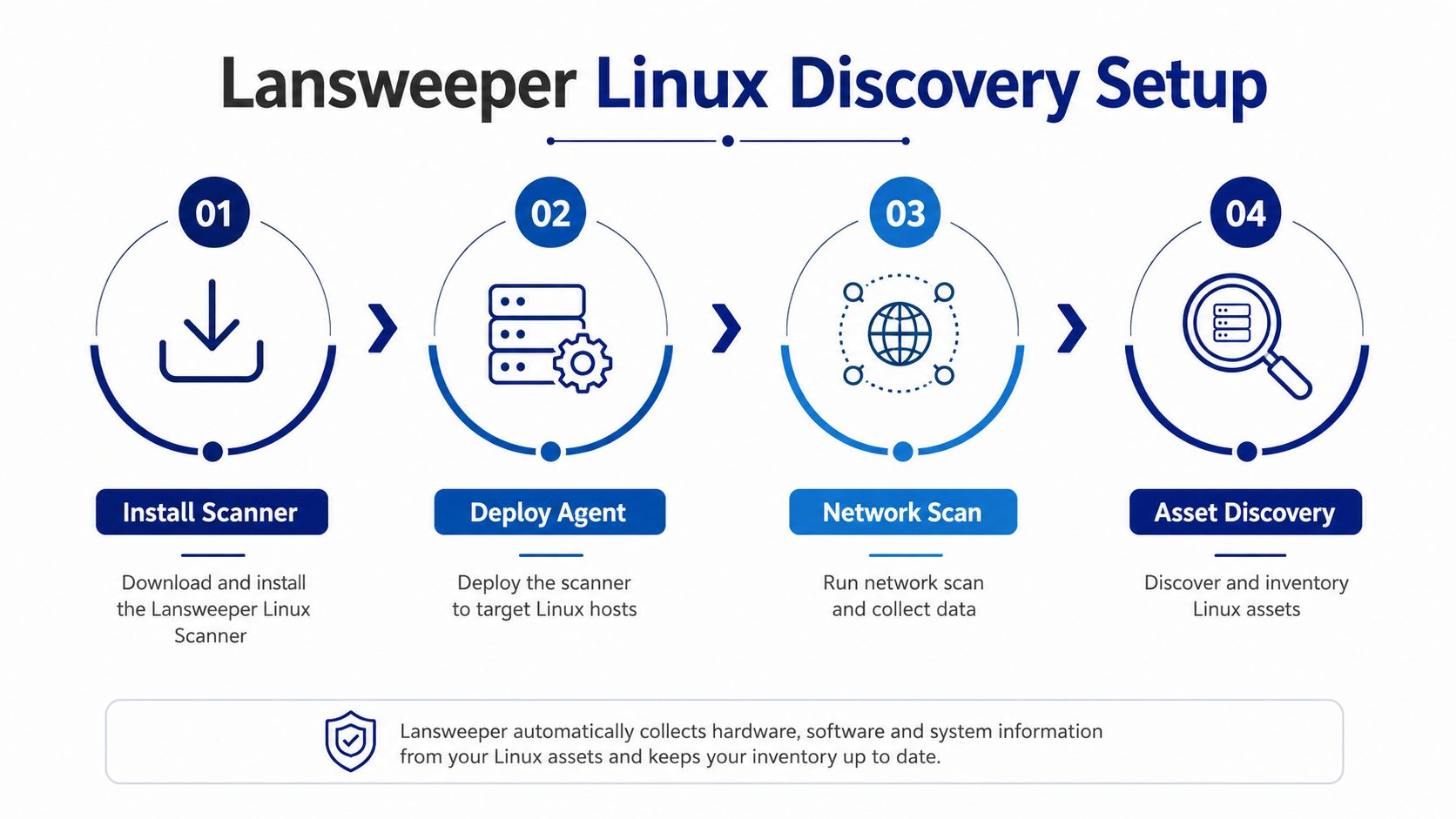
A reliable deployment starts with target definition, credentials, and sensor placement. Configure the sensor location and IP range actions before triggering any scan, following Lansweeper's agentless discovery configuration guidance.
Build the discovery path first
Place the Lansweeper sensor where it can reach the Linux segments you need to inventory. In a segmented network, map the sensor or relay assigned to each zone instead of assuming one scanner can reach every host. If licensing or platform sizing needs review, the Lansweeper product page for Linux estates provides a starting point for available options.
Use this sequence:
Define network scope: Add the relevant IP ranges or target groups, and exclude ranges that should not be scanned.
Prepare credentials: Create the SSH credentials Lansweeper will use for authenticated collection. Match each credential to the appropriate target group rather than applying one account indiscriminately.
Create scan actions: Associate credentials with the correct IP ranges and Linux or Unix targets.
Start with a controlled scan: Test representative hosts before expanding to larger network segments.
Review scan issues: Treat authentication failures, timeouts, and missing dependencies as configuration findings, not proof that Linux discovery is unsupported.
Separate recognition from inventory
Credential-free recognition can confirm that a Linux host exists, but it does not provide complete inventory. Deeper information requires authenticated SSH or an installed agent. A common first-deployment result is an asset in the console with incomplete package and configuration data because the scan lacked the permissions or access required for collection.
Document ownership and access for each segment before scaling. The Lansweeper product information for Linux and Unix scanning describes SSH-based scanning and local inventory, while public guidance gives less detail on coverage trade-offs for compliance workflows, vulnerability-adjacent governance, and container-heavy environments. Test those outcomes against your own Linux builds rather than treating host discovery as full estate intelligence.
For large headless estates, test command-line deployment early. The Linux LsAgent installation documentation provides an installer path, but non-GUI deployments may still require manual command-line work. That limitation affects scripts, configuration-management jobs, service handling, and proxy configuration, so validate it before broad rollout.
Agentless SSH Discovery versus Agent-Based Scanning
The practical choice is simple to state. Use agentless SSH when you can reliably reach hosts and want to avoid endpoint installation. Use LsAgent when host connectivity is inconsistent, SSH access is tightly controlled, or local collection is easier to standardize than repeated remote access.
Credential-free recognition sits below both options in terms of depth. It can identify a device, but authenticated SSH or local agent collection is the route to richer inventory. That difference is often missed when teams compare “discovered” assets with fully inventoried assets.
Where each method fits
Dimension | Agentless SSH Discovery | LsAgent Approach |
|---|---|---|
Setup complexity | Requires SSH, credentials, network access, and target-level scan actions | Requires installation, package compatibility, and agent reporting configuration |
Collection depth | Deeper data depends on successful authenticated SSH and host permissions | Collects locally and uploads inventory through the agent path |
Connectivity | Sensor must reach the Linux host over SSH during scanning | Host needs a supported route to send inventory data back |
Headless systems | Works well when SSH is already standardized | Works when unattended installation and service management are handled well |
Ongoing maintenance | Centralized scan configuration, but SSH and sudo conditions must remain valid | Endpoint lifecycle, agent version, runtime dependencies, and reporting health require attention |
The agentless model is usually the cleaner starting point for a controlled internal network. You don't add software to every server, and administrators can centralize scan behavior. Its weakness is operational dependency. A blocked port, changed SSH policy, missing sudo permission, or uninstalled package can reduce the result to recognition or produce a failed scan.
LsAgent removes the per-scan SSH requirement, which makes it attractive for remote or restricted assets. It also introduces another managed component on every host. That isn't automatically a problem, but it means your deployment process must handle package selection, service status, upgrades, proxies, and legacy operating systems.
The Device42 topic resources on Stackingo are relevant when you're comparing Lansweeper with other discovery and CMDB approaches. The comparison should focus on collection behavior and governance outputs, not just whether a product displays Linux asset names.
Practical rule: Don't force one method across a heterogeneous fleet. Use SSH where network and privilege controls are predictable, then reserve agents for systems that don't fit that operating model.
Credentials, Firewall Rules, and SELinux Configuration
Access failures account for many Linux scan problems. Check the host prerequisites, the route between the sensor and target, and the scanning account's permissions before changing Lansweeper settings.
Linux and Unix agentless scanning requires SSH, preferably OpenSSH. Verify that the SSH client and server are installed, enable the server, start or reboot as appropriate, and confirm that the daemon is running:
The Linux and Unix agentless scanning requirements document the connectivity and dependency conditions that affect collection.
Check access in layers
Begin with network reachability. Confirm that the Lansweeper sensor can reach the target's SSH service and that the configured port matches the host. A rule allowing an administrator's workstation does not necessarily allow traffic from the sensor.
Authentication comes next. The scanning account must run the inventory commands Lansweeper uses, including any required sudo commands. Test the sudo policy in a noninteractive session and review SSH restrictions that could prevent command execution. A dedicated account with narrowly scoped privileges is safer and easier to audit than routine root access.
Host packages can also determine how much inventory returns. Messages such as and indicate missing dependencies on the target, rather than a general scanner fault. Install those packages through the normal operating system management process, then rescan the affected asset.
Interpret the failure message
Cannot connect to SSH server: Check that SSH is enabled, the port is reachable, and the configured port is correct.
LinuxNoSudoRights: Review the account's sudo permissions and verify that the required commands run without interactive prompts.
LinuxNotInstalled dmidecode: Install the missing dependency on the target image.
Hal-find-by-property not available: Check the hardware discovery dependency and the distribution's package state.
SELinux and AppArmor may restrict an otherwise valid connection. Keep them enabled while troubleshooting. Review audit events, policy rules, and the account's permitted actions, then create the narrowest exception needed for the approved inventory workflow. Apply the same discipline to firewall changes. A passing test must demonstrate both reachability and authorization, not merely an open SSH port.
Configuring and Verifying Linux Scans
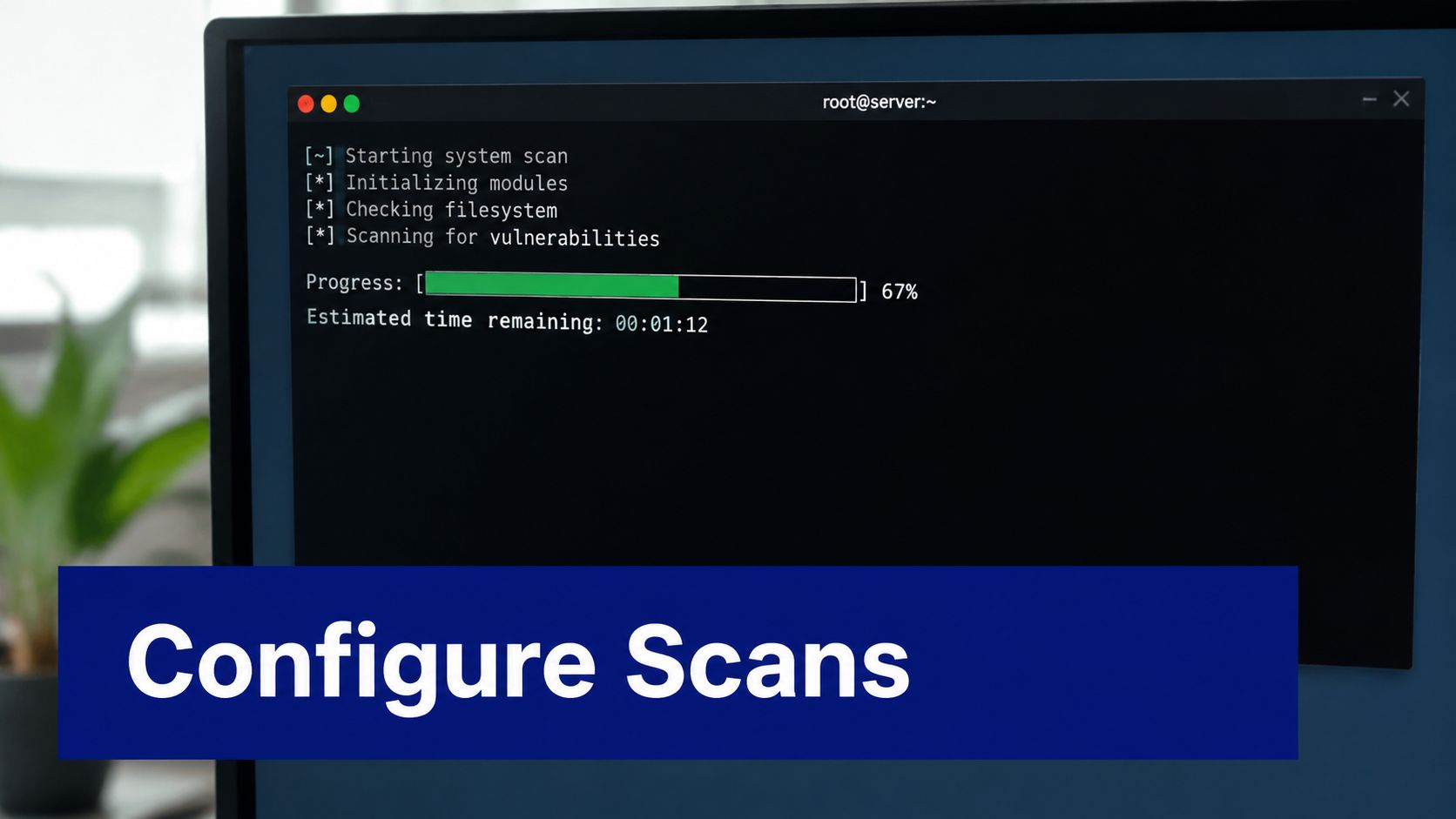
A completed scan does not guarantee usable inventory. An asset appearing in Lansweeper confirms recognition, while package, system, and service data require separate validation. Check results at the asset level before treating them as reliable for reporting or remediation.
Use a representative validation set
Start with varied hosts, not one convenient server. Select systems from each relevant distribution family, include a host using the normal hardening baseline, and test a machine in a restricted network segment. This exposes permission, dependency, and routing differences before they affect the wider estate.
Review these fields:
Asset placement: Confirm Linux hosts appear in the intended asset groups or views.
Authentication status: Check scan logs for successful credential use, not only device recognition.
Package inventory: Verify installed software is populated and current.
System details: Compare kernel and operating system fields with the host.
Service information: Confirm service configuration reflects the target and not an older scan.
Certificate-based SSH authentication is supported from Lansweeper 6.0 onward. For current installation and certificate considerations, review the LsAgent installation requirements. Test the certificate with the production account, key policy, and sensor path. An administrator laptop may succeed while the actual scanning path fails because it uses different network access or credentials.
Verify the data, not just the status
A green scan status can still represent partial inventory. Open several asset records and compare the displayed packages and services with the host's package manager and service state. Missing fields usually justify checking credentials, sudo execution, and dependencies before increasing scan frequency.
Use a comparison of Lansweeper and other Linux asset-management tools with the vendor documentation when designing reports and operational checks. The acceptance test should answer a practical question, such as which Linux systems require an operating system review. Completion status alone is not enough.
Troubleshooting, Security Best Practices, and Scaling
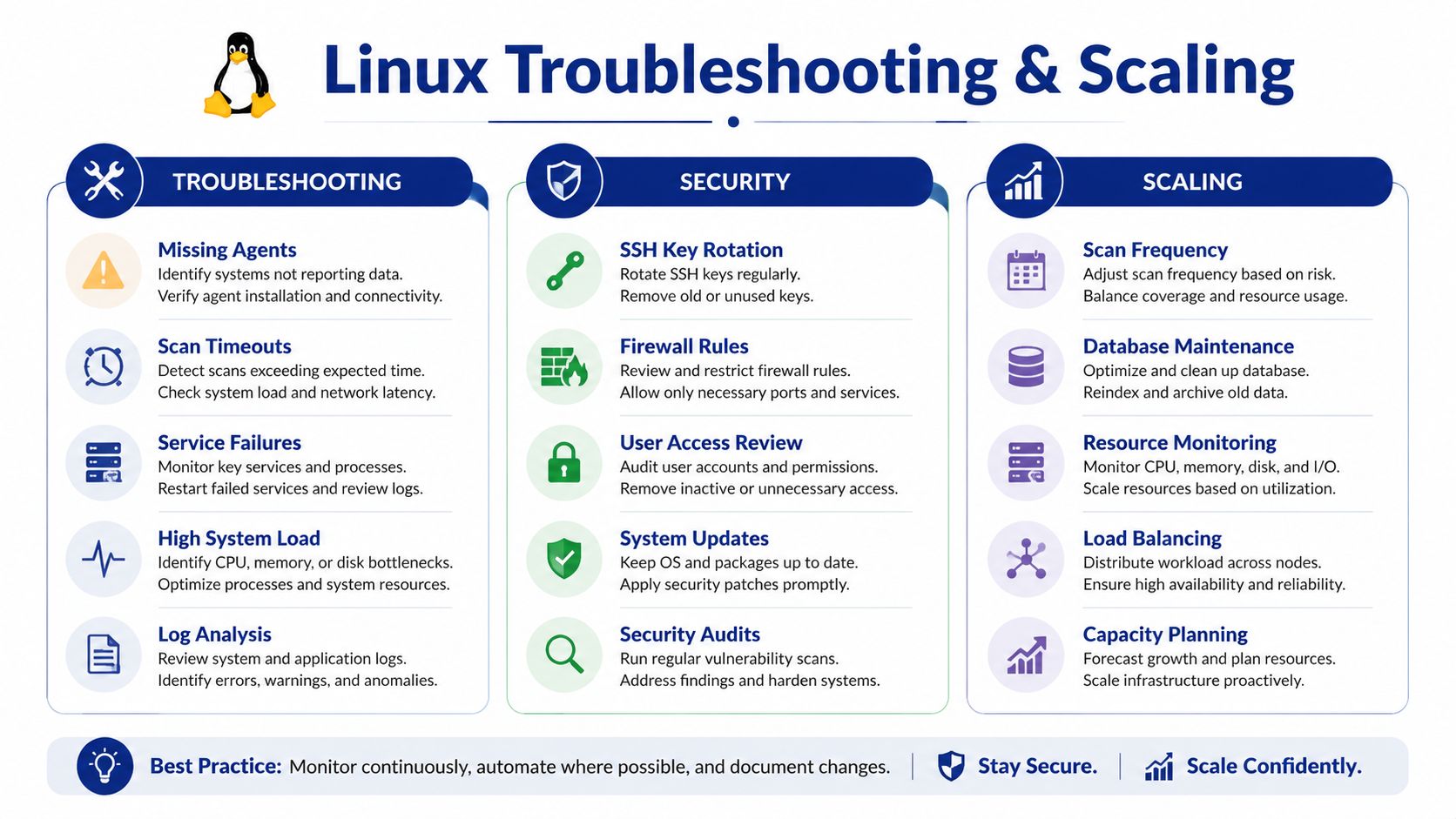
Scaling Lansweeper for Linux requires separate decisions about collection reliability, credential safety, and distribution compatibility. Combining them often produces blunt fixes, such as broad firewall access or installing agents across every host.
Diagnose by symptom
An asset that appears with incomplete data may have been identified through credential-free recognition. Check SSH authentication, sudo permissions, and package dependencies on that host before changing scan schedules.
A subnet-wide timeout points to a shared path problem rather than missing Linux package data. Check routing, firewall policy, sensor placement, and SSH port settings across the segment. Validate the same path from the scanning sensor, not only from an administrator workstation.
When LsAgent is installed but stops reporting, inspect its service state, runtime compatibility, outbound connectivity, proxy configuration, and local logs. Installation confirms deployment, not continued reporting.
Security baseline: Use dedicated least-privilege accounts, protect SSH keys, rotate credentials according to your access policy, and never make root-level access the default to avoid troubleshooting sudo rules.
Plan for distribution and runtime differences
LsAgent changed at version 10.2, when the Linux package moved to .NET 6.0. Lansweeper lists support for Alpine 3.13+, CentOS 8+, Debian 10+, Fedora 33+, Linux Mint 17+, openSUSE 15+, Oracle Linux 8+, RHEL 8+, SLES 12 SP2+, and Ubuntu 16.04, 18.04, and 20.04 LTS or higher, as documented in the LsAgent installation requirements. Older systems use legacy Linux agent version 9.5.0.2, which requires .NET Core 3.1.
Maintain a support matrix based on the actual fleet. An installer that works on a current Ubuntu host may fail on an older server image because of runtime or package differences.
In multi-site estates, relay placement and outbound HTTPS requirements shape the design. Agentless collection needs sensor-to-host access, while agents need a dependable route for inventory uploads. Proxy-mediated environments deserve a pilot. Public documentation describes connectivity requirements, but does not quantify coverage or reliability trade-offs.
The SysAid CMDB comparison material provides useful context for the broader tooling decision. Keep agentless scanning as the default where SSH access is controlled. Use LsAgent for remote, internet-exposed, or firewall-restricted systems when local collection provides a more dependable path.
Next Steps for Enterprise Linux Asset Management
The useful outcome isn't a larger asset list. It's a defensible view of which Linux systems exist, who owns them, what software they run, and where lifecycle or access decisions need attention.
Start with a controlled discovery design:
Map the estate: Identify internal, remote, segmented, and headless Linux systems.
Choose the collection route: Use agentless SSH where access is standardized and LsAgent where local upload is more practical.
Test depth: Confirm package, operating system, kernel, and service data on representative hosts.
Record exceptions: Track older distributions, proxy paths, nonstandard SSH ports, and hosts that require special privilege handling.
Operationalize reports: Turn inventory into patch planning, ownership review, and lifecycle governance.
The distribution breadth is significant. Lansweeper's Linux coverage has developed from agentless Linux and Unix scanning into dedicated Linux asset and scanning capabilities, with package-based installation paths spanning Debian and Ubuntu as well as RPM-oriented families such as Alpine, Azure Linux, CentOS Stream, Fedora, openSUSE, RHEL, and SLES, as described in its deep dive on managing Linux installations. That breadth supports mixed estates, but it doesn't remove the need to test each operating system baseline.
Linux growth on business endpoints makes visibility harder to treat as a specialist concern. Lansweeper's 2025 endpoint reporting showed the measured share moving from 1.6% to 1.9%, while its lifecycle reporting provides a way to connect operating system inventory with support planning. The governance value appears when your team acts on those records, rather than treating scanning as a one-time technical exercise.
For adjacent service-management decisions, Stackingo's IT asset management guidance provides a broader procurement and tooling context. Stackingo offers a marketplace-first route for enterprise software licensing, with structured requirements and quote comparisons across technology vendors. That can be useful when asset discovery work leads into platform consolidation, renewals, or a wider IT operations purchase.
The practical conclusion is straightforward. Build a hybrid model, validate the data returned by each method, secure the access path, and maintain a distribution-aware operating process. Lansweeper for Linux can serve as a governance foundation, but only when discovery design reflects how your Linux estate is built and reached.
Stackingo helps enterprise IT teams compare and procure software licensing through a structured, multi-vendor RFQ process, including Lansweeper options relevant to Linux asset management. Visit Stackingo to turn your inventory requirements, deployment scenarios, and licensing questions into a clearer purchasing path.
