
Lansweeper for Mac: Inventory, SSH, and Agent Setup
You've got a mixed fleet, Windows discovery is already working, and the Macs are still missing from the inventory. Lansweeper for Mac doesn't use a single discovery button. You'll choose between credentialed SSH scanning for network-connected devices and LsAgent for endpoints that need to report back over HTTPS, then decide how Jamf or another MDM fits around that inventory layer.
Why macOS Inventory Needs Its Own Playbook in Lansweeper
A common rollout starts with 200 macOS workstations and 1,000 Windows endpoints. The Windows side is green because Active Directory targets and familiar credential flows are already in place. The Mac side remains a black box because Macs aren't scanned through Active Directory targets, and their discovery path depends on macOS configuration, SSH access, Spotlight, or an installed agent. Lansweeper's Mac documentation describes Mac discovery as a separate operational path.
Lansweeper has a long platform history. It was founded in Belgium in 2004 and has developed into an asset discovery and inventory platform for technology assets, installed software, and users, giving it 20+ years of operational history by 2026. The platform's background is documented here, while its Mac capability has continued to receive product-specific updates in the Lansweeper changelog.
You have two viable architectures:
SSH scanning: Lansweeper connects to the Mac over SSH/TCP 22, using a credentialed account. This fits devices that are reachable on the network and can accept Remote Login.
LsAgent: The endpoint collects its own inventory and sends it directly to Lansweeper or through a cloud relay over HTTPS. This is better for roaming laptops and devices that aren't consistently reachable from the scanning server.
The choice depends on whether the Macs are domain-joined, whether they sit on or off the LAN, whether the fleet uses Apple Silicon, and whether Jamf already provides the management channel. If you're comparing broader asset-management approaches, the SysAid IT asset management overview provides useful context, but the Mac-specific implementation still comes down to SSH, agent deployment, or a combination of both.
Use the SSH section if your Macs are stable, routable, and centrally managed. Use the agent section for distributed MacBooks and Apple Silicon deployment. Use the Jamf section if your MDM already owns enrollment and policy delivery.
Setting Up SSH-Based Scanning for Mac Devices
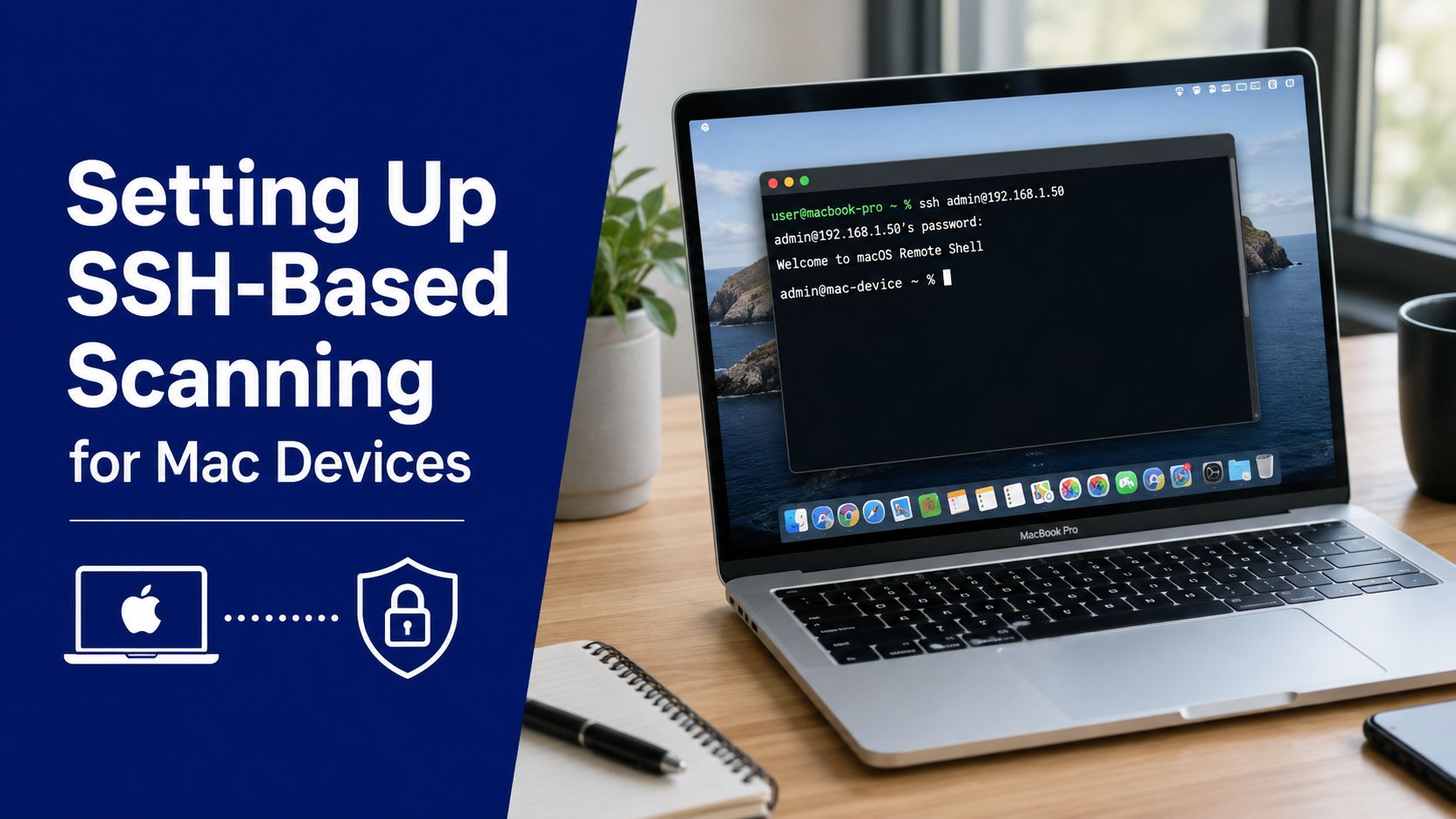
A Mac can appear in Lansweeper with basic hardware details while its application inventory remains incomplete. SSH scanning works well when the devices are consistently reachable and your security team permits controlled Remote Login. Lansweeper's documented method connects over SSH and runs , so the scanning account needs SSH access. The Mac scanning requirements list the required configuration.
Enable Remote Login deliberately
On the Mac, open System Settings > General > Sharing, enable Remote Login, and restrict access to approved users. A configuration profile can apply this setting across a managed fleet. From a local administrative session, run:
Enable Remote Login with .
Verify the state with .
Confirm that the Lansweeper account can establish an SSH session.
Avoid root over SSH if your hardening standard blocks it. A named administrative account with the required sudo capability is easier to audit, rotate, and revoke.
Create and scope the Lansweeper credential
In the Lansweeper web console, open Scanning > Credentials and add an SSH credential set. Use the account tested on the Mac, then associate it with an IP range or scanning target containing only the Mac VLAN. This prevents a Mac-specific credential from being tested against Windows endpoints or unrelated network devices.
Trigger a rescan after mapping the target and credential. Check that the asset record includes the expected model, serial number, and operating system before assessing software results.
For related implementation notes, browse the Lansweeper category on Stackingo.
Verify indexing state during validation
Use to identify the indexing state before changing credentials or firewall rules. An output such as indicates that indexing is allowed, while a paused or disabled state points to a local setting, disk exclusion, or management policy. A rebuilding index is a different condition. In that case, installed-software results may remain incomplete until indexing finishes, so record the state and rescan afterward.
Treat SSH access and software collection as separate tests. A successful login confirms connectivity and authentication, not a complete application inventory.
Deploying LsAgent on macOS and Apple Silicon
LsAgent changes the network model. Instead of requiring the Lansweeper server to reach every Mac, the endpoint collects local inventory and sends it back directly or through a cloud relay over HTTPS. The community documentation confirms that LsAgent runs on Windows, Linux, and Mac systems and can transmit collected data directly or through a relay, with data stored encrypted and deleted after retrieval. Review the LsAgent installation guidance.
The newer IT Agent Discovery documentation lists macOS support from 10.15 up to the penultimate version on x64 and states that Rosetta is required until dedicated ARM builds are available. The supported installation details are documented by Lansweeper. That distinction matters on Apple Silicon. Don't assume that a package installing successfully means every agent process is running natively.
Choose a deployment channel
For a managed fleet, deliver the package through the tool you already trust, such as Jamf, Intune, Munki, or another software-distribution workflow. The Lansweeper console can provide the deployment package, while your MDM handles targeting, prerequisite installation, permissions, and retry behavior.
On Apple Silicon, include Rosetta in the prerequisite plan where the selected agent requires it. Your deployment test should cover both Intel and Apple Silicon hardware, because packaging success, launch behavior, and permissions can differ across architectures.
The documented default installation directory for IT Agent Discovery is . Keep that path in your deployment validation and monitoring rules.
Validate reporting rather than installation alone
LsAgent's default collection cadence is once per day, which is useful for distributed laptops but introduces latency when you need to verify a change immediately. Lansweeper's Mac address reporting material describes the agent model and its daily default cadence.
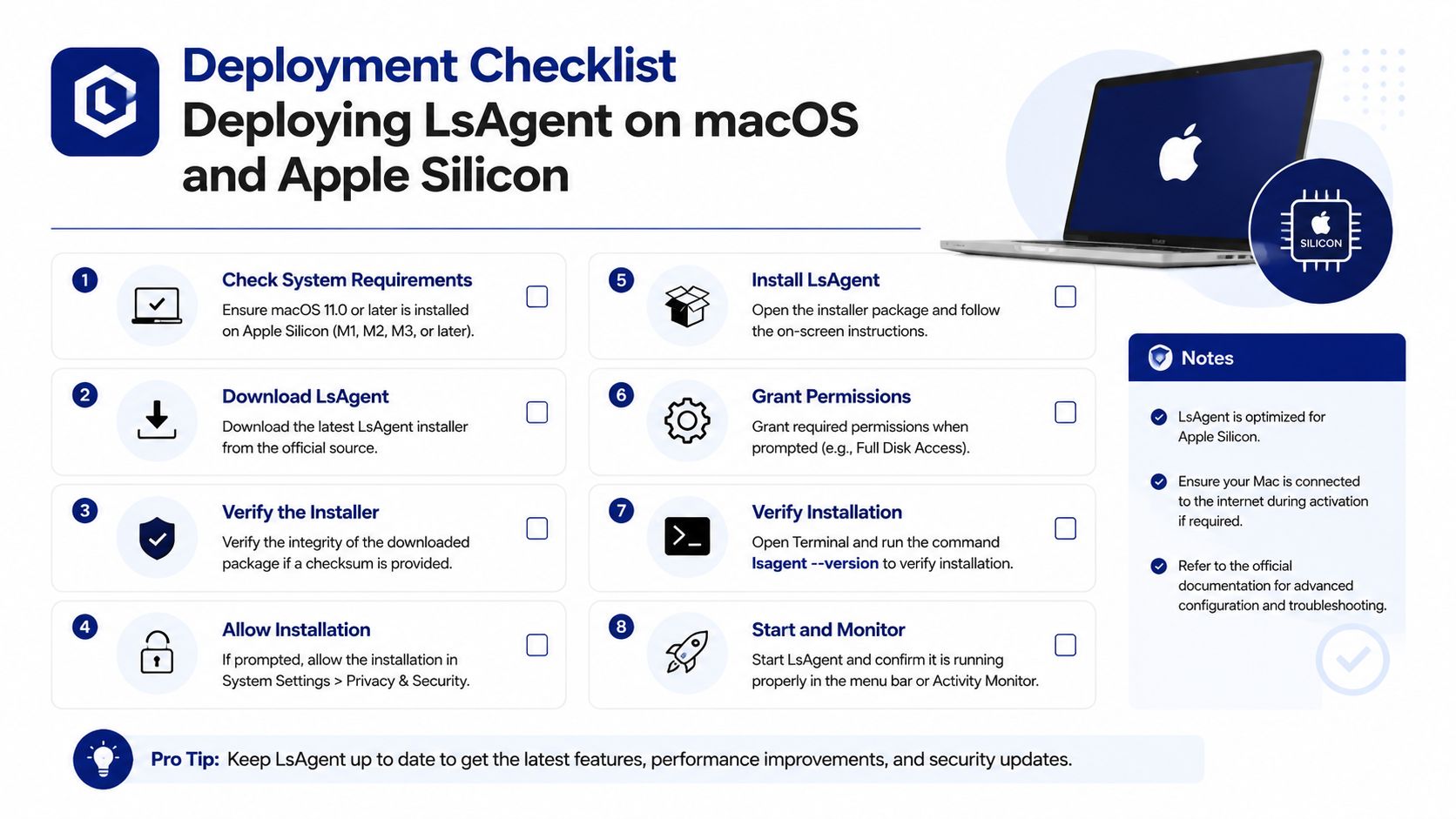
Use this deployment checklist:
Prerequisite: Confirm Rosetta where the selected agent requires it.
Permissions: Verify that the agent can collect the intended local inventory.
Connectivity: Test direct reporting or the configured cloud relay.
Cadence: Allow for the default daily collection interval when validating normal reporting.
Coverage: Test a Mac that is off the corporate LAN, not just one on the office network.
Identity: Confirm that the returned serial number matches the expected asset record.
For teams evaluating adjacent remote administration tools, the RDS and SysAid comparison can help separate inventory requirements from service-management requirements.
Choosing Between SSH Scanning and the Mac Agent
The SSH-versus-agent decision is an architecture choice, not a checkbox. SSH is server-initiated and works well when the Mac is reachable. LsAgent is endpoint-initiated and works better when the device moves between office networks, home networks, and travel locations.
Dimension | SSH Scanning | LsAgent |
|---|---|---|
Collection timing | Runs on demand or through scheduled network scans | Reports on its default daily cadence |
Off-network coverage | Requires a routable path from the scanning server | Can report when the endpoint reaches the configured service |
Prerequisites | Remote Login, SSH access, suitable credentials, and Spotlight for software inventory | Deployment channel, endpoint permissions, connectivity, and Rosetta where required |
Apple Silicon | Architecture-neutral because Lansweeper connects to macOS remotely | Requires attention to the supported agent architecture and Rosetta requirement |
Operational fit | Static, connected Macs and controlled network segments | Roaming MacBooks and changing IP ranges |
A Mac agent can provide more dependable endpoint-local collection for devices that don't remain on the LAN. SSH avoids software deployment and can be easier to use for a small, stable group. Neither method removes the need to investigate offline devices, firewall restrictions, missing permissions, or incomplete Spotlight indexing.
Architecture rule: Choose SSH for small, static, on-LAN design and engineering pods. Choose LsAgent for distributed MacBooks, executive travel fleets, and environments where the IP range keeps shifting.
A hybrid model is often practical. Use SSH for always-connected workstations and LsAgent for roaming endpoints, but define which source is authoritative for identity and lifecycle reporting. Without that rule, the same Mac can arrive through two discovery paths and create reconciliation work.
Integrating Lansweeper With Jamf and Other MDMs
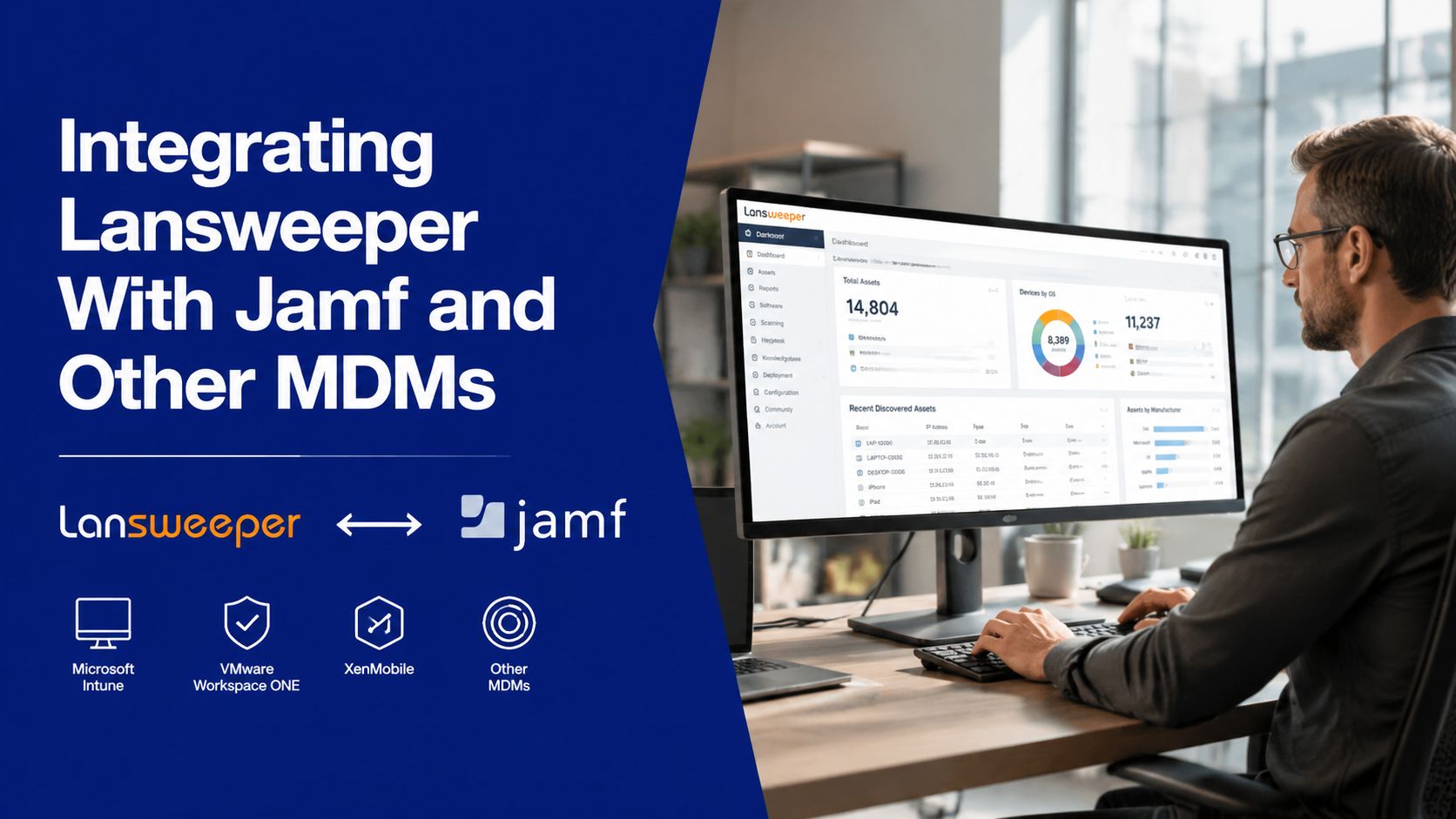
Lansweeper and Jamf serve different operational purposes. Jamf handles enrollment, configuration profiles, policies, and Apple administration. Lansweeper adds cross-platform visibility across Macs, Windows devices, installed software, users, and related assets. Treat the connection as an inventory feed, not a second policy engine.
Configure the Jamf connection
Enable Lansweeper's Jamf API integration, then create a Jamf API role with read-only Custom Computer Search permissions. Enter the Jamf Pro URL and API credentials in the integration settings.
Import fields that support inventory and reconciliation:
Identity: Asset name and serial number.
Hardware: Model information.
Platform: Operating-system data.
Activity: Last check-in information.
Leave smart-group membership, policies, configuration profiles, and patch definitions in Jamf. Lansweeper needs the resulting device state for reporting, but reproducing those controls in the asset database creates competing ownership.
Prevent duplicate Mac records
Set Smart Match to prefer a stable identifier, such as the serial number, over the device name. This lets Lansweeper reconcile a Mac found through Jamf, SSH, or LsAgent instead of creating separate records for each discovery path.
MDM capabilities differ outside Jamf. Mosyle and Kandji can expose device groups through their available API workflows, while Addigy deployments may require scheduled CSV exports and manual field mapping. Confirm the connector's supported objects before designing automated reconciliation. The same check applies when comparing ManageEngine Mobile Device Manager Plus product page with Apple-focused MDM options.
Troubleshooting Common Mac Scanning Failures
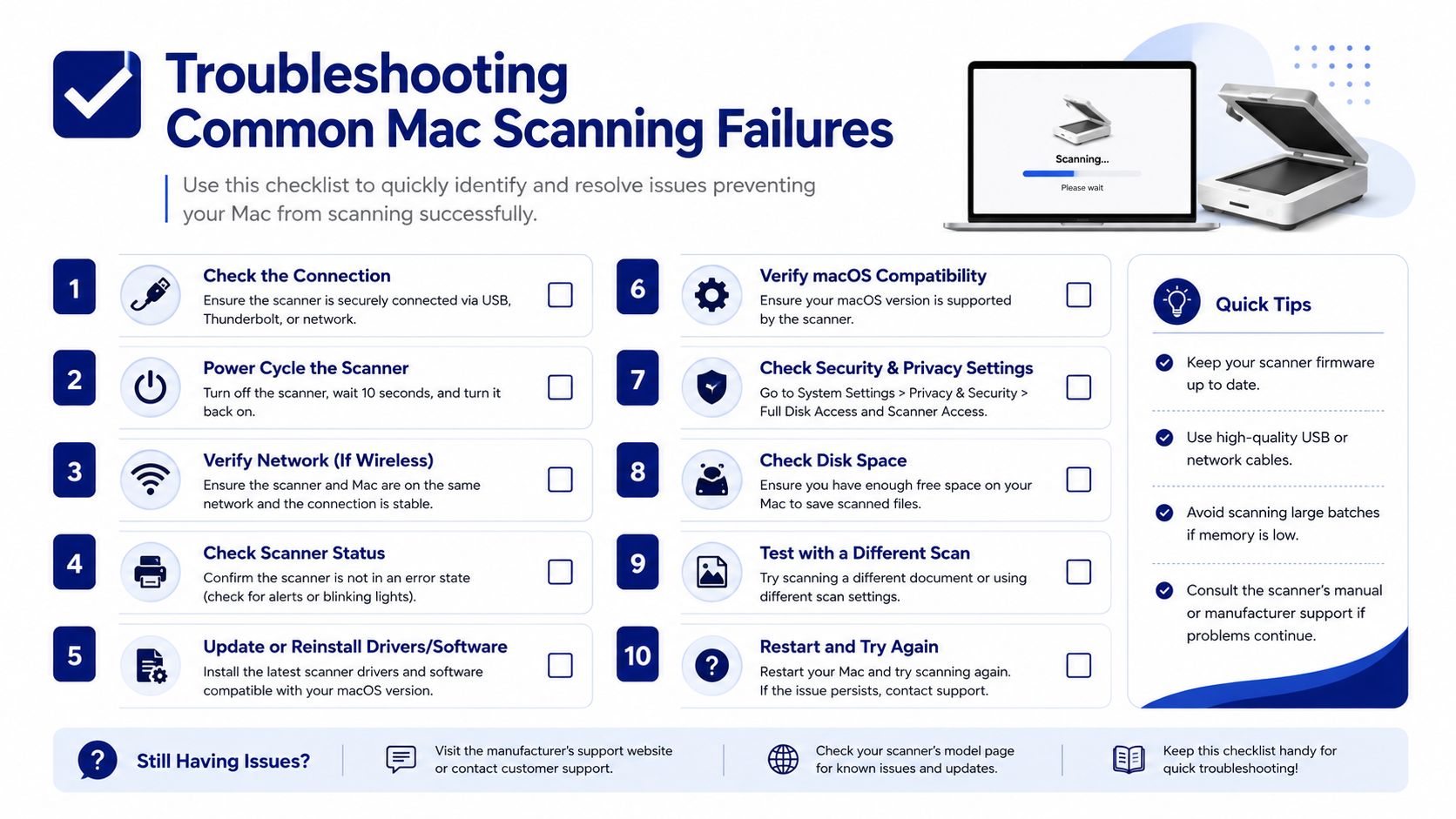
Most Mac discovery failures fall into three categories: incomplete software data, duplicate assets, and authentication or permission errors. Start with the symptom visible in Lansweeper, then test the prerequisite that produces that specific data.
Missing software entries
When hardware fields populate but installed applications are missing, check Spotlight first. Lansweeper relies on Spotlight-related enumeration for installed software, so disabled indexing, an excluded disk, or an index that hasn't finished rebuilding can produce an incomplete application list without preventing the asset from appearing.
On an affected Mac, inspect indexing with . If necessary, enable indexing with and rebuild the index with , then run another scan after the local database has had time to update.
Duplicate Mac assets
Duplicate records usually indicate that Lansweeper isn't receiving or matching a stable unique identifier. Serial number drift, missing serial data, or inconsistent discovery paths can cause the same endpoint to appear as separate records.
Set Smart Match to prefer serial number over device name, reuse the tested credential, and force a rescan. Don't use the hostname as your only identity key because users, naming policies, and rebuild processes can change it.
SSH authentication and permission errors
If SSH authentication fails, inspect the Mac's console logs for an authentication refusal, then compare the result with the Lansweeper credential configuration. A successful login still doesn't guarantee complete collection.
An administrative account may authenticate yet lack Full Disk Access, which can block certain Lansweeper data-collection calls. Review the relevant System Settings privacy permissions through your management policy, then retest the scan rather than repeatedly changing the password.
Other common blockers include a sleeping Mac, an offline laptop, firewall policy, disabled Remote Login, or a missing Spotlight prerequisite. Agent deployment addresses reachability problems, but it won't fix local permissions or an endpoint that never checks in.
Licensing and Procurement Considerations for Mac Fleets
Macs consume Lansweeper asset capacity just like other discovered endpoints, so size the commercial footprint around every asset you intend to scan, not only the Windows population. An SSH-scanned Mac still occupies an asset slot even when you haven't installed LsAgent.
Your procurement review should answer three questions:
Which licensing model applies? Confirm how asset counting works under your perpetual or subscription agreement.
Which source is authoritative? Decide whether SSH, LsAgent, Jamf import, or a controlled combination will define the Mac inventory.
Which data depth matters? Evaluate whether Premium Licensing is justified if warranty, warranty type, and warranty end-date information are central to Apple hardware planning.
Lansweeper should also be assessed as one component of the Apple endpoint stack. Jamf handles MDM, Apple Business Manager supports enrollment workflows, and Mosyle or Kandji can serve as alternatives. Clear ownership prevents finance teams from paying for overlapping records and prevents operations teams from maintaining conflicting inventories.
License Tier | macOS Support | Best Fit Scenario |
|---|---|---|
Perpetual licensing | Supports the licensed asset model selected in the agreement | Organizations managing a stable, defined inventory footprint |
Subscription licensing | Supports the subscription asset model selected in the agreement | Teams that prefer recurring licensing and evolving capacity planning |
Premium Licensing | Relevant where deeper hardware warranty fields are needed | Apple fleets where warranty lifecycle reporting affects procurement |
Review the Lansweeper licensing options on Stackingo only after you've settled the discovery architecture. Negotiating per-asset pricing before that decision can create avoidable churn when the team later changes from SSH to agent reporting or adds MDM imports.
Stackingo can help you compare Lansweeper licensing and implementation requirements across a mixed Mac and Windows fleet, including discovery design and deployment planning. Visit Stackingo with your endpoint count, Apple Silicon mix, MDM setup, and preferred SSH or agent model to request a structured procurement path.
