
Lansweeper Linux: Enterprise Deployment Guide
Updated: Oct 10
When a Windows-heavy inventory meets a Linux estate, the hard part isn't proving that Lansweeper can scan Linux. The hard part is choosing an architecture that delivers complete data without giving a broad service account unnecessary access. Lansweeper Linux deployments work best when you design SSH privileges, agent coverage, network paths, and duplicate handling together.
What Lansweeper Delivers for Linux Environments Today
Lansweeper's Linux capability has grown beyond basic device detection. Linux performance data became a documented product capability in version 7.2, while Windows performance scanning had already appeared in version 7.1. That places documented Linux performance observability at least back to January 22, 2019, when the related Classic community article was published. Lansweeper's Linux and Windows performance scanning documentation also describes reporting for CPU, RAM, disk, and network utilization.
For an operations team, the value is normalization. You can bring Linux operating-system details, installed software, performance counters, users, groups, and infrastructure information into the same asset-management workflow used for Windows. Lansweeper says it can work with any Linux distribution it understands through the commands used during scanning, so compatibility depends on command behavior rather than a short, vendor-locked distribution list. Its Linux assets overview is the right reference when validating an unusual distribution.
Practical rule: Treat the Lansweeper record as an inventory baseline, then test the fields you need for compliance, lifecycle, and software reporting on representative Linux builds.
Which Linux data should you validate first
Don't assume that a successful SSH connection means complete inventory. A scan can finish while missing hardware details or software installed beneath restrictive directories. Validate the fields that drive operational decisions before expanding collection across the estate.
Data Category | Examples Collected | What It Answers |
|---|---|---|
Operating system | Distribution and OS information | Which platforms need patching or lifecycle review? |
Performance | CPU, RAM, disk, and network utilization | Which assets require capacity investigation? |
Software | Installed packages and software discovery | Where are packages deployed, outdated, or unauthorized? |
Hardware | Hardware-relevant system information | What physical or virtual resources support the workload? |
Users and groups | User and group enumeration | Who can access the host and which accounts exist? |
Linux adoption in managed business fleets is also moving, rather than remaining static. The Register reported from Lansweeper customer-network scans that Linux on business desktops and laptops rose from 1.6% in January 2025 to 1.9% in June 2025, a 0.3 percentage-point increase and roughly an 18.75% relative rise. The Register's report on Lansweeper's business-endpoint findings is especially relevant because the data came from managed customer networks, not consumer web traffic.
For deployment patterns, Stackingo's Lansweeper topic coverage provides a useful procurement and product context alongside the technical documentation.
Server Deployment Options and Prerequisites
The Lansweeper server remains a Windows-hosted component, even when your discovered estate is entirely Linux. The core installation must run on Windows, while Linux targets rely on enabled SSH or a Linux-capable agent collection path. Lansweeper installation requirements summarizes this distinction, which matters when an infrastructure team assumes the inventory platform can be hosted natively on a Linux server.
For an on-premises deployment, place the scanning and database services on a controlled Windows Server zone. Keep the web console, database permissions, service identities, and outbound connectivity requirements in the build standard. If your organization is comparing adjacent enterprise platforms during procurement, document the same prerequisites in your SysAid download planning process so product evaluations don't produce incompatible infrastructure assumptions.
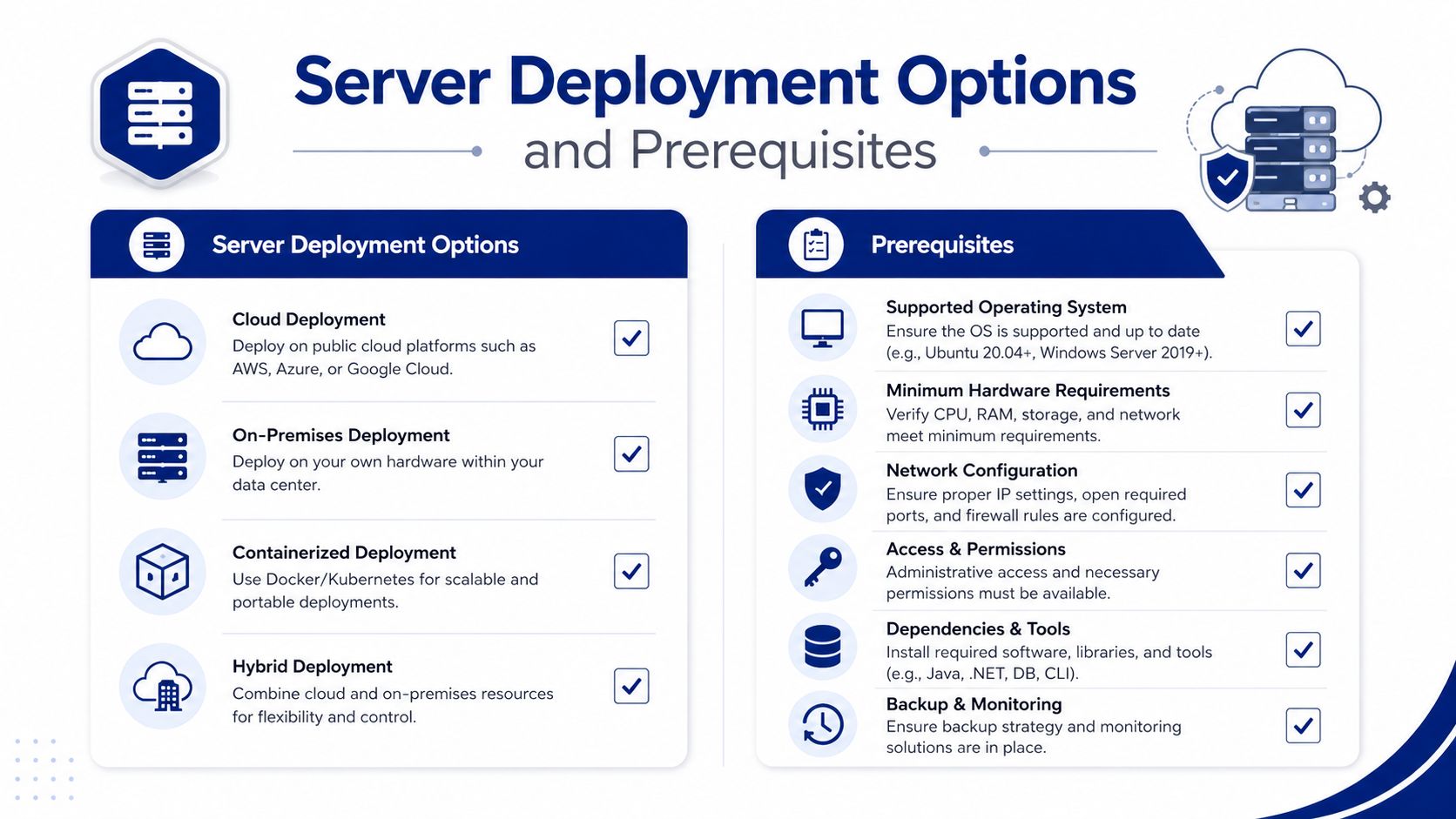
What should you validate before installation
Start with the dependencies that can invalidate a deployment after the installer has completed:
Windows hosting: Confirm the server team owns the Windows-based Lansweeper installation and its patching responsibility.
Database readiness: Validate SQL Server compatibility, collation requirements, service-account permissions, backup ownership, and recovery procedures.
Network reachability: Map scanner access to Linux management paths, including SSH access and any controlled relay or bastion design.
Credential custody: Decide where SSH keys and scanning credentials live, who can retrieve them, and how access is audited.
Storage and retention: Estimate database growth from asset scope, scan frequency, software discovery, and performance reporting rather than relying on a small pilot footprint.
Operational ownership: Assign separate owners for Lansweeper administration, Linux sudoers, Windows hosting, and security review.
The scan server deserves Tier-0 treatment because its credentials can reach a broad Linux estate. Restrict administrative access, forward relevant logs to your security monitoring platform, and make backup restoration part of the acceptance test. A clean installation isn't enough if the organization can't explain who can change credentials or alter scan scope.
Choosing Between SSH-Based and LsAgent Scanning
Use SSH when you want agentless collection across stable Linux servers and can control management access. Use LsAgent when inbound SSH is restricted, credentials are difficult to govern, or the target can reliably establish an outbound connection. Neither method wins universally. The safer choice depends on network policy, host lifecycle, privilege tolerance, and the completeness you need.
Lansweeper's documented Linux path recommends SSH, with OpenSSH preferred. The scanning account needs to run at minimum, but Lansweeper also executes distribution-dependent commands. is recommended for hardware probes such as , , , , , , and . Missing sudo access doesn't necessarily stop the scan, but it can reduce the data returned. The Linux and Unix agentless scanning requirements should be used as the authority for command and privilege testing.
Dimension | SSH Agentless Scanning | LsAgent |
|---|---|---|
Network direction | Scanner reaches the Linux host over SSH | Host communicates through the agent path |
Credential model | Requires managed SSH credentials and sudo design | Reduces dependence on inbound SSH credentials |
Best fit | Stable server tiers and controlled management networks | Restricted, ephemeral, remote, or difficult-to-reach systems |
Installation effort | No persistent agent package on the target | Requires package deployment and lifecycle management |
Data completeness | Depends on command and directory permissions | Depends on agent support, runtime, and registration |
Main risk | Credential exposure and incomplete privileged collection | Agent drift, registration failures, and duplicate assets |
At scale, a blended model is usually easier to defend. Keep SSH for server segments where the security team permits a tightly scoped scanner path. Use LsAgent for endpoints, cloud instances, or networks where an outbound channel is already approved. If you're also comparing remote desktop and service-management tooling, keep that evaluation separate from the inventory transport decision by documenting it alongside RDS and SysAid considerations.
Configuring SSH-Based Agentless Linux Scanning
SSH deployment should begin with a permission model, not a scan schedule. Create a dedicated scanning identity for each environment or trust boundary, add its public key through your approved configuration-management process, and confirm that the account can run before testing richer collection. Full root access isn't required, and granting unrestricted sudo creates risk without guaranteeing better operational discipline.
Lansweeper recommends a dedicated scanning group with passwordless sudo limited to specific commands. Its least-privilege guidance names , , , and , while the broader collection process also uses commands that vary by distribution. The Lansweeper least-privilege Linux scanning guidance explains the group-based pattern and the need to consider directory permissions.
A practical configuration sequence
Create the service identity. Use a non-human account with a descriptive name. Keep production and development identities separate so a test change can't expand production access.
Install and validate OpenSSH. Confirm that SSH is enabled, listening on the approved management path, and permitted by host and network firewalls. Test connectivity from the actual Lansweeper scanning server, not from an administrator workstation.
Add the public key. Store the private key under the scanning server's protected credential path. Use the organization's key type, passphrase, vault, and rotation standards rather than leaving a reusable key on an unmanaged desktop.
Build the sudoers rule. Permit only the commands required by your tested Linux images. A practical command matrix can look like this:
Distribution Family | Allowed Commands (NOPASSWD) | Notes |
|---|---|---|
Debian and Ubuntu | , , , | Test package and hardware queries under the scanning identity. |
RHEL and compatible systems | , , , | Review SELinux behavior and command paths on hardened images. |
Mixed Unix-like estate | Distribution-specific approved collectors | Don't copy one sudoers file across systems without testing. |
Configure Lansweeper credentials. Enter the username, private-key path, and passphrase settings in the scanning credentials area. Group targets by network and operating-system behavior so failures are easier to isolate.
Test privilege boundaries. Run , then test each approved hardware and package command separately. A missing traversal permission, for example, can prevent software discovery even when the package is visible locally to a more privileged account.
RHEL SELinux contexts, legacy settings, bastion routing, SSH protocol policy, and timeout behavior all deserve validation in the pilot. Credential testing and scan-error logs should become part of the change record. Rotate keys according to the corporate key-management policy, and remove old keys from targets after the replacement has been confirmed.
Deploying LsAgent on Linux at Scale
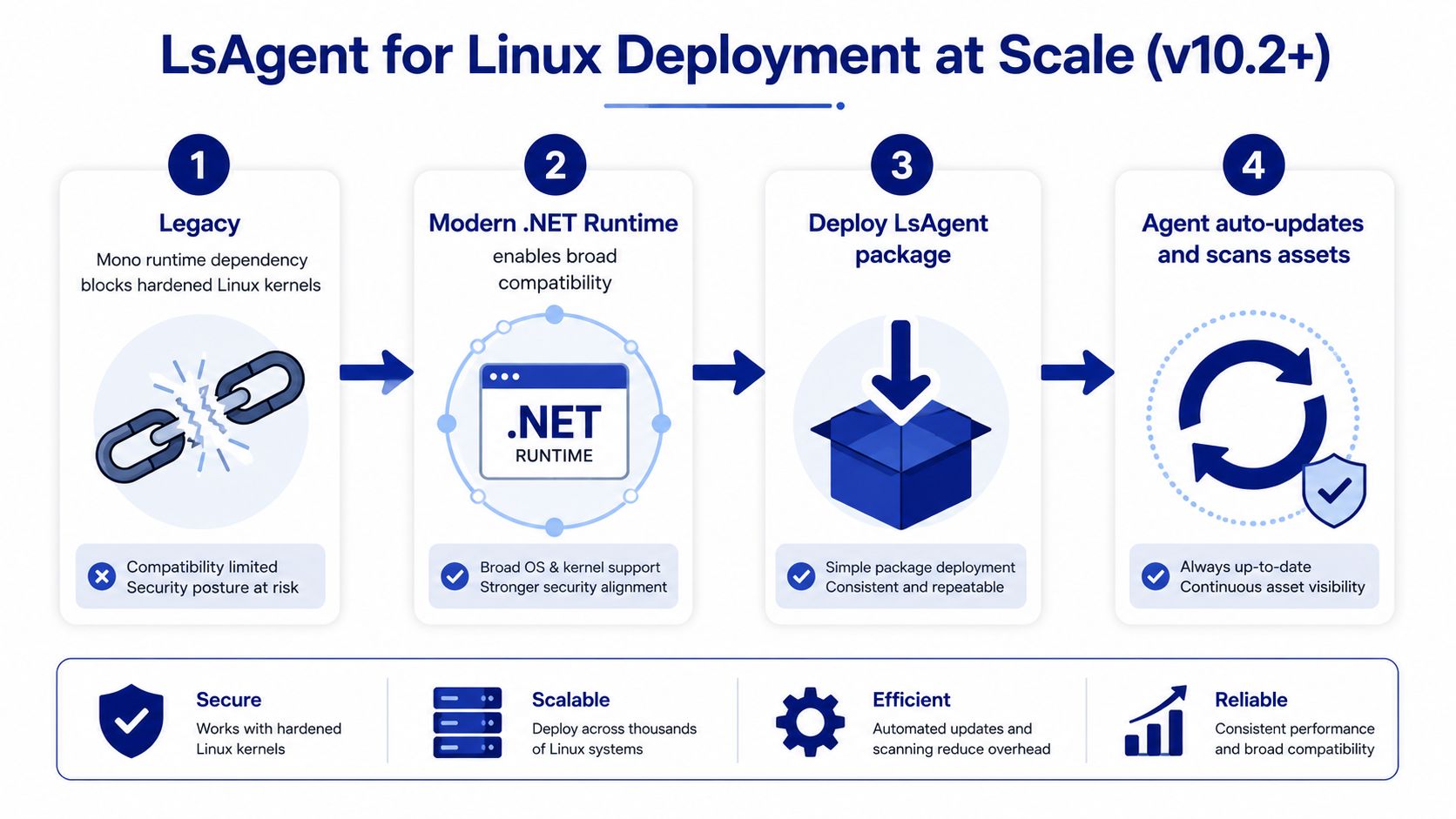
LsAgent is the more practical route when your network policy doesn't allow the Lansweeper server to initiate SSH connections. It shifts the operational problem from inbound credential management to package deployment, registration, runtime compatibility, and agent ownership. That trade-off is often worthwhile for cloud hosts, remote endpoints, and systems that already use outbound management channels.
The important compatibility change came in version 10.2. LsAgent for Linux ships with .NET 6.0 and requires an operating system that supports .NET 6.0. Older unsupported platforms can use legacy LsAgent for Linux version 9.5.0.2, which requires .NET Core 3.1 support. These requirements are documented in Lansweeper's LsAgent installation requirements, so check the target image rather than assuming every Linux host can accept the current package.
How to roll out the agent safely
Use Ansible, Salt, or an existing configuration-management platform. Pre-stage the approved package and configuration, sign or verify the binary according to internal policy, and release it through a canary group before broad deployment. Registration should be checked in the Lansweeper asset list, with hostname and identity attributes reviewed before the next rollout wave.
A controlled sequence looks like this:
Classify hosts: Separate supported current-runtime systems from legacy images.
Deploy to a canary group: Choose representative distributions, network zones, and hardening profiles.
Confirm registration: Check the heartbeat, asset identity, collected fields, and service persistence.
Expand by fleet segment: Release through managed groups instead of a single enterprise-wide job.
Plan migration: Move legacy agents to the current runtime when the operating system supports it, preserving asset history through careful identity matching.
Clean up explicitly: Remove the service, package, configuration, and registration artifacts when decommissioning a host.
If both SSH and LsAgent are enabled for the same machine, define ownership before scanning. Duplicate records can undermine reports and lifecycle decisions, especially when one record receives agent data and another receives remote scan data. Product and licensing discussions can be coordinated through the Stackingo Lansweeper product page, while engineering should retain final control over the collection design.
Security and Least-Privilege Patterns for Enterprise Compliance
The common mistake is to treat Linux scanning as a connectivity checkbox. A reachable host with an overprivileged account is a security design failure, while a successful scan with missing directory or hardware permissions is an inventory-quality failure. You need both controlled access and demonstrably complete collection.
Lansweeper's recommended pattern is a dedicated scanning group, a scanning account assigned to that group, and passwordless sudo restricted to defined commands. The account only needs at minimum, and full root isn't mandatory. However, the scanner may use additional distribution-dependent probes, so you should test command-level access rather than copying a generic sudoers entry and assuming the results are authoritative.
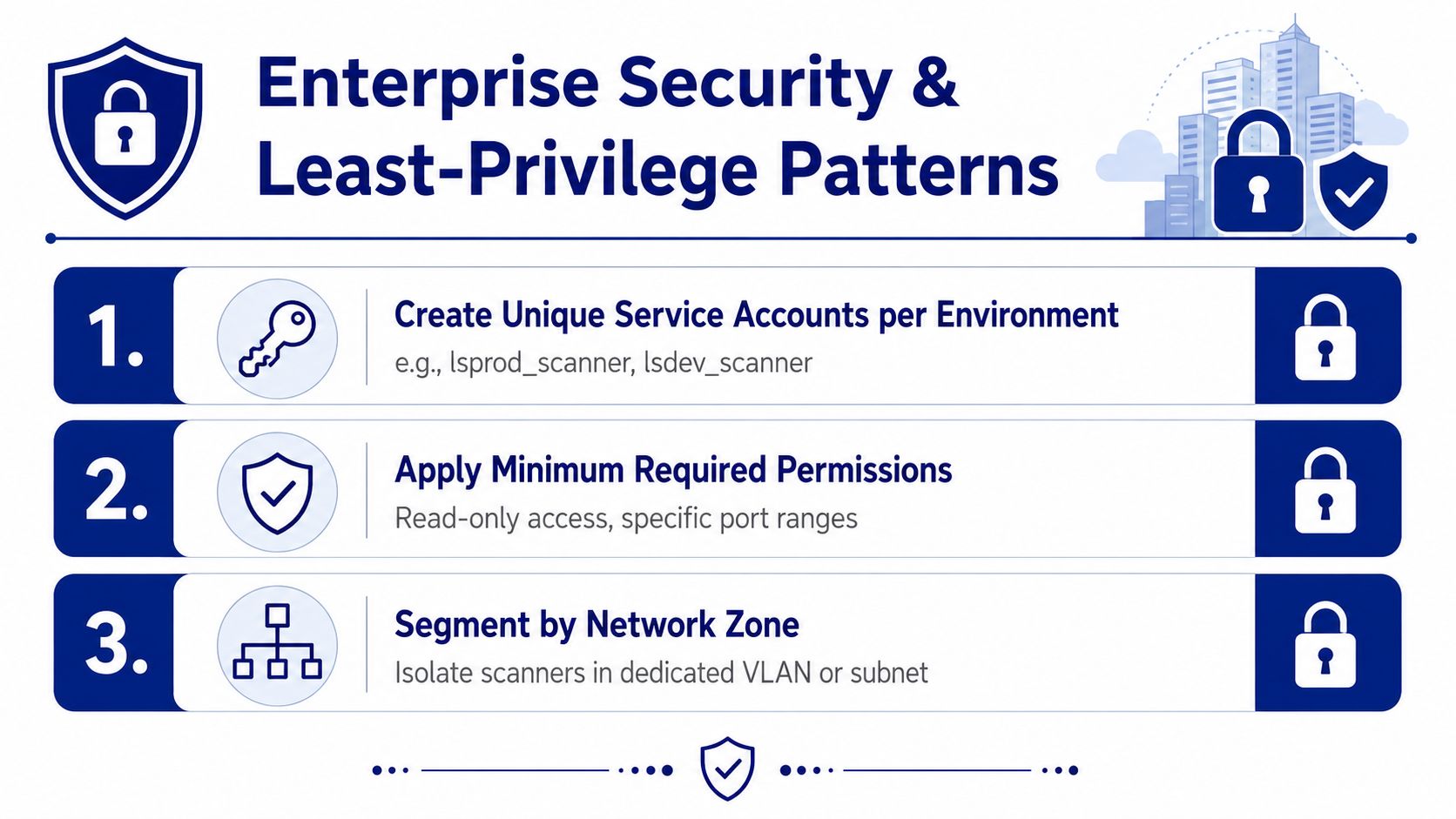
What a defensible control model looks like
Create separate service identities for production, development, and sensitive network zones. Keep private keys in a privileged access-management system where possible, and avoid leaving reusable credentials in ordinary administrator profiles or configuration repositories.
The Linux team should own sudoers and host-side permissions, while the Lansweeper team owns scan targets, schedules, and reporting. That separation makes approvals clearer and gives auditors evidence that the inventory operator can't independently expand host privileges.
Network controls should restrict scanner subnets to approved Linux management paths. Disable password-based SSH authentication where policy allows, audit scanner sessions through logging, and forward those records to the enterprise SIEM. Record key rotation, sudoers changes, target additions, and exceptions in the same change-control system used for other privileged infrastructure.
Least privilege isn't achieved when the scan turns green. It's achieved when the account can collect the required fields, cannot perform unrelated administration, and produces an audit trail that another team can review.
Pay particular attention to authentication layers. Domain users obtained through PAM, SSSD, or Winbind can behave differently from local accounts, while user and group enumeration comes from and . Restricted directories can also hide installed software from SSH collection. If the business needs authoritative software baselines, include path permissions in the acceptance criteria.
For identity and access-management comparisons, procurement teams can record adjacent requirements in SysAid ADFS planning, but the Linux scanner's sudoers and SSH controls still need direct validation on the target estate.
Troubleshooting, Licensing, and Procurement Takeaways
Most failures fall into a small set of operational categories. Start with the Lansweeper credential test and scan-error logs, then reproduce the failing command from the scanning identity. Don't troubleshoot from a root shell because that can hide the permission boundary causing the production result.
Issue | Root Cause | Resolution |
|---|---|---|
SSH authentication rejected | Key, username, SSH policy, or network path is wrong | Test from the scanning server, verify the authorized key, and review SSH logs. |
Scan completes with missing hardware | Required sudo command isn't permitted | Test , , , and related probes individually, then refine sudoers. |
Software is missing | The account can't traverse or read protected directories | Review directory permissions and validate paths such as under the scanner identity. |
LsAgent doesn't register | Runtime, service, DNS, firewall, or registration configuration issue | Confirm the supported runtime, service state, outbound path, and registration details. |
Duplicate Linux assets appear | SSH and LsAgent both identify the same host independently | Choose one collection owner, reconcile records, and avoid overlapping target scope. |
Licensing needs the same precision as technical validation. Confirm how Linux assets count toward the overall Lansweeper license tier, whether your contract includes the LsAgent collection path, which features require additional commercial terms, and when renewal decisions must be made. Treat those answers as contract requirements, not assumptions based on a trial experience.
Procurement should ask vendors to explain:
Linux coverage: Which distributions, runtimes, package systems, and hardware probes are supported?
Privilege model: Can the deployment operate without root, and which commands require sudo?
Network architecture: What works when inbound SSH is blocked or the estate is air-gapped?
Identity handling: How are duplicates reconciled when agent and agentless methods overlap?
Operations: What logs, diagnostics, upgrade controls, and rollback procedures exist?
Commercial scope: How are Linux assets counted, and what agent capabilities are included in the agreement?
The strongest enterprise design is usually hybrid, but only after you define data ownership and privilege boundaries. Start with a representative Linux pilot, test completeness rather than reachability, and make the resulting command list, network path, and licensing assumptions part of the deployment record.
Stackingo can help you evaluate Lansweeper licensing and related enterprise software requirements through a multi-vendor procurement workflow, while your technical team validates the SSH, LsAgent, and least-privilege design. Visit Stackingo to structure your Lansweeper requirements, compare available options, and request a quote aligned with your Linux estate.