
Lansweeper Mac: A Guide to Apple Fleet Scanning
Your Lansweeper Mac rollout can look healthy while returning incomplete inventory. A Mac may be reachable but missing software data, or it may appear twice after an address change. The practical answer is that macOS discovery depends on SSH permissions, Spotlight indexing, operating system support, credential mapping, and deployment design, not just on adding Apple devices as scan targets.
Understanding Lansweeper Mac Support and Compatibility
Lansweeper Mac support is mature enough for mixed fleets, but it remains controlled rather than plug-and-play. Current documentation supports macOS 13 through the current release for Network Discovery and macOS 10.15 for IT Agent Discovery. Apple Silicon is supported through a transition that may require Rosetta, while older documentation and deployment paths can impose different requirements. Review the Lansweeper Mac product documentation before standardizing a rollout.
The architecture has changed over time. Lansweeper documented Mac LsAgent installation around 2018, then expanded its IT Agent approach by 2023 to track a single computer running Windows, Linux, or Apple macOS and send the data directly to a Lansweeper site. The current Discovery download model also includes Windows, Linux, and Mac installers, which reflects a broader cross-platform asset strategy rather than a separate Mac-only workflow. These milestones are documented in Lansweeper's Apple Mac scanning requirements.
What compatibility looks like in practice
macOS Version | Architecture | Agentless SSH | LsAgent | Known Issues |
|---|---|---|---|---|
macOS 10.15 and later | Intel and Apple Silicon, subject to build requirements | Depends on SSH and permissions | Supported through documented agent requirements | Rosetta may be required for some Apple Silicon deployments |
macOS 13 through the current release | Intel and Apple Silicon | Supported through Network Discovery requirements | Supported through current Discovery paths | Validate installer format and cloud-site linking |
Older macOS releases | Varies by method | Confirm against the applicable documentation | Older LsAgent path may be required | Compatibility and runtime support can differ |
The important boundary is that full data discovery for remote Windows discovery isn't supported on macOS. That matters in mixed-platform environments where a Mac-based discovery component is expected to provide the same remote Windows coverage as a Windows-based setup.
Mac inventory also depends on local conditions. Lansweeper uses to collect installed software, and the software result can fail or remain incomplete when Spotlight is disabled, as explained in the macOS scanning requirements. Remote Login must be enabled, and the SSH credential must either have logged in locally once or have sudo rights. FileVault, privacy controls, and hardened endpoint policies can make remote collection less predictable, so test representative managed and unmanaged Macs before calling the deployment complete.
For licensing and architecture planning, Stackingo's Lansweeper offering is relevant when you need to evaluate the software alongside your broader IT asset management requirements.
Choosing Between Agentless Scanning and LsAgent Deployment
Choose agentless SSH for controlled networks and LsAgent for endpoints that aren't consistently reachable from the scanning server. Agentless discovery avoids installing software on every Mac, but it requires reliable SSH access, suitable credentials, and Spotlight indexing. LsAgent shifts the problem from inbound reachability to package deployment, registration, and runtime compatibility.
Use this decision model:
Choose agentless SSH when Macs remain on a corporate network, Remote Login can be enforced, credentials can be mapped consistently, and endpoint security permits the required collection.
Choose LsAgent when users work remotely, devices sit behind NAT, SSH is disabled by policy, or an MDM can distribute and maintain the package.
Use both methods when a fleet contains office-based Macs and roaming or segmented endpoints. Keep ownership clear so the same device isn't unintentionally represented through competing discovery paths.
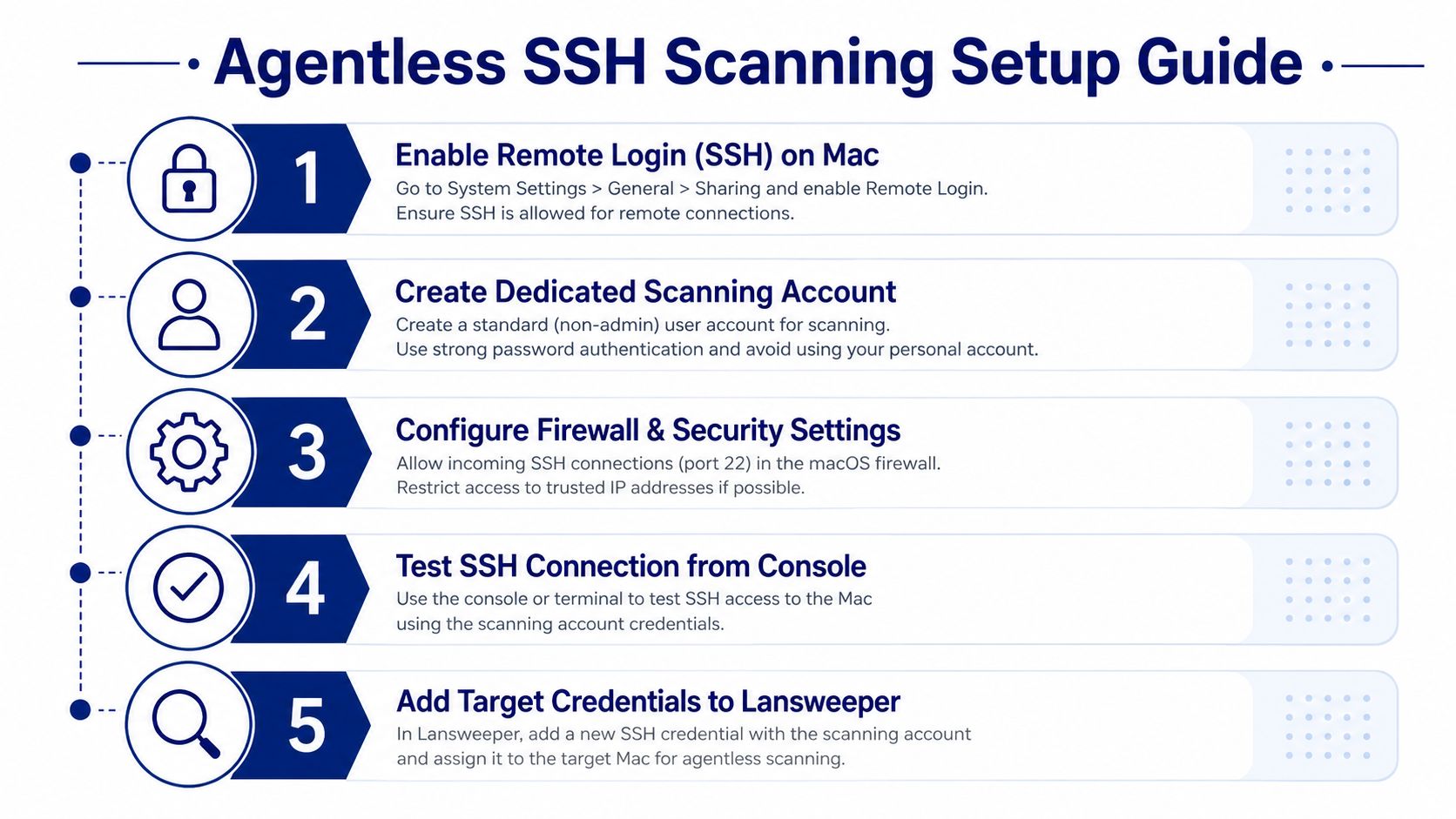
Agentless scanning is operationally simple only after the prerequisites are standardized. The Lansweeper Mac scanning guide states that the SSH user needs access and that Spotlight must be enabled for installed software inventory. In a production rollout, create a dedicated scanning identity, validate connectivity from the Lansweeper console, and confirm that the target isn't configured with No SSH.
LsAgent is usually the better fit for remote workers, but it introduces package lifecycle work. You must distribute the installer, manage registration, account for Apple Silicon behavior, and monitor whether the agent continues reporting. The choice isn't about which method is universally superior. It's about whether your organization can control network path and SSH state, or whether it has stronger control through MDM and endpoint software distribution.
Teams evaluating adjacent discovery and service-management workflows can also compare their operating model with RDS and SysAid implementation considerations. The same principle applies: deployment convenience doesn't guarantee complete operational data.
Configuring Agentless Mac Scanning Over SSH
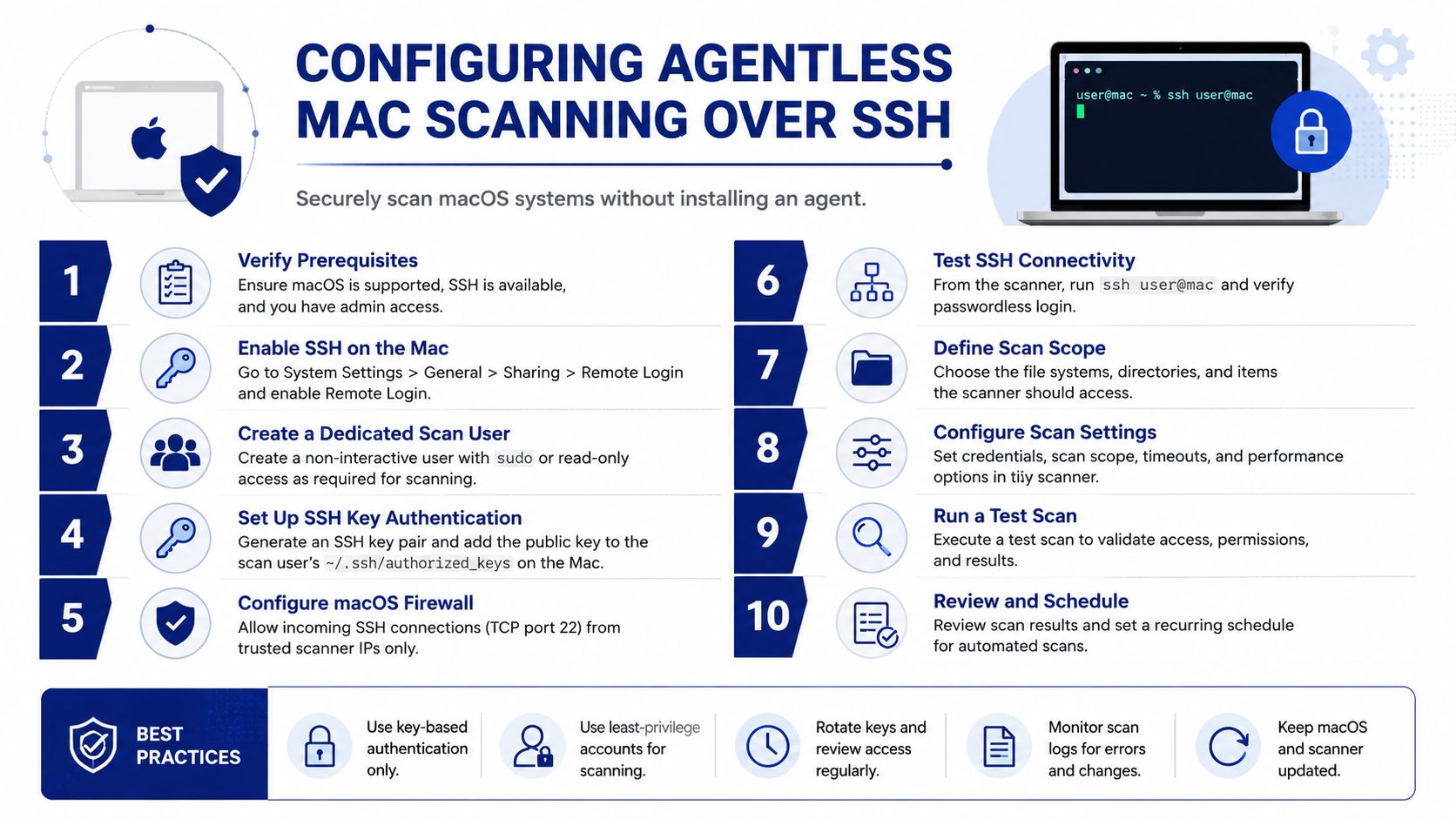
A reliable agentless scan starts with the Mac, not the Lansweeper target list. Enable Remote Login, create a restricted scanning identity, confirm TCP 22 reachability, map the credential correctly, and verify Spotlight before launching broad discovery. If one of those controls is missing, the scan may return an asset with less information than you expect.
The supported least-privilege approach begins by enabling SSH with:
Lansweeper's guidance recommends restricting access through a dedicated SSH access group and, where appropriate, a local or domain scanning group. The account must have either completed a local login or hold sudo rights. Avoid reusing a general administrator account, because broad credentials make troubleshooting easier but weaken separation of duties.
A practical validation sequence
Enable Remote Login on a test Mac and confirm the SSH service is active.
Create the scanning account and apply the narrowest access model that still returns the required inventory.
Check Spotlight on the volumes that contain applications. Without it, may not return complete installed software information.
Verify network reachability from the scanning server and confirm that local firewall policy permits the connection.
Map the credential to the correct network target in Lansweeper. A target marked with No SSH won't use the intended credential.
Run a targeted scan instead of beginning with the entire fleet.
Inspect the scan queue and asset page, checking software, hardware, and identity fields rather than only confirming that an asset exists.
Practical rule: Treat a successful connection and a complete inventory as separate tests.
Privacy controls can limit what an SSH session can read, especially on managed Macs. Don't assume that a reachable shell can collect every attribute your compliance team wants. FileVault and endpoint hardening can also affect access during startup or before a user session is available. Document those boundaries and use targeted testing to distinguish a credential failure from an intentional macOS restriction.
Lansweeper's Mac least-privilege scanning guidance also highlights an identity risk in dynamic-address environments. When a Mac address changes and a MAC address isn't captured, IP-based identification can produce duplicate or unstable assets. Persistent naming and an agent-based fallback can reduce that risk.
Installing and Configuring LsAgent on macOS
LsAgent is the practical route for Macs that aren't reliably reachable over SSH. It sends endpoint data through the agent workflow, which suits remote and segmented fleets, but its runtime and package requirements need to be handled deliberately.
For current LsAgent packages, Lansweeper states that version 10.2.0.0 and later packages .NET 6.0 and requires macOS 10.15 or higher, 64-bit. Older environments can use legacy LsAgent version 9.5.0.2, which requires an operating system that supports .NET Core 3.1. Confirm the package and operating system combination in the LsAgent installation requirements before distributing it through an MDM.
A controlled deployment pattern
Start with a pilot package and register it against the intended Lansweeper site. For MDM delivery, use the available DMG or PKG installer format, then verify that the endpoint can reach the required Lansweeper service. The exact registration values and installer behavior should come from the package documentation for your selected release, rather than from a copied command designed for another version.
Apple Silicon deserves separate validation. Lansweeper's current Mac documentation notes that Rosetta is required on Apple Silicon until native ARM builds are available. That means an installer that works on an Intel Mac may still need a compatibility layer or a different package path on an Apple Silicon device. Don't treat processor architecture as a cosmetic inventory field. It can determine whether the service launches at all.
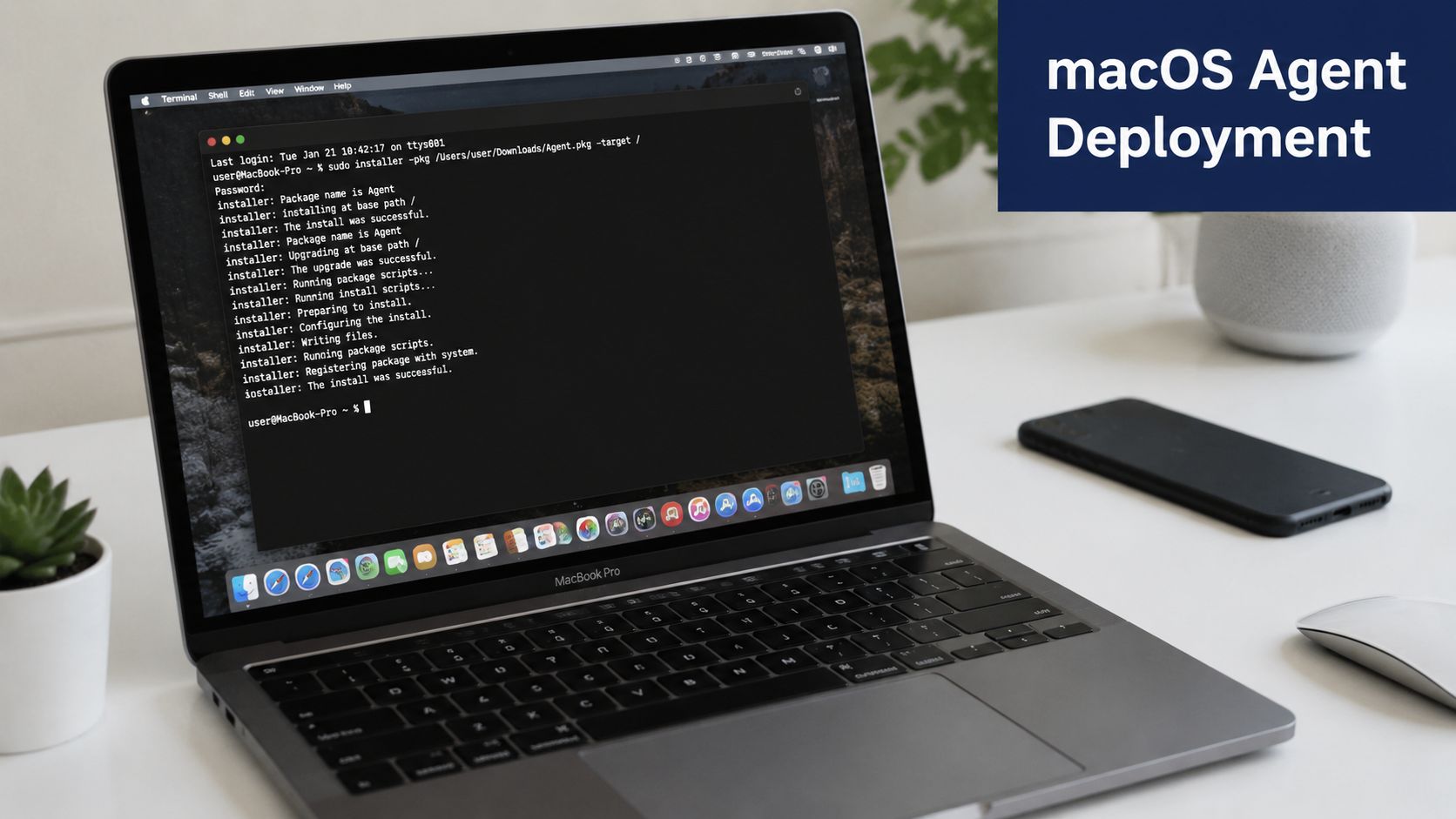
After installation, validate three things:
Service state: Confirm that the agent is loaded through the macOS service framework used by the package.
Registration: Check that the device appears at the correct Lansweeper site.
Payload arrival: Verify that the first inventory data has been received and contains useful software and hardware fields.
Gatekeeper and MDM security profiles can interrupt package execution, so check quarantine status and endpoint policy before blaming Lansweeper registration. Keep the deployment record tied to the package version, runtime, architecture, and site registration details. For broader IT operations context, SysAid IT asset management provides a useful comparison point when assessing where discovery ends and service management begins.
Reporting Limitations and Data Gaps to Plan Around
Lansweeper can provide useful Mac inventory without replacing every MDM, compliance, or endpoint telemetry source. The most reliable results come from fields the endpoint can expose through the selected discovery method. Native Mac reporting becomes less complete when privacy controls, Spotlight, credentials, or platform-specific data structures restrict collection.
The clearest limitation concerns hardware and network identifiers. Lansweeper's reporting material can surface installed software and MAC addresses, but a community discussion notes that some Ethernet and wireless MAC information isn't present in the tables used for reporting. That means a report can be technically valid while still lacking an identifier your network or procurement team expects. Review the Mac address reporting resource before building reconciliation logic around those fields.
Inventory Category | Windows Coverage | macOS Coverage | Gap Notes |
|---|---|---|---|
Installed software | Broad discovery through supported methods | Available, but dependent on Spotlight and | Validate completeness rather than assuming parity |
MAC addresses | Commonly available when adapters expose them | Available in relevant reporting paths, but some adapter data may be absent | Custom reconciliation may be needed |
Remote discovery | Depends on credentials and network access | SSH prerequisites are stricter | Remote Windows discovery from macOS has a documented boundary |
Identity stability | Uses platform-specific identification logic | Can be affected by changing IP addresses and missing MAC data | Agent fallback or persistent naming can help |
Design reports to expose uncertainty
Don't hide null values by filtering them out. Build reports that show missing software, absent identifiers, and stale discovery states so operations teams can investigate the cause. For compliance work, pair Lansweeper inventory with MDM data when the authoritative control lives in configuration profiles, privacy approvals, encryption status, or device posture.
Custom scripts over SSH can supplement fields that native reporting doesn't expose, but they shouldn't be treated as a universal replacement for endpoint management. A SysAid CMDB comparison can help teams separate asset discovery, configuration management, and compliance ownership instead of forcing one database to answer every operational question.
Enterprise Deployment Best Practices for Mac Fleets
Enterprise Mac discovery works best as a layered operating model. Use least-privilege SSH where the network is controlled, LsAgent where endpoint reachability is inconsistent, and MDM as the enforcement plane for package delivery and macOS privacy settings.
Create a dedicated scanning identity first. Lansweeper's documentation supports restricting SSH through an access group and a local or domain scanning group, which gives security teams a clearer review boundary than shared administrative credentials. Test the commands and permissions required by your chosen discovery method, then remove anything that isn't needed.
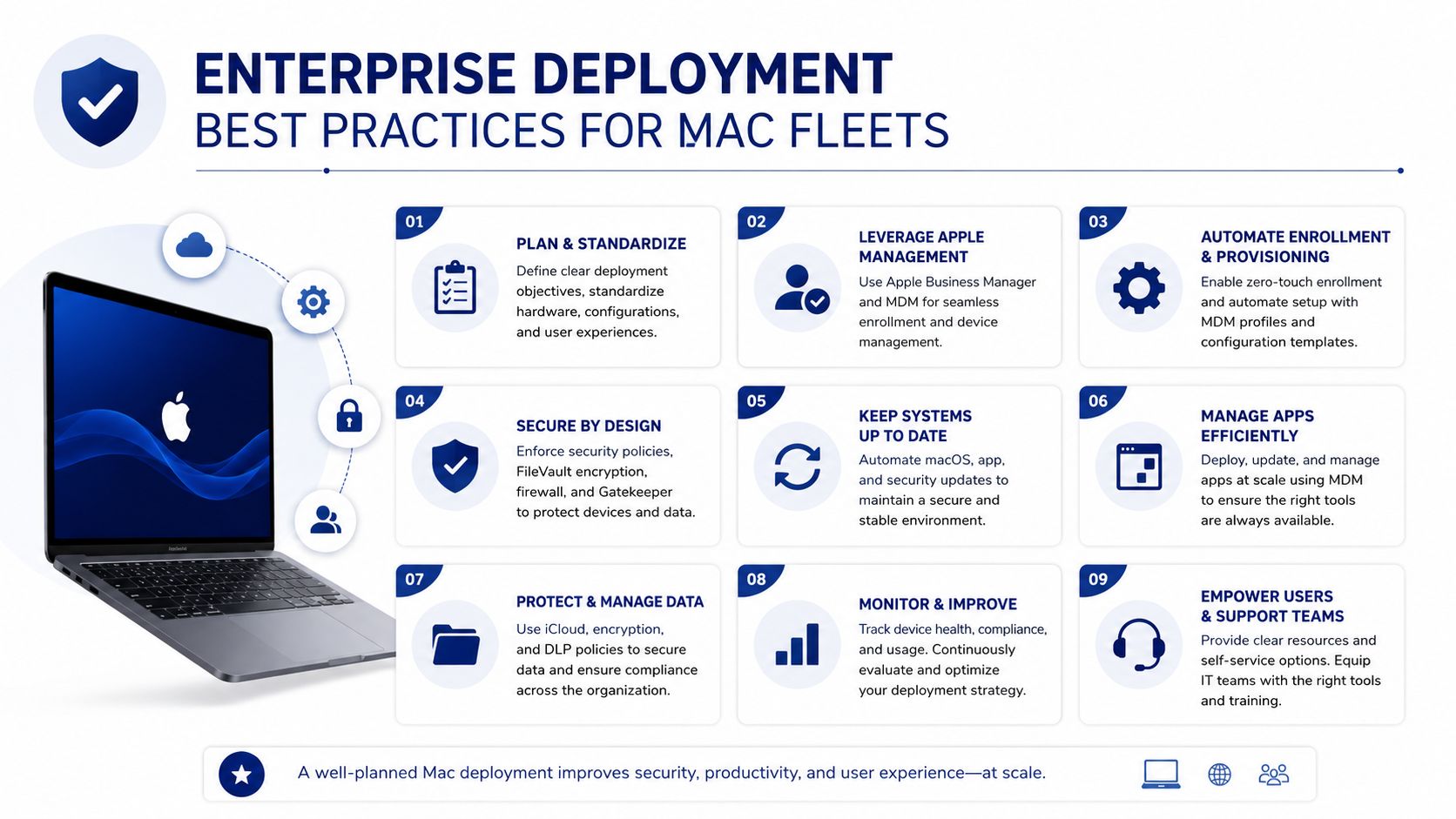
Build the operating controls around the fleet
Use MDM for consistency: Deploy LsAgent packages, enforce Remote Login settings where approved, and manage macOS privacy permissions through the organization's configuration profiles.
Separate network zones: Place discovery components close to the Macs they scan when cross-network SSH traffic creates firewall or routing problems.
Pilot by device type: Include Intel Macs, Apple Silicon Macs, remote devices, FileVault-protected endpoints, and different management states.
Watch data quality: Alert on scan failures, missing software inventory, unexpected duplicates, and devices that stop reporting.
Retire stale targets: Remove decommissioned Macs and obsolete scan targets so the inventory reflects current ownership.
Review compatibility regularly: Compare the fleet's macOS versions and agent packages with Lansweeper's published requirements before broad upgrades.
The operational metric that matters isn't the number of assets displayed in the console. It's whether the records contain the fields your licensing, security, procurement, and compliance teams use. A Mac asset with no software inventory may satisfy a discovery count while failing the business purpose of the deployment.
For teams coordinating multiple platforms and vendor relationships, SysAid integrations offers a related perspective on connecting asset data with surrounding IT workflows.
Stackingo helps enterprise teams source Lansweeper licensing and evaluate implementation requirements for mixed Windows and Mac environments, including discovery planning and Mac scanning considerations. Visit Stackingo to submit your Lansweeper requirements and compare a structured licensing and deployment path for your fleet.
Frequently Asked Questions About Lansweeper Mac
Does Lansweeper support Apple Silicon Macs?
Yes, Lansweeper supports Apple Silicon Macs through its evolving Mac discovery approach. The current documentation notes that Rosetta is required on Apple Silicon until native ARM builds are available, so validate the selected installer and agent version before deployment.
What does Lansweeper need to scan a Mac over SSH?
The Mac needs Remote Login enabled, and Lansweeper needs an SSH credential that has either been used for a local login once or has sudo rights. Spotlight must also be enabled if you need installed software inventory, because Lansweeper uses for that collection.
Is LsAgent better than agentless scanning for Macs?
Neither method is universally better. Agentless scanning suits controlled networks where SSH can be standardized, while LsAgent is more practical for remote or segmented devices that aren't consistently reachable by the scanning server.
Why is Mac software inventory incomplete in Lansweeper?
The usual causes are disabled Spotlight, insufficient SSH permissions, credential mapping errors, or macOS privacy restrictions. Confirm the endpoint prerequisites and inspect the returned fields rather than treating the presence of an asset record as proof of complete inventory.
Can Lansweeper replace MDM for Mac management?
Lansweeper provides discovery and inventory, but it shouldn't be assumed to replace MDM. Use MDM for configuration enforcement, package deployment, privacy permissions, and compliance posture, then use Lansweeper as an inventory source that can be reconciled with that management data.
