
Lansweeper Syslog Setup: A Complete Step-by-Step Guide
Updated: Oct 10
You've configured Lansweeper to discover assets, but a firewall event, switch warning, or endpoint record still lives somewhere else. That gap creates confusion. Lansweeper syslog requires a careful distinction between asset discovery, Windows event-log scanning, scan history, audit trails, and native syslog collection. Lansweeper can provide valuable operational context, but it shouldn't automatically be treated as a universal syslog collector or SIEM feeder.
Why Syslog Matters for Lansweeper Visibility
Syslog matters because inventory tells you what exists, while event data helps explain what changed and when. A switch, firewall, or server can appear correctly in Lansweeper's asset inventory while a connectivity failure, authentication event, or configuration change remains invisible to the inventory workflow.
Lansweeper's documented event-log alerting is source-driven. Alerts are triggered after Windows event-log entries are scanned, so the event set, scan timing, and filtering decisions determine what becomes visible. A healthy forwarding path won't compensate for narrow source-side filters or a scan cadence that's too slow for incident response. Lansweeper's event-log alerting documentation describes this workflow clearly.
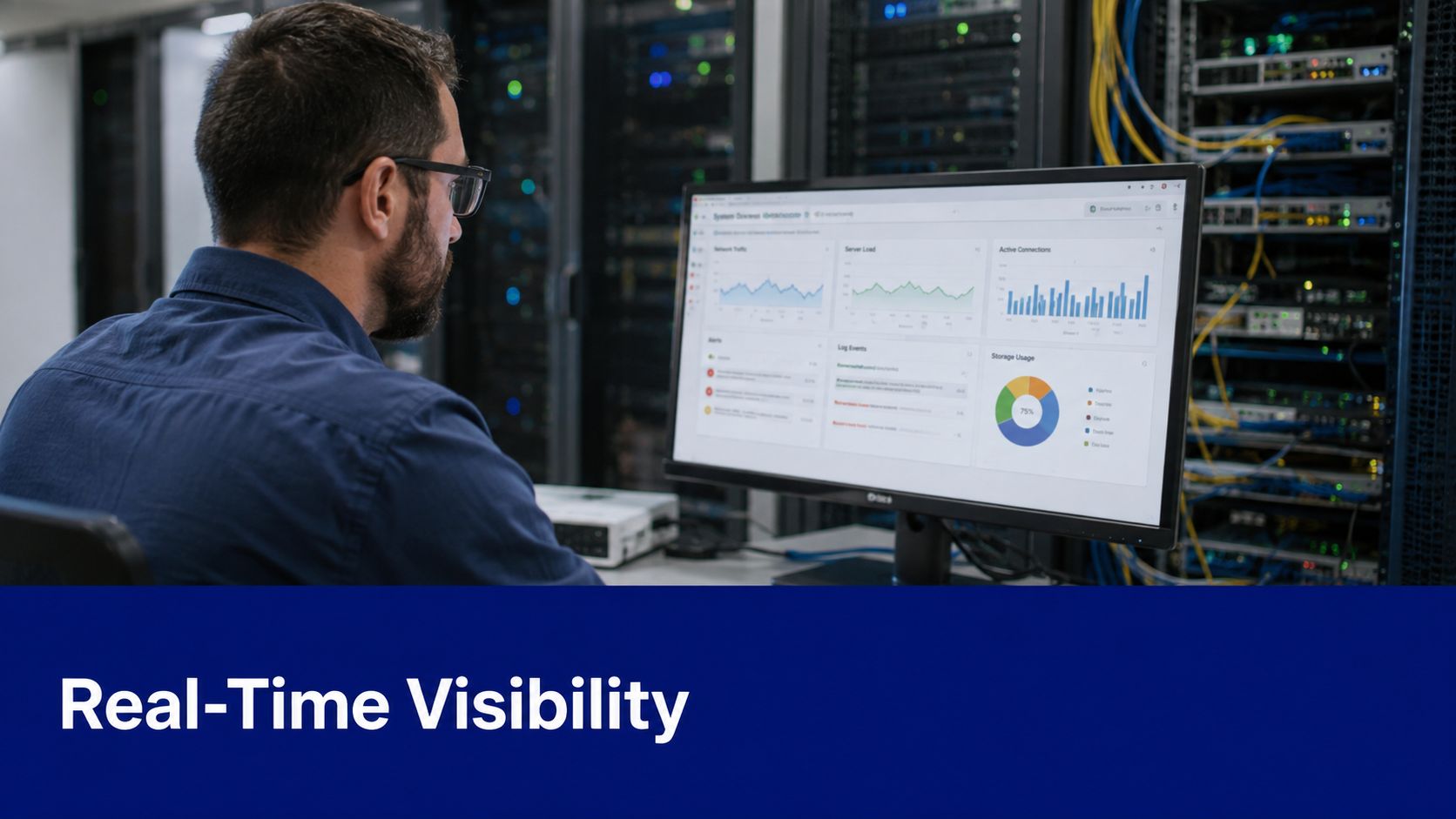
What Lansweeper adds to log visibility
Use Lansweeper to connect telemetry with assets, ownership, operating systems, locations, and discovered relationships. That context can make troubleshooting more precise than searching an unstructured stream of messages.
However, public Lansweeper documentation and community material largely cover Windows event logs, scan logging, reports, and alerts, rather than native syslog ingestion and forwarding. The practical question is therefore not just whether Lansweeper supports syslog. It's whether your deployment can receive, retain, normalize, and forward the specific events your operations or security team needs. The Lansweeper resource library is useful for continuing product-focused research.
Enabling the Syslog Receiver on Lansweeper Server
Before configuring a device, confirm that your Lansweeper deployment provides the receiver or integration path you intend to use. Don't assume that an event-log scanning feature is equivalent to a native syslog listener. Validate the capability in the product version and deployment model, then document the supported transport, port, message format, and destination behavior.
A practical server-side checklist looks like this:
Confirm the product boundary: Determine whether the on-premises installation receives syslog directly, or whether logs must pass through a relay, collector, or cloud integration.
Define the listener: Record the listening interface, transport, and port approved by your network and security teams. UDP is common in syslog environments, but it offers limited delivery assurance.
Permit the traffic: Apply narrowly scoped firewall rules between approved network devices and the intended collector. Avoid opening a listener broadly across untrusted segments.
Save and restart only when required: Lansweeper's classic scan-logging guidance states that the Lansweeper Server service must be restarted before new scan attempts are captured after scan logging is enabled. That behavior applies to scan logging, not automatically to every logging integration, so verify the requirement for your chosen workflow in Lansweeper's product documentation.

Don't confuse scan logging with syslog reception
Scan logging records Lansweeper Server scan attempts. Lansweeper documents that this feature can retain data for up to 60 days, and the records are associated with the table, making the history queryable from the underlying data store. That's a time-bounded audit mechanism for scan troubleshooting, not proof of indefinite event transport.
The newer audit-trail design is different. It stores user and system activity for up to 12 months, including configuration changes, inventory edits, export and API access, and site logins. The audit data can be exported and retrieved through the Data API, which makes it more suitable for longer-term governance workflows. See Lansweeper's audit-trail overview for the documented distinction.
Configuring Network Devices for Log Forwarding
Network-device configuration varies by vendor, but the decision process stays consistent. Start with the devices that matter most to your operational objectives, then choose event categories and severity levels that produce useful signals without overwhelming the collector.
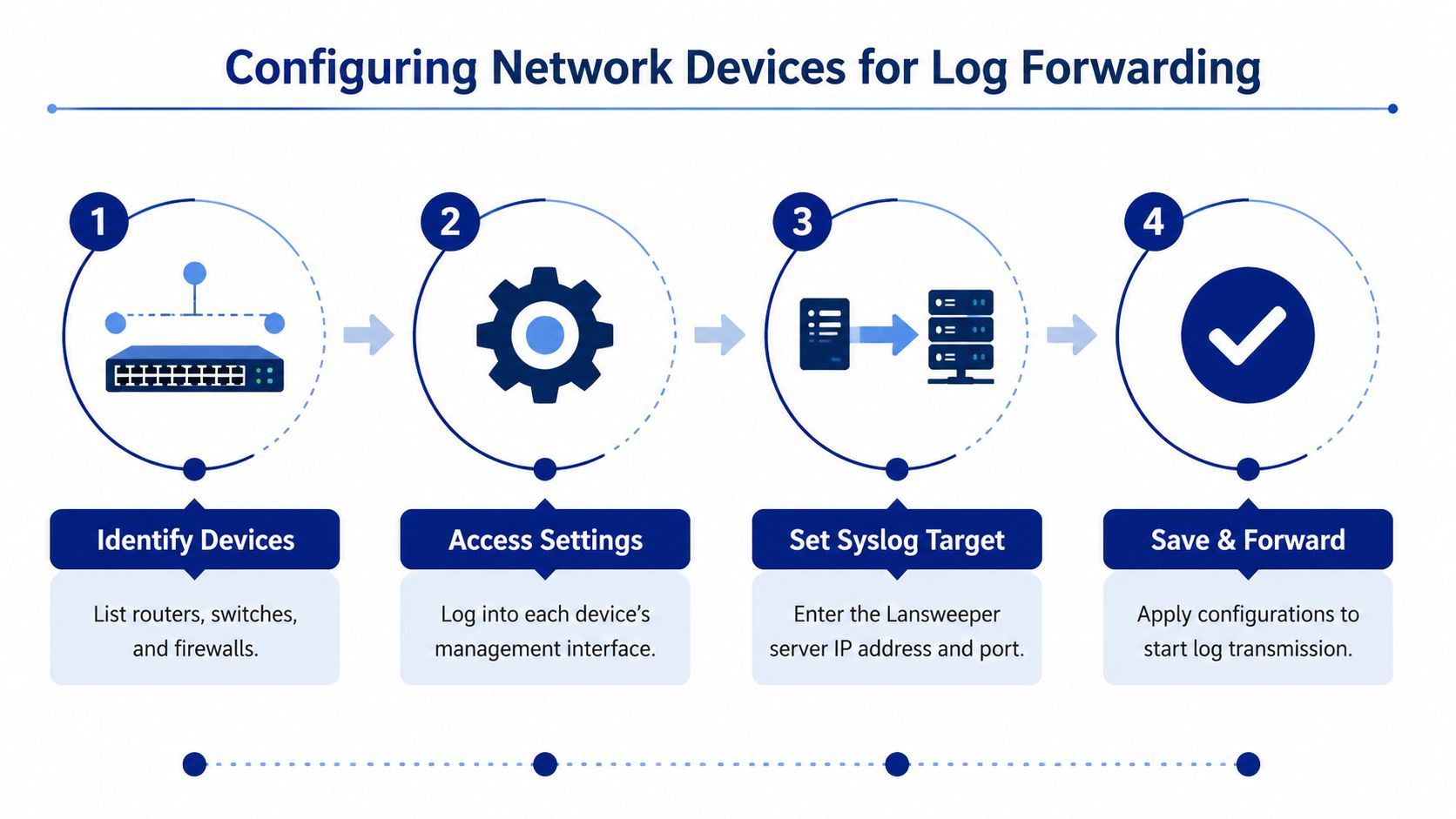
A device-by-device workflow
Identify devices first. List routers, switches, firewalls, wireless controllers, VPN gateways, and other infrastructure that can generate useful records. Include management interfaces and network segments in the design, because a device may be reachable from one collector location but not another.
Set the destination deliberately. On each device, enter the approved collector hostname or address and transport settings. Avoid copying a single configuration blindly across vendors. Cisco, Fortinet, Palo Alto Networks, and other platforms differ in facility naming, severity behavior, timestamp formatting, and whether they support encrypted syslog transport.
Choose event scope. Forward authentication failures, administrative changes, interface state transitions, routing changes, security detections, and service failures when those records support a real operational or security decision. Don't forward every available facility by default. Excess noise makes correlation harder and increases storage and processing pressure.
Save, then generate a controlled test. Make a documented configuration change or use a vendor-supported test event. Confirm that the message leaves the device, reaches the intended collector, and contains the expected hostname, timestamp, facility, severity, and message body.
Practical rule: A forwarded message is only useful if your team can identify its source, preserve its timestamp, and connect it to an action.
Transport and time synchronization
For larger environments, place collectors close to log sources instead of sending raw, high-volume UDP traffic directly to downstream consumers. Cisco's syslog guidance recommends relays and more reliable protocols where appropriate, along with NTP synchronization, time-zone-aware timestamps, a limited collector design, and continuous baselining of CPU, memory, and network overhead. The Cisco Press syslog guidance provides the relevant engineering context.
A network configuration tool such as ManageEngine Network Configuration Manager can also help standardize and audit device-side forwarding settings, but it doesn't remove the need to validate Lansweeper's actual ingestion boundary.
Parsing and Verifying Ingested Syslog Messages
Verification should happen at three layers: transport, interpretation, and operational usefulness. First, prove that the device sends a message and that the collector receives it. Next, check whether the platform preserves the fields your reports and alerts require. Finally, confirm that an administrator can use the resulting record to investigate an asset or event.
Start with a controlled test from one device. Record the local device time, event type, hostname, severity, and destination. Compare those values with the received record. If the timestamp differs, fix NTP and time-zone handling before building reports. Otherwise, a correlation rule may connect unrelated activity or place a genuine sequence in the wrong order.
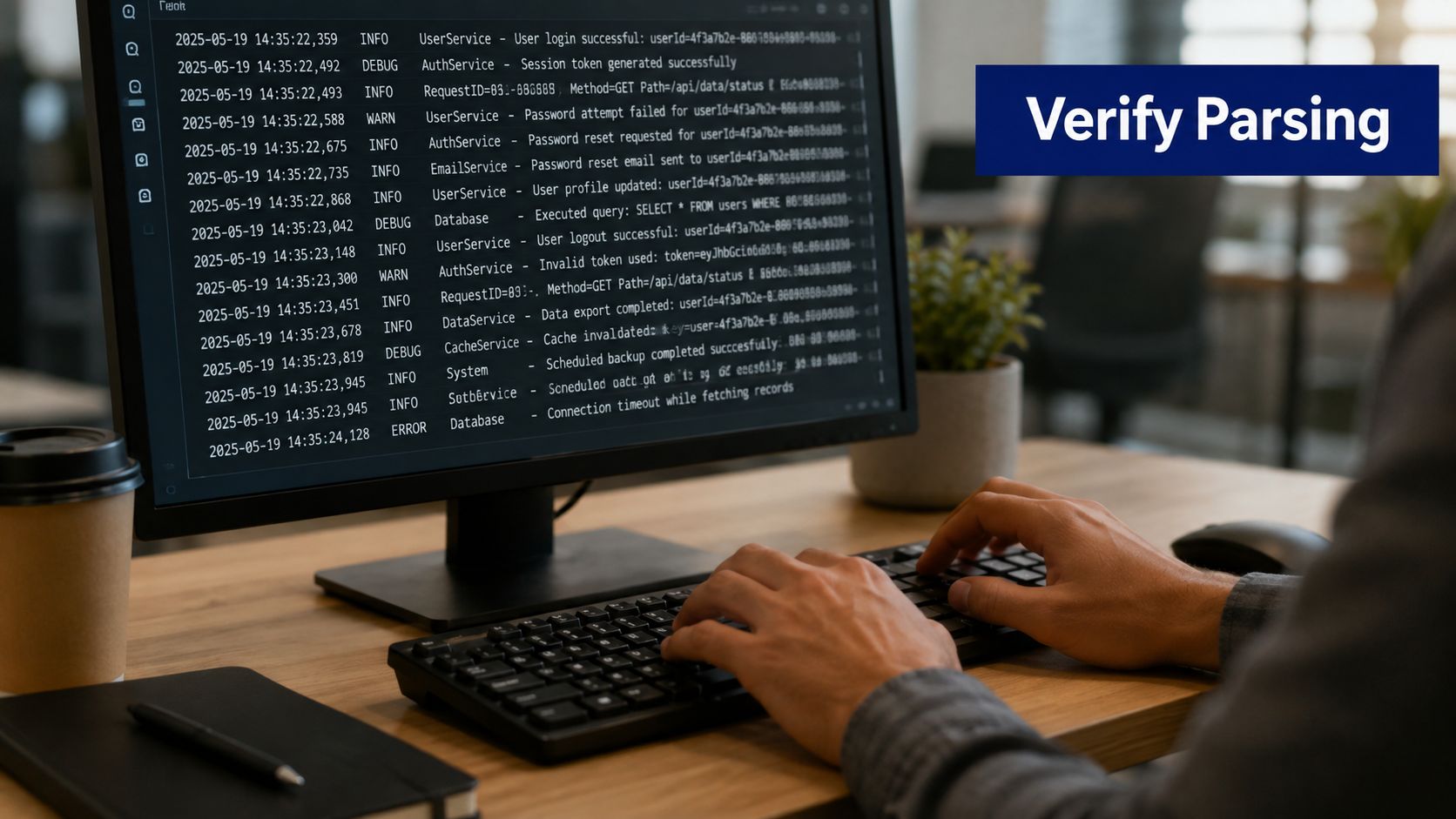
What to validate in every message
Source identity: The record should identify the sending device consistently. Hostnames, interface names, and asset identifiers shouldn't vary unpredictably.
Event meaning: Confirm that severity and facility values match the vendor's definitions. A label such as “warning” may not mean the same thing across platforms.
Timestamp fidelity: Check time zone, daylight-saving behavior, and synchronization. Time errors can undermine incident reconstruction.
Retention behavior: Don't assume that scan history, audit trails, and event records share the same retention policy. Lansweeper documents 60-day scan-log cleanup and 12-month audit-trail retention as separate mechanisms, not one universal event archive. The scan-history details are described in Lansweeper's community reporting discussion.
If your requirement is full log search, correlation, alerting, and long-term security analytics, use a purpose-built log-management or SIEM platform where appropriate. ManageEngine EventLog Analyzer is an example of a separate product category. Treat it as a complement or alternative workflow, not evidence that Lansweeper itself provides every SIEM function.
Scaling Syslog and Implementing Security Best Practices
A small test environment can send messages directly to a collector. A distributed enterprise network needs a design that limits loss, controls volume, and protects sensitive records. The most reliable pattern is usually source, local or regional relay, central analysis platform, with clear ownership at each stage.
Design for capacity before volume rises
Use relays when remote sites, high-volume firewalls, or unreliable links make direct delivery fragile. Relays can buffer, filter, normalize, and forward messages using more reliable protocols where supported. They also reduce the number of devices that must connect directly to a central destination.
Baseline collector CPU, memory, disk, and network use under ordinary conditions, then observe behavior during backups, maintenance windows, authentication storms, or incident activity. Cisco's guidance emphasizes this kind of ongoing resource baseline, because syslog systems often fail through capacity and correlation problems rather than a simple protocol error.
Protect the collection path
Restrict which devices may send to the receiver, limit administrative access, and separate management traffic from ordinary user traffic where your architecture supports it. Use encrypted transport such as TLS when the device and collector support it, especially across untrusted or shared networks. Validate certificate handling, clock synchronization, and failure behavior before relying on encryption in production.
Lansweeper's classic scan logging also deserves capacity planning. The platform warns that enabling scan logging can significantly increase database size, recommends keeping retention as low as possible, and provides cleanup after 60 days, as documented in Lansweeper's scan-logging guidance. For centralized security analytics, ManageEngine Log360 represents a broader log-management and SIEM-oriented product category that may fit requirements Lansweeper alone doesn't cover.
Troubleshooting Common Lansweeper Syslog Issues
Most failures fall into four groups: the sender isn't transmitting, the network blocks delivery, the receiver doesn't support the expected workflow, or the message arrives without useful interpretation. Troubleshoot in that order. Checking dashboards first often wastes time because a missing record may never have reached the platform.
Use a controlled isolation method
Pick one device and one event. Confirm its forwarding configuration, then inspect the path with the network team's approved packet or collector diagnostics. If the message arrives, compare its source identity and timestamp with the device record. If it doesn't, test routing, access controls, listener settings, and transport compatibility before changing parsing rules.
Narrow filters create a common false negative. Lansweeper's event-log alert workflow runs after Windows event entries are scanned, so an alert won't fire if the event set excludes the relevant record or the scan doesn't occur soon enough. Review the source-side selection and scan schedule rather than assuming the alert engine is broken.
Troubleshoot Lansweeper-specific logging
For Network Discovery diagnostics, open Settings > Troubleshooting, enable detailed logging, and target exactly one IP address or hostname. Lansweeper offers Detailed, described as Debug verbosity, and Very detailed, described as Verbose verbosity and the most detailed level. IP ranges are rejected, so isolate a single target when collecting diagnostic evidence. Follow Lansweeper's detailed-logging procedure and disable verbose diagnostics after testing to avoid unnecessary data growth.
If the database grows unexpectedly, check whether scan logging was enabled and whether cleanup is scheduled. If the on-premises deployment is expected to connect directly to a SIEM, verify that assumption with current product documentation. Public guidance indicates a meaningful boundary between on-premises and cloud SIEM integrations, so deployment model should be treated as a design decision, not a minor setting.
Key Takeaways for Your Lansweeper Syslog Journey
A successful Lansweeper syslog design starts by separating capabilities. Lansweeper's asset discovery and Windows event scanning can add valuable context, while scan history and audit trails provide different retention and query options. None of those facts alone proves that every Lansweeper deployment acts as a native syslog collector or SIEM feeder.
Build the workflow around one tested device, synchronized time, explicit event filters, controlled transport, and verified retention. Use relays and reliable protocols when scale or network distance makes direct UDP delivery risky. Keep diagnostic logging targeted, especially because detailed discovery logs and scan logging can increase data volume.
Treat Stackingo as one procurement route for Lansweeper licensing and related enterprise IT platforms, while matching the technical architecture to your actual on-premises, cloud, and SIEM requirements.
Visit Stackingo to compare Lansweeper licensing options and related enterprise IT platforms through a structured procurement process. Use the requirements from this guide, including deployment model, discovery scope, retention needs, and log-management boundaries, to request a quote that fits your environment.