
How to Build a SysAid Workflow That Delivers Results
You're usually not short on tickets, you're short on control. The service desk gets flooded, routing rules drift, approvals stall, and nobody can say with confidence whether the workflow is helping or just moving work around. A good SysAid workflow fixes that by turning service operations into a measurable process, not a pile of handoffs.
Why SysAid Workflows Matter for Modern IT Service Operations
The first pain point on day one is usually obvious. Tickets arrive faster than humans can triage them, and the team ends up using judgment where the system should have made the decision. A SysAid workflow is useful because it gives you triggers, conditions, and actions that can consistently route work, set deadlines, and standardize approvals.
That matters because SysAid's reporting doesn't treat workflow as a black box. Its service-management reports can track opened and closed records by period, category, company, administrator, and priority or urgency, while the Service Quality report uses MTTR as the default measure and the breach report depends on thresholds defined in hours. In other words, workflow design becomes part of operational measurement, not just configuration hygiene. SysAid reports documentation
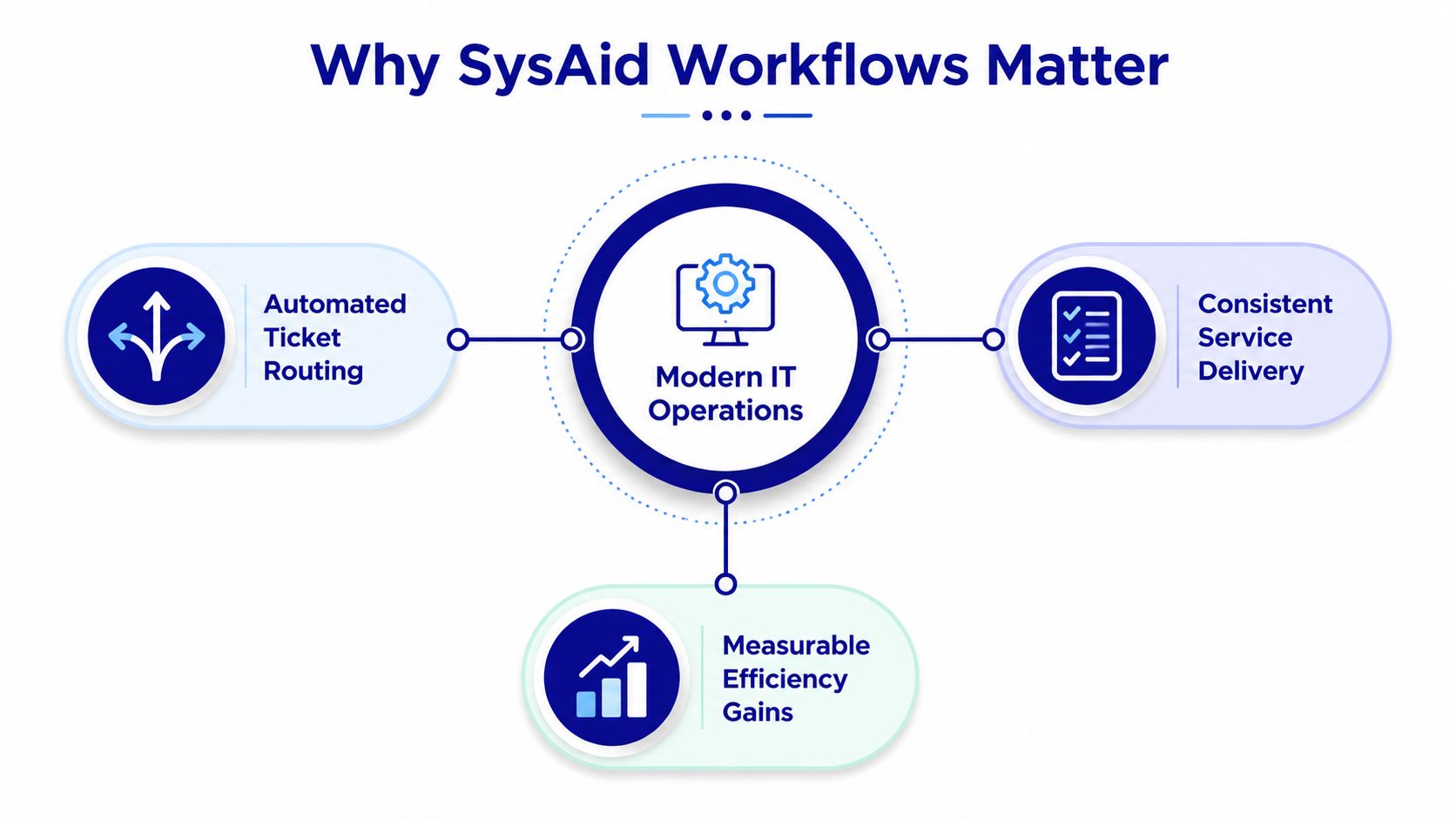
Practical rule: if a workflow can't be measured, it usually can't be defended in a review.
The buying signal for IT leaders is maturity. Simple ticket routing is easy to demo, but a service operation needs repeatable logic, visible reporting, and a clean way to validate whether automation is reducing handoffs. Stackingo's view of workflow maturity is straightforward, if the platform can't show process performance, it's not ready for serious enterprise standardization. See the broader ITSM context in Stackingo's SysAid ITSM overview.
The Anatomy of a SysAid Workflow
A SysAid workflow is built from a small set of primitives, and the design works best when those primitives are treated as a sequence instead of a pile of rules. Triggers fire when a record changes. Conditions evaluate record properties such as classification, SLA, organization, user group, and category. Actions assign priority, set due dates, route owners, and send notifications.
SysAid also structures workflow around phases and action items. Phases are the logical containers. Action items are the form fields or tasks users complete during resolution. That design matters because you can drag action items between phases and reorder them inside a phase, which makes the workflow behave like a controlled process rather than a loose checklist. SysAid workflow documentation
SysAid Workflow Primitives and Their Operational Role | What it does | Example in SysAid | Operational KPI it moves |
|---|---|---|---|
Trigger | Starts the workflow on a record change | A change record moves into assessment | Cycle time |
Condition | Checks whether the record matches criteria | Classification, SLA, organization, user group, category | Routing accuracy |
Action | Performs the operational step | Set priority, due date, owner, escalation | MTTR |
Phase | Groups related work into sequence | Assessment, rollback planning, completion | Approval cycle time |
Action item | Captures the input or task needed to continue | Risk evaluation, rollback planning, required field completion | Handoff reduction |
The cleanest way to think about this is simple. If the workflow depends on a human to remember the next step, it's not really automated. If the next dependency is triggered by the completion of the current phase, the process can move without friction.
A workflow should read like an operating procedure, not a collection of clever exceptions.
For a deeper look at platform-wide automation patterns, compare this with Stackingo's SysAid automation notes.
Configuring Your First Workflow in the SysAid Designer
A solid build starts before you open the designer. Define the request category first, decide what should be captured automatically, and make sure the record can carry the timestamps SysAid exposes, including request time, enabled time, completed time, and modified time. That preparation keeps the workflow auditable instead of just functional. SysAid request management
In the Workflow Designer, the practical sequence is to create the workflow from a template, then map it into phases with only the action items needed to move the record forward. SysAid's change-management example does this well. A change record is created from a template, linked to related incidents and root-cause history, then moved into assessment where an action item handles risk evaluation and AI-generated risk scoring before rollback planning and completion. That structure is important because traceability comes from the links, not just the form fields. SysAid workflow documentation
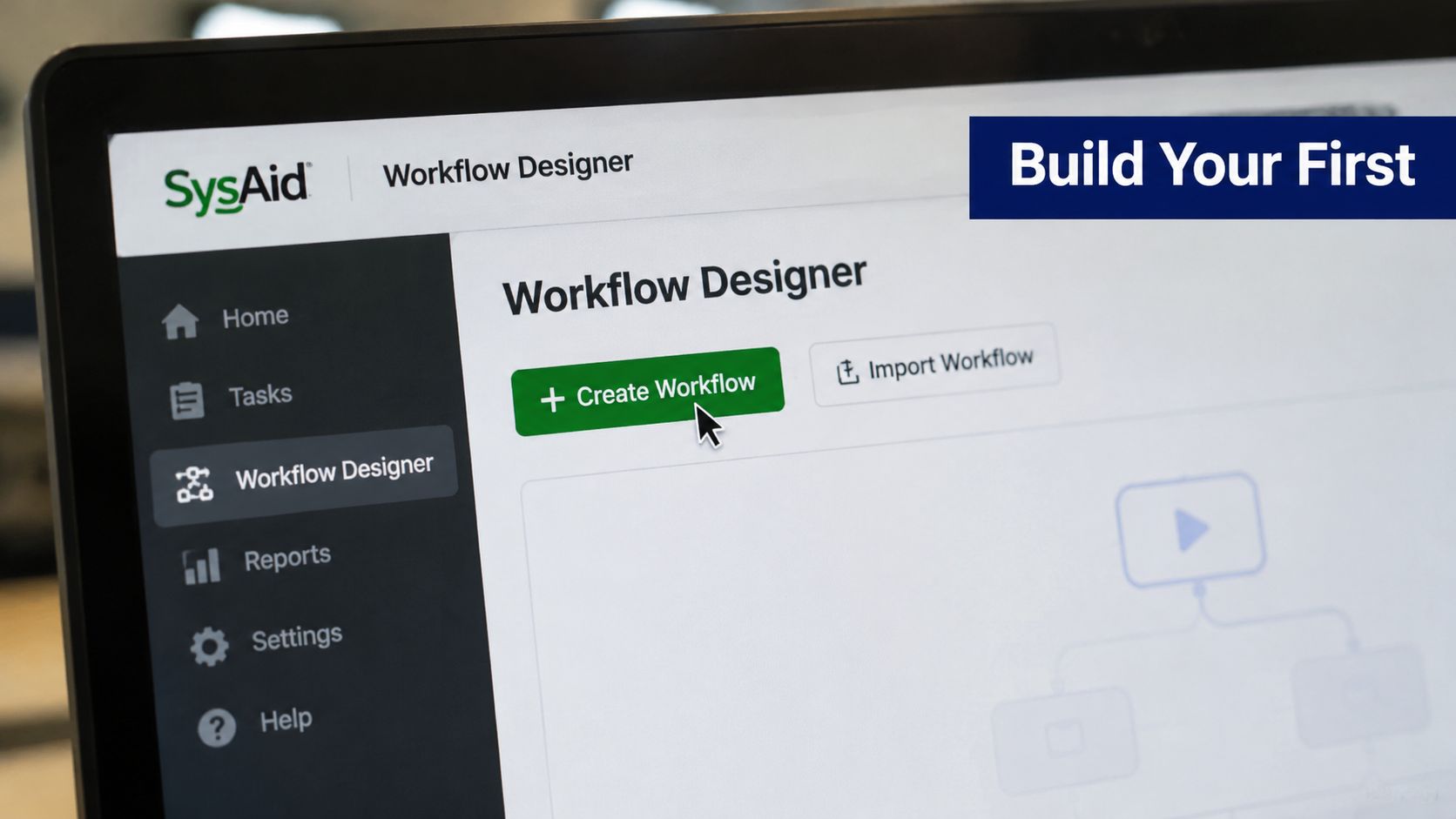
The most common setup mistake is overbuilding the first version. Too many action items in one phase slow approvals, confuse owners, and make it harder to tell where the process stalled. Keep the first version narrow, then expand only after you've confirmed the workflow is handling the intended service category.
A few configuration habits save rework later:
Lock the intake fields early: category, urgency, and ownership rules should be decided before launch.
Use template-based creation: templates preserve the process shape and reduce random variance.
Keep related-record links intact: linked incidents and root-cause history make later review possible.
Watch auto-populated timestamps: if request time and completed time aren't captured cleanly, the reporting layer loses value.
Stackingo's SysAid integrations guidance is relevant here because workflow design rarely lives alone. Most enterprise teams eventually need the workflow to talk to other systems, so the cleaner the initial record structure, the less painful those connections become.
High-Value Use Cases Worth Automating First
The first workflow worth building is usually the one your team touches every day. In practice, that means a narrow process with stable handoffs, clear ownership, and intake data that analysts already trust. SysAid works best there, because the workflow can remove waiting time instead of adding another layer of review.

Incident routing by category and urgency
Manual incident routing usually creates a triage queue, a stressed analyst, and a lot of bounce between groups. SysAid's automation can route by classification, SLA, organization, user group, and category, then set due dates from category, urgency, priority, and SLA. That makes it a practical fit for teams that want fewer misroutes before tickets sit in the wrong queue. SysAid automations
The KPI to watch is routing accuracy. If assignments keep landing in the wrong queue, the workflow is too permissive or the intake fields are not giving the engine enough signal. This use case is a good starting point because the logic is easy to validate and the operational impact shows up quickly in ticket flow.
Multi-stage change approvals with risk scoring
Change management is where the phase model earns its keep. SysAid's documented example uses assessment, risk evaluation, rollback planning, and completion, which gives you a workable pattern for approvals that depend on risk rather than opinion. The AI-assisted scoring helps only after the historical pattern is stable enough for the scoring to mean something. SysAid workflow documentation
The metric to watch here is approval cycle time. If approvals keep stalling, the problem is often phase design, not the number of approvers. Keep human review at the points that need judgment, then automate the transitions that do not require debate.
License and access requests tied to onboarding
Workflow often extends beyond the service desk and into procurement or identity operations. In the context of its Advanced License Manager, SysAid's published material says 25% of licenses go underutilized or unused. Automating access and license workflows matters because every slow approval or missed reclaim affects assignment, renewal, or reassignment decisions. For a broader view of request handling, see this SysAid request management overview and this SysAid ticket workflow example.
The metric to watch is cycle time from request to approval. If onboarding still depends on email chains, the workflow should reduce waiting time, not just add a digital step to an email chain. This is also the kind of process enterprise buyers use to judge whether a platform can handle multi-vendor approval chains cleanly, which is why Stackingo tracks them during ITSM reviews.
Where Workflow Automation Quietly Breaks Down
Automation usually fails because the process was weak before the tool touched it. If the underlying steps aren't stable, a workflow just hardcodes the confusion. That's why overloading phases with too many action items is such a common production mistake.
The second failure is miscalibrated routing. If exception handling gets pushed into a queue nobody owns, the workflow looks automated while the work returns to humans. The problem gets worse when teams trust AI-driven scoring too early, before enough process history exists to support it. SysAid does expose AI-assisted risk scoring and failure probability estimation, but those controls still need process discipline around them. SysAid workflow automation glossary
Automation should remove handoffs. If it only moves the handoff to a different screen, you haven't improved the process.
A final warning sign is rigid escalation design. Approval chains that can't flex for edge cases often break under real enterprise conditions, especially in procurement and access scenarios. The right design keeps judgment at the points where people need to decide, and lets the system handle the predictable middle.
Testing, Debugging, and Measuring Workflow Health
A workflow can look fine in design and still fail in production. The safest way to test it is with a small pilot cohort, a narrow service category, and a clear baseline for MTTR before launch. SysAid's reporting gives you the visibility to compare records by period, category, company, administrator, and priority or urgency, so the test should focus on whether the workflow changes those patterns. SysAid reports documentation
The breach report is especially useful because it requires thresholds defined in hours. That makes SLA misses visible in a way that's hard to ignore, and it gives you an early signal if routing logic is sending work to the wrong owner. Watch the priority and assignment fields closely during the first rollout window, since unexpected values usually point to a condition problem rather than a downstream execution issue. SysAid reports documentation
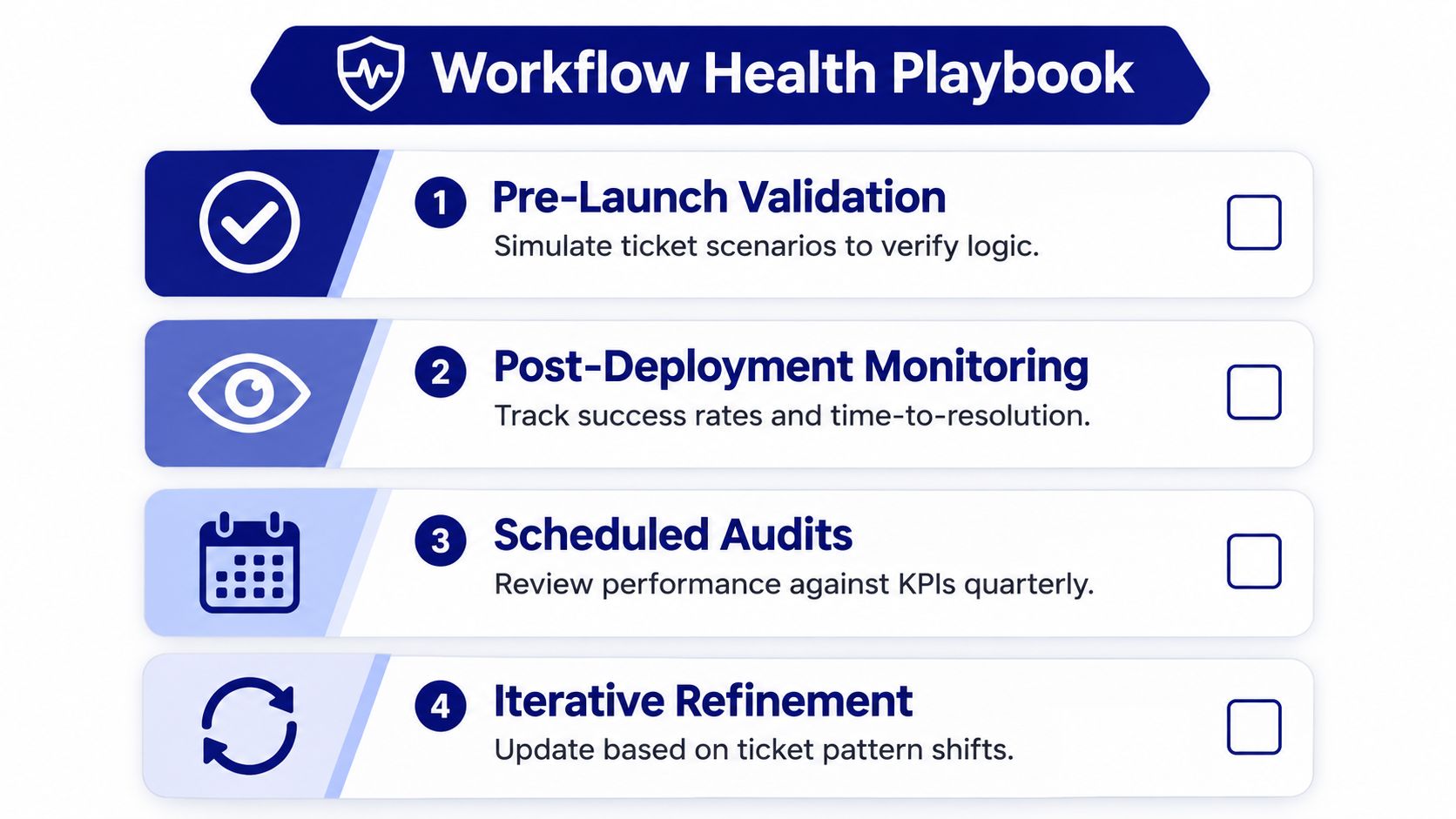
A simple health routine keeps the workflow honest:
Pre-launch validation: Simulate real ticket scenarios and check whether the logic routes as expected.
Post-deployment monitoring: Track success rates and time-to-resolution for the first pilot group.
Scheduled audits: Review performance against your service KPIs on a regular cadence.
Iterative refinement: Update rules when ticket patterns shift or owners change.
The point isn't to chase perfection. The point is to make sure the workflow keeps matching the service desk it was built to support. If the record counts, assignment patterns, and breach signals drift, the design needs adjustment, not more optimism.
Governing and Scaling a Workflow Library That Lasts
A workflow library only stays useful when someone owns it. Each template needs a clear business owner, a technical owner, and a review cadence that catches rule drift before it creates noise. That discipline matters even more in change and access processes, where human judgment still belongs in the loop. Stackingo's SysAid CMDB perspective is relevant here because workflow quality gets stronger when the record model and related assets stay clean.
Version control matters too. When templates change, teams need to know what was altered, why it changed, and which service category it now supports. That's how you keep partially manual workflows in place where they belong, while retiring or rebuilding workflows that no longer reflect actual demand. In license-heavy environments, Advanced License Manager signals can also tell you when a license-related workflow has drifted away from how the estate is really used.
A mature SysAid workflow library doesn't try to automate everything. It standardizes repeatable work, preserves human review where it matters, and gives procurement and IT leaders a measurable trail they can trust when comparing platforms or consolidating vendors.
If you're evaluating SysAid workflow design for a real rollout, Stackingo can help you think through the broader ITSM and licensing decisions around it. Visit Stackingo to compare enterprise options, pressure-test your workflow requirements, and see how procurement-ready planning changes the way SysAid gets deployed.