
Lansweeper Scheduled Tasks: Setup, Tuning, and Fixes
Your daily scan looks healthy, but the inventory you need for an audit is stale. Lansweeper scheduled tasks need more than a recurrence setting: you must validate target selection, execution identity, queue capacity, and the refresh rules for the data you're checking. A scheduled run isn't proof of a usable result.
Meta Title: Lansweeper Scheduled Tasks Setup and Governance GuideMeta Description: Configure Lansweeper scheduled tasks, troubleshoot deployment failures, tune scan queues, and prove inventory freshness with practical governance checks for IT.Blog Title: How Do You Make Lansweeper Scheduled Tasks Reliable at Enterprise Scale?
Why Lansweeper Scheduled Tasks Fail in Practice
The failure usually starts with a reasonable assumption: if an administrator schedules discovery more frequently, the inventory should become correspondingly fresher. That assumption confuses target submission, data refresh, and completed processing. Treat them as separate operational checkpoints.
Lansweeper's scheduling model works around recurring scanning targets, not a universal interval applied uniformly to every asset and data category. IP-range targets default to once daily at 12:00, while administrators can assign separate schedules to distribute work. Active Directory computer paths are scheduled, agentless targets for Windows computers in a specified container or organizational unit, according to Lansweeper's performance-tuning guidance.
The same guidance establishes a critical exception: Active Directory information has a 20-hour refresh cooldown, and rescanning a device doesn't reset it. Consequently, submitting another scan doesn't guarantee another AD-information refresh.
What does a scheduled run actually prove?
A schedule establishes when work should be submitted. Your operational evidence must establish what happened afterward:
Target eligibility: Did the intended assets belong to the selected scope when the schedule ran?
Processing: Did the scanning server complete the work, or is it still waiting?
Field freshness: Did the information you care about qualify for refresh?
Business usefulness: Is the resulting inventory adequate for the audit, deployment, or reconciliation you're performing?
Practical rule: Judge discovery by the freshness of required fields on required assets, not by the existence of a recurring schedule.
For a multi-site rollout, define ownership before increasing frequency. A regional administrator should know which targets they own, which business process consumes the inventory, and who investigates missing results.
If you're comparing discovery architectures, include infrastructure discovery and IT operations requirements in the evaluation. The useful comparison isn't whether a platform schedules scans. It's whether your team can explain why a particular asset's information is current, delayed, or unavailable.
Creating Scan, Report, and Export Schedules
A schedule created without a lifecycle record becomes anonymous infrastructure. Three months later, nobody can say who owns it, why it targets that particular asset group, or whether retiring it breaks a downstream report. Treat creation as a governance event: write down the purpose, the owner, the consuming process, and the intended scope before you open the console.
Scanning, deployment, and reporting are separate workflows, and each has its own scheduling surface. A recurrence set in one configures nothing in the others.
Schedule type | Console location | What the schedule drives | The creation check that gets skipped |
|---|---|---|---|
Scanning target | Scanning > Schedule | Submission of discovery work for a target | Verifying that no existing schedule already covers that target |
Deployment | Deployment > Scheduled deployments | A package configuration against an asset source | Binding the package and target before saving |
Report or export | Reports, with delivery controls that vary by edition | Report evaluation or configured output delivery | Confirming the installed edition exposes the expected delivery control |
For commercial context such as editions and licensing, see the Lansweeper product page on Stackingo. Operationally, creation order matters more than console location.
In Scanning > Schedule, check for collisions first. Search the existing targets before adding yours, because two overlapping scan targets double the queue load without producing fresher inventory. Split targets only where site ownership, network boundaries, or workload distribution justify separate schedules. Overlapping targets created to make an inventory look busy generate noise, not coverage.
Deployments take three distinct steps, and skipping the second is the failure I see most often:
Create the schedule itself: name, start date, start time, recurrence.
Create a deployment configuration that binds the schedule to a package and an asset source.
Preview the asset source. A dynamic group is a selection rule whose membership shifts, so record the inclusion and exclusion criteria you intended.
Deployment schedules support one-time, interval-based, daily, weekly, and monthly execution, and asset sources can include static or dynamic groups, reports, or manually selected assets, per Lansweeper's scheduled-deployment documentation. Match the recurrence to the change: one-time for a controlled change that must not repeat, interval-based when elapsed time matters and reruns are safe, daily or weekly when an operational window dictates timing, monthly for an established maintenance cycle with a named owner for exceptions.
Reports and exports start under Reports. Select the report, then verify which delivery and export controls your installed edition exposes. Report execution, scheduled email, and file export do not share a universal configuration path.
Name every schedule to carry its identity: site, purpose, recurrence. The console accepts almost anything, and that naming record is what lets a future administrator explain, retarget, or retire the schedule without archaeology.
Editing, Cloning, and Retiring Existing Schedules
A weekly software push moves from Tuesday to Friday after a site asks for a quieter window. The edit looks harmless until Monday, when the old Tuesday run is gone, the Friday run collided with a report export, and nobody can say which assets received the package.
Treat every edit as a controlled lifecycle change. Before saving, capture recurrence, target source, package, owner, last known result, and the consumers that read its output. After saving, verify the next execution shown by the console, then look for proof after the run: submitted time, completion status, asset count, and error detail. Refresh rules stay separate. The AD cooldown discussed earlier can still leave targets stale even when a deployment fires on time.
Edit in place when the operational purpose holds and only timing, targeting, or ownership needs correction. Clone when the new schedule serves a different purpose: another region, another change window, another approval path. A copied schedule carries copied risk, so rename it before first run, review every inherited field, and compare package, target source, and window against existing assignments to prevent duplicate actions.
Retirement needs evidence, not silence. Confirm replacement owner and workflow, check reports, alerts, exports, and reviewers that depend on the output, disable future submission, then remove the obsolete assignment through change control. Keep the reason and the final execution history. An unexplained disabled schedule is not governance; it is a future outage with a timestamp.
Service Accounts, Permissions, and Execution Identity
A deployment reports success across its target list, yet the software never shows up for end users. The package made per-user changes while the scheduled task ran in a machine context, and the administrator's interactive test passed because their own account held rights the execution identity never had. That is where scheduled tasks lie.
Lansweeper splits execution into distinct identities, and conflating them sits behind most permission failures I have chased. Its deployment guidance states: "Your scanning credentials will be used to create tasks on your machines that will run the deployment." It separately states: "Your share credentials are used by the tasks to access files stored in your package shares and referenced in your deployment package." Those distinctions appear in the deployment identity and run-mode guidance.
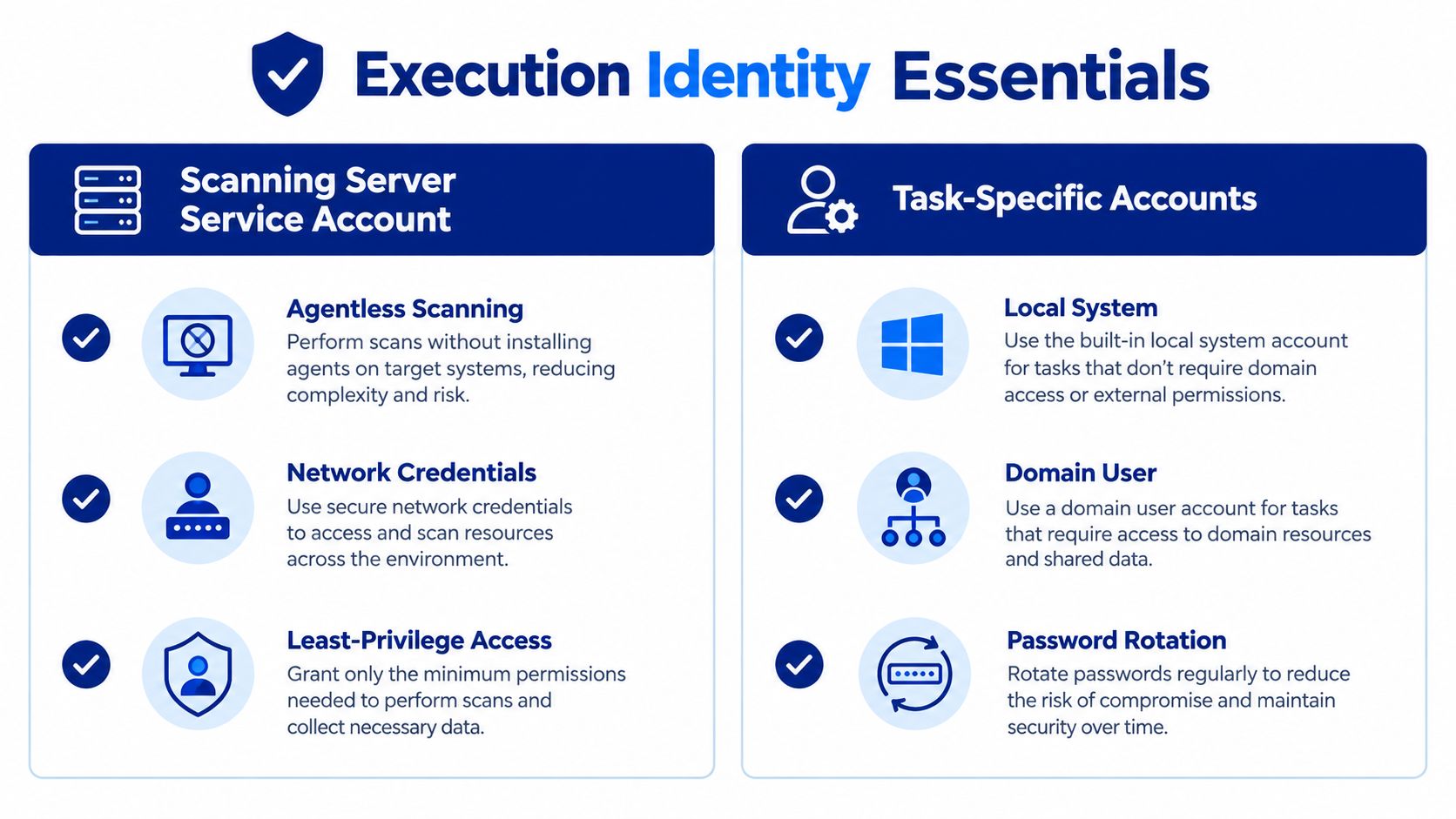
Four identities sit behind every scheduled deployment. The scanning server service identity runs server-side operations; mismanaging it risks broad server access or outright service disruption. Mapped scanning credentials reach the targets and create the deployment task itself, so scope them to the operation being performed. Package-share credentials only need to read package files, which means write access on that share is rarely justified. The deployment run identity executes the package under the selected run mode, and a package making user-specific changes fails when it runs under the machine context.
Treat least-privilege validation as an ordered sequence:
Map which mechanisms the package and scanning method use, whether WMI, WinRM, or SMB, before granting local administrator rights by default.
Test each credential independently: target access, share retrieval, and package execution under the intended run mode.
Before rotating a secret, find every configuration referencing it, update the stored credential, and confirm the next scheduled results show success.
The evidence worth retaining, who approved the account, which configurations depend on it, and whether execution succeeded after each rotation, is defined by your compliance and audit requirements, not by whatever the console happens to log.
Performance Tuning for Aggressive Schedules
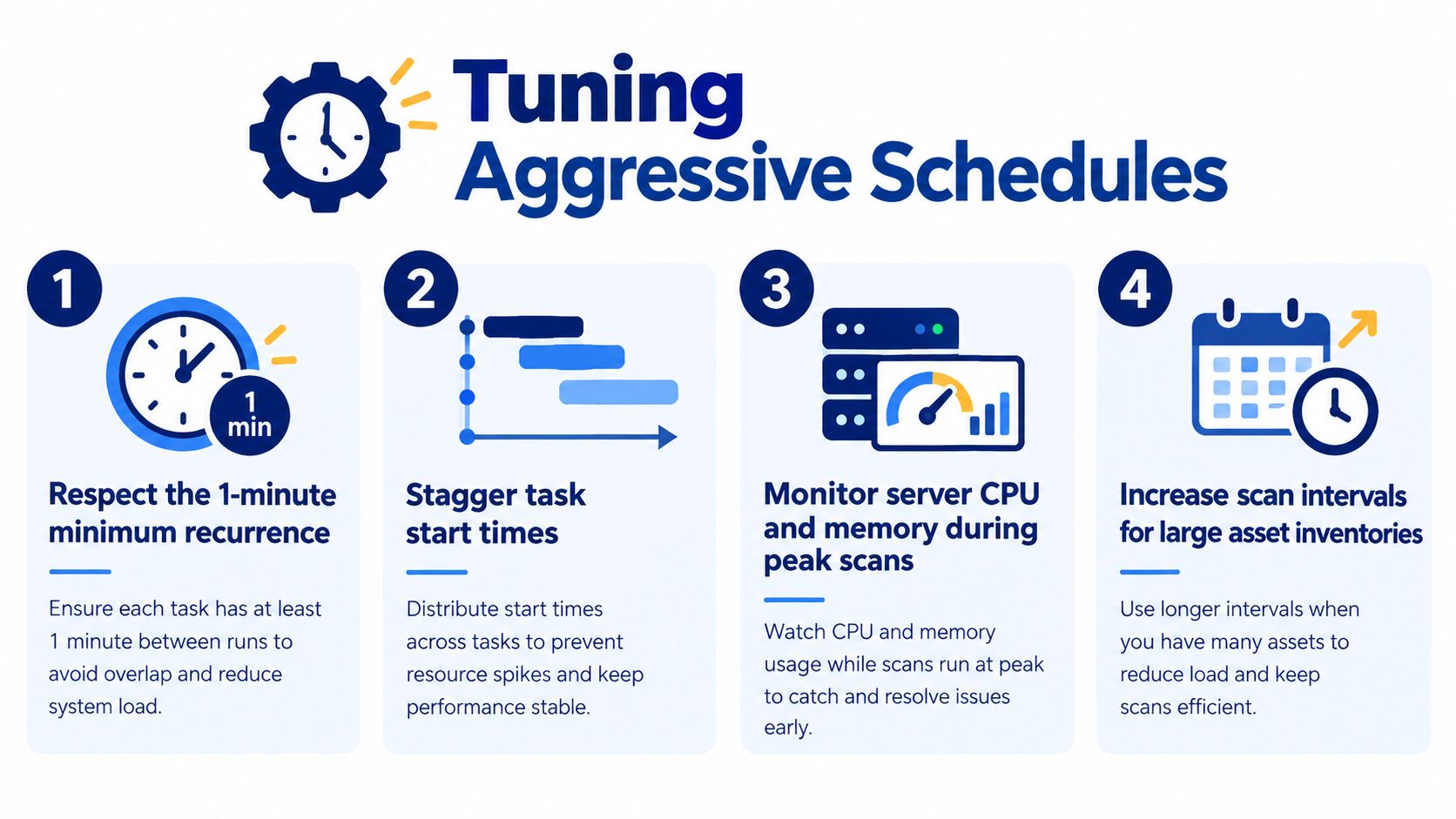
A five-minute recurrence looks harmless in a lab. Put it across a busy scanning server during patch week and the queue starts deciding which assets are fresh, not the schedule you configured. Shorten an interval only after measuring how long the existing work takes; if submitted work arrives faster than the server completes it, a more aggressive recurrence makes freshness harder to predict.
Most scanning targets can use recurrence as short as 1 minute, but large-scale use can increase server load and collide with other schedules. When scans outlast their recurrence, orders accumulate, and scheduled alerts can send email every minute while report matches persist. LsAgent begins with a once-per-day schedule, according to the published scheduling and LsAgent guidance.
Separate refresh policy from task lifecycle
Creation, identity, and collision rules belong to lifecycle control. This section owns the data-refresh contract: which asset classes need tight recurrence, which fields tolerate cooldowns, how long a normal scan runs, how deep the queue gets during a burst, and how quickly it drains afterward. The proof is operational, not cosmetic: completed assets inside the window, oldest pending age, recovery time after a burst, and the gap between submitted and finished work.
Capacity test: Accept a schedule change only when completed work inside the window improves. A server that accepts more submissions has only created more backlog.
Tune in a controlled order. Watch a representative workload through busy periods, stagger targets that submit together, split oversized targets where ownership or workload distribution improves, then change recurrence only for assets with a real freshness requirement. Recheck queue recovery before calling the change done.
Extra scanning servers can absorb sustained pressure. They do not fix redundant targets, oversized scopes, or scans nobody consumes. Keep alert cadence on its own rule set too: an unresolved report condition needs acknowledgement, investigation, and closure, not a louder inbox.
Where endpoint work crosses into another platform, fold endpoint-management scheduling requirements into the same workload review so maintenance windows and scan windows stop fighting each other.
Troubleshooting the Failure Modes That Actually Happen
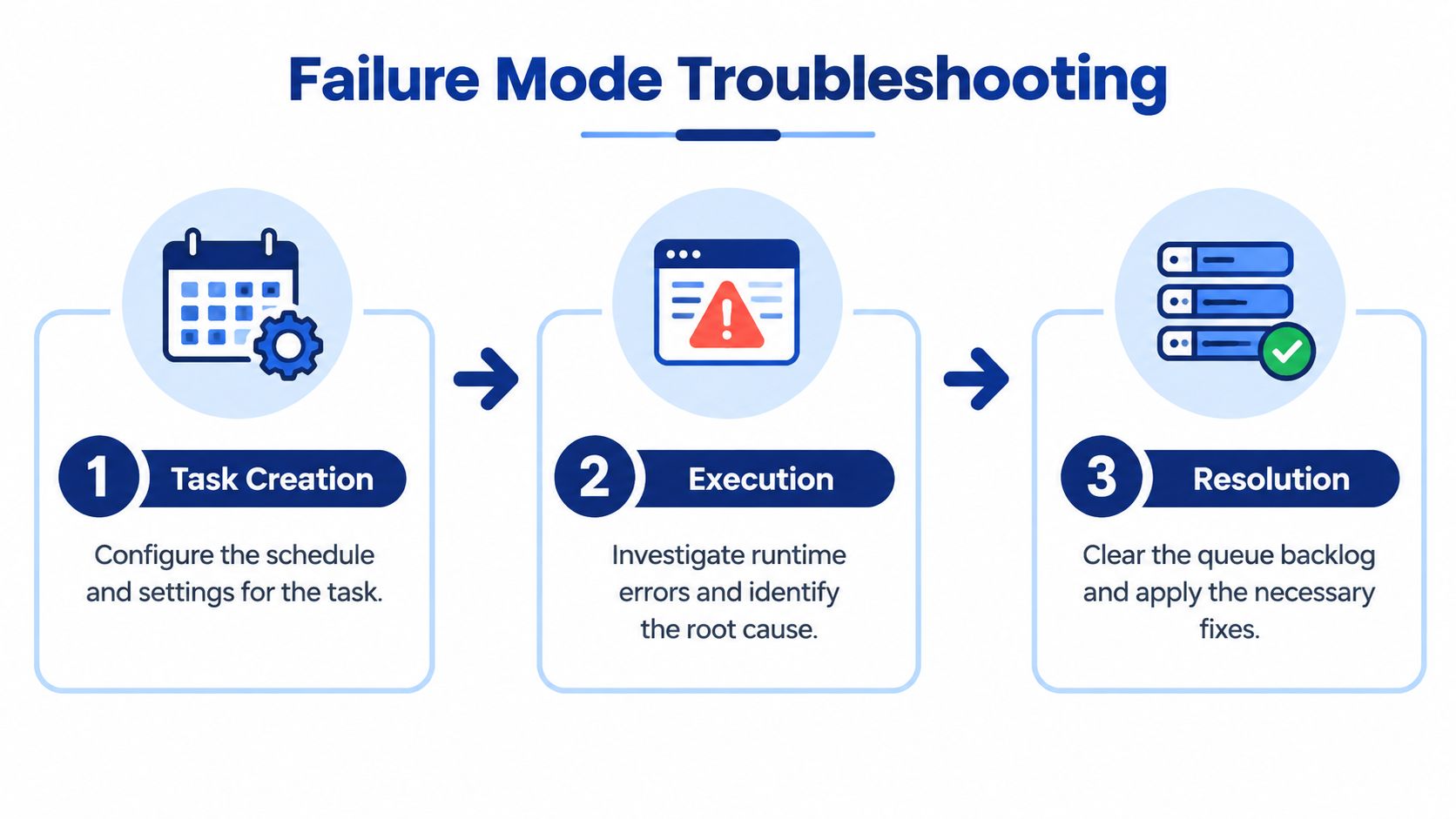
Troubleshoot from the earliest unproven stage. Establish whether the schedule selected the asset, whether the server attempted the operation, whether the target task was created, and whether the package produced its intended outcome. Don't start by changing every credential and recurrence at once.
For deployment validation, run a remote Windows test from the scanning server against a controlled target, using parameters appropriate to your environment. This tests whether a task can be created remotely, not whether the complete package succeeds, as explained in Lansweeper's deployment troubleshooting guidance.
What evidence separates creation from success?
Keep distinct results for task creation, launch, privilege context, network access, and package exit code. Then verify the requested endpoint state. A successful task-creation response doesn't demonstrate that an application installed or that the intended user setting changed.
Common Lansweeper Scheduled Task Failures and Their Fixes
Symptom | Likely Cause | First Fix |
|---|---|---|
Scheduled work remains delayed | Submissions exceed processing capacity | Inspect backlog and reduce overlapping work |
AD fields remain unchanged | Refresh eligibility hasn't returned | Check the category's last refresh rather than repeatedly rescanning |
Alert email repeats continuously | The report condition remains matched | Review the condition and notification cadence |
Remote task creation fails | Target access, permissions, or connectivity problem | Reproduce with the controlled remote creation test |
Task exists but package doesn't complete | Run identity, file access, or package-step failure | Inspect target-side execution and package results |
Deployment misses expected assets | Target-source mismatch | Evaluate group or report membership at execution time |
When investigating package access, test under the scheduled context, not your administrative desktop session. A mapped drive or authenticated connection available interactively isn't sufficient evidence for unattended execution.
Change one suspected cause, rerun the controlled test, and retain the result. If the task launches but the outcome is wrong, stop treating the issue as a scheduling fault and investigate the package logic or execution context.
Enterprise Governance and KPIs for Scheduled Tasks
Govern recurring tasks around a simple evidence question: what ran, under which identity, against which assets, and with what result? Keep task lifecycle records separate from inventory-refresh evidence so an auditor can distinguish administrative intent from completed outcomes.
Use IT asset management requirements to connect schedule evidence with asset ownership and lifecycle decisions. Reconcile overlapping mechanisms across Lansweeper, Intune, Group Policy, and native Windows administration rather than reviewing each console in isolation.
Define these as operational KPIs, not assumed product dashboards:
Task success rate: Completed intended outcomes relative to attempted executions.
Median scan-to-ingestion latency: Elapsed time between collection and inventory availability.
Asset coverage: In-scope assets with the required usable inventory.
Retry rate: Executions requiring another attempt.
Orphaned-task count: Tasks without a valid owner, purpose, or target relationship.
Privileged-task exposure: Recurring executions with enhanced rights, reviewed by scope and necessity.
How often should you run Lansweeper scheduled tasks?
Match recurrence to the required outcome and measured processing capacity. Use the earlier refresh and queue checks before increasing frequency.
Does a successful Windows task prove Lansweeper scheduled tasks worked?
No. Confirm package results or inventory availability independently of Windows task status.
Who should own Lansweeper scheduled tasks across sites?
Assign an operational owner to each schedule and a central owner for standards and exceptions. Record who approves changes, reviews failures, and retires obsolete assignments.
Stackingo offers an RFQ-led purchasing process for enterprise software licenses, helping you capture requirements and compare commercial options through a unified purchasing front. Bring your asset scope, discovery architecture, and governance requirements to Stackingo so your licensing request reflects how your scheduled workload operates.


