
Lansweeper Ticketing Setup Guide for Modern IT Teams
A laptop owner emails the helpdesk, a technician creates a second ticket manually, and the asset record sits in another system. By the time someone investigates, the team has lost the original context. Lansweeper ticketing can reduce that separation by connecting service requests with discovered asset data, but it works best when you treat it as an operational layer, not automatically as a complete ITSM replacement.
What Lansweeper Ticketing Is in 2026
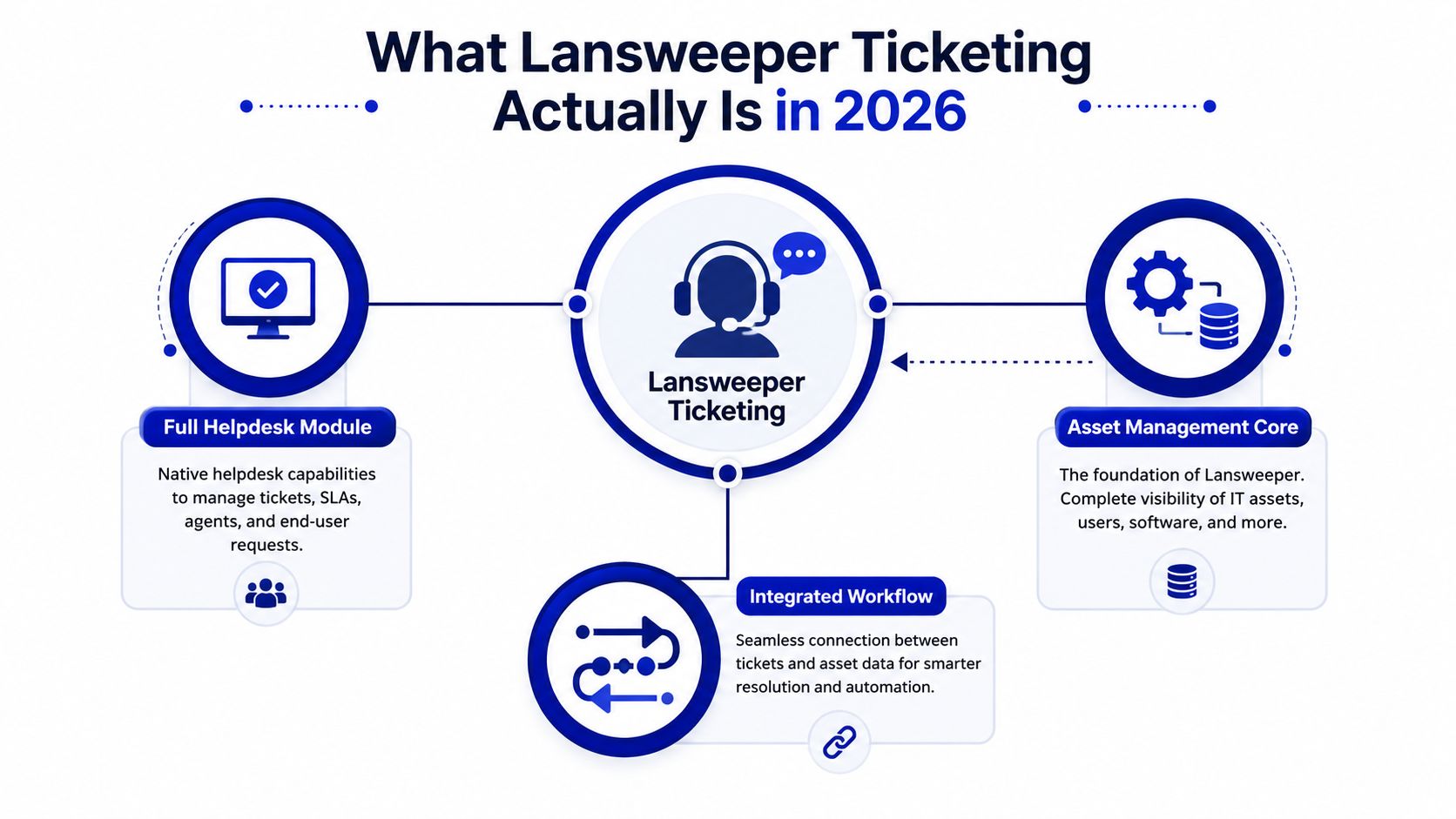
A CIO evaluating Lansweeper ticketing usually starts with an existing asset-discovery deployment. The helpdesk adds a workspace for agent and user conversations while keeping those requests connected to device identity. That positioning matters: Lansweeper ticketing can support an asset-aware service desk, but it does not offer the same process depth as a dedicated ITIL service management suite.
Lansweeper's helpdesk was introduced from version 6.0 onward. Its documentation defines a ticket as a conversation between a user and an agent, with public replies and internal notes. Each ticket has a configurable type, state, and priority, and new tickets begin in the Open state until an agent resolves or closes them, as described in the Lansweeper helpdesk documentation.
Where the model works well
The clearest fit is an asset-aware service desk. An agent can examine a request beside the relevant workstation, server, printer, or other discovered asset instead of relying only on a user's description. Lansweeper's Data API can fetch asset data for service-ticket enrichment, while its Jira integration guidance describes context populated from IP or MAC matches and reporter-associated assets, according to the Lansweeper review evidence and documentation.
Ticket intake covers the web console, email, API, and import. Manual creation can record phone or in-person requests, but those options are operational workarounds rather than user-facing submission channels. That distinction affects adoption planning and reporting.
Where it stops short
The trade-off is process depth. G2 feedback reports a 4.4/5.0 average from 68 reviews, and one reviewer notes that the ticketing system is not ITIL compliant on G2. Teams that need integrated asset context and straightforward ticket workflows may find a good fit. Organizations requiring mature change, problem, service catalog, and compliance processes may need another platform in the stack.
For procurement review, compare Lansweeper's product capabilities against alternatives. The decision should reflect the operating model, existing ITSM investments, and whether asset identity or process governance is the primary requirement.
How to Set Up Lansweeper Ticketing from Scratch
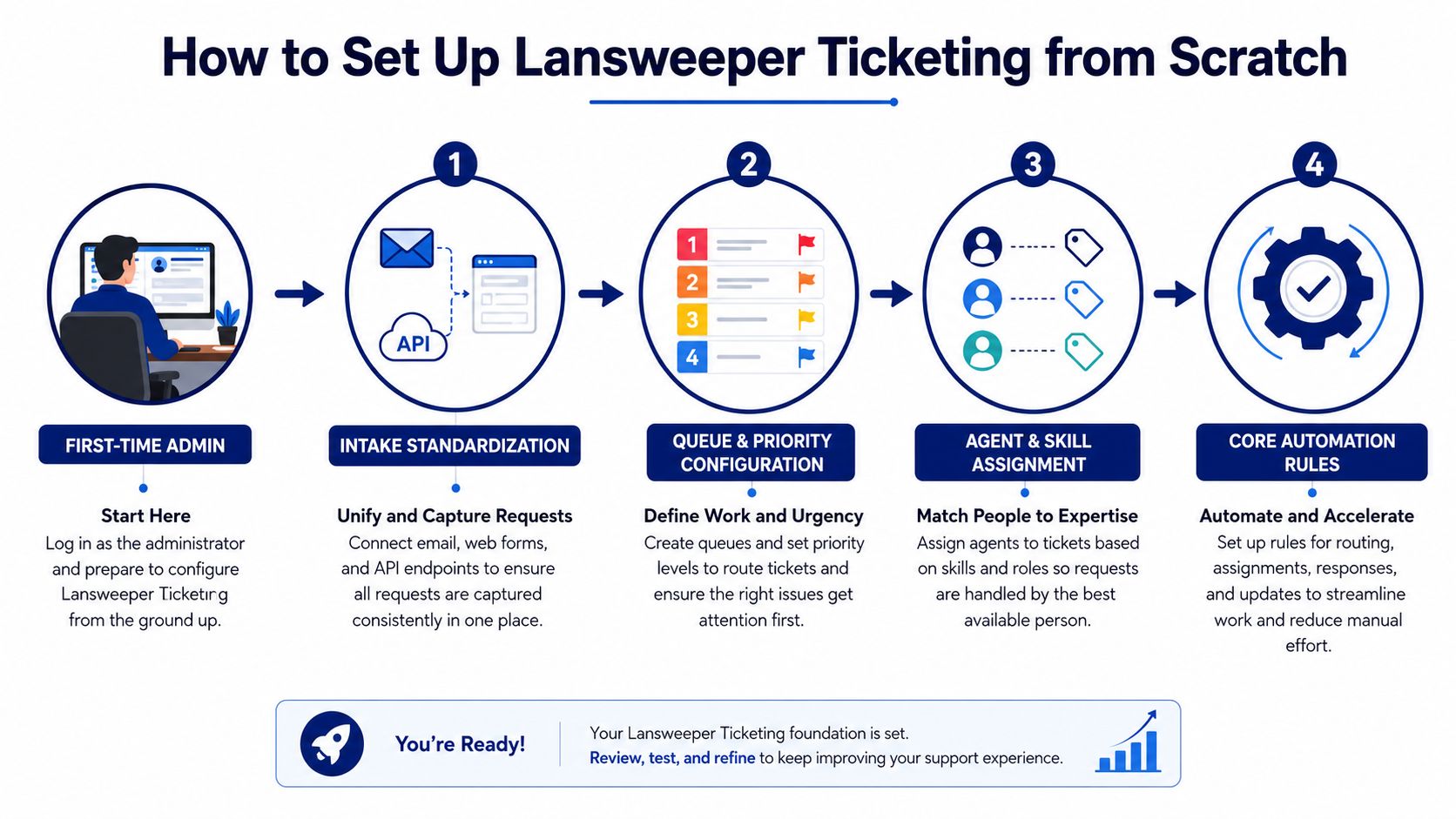
Start with intake governance, not automation. Decide which channel becomes the default, define the fields that every ticket must carry, and only then configure queues, templates, and integrations.
The documented intake options are the web console, email, API, and CSV import. The practical rollout sequence is:
Make web or email the primary path. Use the web console for structured employee submissions and email when adoption depends on an existing support mailbox.
Use the API for controlled applications. API-created tickets work well for monitoring, portals, and integrations, but credentials and field mappings need centralized ownership.
Reserve CSV and manual creation for exceptions. Imports help with migrations, while phone and in-person sources are intended for tickets created manually, through the API, or during import.
Test the conversation loop. Confirm that replies remain attached to the original ticket and that public responses reach the requester.
Configure email deliberately
Email intake is configured in Configuration > E-mail Settings. Use a dedicated mailbox, verify the incoming and outgoing settings, and decide how imported, archived, and ignored messages will be handled. Classic documentation warns that imported mail may take about five minutes to appear as a ticket, so don't treat a short delay as an immediate failure. Confirm the mailbox configuration before escalating the issue, using the Lansweeper email ticket troubleshooting guidance.
Build the service vocabulary
Create ticket types, states, and priorities around your actual service catalog. Avoid a long list of categories that agents apply inconsistently. A smaller taxonomy with clear examples usually produces cleaner reporting than a detailed taxonomy that users ignore.
Then create templates for recurring requests. A new-starter request, access change, equipment issue, and software request should each prompt for the information an agent needs. If you also evaluate adjacent service desk products, compare their implementation considerations with this SysAid download resource, rather than assuming every platform handles intake in the same way.
Practical rule: Every nonstandard intake path needs an owner for field mapping, credentials, and failure handling.
Connecting Lansweeper Ticketing to ITSM Platforms
Use Lansweeper as the ticketing system of record only when its workflow depth matches your governance requirements. In a mixed stack, the more durable pattern is often to keep the specialist ITSM platform authoritative for workflow while Lansweeper supplies verified asset context.
The key distinction is between asset enrichment and two-way synchronization. Enrichment retrieves Lansweeper data when a ticket is created or viewed. Two-way synchronization attempts to keep ticket fields, comments, states, and history aligned across systems. The latter demands stronger identity matching, error handling, retry logic, ownership, and conflict rules.
Lansweeper's API documentation supports ticket-oriented operations such as creating, retrieving, commenting, reviewing history, and handling attachments. The newer platform API uses GraphQL over a fixed endpoint with POST requests and JSON content type, while implementation details still need to be governed carefully.
Choose the integration pattern by operating need
For Jira Service Management, ServiceNow, or Freshservice, ask what the integration must solve before selecting a connector. If the requirement is to attach the right device to a request, a one-way asset lookup may be enough. If agents work in another platform, federating ticket creation outward can prevent duplicate queues.
Pattern | Best Use Case | Asset Enrichment | Complexity |
|---|---|---|---|
Lansweeper-led ticketing | Asset-driven support handled in the Lansweeper helpdesk | Native asset context and API retrieval | Lower |
External ITSM with Lansweeper enrichment | Mature workflows with verified device context | Lookup or synchronization of asset identity | Moderate |
Two-way ticket synchronization | Shared operations across platforms with aligned ownership | Asset and ticket fields exchanged between systems | High |
Mixed-channel creation is the common failure point. A ticket created by email may use different category or requester data from one created through an API. Without shared field definitions and credential ownership, reporting becomes a record of inconsistent intake rather than a reliable operational view.
For related integration planning, use this SysAid integrations comparison as a reminder to evaluate the workflow boundary, not just the connector list.
Automation Workflows That Save Time
Automation should remove repeated decisions while exposing weak taxonomy. Begin with filters and templates. Add routing only after agents classify tickets consistently, or the rules will move bad data faster.
Lansweeper saved ticket filters turn high-volume work into reusable views based on defined criteria. Agents can reopen those views for role-based queues, such as endpoint support, access requests, or unresolved high-priority work. Ticket templates make recurring requests more consistent by pre-filling predictable fields, but owners still need to review which fields remain editable.
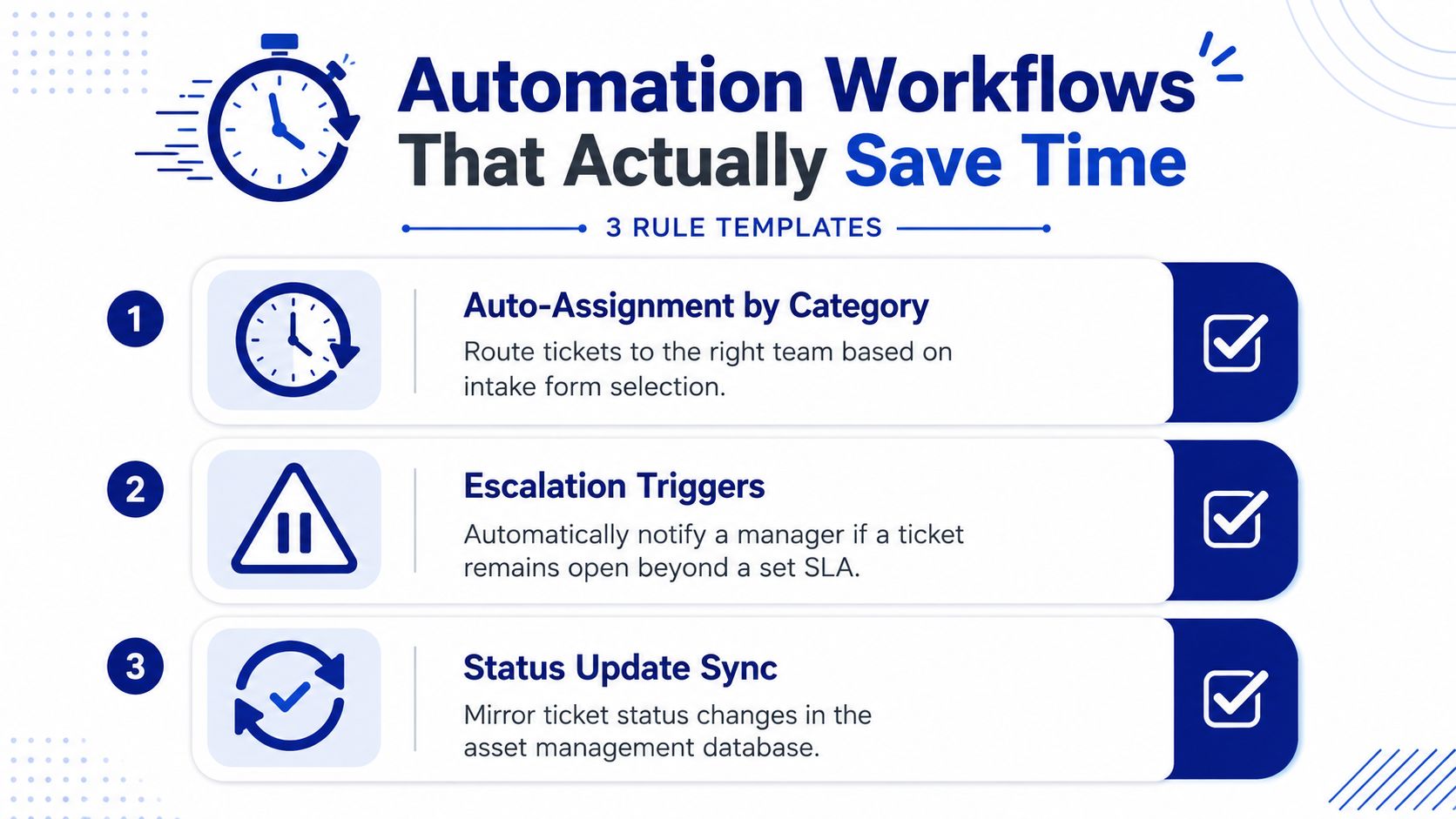
Three practical rule templates
Route by category: Send software requests to the relevant queue from the selected ticket type. This is more reliable than interpreting keywords in an email subject, provided categories are clear enough for requesters to choose correctly.
Escalate by service condition: Notify the responsible lead when a ticket stays open beyond the team's agreed service target. Keep the rule visible to agents, so escalation does not become an untracked handoff.
Enrich by asset identity: Use the requester, device match, or asset owner to attach technical context before assignment. This reduces follow-up for details already held in inventory, while still requiring a review when device ownership is ambiguous.
Reporting gives operations leaders a baseline for review. Lansweeper's built-in helpdesk reports cover tickets created and closed by year and month, along with tickets handled by agent, month, and type. A ticket-type distribution report calculates the share of tickets by type and month from the underlying helpdesk tables, as documented in the Lansweeper helpdesk reporting library.
Use these reports to examine backlog shape, category quality, and workload distribution. They cannot demonstrate effective automation if agents or intake channels populate ticket fields inconsistently.
For broader comparisons, review a comparison of SysAid automation capabilities against Lansweeper, then assign each proposed rule an owner and an observable outcome. A rule without ownership becomes technical clutter, especially when the workflow crosses helpdesk, inventory, and procurement systems.
Best Practices for Enterprise Rollouts
In a large rollout, configuration is the easy part. Governance determines whether the helpdesk becomes a trusted operational record or another place where incomplete requests accumulate.
A representative enterprise deployment begins with the service desk owner, asset manager, security lead, and procurement representative agreeing on one taxonomy. The group defines which team owns each type, who can alter states and priorities, and which fields leadership expects in monthly reporting. Non-IT employees receive short scenario-based guidance, such as how to submit an equipment problem versus an access request, rather than a tour of every menu.
Protect history before optimizing convenience
Lansweeper's support and helpdesk history model is designed around auditability. Ticket deletion is restricted by default to avoid gaps, ticket-related records can be queried through the database-backed reporting framework, and historical data is stored in dedicated tables, according to the Lansweeper ticket deletion and history guidance.
That architecture creates a governance responsibility. Define who can request cleanup, what evidence must be retained, and how administrators distinguish obsolete records from records needed for audit or operational analysis. Don't let agents delete difficult tickets because they make queue metrics look worse.
A rollout checklist should include:
Taxonomy ownership: Name one accountable owner for types, states, priorities, and templates.
Access design: Separate requester, agent, and administrator permissions.
Training: Teach the preferred intake path and the minimum information required.
Reporting: Give leadership a stable set of volume, closure, and workload views.
History controls: Document retention, deletion restrictions, and audit review.
Scope boundary: Decide whether Lansweeper is the helpdesk of record or an asset-aware layer beside ITSM.
Teams that want lightweight ticket handling can keep governance practical. Teams attempting to force the platform into a full ITIL operating model should expect more customization, integration work, and control overhead.
Troubleshooting and Operational Risks
Ticketing isn't only a feature evaluation. It's a dependency on identity, email, APIs, reports, data pipelines, normalization, and enrichment.
Public Lansweeper operational information has documented incidents affecting SSO login, public API requests, reports, data pipelines, normalization and enrichment, and delayed asset or vulnerability updates, while the changelog includes fixes for helpdesk ticket comment image saving and website responsiveness in the Lansweeper changelog. Those patterns don't prove that every deployment will fail, but they do justify production checks beyond a basic feature demonstration.
When a ticket doesn't appear, troubleshoot in this order:
Check the intake path. Confirm whether the request came through email, web, API, or import, then verify the expected field mapping.
Check email timing and configuration. Allow for the documented polling delay and verify the configured mailbox before resending.
Check identity matching. A requester or asset that can't be matched may leave the ticket without useful context.
Check API credentials. Review key ownership, permissions, endpoint behavior, and application logs.
Check platform dependencies. If SSO, reports, API calls, or enrichment are affected, investigate vendor status information before changing local workflows.
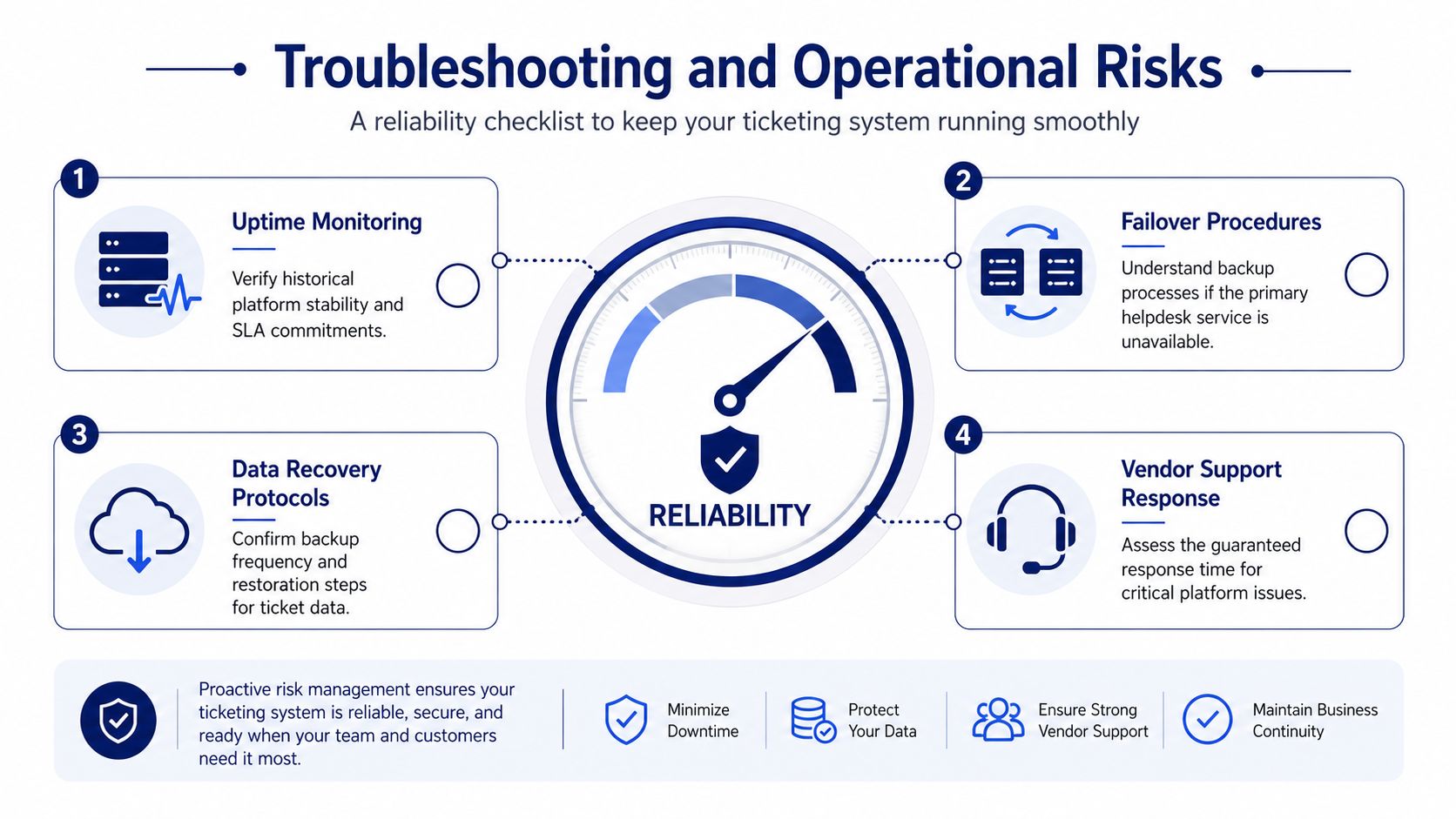
Reliability test: Ask your vendor how agents work during an outage, how ticket data is recovered, and how delayed asset enrichment is reconciled.
Licensing, Procurement, and Stack Considerations
Procurement should assess Lansweeper ticketing as one part of a multi-vendor stack. Its asset identity may reduce the need for a separate service desk, or it may provide context to ServiceNow, Jira Service Management, or Freshservice. The right choice depends on workflow depth, compliance requirements, support expectations, integration effort, and renewal terms.
Independent feedback provides a useful positioning signal. Reviews describe strong asset context, while also raising questions about ITIL coverage. Treat that feedback as one input, not a procurement verdict. Test how the platform handles approval paths, audit evidence, escalation rules, and ownership across a 5,000-asset environment.
Ask vendors and partners to clarify:
Which helpdesk and API capabilities are included in the proposed license.
Whether asset enrichment needs additional products, connectors, or services.
Who owns implementation, support, renewals, and integration failures.
How pricing changes when Lansweeper runs beside another ITSM platform.
Compare total stack cost, not only the headline license. Review a breakdown of SysAid pricing tiers and license structures, then model licensing, connectors, implementation, support, and exit costs together. Stackingo can provide Lansweeper licensing through authorized reseller channels and support an RFQ-led comparison across enterprise software options. That arrangement may help procurement maintain one commercial contact while IT operates a multi-platform design.
If you are evaluating Lansweeper ticketing, Stackingo can help structure the licensing request, compare vendor combinations, and clarify how Lansweeper fits beside the existing ITSM platform. Bring the asset scope, intake model, and integration requirements to the procurement discussion.
