
Lansweeper Power BI Integration: A Complete How-To Guide
Lansweeper Power BI works when you treat it like an API pipeline, not a file export. It needs two inputs, your personal access token and your site ID, before Power BI Desktop can pull the asset data into Microsoft's Power Query flow.
Many teams get tripped up because they start with dashboards instead of the data path. That's backwards, especially if the goal is to turn inventory into license-spend decisions, renewal timing, and RFQ-ready outputs.
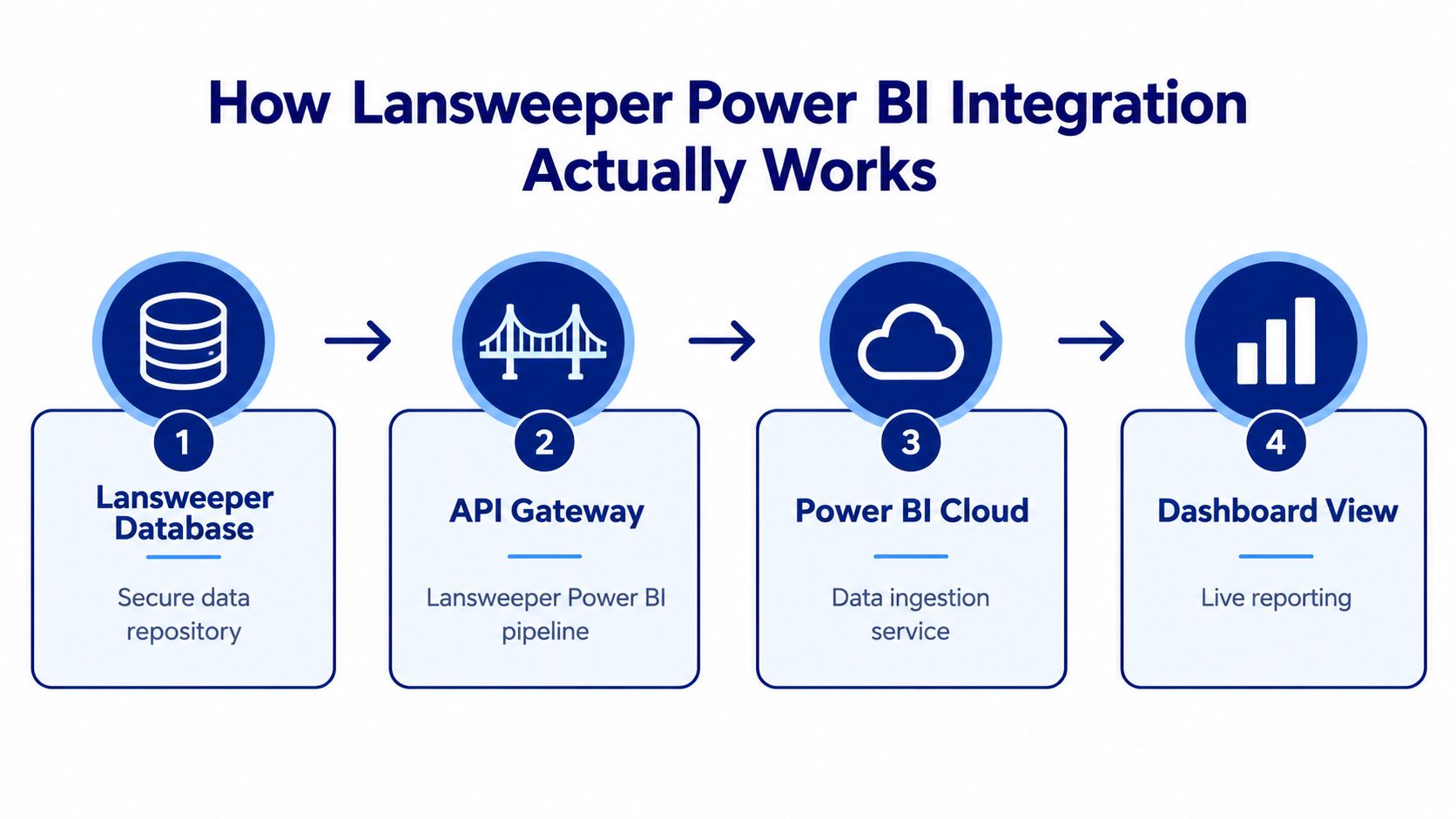
How Lansweeper Power BI Integration Actually Works
The starting point for Lansweeper Power BI is always the same, the Lansweeper Identity Code and the Lansweeper Site Id. Those two parameters are what let Power Query authenticate against the Lansweeper Data API and pull asset records into Power BI Desktop for reuse in reporting and modeling.
The setup path that actually works
The practical sequence is straightforward. In Lansweeper, go to Account settings and then Developer Tools, create a Personal Access Token, choose the site scope, and copy the token once. Then retrieve the site ID, since the query needs both values before Power BI can call the API. Lansweeper's own import flow uses a Power Query script inside Power BI Desktop, not a static CSV handoff, which is why the result can be refreshed and reshaped later.
Practical rule: if you can't identify the token and site ID cleanly, don't start building visuals yet. The query will fail later, and the failure usually looks like a refresh issue instead of an access issue.
The first successful test should be boring. You paste the script into Advanced Editor, confirm the response returns asset rows, then expand the nested records into a table. Once that works, the dataset can sit alongside procurement, finance, security, and operational tables in the same Microsoft analytics environment.
For a useful companion overview of the inventory side, I also keep this Lansweeper reference handy when shaping the downstream reporting model.
Choosing Between SQL Direct Connect, API Pipeline, and CSV Import
The right ingestion path depends on what you're optimizing for. Direct SQL is fast but governance-heavy, CSV is simple but manual, and the API pipeline gives you the cleanest enterprise position because it's built for authenticated access and repeatable refresh.
The trade-offs that matter in practice
Method | Refresh Frequency | Gateway Required | Schema Drift Handling | Governance Risk |
|---|---|---|---|---|
Direct SQL connect | High if the database is available | Often yes in enterprise networks | Fragile, because schema assumptions can break | Highest |
API pipeline | Scheduled or event-driven, depending on capacity | Sometimes, if the source path is private | Better, but field changes still need review | Lower |
CSV import | Manual or batch-based | No, in the simplest case | Weak, because the file is only as current as the last export | Low technical risk, higher process risk |
The API pipeline usually wins for enterprise buyers because it fits standard identity controls and aligns with Power BI's managed refresh model. It also keeps you out of the trap where a report works only because one analyst knows a direct query and one database connection string.
CSV still has a place when someone needs a one-off analysis or a short-lived proof of concept. It falls apart when the question becomes ongoing, because procurement review, software rationalization, and lifecycle tracking all need repeatability.
Direct SQL is the most tempting option for technical teams, and it's the one I've seen fail during security review most often. If a compliance team later asks who approved the database access path, the answer gets awkward very quickly.
Operational filter: choose the method that your refresh cadence, security team, and maintenance staff can all live with, not the one that looks fastest on day one.
For Microsoft identity and connector alignment, this Power BI integration reference is the one to use when you're mapping the broader BI environment.
Building a Semantic Model That Feeds Multiple Dashboards
A single semantic model is the difference between a reporting system and a pile of disconnected visuals. If every dashboard rebuilds the asset table separately, you'll spend more time reconciling definitions than reading the data.
What belongs in dimensions and what belongs in measures
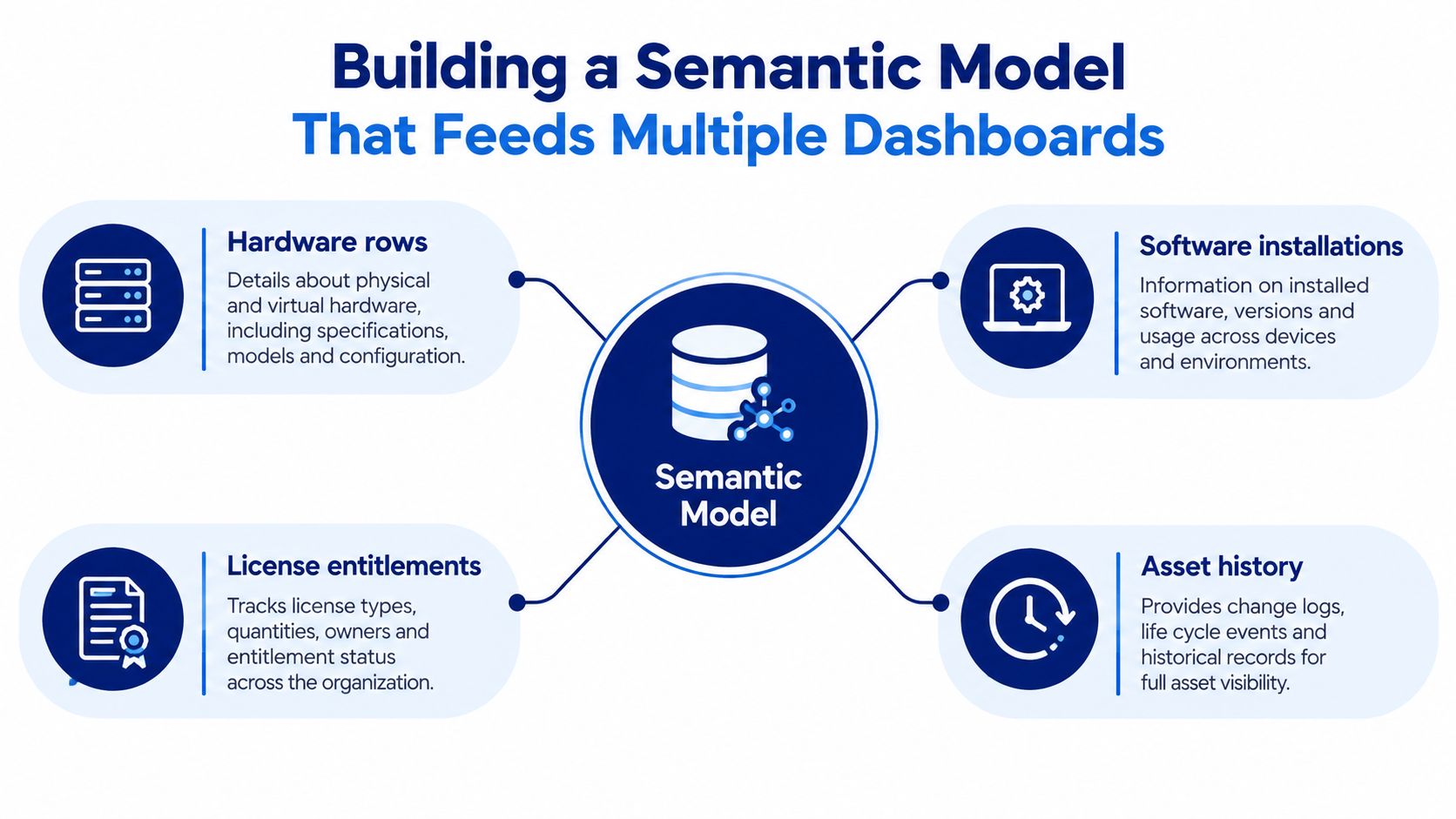
The cleanest structure is a star-style model where Asset, Location, Owner, and Software Product sit in dimension tables. The measures then carry the business logic, such as Asset Count, License Utilization, Vulnerability Score, and Renewal Months Remaining.
That structure matters because hardware, software, and compliance dashboards can all read from the same fact layer. If an asset record changes, you refresh once, not three times. If ownership changes, every dashboard sees the same answer.
Hardware dimension: keep manufacturer, model, lifecycle state, and location together so depreciation and warranty questions stay consistent.
Software dimension: isolate product family, publisher, version, and installation status so entitlement comparisons don't drift.
License and entitlement layer: store the authoritative commercial record separately from discovered installations, because those are not the same thing.
Asset history layer: preserve first seen, last seen, and change timestamps so you can explain movement over time instead of guessing.
The mistake I see most often is stuffing license logic into a dashboard measure before the entitlement table is clean. That creates attractive visuals and unreliable answers. The model has to separate discovery from ownership if you want procurement to trust the output.
For teams that also care about CMDB alignment, this CMDB-oriented reference is a useful adjacent read when you're deciding where the semantic model should terminate.
Sample SQL Queries and DAX Measures for Asset Dashboards
Once the model is stable, the actual reporting layer gets much easier. The goal is not to write clever formulas, it's to make the data obvious enough that hardware, software, and compliance teams can all use the same logic.
Hardware, software, and compliance patterns
Hardware query pattern
SELECT
    manufacturer,
    asset_status,
    COUNT(*) AS asset_count
FROM assets
GROUP BY manufacturer, asset_status
Use this shape when you need a straightforward hardware rollup by manufacturer and lifecycle status. In a real model, you'd extend it with warranty and depreciation fields, but the grouping logic stays the same, keep the grain stable and let the dashboard filter the time-sensitive slices.
Software utilization measure pattern
License Utilization Rate =
DIVIDE(
    [Assigned Seats],
    [Purchased Seats]
)
This is the cleanest way to express utilization when your entitlement table is authoritative. It's a ratio, not a verdict, so the supporting visuals still need context like product family, install count, and renewal timing.
Compliance risk pattern
SELECT
    product_name,
    severity,
    patch_status,
    COUNT(*) AS affected_assets
FROM software_risk
GROUP BY product_name, severity, patch_status
This pattern is useful when you need to show where discovered installs overlap with vulnerability or patch-status data. The dashboard should separate raw counts from weighted risk so the viewer can see both exposure and scale.
Measure Name | Formula Pattern | Dashboard Use Case |
|---|---|---|
Asset Count | Hardware inventory rollups | |
License Utilization Rate | Software entitlement tracking | |
Renewal Months Remaining | Date difference logic | Procurement and renewal planning |
Affected Asset Count | over a filtered risk set | Compliance and remediation views |
I'd keep the layout simple. A hardware page should show inventory by manufacturer first, then lifecycle exceptions. A software page should lead with utilization and over-assignment risk. A compliance page should surface severity buckets before anything decorative.
For an adjacent identity-oriented view, this Active Directory reference can help when ownership or user mapping depends on directory data.
Refresh Scheduling, Gateway Configuration, and Failure Recovery
Refresh is where the pretty dashboard starts acting like an operational system. If the schedule is wrong, the report will still open, but the data will be stale or missing at exactly the moment someone relies on it.
Budget the refresh path before you automate it
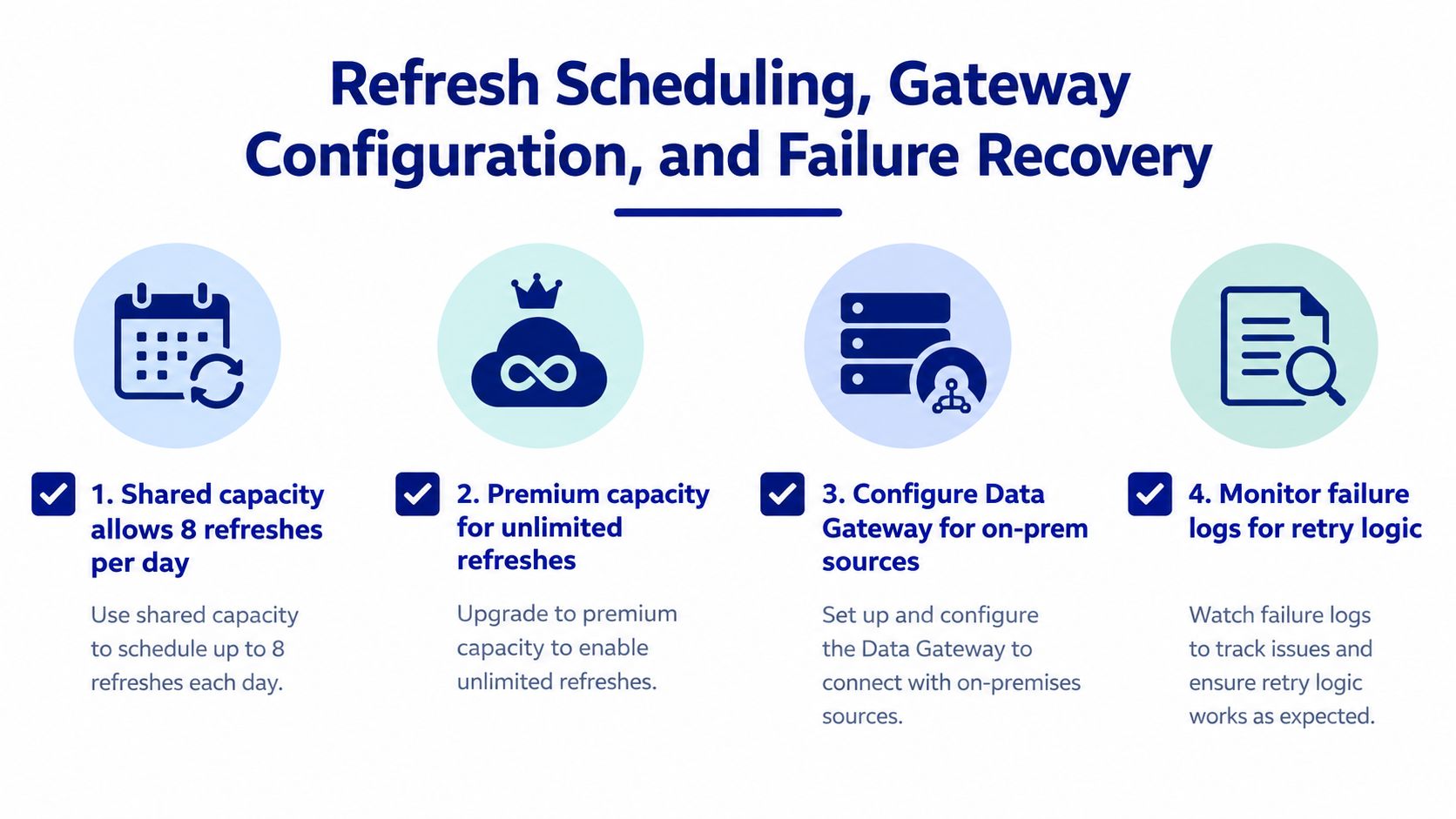
On Power BI shared capacity, scheduled and REST-triggered refreshes are limited to eight per day. Premium, Premium per User, or Fabric capacity supports up to 48 scheduled refreshes per day, subject to capacity resources. Microsoft also documents 30 concurrent refreshes for a gateway, so concurrency can fail before the schedule itself does.
That means the right cadence depends on the business use case. Procurement and lifecycle reporting can usually live on daily refresh. Operational monitoring needs tighter cadence, but only if the capacity and gateway can absorb it.
Don't schedule refreshes around hope. Schedule them around extraction time, transformation time, semantic-model processing, and visual load time, then leave room for retries.
The four failure modes I watch most closely are easy to spot once you know the pattern.
Refresh quota exhaustion: scheduled jobs and REST calls both consume the same daily budget.
API throttling: extraction slows down, retries spike, and the source starts returning inconsistent timing.
Schema drift: a field changes upstream, and Power Query expands the wrong shape or breaks on refresh.
Gateway saturation: one queue gets too busy, and refresh history shows overlap or timeout behavior.
For private or on-premises paths, the gateway has to be in place before you rely on scheduled refresh. If the model is important enough to present to leadership, it's important enough to monitor refresh history, duration outliers, failure categories, and row-count deviations instead of checking only for green status.
Why Inventory Dashboards Alone Won't Justify the Integration
Inventory dashboards are necessary, but they don't prove business value on their own. You can see assets, locations, and software installs and still not know which installations are unused, which products overlap, or what the renewal target should be.
The gap is commercial. Lansweeper's BI material focuses on blending asset information with other data, but the reconciliation work, purchase records, entitlements, contract terms, users, and cost centers, still has to be designed explicitly. Without that layer, a dashboard is descriptive, not decisive.
That's why teams often stop too early. They show counts, maybe age bands, maybe location splits, then declare success because the report is clean. Procurement still can't use it to justify savings, and finance still can't use it to defend a renewal scenario.
If you want the outputs to matter, model around decisions. Build the dashboard so it can support license-spend analysis, renewal forecasting, vendor consolidation, and RFQ-ready quantities. That's the difference between discovery and action.
For a commercial data layer that sits alongside the inventory view, Stackingo is one option to evaluate when you need structured license sourcing rather than another generic chart.
If you're rebuilding Lansweeper Power BI for license intelligence, renewal planning, or procurement reporting, Stackingo can help you think beyond discovery and toward commercial outputs that decision-makers can put to use. Visit Stackingo to see how a marketplace-first licensing workflow can complement your asset data and turn it into actionable procurement scenarios.