
Lansweeper 9 Explained for Enterprise IT Teams
Updated: Oct 10
Your CIO is signing a renewal while security asks whether every endpoint is visible, finance wants defensible license data, and operations is still reconciling spreadsheets with three separate dashboards. Lansweeper 9 can remain useful in that situation, but only if you treat it as an asset-data foundation and procurement decision, not as a finished answer to every IT operations problem.
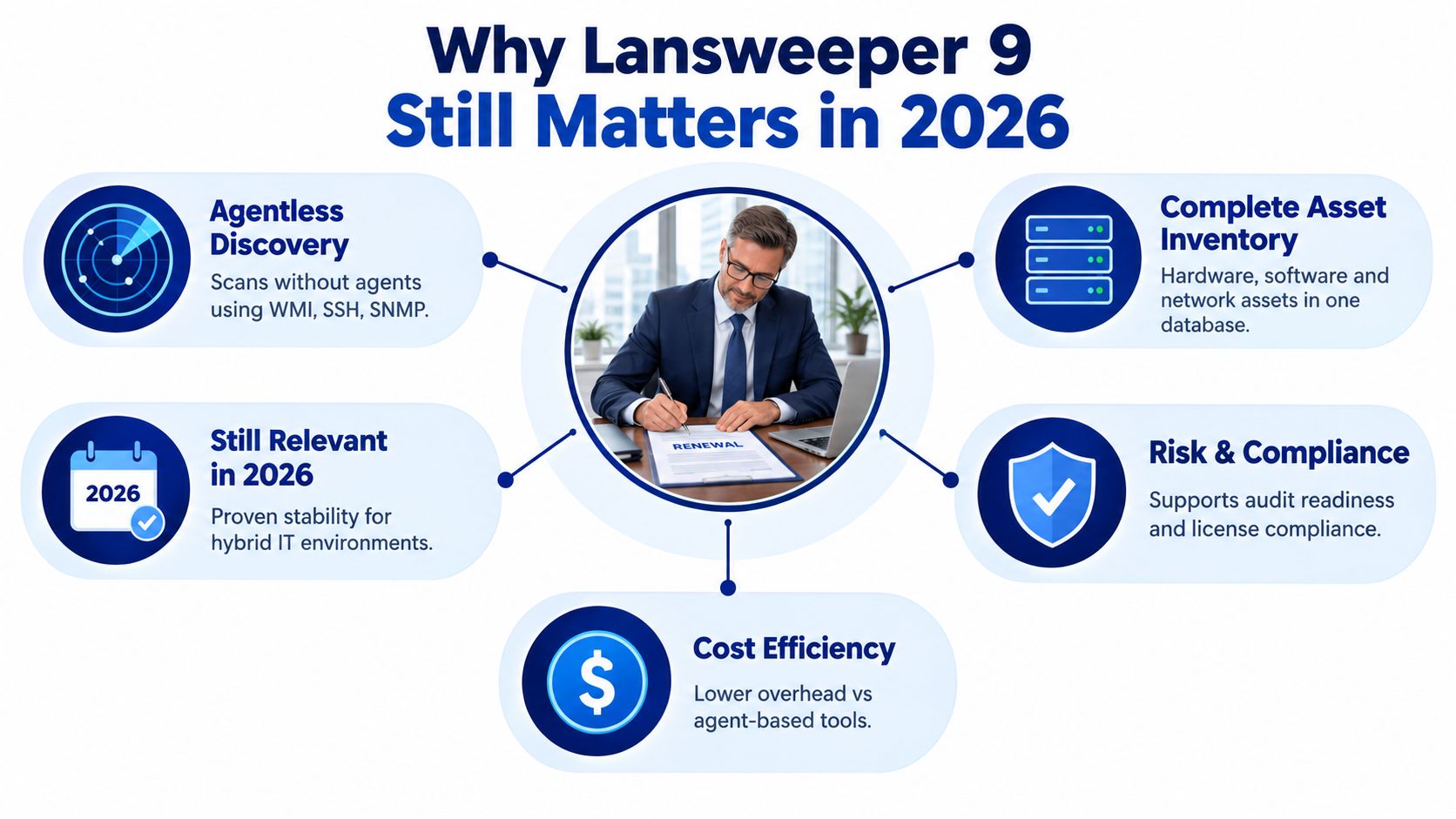
Why Lansweeper 9 Still Matters in 2026
Lansweeper 9 is an agentless IT asset discovery and inventory platform designed to collect infrastructure data and organize it into a normalized asset view. Its relevance comes from what that data enables, including vulnerability workflows, compliance reviews, service management, and technology-spend decisions.
The product still matters because enterprise estates keep getting harder to inventory. Remote endpoints, network infrastructure, hybrid services, and partially managed devices create gaps that a single endpoint agent or manual register won't close. Security tools also need dependable context. A vulnerability finding means more when you know which business service, owner, operating system, and license position relate to the affected asset.
Lansweeper 9 was released in 2021, and Lansweeper presented the release as one of the largest feature sets introduced to Lansweeper Cloud at that time. It added two-way synchronization between on-premises installations and a cloud site, allowing teams to manage multiple installations through one interface. The release also introduced asset deduplication and replaced Office 365 and Intune basic authentication with modern authentication, as documented in the Lansweeper 9 release announcement.
The platform's value depends on asset truth
Inventory is no longer a back-office exercise. A CMDB that feeds vulnerability management, EDR, SIEM, compliance reporting, or AI-assisted analysis must be complete enough for those downstream systems to make sensible decisions. Bad discovery produces bad prioritization, even when the security tool itself works correctly.
The 9.x branch also wasn't frozen at the original launch. Public version archives show later releases including 9.1.20.2, 9.1.30.1, 9.1.40.2, and 9.1.41.1, alongside component revisions such as LsAgent Windows 9.1.0.8 and SQL build numbers reaching 430 in the 9.1.41.1 release. That history shows a maintained product generation rather than a single isolated release, as recorded in the Lansweeper version archive.
Use Lansweeper 9 when you need a connective layer between discovery, risk, and spend. Don't buy it on the assumption that “agentless” means every asset will always be visible. Before renewal, test coverage by site, network segment, credential type, and asset class, then ask whether the resulting data is authoritative enough for the workflows you intend to automate. For a broader product orientation, review this Lansweeper overview for enterprise teams.
What Lansweeper 9 Actually Delivers
Lansweeper 9 delivers its strongest value in environments where administrators need broad infrastructure discovery without deploying a permanent agent everywhere. Its practical role is to collect technical attributes, normalize asset records, identify installed software, and expose that information through reports, dashboards, APIs, and connected workflows.
The distinction between capability and outcome matters. Network discovery can locate devices, but it doesn't automatically create accurate ownership, lifecycle, or business-service relationships. Credentialed scanning can reveal deeper data, but only when credentials work and network controls permit access. The platform can replace a manually maintained inventory for many infrastructure categories, but it won't replace every ITSM, software asset management, or cloud governance process.
Capability mapping
Capability | Enterprise Job | Honest Limitation |
|---|---|---|
Agentless network discovery | Find infrastructure across reachable network segments | Firewalls, routing, NAT, and unavailable credentials can create blind spots |
SNMP and WMI scanning | Collect network and Windows asset details | Results depend on protocol availability and account permissions |
Credentialed asset detail | Improve hardware, software, and configuration records | Weak credential governance produces incomplete or stale records |
Software and license recognition | Support license review and technology-spend analysis | Recognition doesn't equal a complete contractual SAM position |
Lansweeper Cloud synchronization | Coordinate information from multiple installations through one interface | Cloud integration doesn't remove the need to validate source data |
Embedded CMDB | Give teams a normalized inventory foundation for service and risk workflows | It isn't a substitute for a full native ITSM or SAM operating model |
API and integrations | Send asset context to tools such as ServiceNow, Intune, and SIEM platforms | Custom pipelines still require mapping, error handling, and ownership |
Where the marketing needs translation
The embedded CMDB is valuable when it gives security and operations teams a shared asset vocabulary. It becomes less valuable when teams assume the database automatically contains complete relationships, ownership, or business impact. Those details require disciplined data stewardship and integration design.
The same applies to cloud. Lansweeper 9 can contribute to hybrid visibility, but buyers shouldn't assume it provides the same depth across every cloud workload as it does across traditional networked infrastructure. Validate the exact asset types, attributes, and refresh behavior required by your security and compliance teams.
The API can support integrations, but “has an API” isn't the same as “has a production-ready workflow.” For each connection, document the source of truth, synchronization direction, matching key, failure alert, and owner. A practical Lansweeper feature breakdown can help frame that assessment, but your own proof-of-value should decide whether the platform replaces spreadsheets or merely gives you a better place to inspect their underlying problems.
Editions and Licensing Explained
Edition selection is where technical enthusiasm often becomes a procurement problem. Lansweeper licensing is asset-based rather than seat-based, so your cost exposure follows the assets counted under the agreement, not the number of administrators using the platform.
That model can fit infrastructure-heavy organizations, but counting rules need written confirmation. Ask how networked devices, virtual assets, cloud workloads, duplicate records, and temporarily discovered systems are treated. Don't accept a renewal quote until the asset definition matches the data your deployment produces.
Compare the buying choices
Edition | Licensing Model | Key Modules | Best Fit |
|---|---|---|---|
Core | Asset-based licensing | Core discovery and inventory functions | Mid-market IT operations teams focused on visibility |
Premium tiers | Asset-based licensing with broader capabilities | Advanced data, integration, and operational features, subject to the contracted edition | Larger security and ITAM programs |
Enterprise-oriented deployment | Negotiated asset scope and commercial terms | Multi-site, centralized reporting, and expanded workflow requirements | Multi-entity groups with distributed estates |
The important question isn't only which tier has a feature. It's whether that feature supports a defined operating process. If your team needs the embedded CMDB, higher-volume API activity for SIEM or ServiceNow, or centralized multi-site scanning, place those requirements directly in the order form and technical schedule.
Published pricing pages and partner quotes may differ from the commercial offer you receive. Treat Lansweeper pricing guidance as a starting point, not as a substitute for confirming edition, asset tier, support entitlement, renewal mechanics, and true-up language.
Before you approve a purchase, require four answers:
Asset definition: Which discovered records count as billable assets?
Edition ceiling: Which modules and integrations are included in your tier?
Growth treatment: How are new sites, acquisitions, cloud workloads, and temporary assets handled?
Renewal terms: What happens when your measured inventory exceeds the contracted level?
For procurement, the upgrade ceiling matters more than the feature list. A lower tier may work for inventory, then become restrictive when security, CMDB, or integration requirements mature.
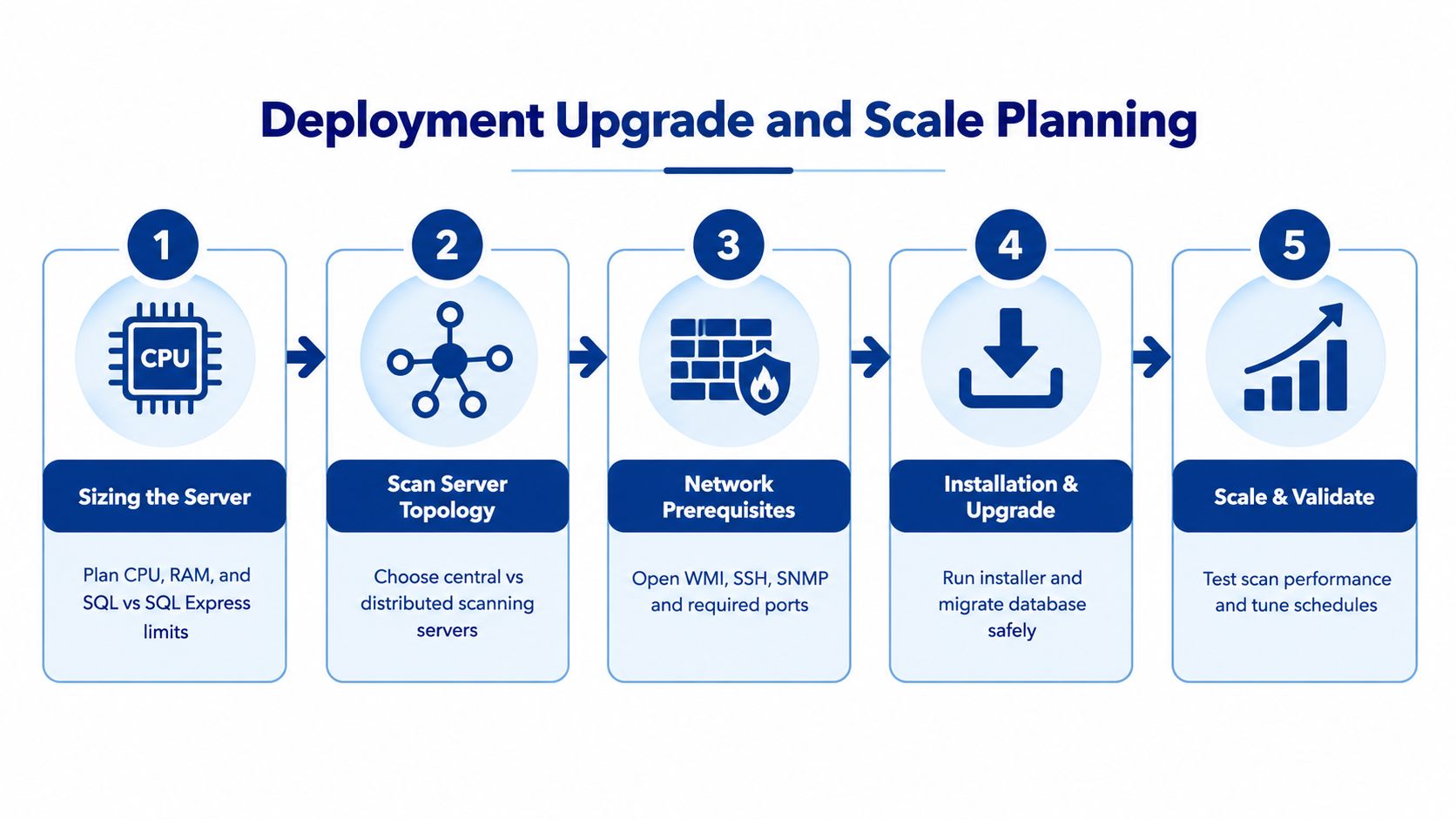
Deployment Upgrade and Scale Planning
A stable deployment starts with architecture, not with clicking the installer. First confirm the supported operating system and framework requirements. Lansweeper's official requirements support Windows 10 21H2 LTSC or higher, Windows 11, and Windows Server 2016, 2019, 2022, and 2025. The installer machine also requires .NET Framework 4.8 and Windows Installer 2.0, according to the official installation requirements.
Build the deployment in the order operations will use it
Size the server around the estate and workload. Decide whether SQL or SQL Express fits your database, retention, reporting, and concurrency needs. Don't size only for installation. Include scan activity, dashboard use, API consumers, backups, and maintenance.
Choose the scanning topology. A central scanner may suit a concentrated network. Distributed scan servers make more sense when sites, VLANs, firewall zones, or latency make central polling unreliable.
Confirm network prerequisites. Validate WMI, SSH, SNMP, and WinRM access from the intended scanning locations. A successful ping isn't proof that credentialed discovery will work.
Create a controlled credential strategy. Use separate scanning accounts where practical, limit permissions to the required scope, and document ownership. Workgroup assets need a different approach from domain-joined systems.
Upgrade and validate in a controlled window. Preserve backups, test database migration, review deprecated behavior, and confirm whether the license key needs reactivation. Run representative scans after the upgrade, not just a service health check.
Scale for predictability, not theoretical capacity
At larger estates, the constraint is often the scan window rather than the raw asset count. Segment scanning by site or VLAN, stagger schedules, and monitor failed credentials separately from unreachable hosts. Agentless scanning reduces endpoint deployment overhead, while agent-based collection can help with roaming or intermittently connected devices.
Antivirus exclusions may affect scan services, and time skew on Linux targets can complicate reliable collection. Slow or unreachable Windows hosts deserve particular attention. Lansweeper's later changelog records fixes related to scan-service crashes on slow or unreachable Windows hosts and missing MAC address discovery, which is a useful reminder that scan reliability needs operational testing, not marketing acceptance. Review the Lansweeper changelog when planning upgrades and remediation.
Practical rule: A deployment is ready only when administrators can explain missing assets, failed scans, duplicate records, and delayed updates without opening a vendor ticket for every incident.
Security Integration and Data Quality
“Agentless” is a collection method, not a data-quality guarantee. Scans can miss devices in firewalled subnets, systems with disabled WinRM, mobile endpoints off VPN, and shadow IT hidden behind NAT. If your CMDB feeds vulnerability management or AI-assisted asset analysis, those omissions become decision risk.
Lansweeper's own later maintenance history reinforces the point. Changelog entries address scan-service crashes, missing MAC address discovery, and security remediation in the 12.9.x line, while its status history records degraded service, delayed updates, and outages in 2026. Those records don't prove that every Lansweeper 9 deployment will fail. They do prove that scan health, service availability, and remediation paths belong in your operational acceptance criteria.
Integrations need ownership
ServiceNow, ConnectWise, Intune, Tenable, and Microsoft Defender can consume or enrich asset information through native integrations, APIs, webhooks, or custom pipelines, depending on the specific deployment and product capability. Treat each integration as a controlled data contract rather than a checkbox.
Integration | Native or API | Primary Use Case | Data Quality Risk |
|---|---|---|---|
ServiceNow | Native or API-based, depending on configuration | CMDB enrichment and service workflows | Duplicate matching or stale ownership |
ConnectWise | Integration or API workflow | MSP and service operations | Inconsistent client and asset identifiers |
Intune | Integration using modern authentication and supported connectors | Endpoint inventory correlation | Devices may be present in one system but absent from another |
Tenable | Integration or API workflow | Vulnerability context and prioritization | Incomplete asset identity can distort remediation scope |
Microsoft Defender | Integration or API workflow | Security telemetry and endpoint correlation | Naming and identifier differences can fragment records |
Custom SIEM pipeline | API or webhook | Security monitoring and alert enrichment | Failed jobs, rate limits, and unowned mappings |
Improve reliability with concrete controls:
Rotate scanning credentials: Store them securely, limit scope, and monitor failed authentication.
Protect the console: Enforce TLS and restrict administrative access to approved networks.
Harden administrators: Enable MFA wherever supported and review privileged accounts.
Monitor freshness: Track last-seen dates, scan failures, duplicate records, and missing attributes.
Classify Lansweeper itself: Treat the platform as a Tier-1 asset inside your vulnerability and continuity program.
AI-ready asset data requires more than a large inventory. It requires consistent identity, current attributes, usable ownership, and documented confidence. Lansweeper's CMDB use cases are strongest when your team measures those conditions instead of assuming discovery equals truth.
Procurement Tips and the Marketplace Advantage
Buy Lansweeper 9 as a commercial system, not just a technical subscription. The price is shaped by per-asset licensing, edition choice, asset-count true-ups, multi-year terms, the mix of Cloud and on-premises deployment, and the renewal language. The partner quote may not resemble list pricing, and the first contract may not predict the next renewal.
Run a competitive review even if Lansweeper is the preferred platform. ServiceNow CMDB, Device42, and Axonius may solve overlapping parts of the discovery, asset graph, or security-visibility problem, although their commercial models and implementation requirements differ. The comparison should focus on verified coverage, data stewardship effort, integration ownership, and five-year renewal exposure, not feature-count inflation.
Use procurement leverage deliberately
A marketplace-led buying motion can reduce the usual vendor-by-vendor friction. Platforms such as Stackingo bring multiple licensing options into a structured RFQ process, which lets buyers compare edition, asset scope, support, provisioning, and commercial terms in one purchasing workflow. That approach is useful when the technical team has already selected a product but procurement still needs comparable quotes and a clear audit trail.
Use this checklist before signing:
Validate the seller: Confirm authorization, support responsibility, and escalation path.
Confirm the SKU: Match edition, asset tier, deployment type, and included modules to the design.
Capture true-up terms: Define how new assets are measured, billed, and reconciled.
Check delivery: Verify license-key or subscription provisioning steps before the order is final.
Protect entitlement: Record support level, renewal date, renewal owner, and access requirements.
Test the commercial scenario: Price the current estate, expected growth, acquisition changes, and an expanded security use case.
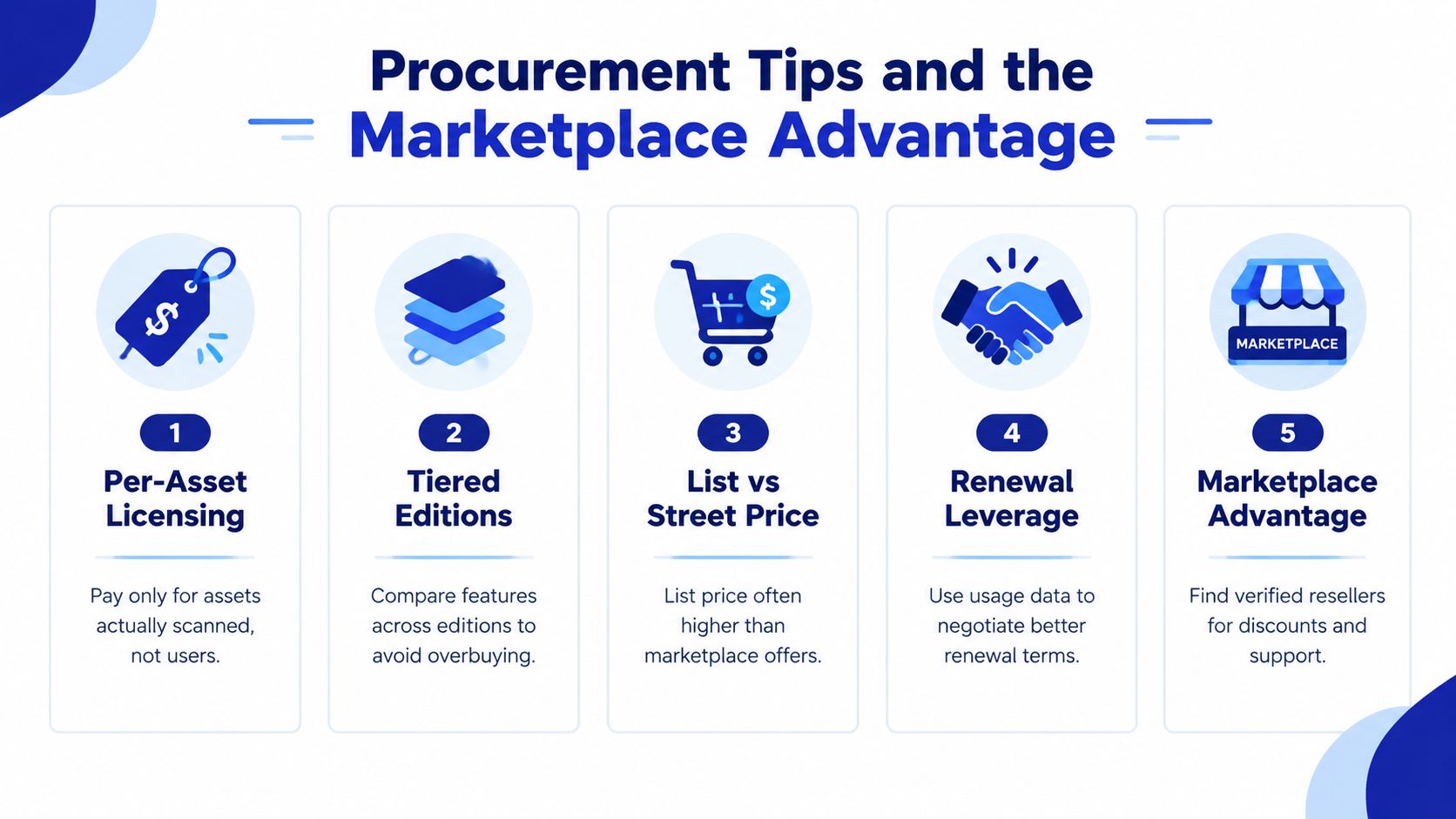
Stackingo operates as an enterprise IT licensing marketplace, aggregating software and hardware licensing options into an RFQ-led purchasing experience. Its Lansweeper procurement and market context can help buyers frame the commercial discussion, but your team should still validate technical fit and contractual language independently.
The right decision is straightforward. Renew Lansweeper 9 when it produces dependable asset data across the environments that matter, integrates cleanly with your security and service workflows, and remains commercially defensible. Replace or renegotiate when scan failures, incomplete records, edition limits, or renewal uncertainty undermine those outcomes.
Use Stackingo to request comparable Lansweeper licensing options, confirm the right edition and asset scope, and review reseller-led commercial terms before renewal. Bring your current inventory, target integrations, and true-up requirements, and use the RFQ process to turn an opaque renewal into a documented procurement decision.