
Lansweeper AWS Discovery Guide That Actually Works
Updated: Oct 10
You can have a clean EC2 inventory and still lack ownership, security-group context, regional coverage, and visibility into the rest of your AWS estate. Lansweeper AWS discovery addresses that gap through API-driven, agentless cloud inventory. The practical challenge isn't whether it can find workloads. It's configuring identity, account scope, regions, tags, and asset limits so discovery produces useful governance data instead of uncontrolled collection.
What Lansweeper AWS Discovery Actually Does for You
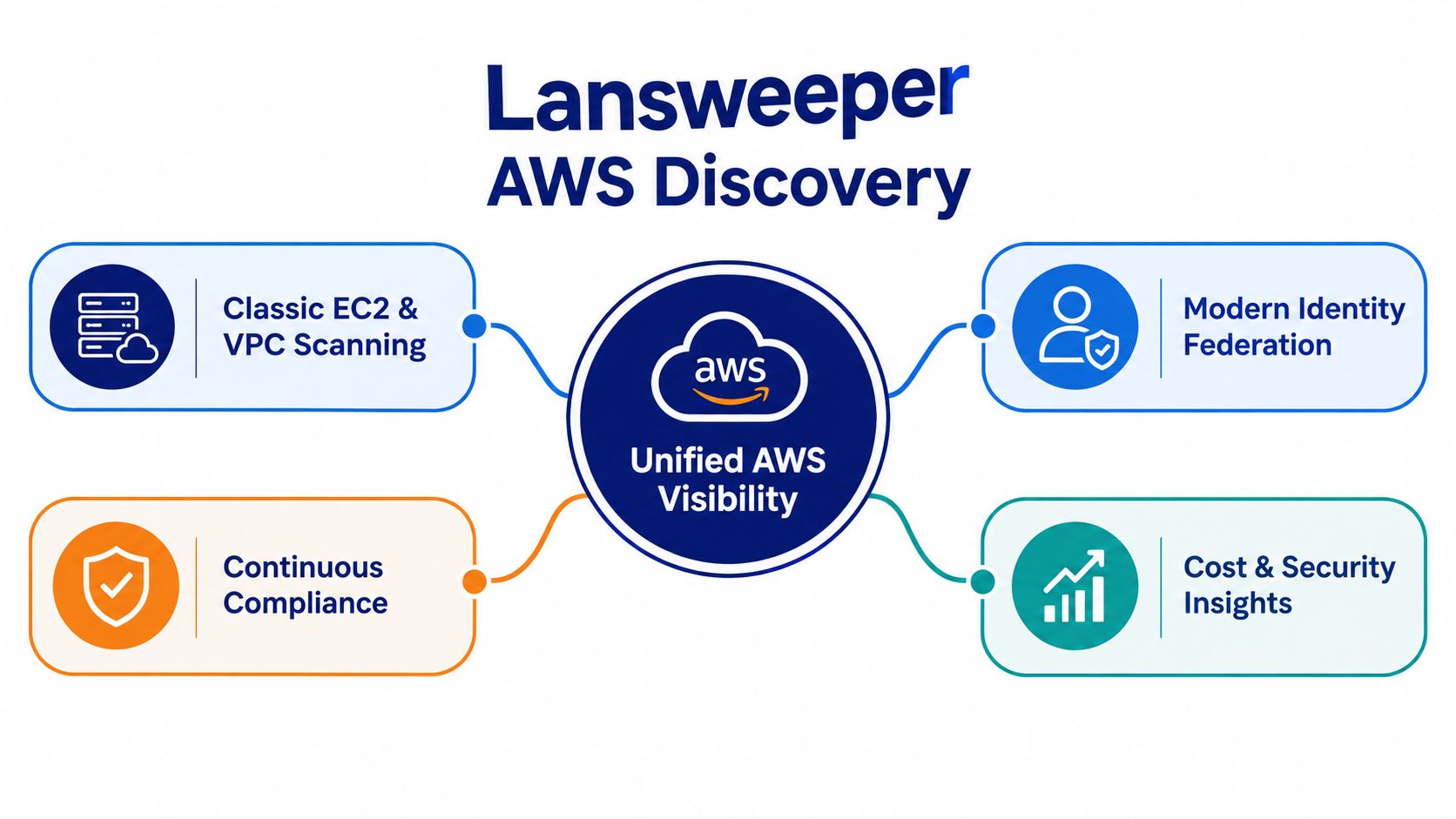
Lansweeper AWS discovery has evolved beyond a narrow virtual-machine scan. The capability has been part of Lansweeper since version 7.1, when the platform added scanning for Amazon Web Services VPCs and EC2 instances, as documented in the AWS environment scanning guidance. The newer Lansweeper Discovery approach catalogs over 150 types of cloud assets across AWS, Azure, and Google Cloud, according to Lansweeper's cloud discovery announcement.
That change matters operationally. A traditional EC2 list answers, “What virtual machines exist?” A broader cloud inventory helps answer, “Which VPCs, instances, storage buckets, databases, security groups, regions, and ownership details are connected to our environment?” Lansweeper describes AWS visibility that includes security groups, region information, owner ID, virtual machines, storage buckets, databases, and other cloud objects in its AWS security-group resource.
Why the agentless model changes the operating model
The discovery process is API-driven. You don't need to install an agent on every AWS workload to inventory VPCs and the instances inside them. That makes it practical for accounts where workload installation is restricted, inconsistent, or owned by separate engineering teams.
The value isn't just technical convenience. A governed inventory can support:
Ownership review: Connect assets to AWS account and owner information.
Attack-surface mapping: Relate infrastructure objects and security groups to the wider estate.
Procurement planning: Use actual discovered scope when evaluating software and hardware requirements.
Lifecycle work: Find cloud assets that require remediation or replacement.
The older EC2 and VPC model still matters, especially where teams maintain classic scanning workflows. The newer approach should be treated as a shift toward continuous cloud governance, not just a replacement scan button. For related Lansweeper practices, see the Lansweeper resource collection on Stackingo.
Prerequisites You Must Have Ready Before You Start
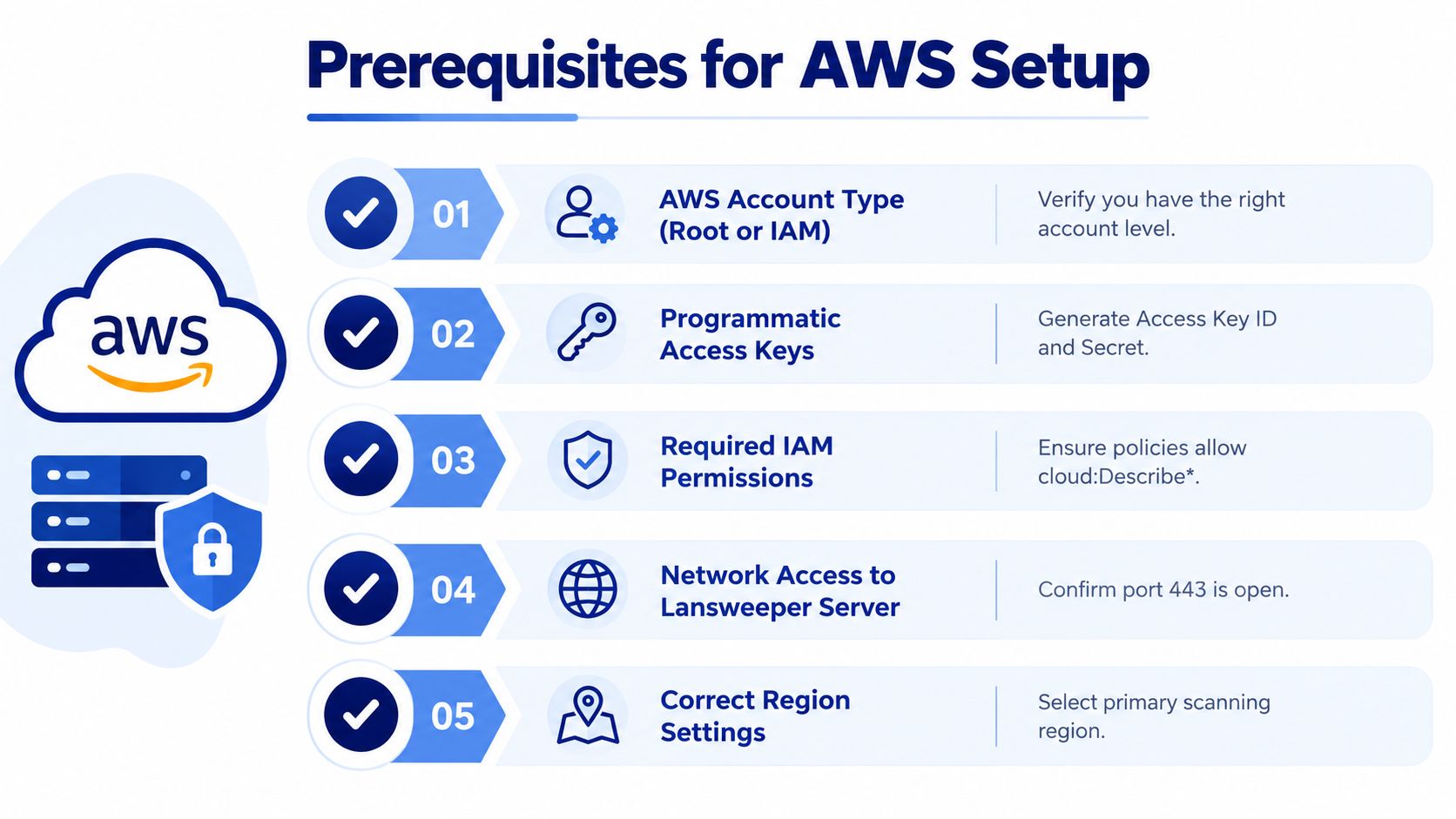
Before touching the cloud action settings, establish who owns the AWS connection and what Lansweeper is allowed to discover. Most failed onboarding attempts I've seen aren't caused by an unavailable AWS workload. They come from missing IAM authority, an unclear account structure, or an unplanned asset volume.
Use this readiness check:
Confirm the AWS structure: Decide whether you're connecting a standalone AWS account or an organization structure with multiple accounts.
Identify the main account: For organization discovery, document the main-account role ARN and the reading-role name that Lansweeper will use.
Secure IAM administration: The person performing setup needs enough access to create or configure the OIDC provider, IAM policies, and roles.
Confirm Lansweeper access: Verify that you can create a cloud action and schedule its trigger in the relevant Lansweeper environment.
Plan the asset boundary: Lansweeper notes that cloud discovery can create new assets that count toward the licensed asset limit, so asset-volume planning belongs at the beginning, not after the first scan.
Define regions and workloads: The default scope can be broad. Decide which accounts, regions, workloads, and tags should be included before you connect anything.
The regional default deserves attention. Lansweeper's classic documentation states that cloud discovery scans all regions except China and GovCloud by default, while all workloads are selected by default in the classic workflow. That behavior is useful for finding blind spots, but it can also produce more assets than your team intended.
Treat region and tag strategy as governance decisions. If your organization already uses tags for application owner, environment, cost center, or business unit, use those conventions to define a deliberate first scope. You can also review broader Lansweeper IP scanning considerations before combining cloud inventory with other discovery methods.
How to Configure IAM Roles and Workload Identity Federation
The secure current approach uses Workload Identity Federation with OpenID Connect, so Lansweeper can authenticate machine to machine without storing or managing long-term credentials. Lansweeper's cloud discovery access documentation identifies the OIDC trust relationship as a central part of the AWS setup.
Create the trust foundation first
Start in the main AWS account. Create an OIDC provider using the specific provider URL and audience required by Lansweeper's current setup flow. Then attach the appropriate IAM policy and roles. The exact values matter, so copy them from the applicable Lansweeper documentation rather than adapting a role from an unrelated AWS integration.
The trust policy is the control point. If the provider URL, audience, subject conditions, policy attachment, or role relationship is wrong, Lansweeper won't be able to assume the role even when the AWS account itself is reachable.
Keep standalone and organization access distinct
For a standalone account, the role design is comparatively contained. For an organization structure, the main account establishes the entry point and the reading role must provide access across the selected member accounts. Don't assume that a role working in the main account automatically grants inventory access everywhere else.
Before connecting Lansweeper, validate:
The provider exists in the main account.
The audience and provider URL match the Lansweeper requirements.
The IAM policy allows the read operations required for discovery.
The main-account role ARN is copied exactly.
The reading-role name matches the role created in the target accounts.
The Site ID condition is present where Lansweeper requires it.
The Site ID detail is a known source of confusion. Lansweeper's AWS cloud-action creation guidance identifies a failure mode where the Site ID must be included in an AWS policy condition. If the role looks correct but authentication still fails, inspect that condition before changing unrelated network settings.
Practical rule: Treat IAM and OIDC validation as a separate workstream. Don't troubleshoot discovery filters until the trust relationship succeeds.
Long-lived access keys may appear simpler during a rushed proof of concept, but they create a credential-management burden. The current machine-to-machine model avoids that pattern, provided the OIDC provider, roles, permissions, and conditions are configured precisely.
Configuring Lansweeper to Scan Your AWS Environment
Once the trust relationship is ready, configure the cloud action in a controlled sequence. The basic workflow is straightforward, but the order matters because scope decisions determine what enters the inventory.
Build the cloud action
Create a new cloud action and choose AWS as the provider. Enter the main-account role ARN and the reading-role name, then choose whether the connection covers a standalone account or an organization structure. For an organization, select the accounts that Lansweeper should inspect rather than treating every member account as automatically in scope.
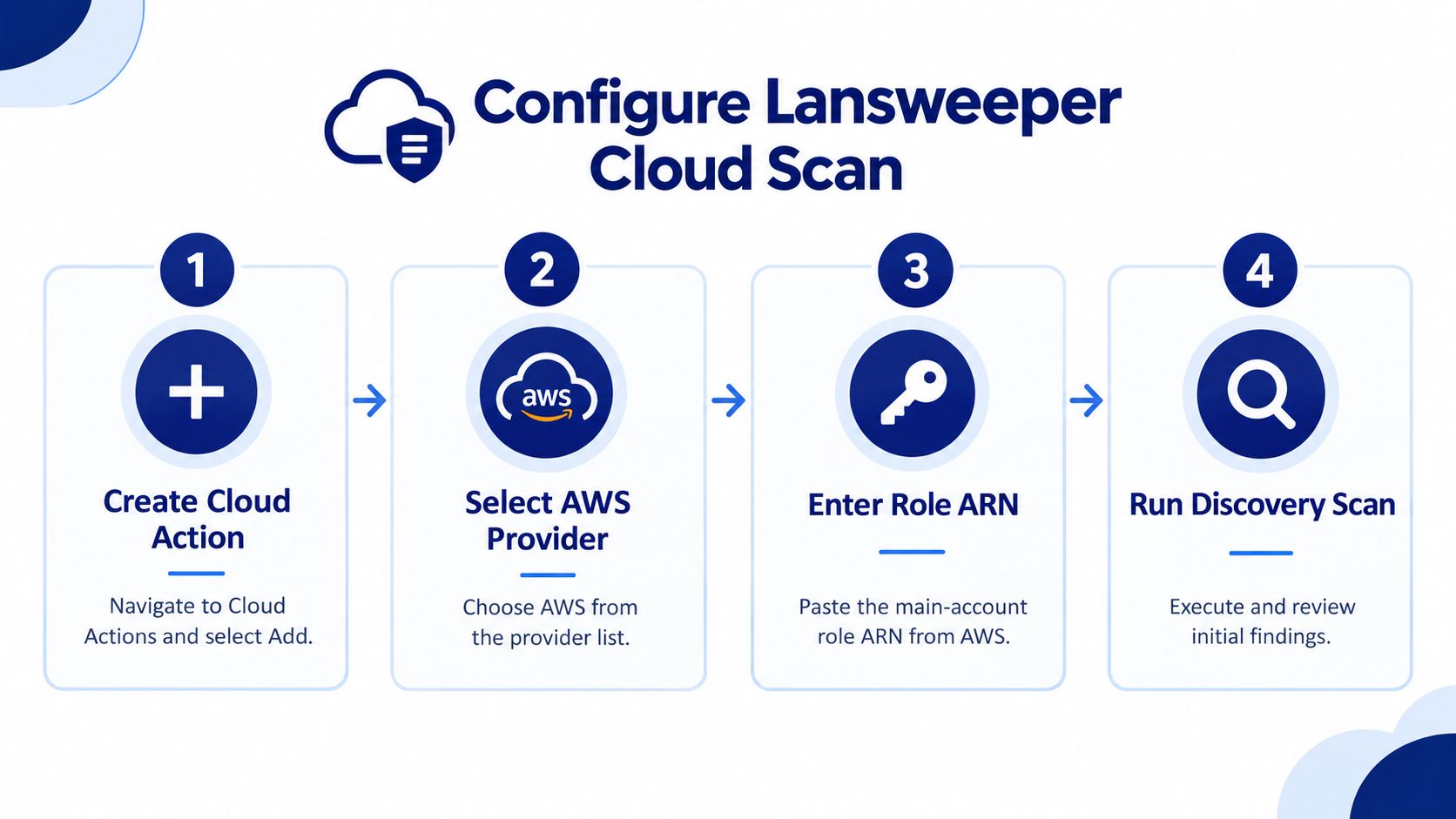
Next, choose regions and workloads. The classic AWS scanning asset documentation explains that Lansweeper supports workload selection and tag-based filtering. Use those controls before scheduling the first broad run.
A sensible sequence is:
Start with accountable accounts: Include production or centrally managed accounts where ownership is already known.
Select required regions: Remove regions that your organization doesn't operate or govern through this Lansweeper action.
Choose workloads intentionally: Don't leave every workload selected unless your asset-limit review supports that decision.
Apply tags where possible: Filter by stable tags that identify environment, owner, application, or cost center.
Schedule after review: Save the action and schedule the trigger only after checking the final scope.
Why default scope causes avoidable problems
Broad defaults are valuable for an initial discovery exercise because they expose forgotten regions and untracked workloads. They become risky when teams schedule recurring discovery without first deciding which objects should count as managed assets.
Tag filters work only as well as the underlying tagging discipline. If engineering teams apply inconsistent owner or environment values, a restrictive filter can hide assets. Start by checking tag coverage, document exclusions, and then tighten the action as ownership data improves.
You should also separate discovery goals. A security review may need wider visibility than a procurement inventory. A licensing exercise may focus on assets tied to a defined business unit. One cloud action doesn't have to carry every governance purpose if doing so makes scope impossible to control.
For complementary platform context, see the Lansweeper full overview. The useful outcome isn't the largest possible asset count. It's an inventory that your security, operations, finance, and procurement teams can interpret and maintain.
Verifying Discovered Assets and Troubleshooting Common Errors
Validation starts with the asset model, not the dashboard total. Lansweeper's classic AWS requirements state that discovery can create one asset for each AWS VPC that contains instances and one asset for each instance, and that only EC2-VPC environments are supported. EC2-Classic isn't supported, as detailed in the AWS scanning requirements.
Review the first results against known AWS facts:
VPC presence: Confirm VPC assets appear where instances exist.
Instance coverage: Compare discovered instances with the accounts, regions, and workloads selected.
Context fields: Inspect region, owner ID, security groups, and related details.
Scope behavior: Check whether tags excluded assets you expected to see.
License impact: Compare newly created assets with the licensed asset limit.
The following matrix keeps diagnosis focused.
Symptom | Likely Cause | Fix |
|---|---|---|
No AWS assets appear | OIDC provider, audience, role trust, or policy configuration is incorrect | Recheck the provider details, role ARN, attached policy, and trust relationship |
Authentication appears valid but discovery fails | Site ID is missing from the required AWS policy condition | Add the Site ID condition exactly as specified in Lansweeper's AWS setup guidance |
Some accounts are empty | Organization scope or member-account reading role isn't configured correctly | Verify selected accounts and cross-account role permissions |
Expected workloads are missing | Region, workload, or tag filters exclude them | Review the action scope and compare it with AWS tags and regions |
Asset totals are unexpectedly high | Broad default selection includes more regions or workloads than intended | Narrow account, region, workload, and tag scope before scheduling again |
The scan doesn't find an older environment | The environment uses EC2-Classic | Confirm that the workload uses EC2-VPC, because EC2-Classic isn't supported |
If the problem is outside AWS identity and scope, separate it from unrelated Lansweeper infrastructure issues. The RPC unavailable troubleshooting guide is relevant to a different class of scanning failures and shouldn't replace IAM validation for cloud discovery.
Turning Your AWS Inventory Into Smarter License Decisions
A cloud inventory becomes commercially useful when each discovered object has a clear business meaning. Security teams can map attack surfaces, operations teams can assign ownership, and finance teams can separate licensable assets from objects outside a purchasing calculation.
Lansweeper AWS should be governed as a cloud estate, not treated as an EC2-only scanner. Its discovery covers over 150 cloud asset types across major cloud environments. That breadth makes account, region, workload, and tag rules necessary. Without them, collection expands beyond the assets procurement needs, increasing review effort and potentially wasting license capacity.
Use the governed inventory to prepare a structured request for quotation:
Define the asset population: State the included accounts, regions, workloads, and tags.
Separate current requirements from future scope: Vendors should price a defined estate, not an uncertain expansion.
Map products to use cases: Connect findings to ITSM, security, monitoring, endpoint, or infrastructure needs.
Request comparable options: Keep quantities, terms, and assumptions consistent across vendors.
Record exclusions: Note whether unused, test, duplicate, or out-of-scope assets were omitted.
A CMDB process preserves ownership and relationships after the scan. Teams connecting technical discovery with operational accountability can use this CMDB and Lansweeper guidance to define how inventory data supports ongoing governance.
When the inventory is controlled, an RFQ-led marketplace such as Stackingo can price that defined scope across multiple OEMs in one pass. This can shorten the quote cycle compared with contacting vendors individually, while keeping the request tied to approved accounts, regions, workloads, and tags.
Procurement insight: Do not use discovery to justify buying more by default. Use it to make the requested scope defensible.
With identity, filters, ownership, and licensing rules aligned, AWS discovery supports security decisions, renewal planning, and accountable procurement. Review the scope when environments or tags change, rather than allowing a broad initial selection to become a permanent purchasing baseline.
Use Stackingo to turn your Lansweeper AWS asset scope into a structured RFQ, compare multi-vendor licensing options, and procure software and hardware that match your governed inventory. Provide account, region, workload, and tag assumptions so quotations reflect the environment you approved.