
Lansweeper Azure Integration: A Practical Setup Walkthrough
Updated: Oct 10
A newly created Azure subscription can become invisible to your asset inventory without anyone changing the Lansweeper connection. That's the operational risk behind Lansweeper Azure discovery. The integration can use Azure Resource Manager, or ARM, to collect cloud resource metadata, but complete coverage depends on correct permissions, secure credential retrieval, explicit subscription selection, and ongoing governance.
What You Need Before Connecting Lansweeper to Azure
The practical target is a Lansweeper scanning server that can continuously query Azure through ARM, so resource groups, virtual machines, storage resources, network security groups, public IP resources, and related metadata can appear in your asset inventory. Lansweeper documents Azure scanning support from version 7.1 onward, with an internet-connected scanning server required for the connection (Lansweeper Azure scanning documentation).
Before opening the Azure portal, confirm the following:
Supported Lansweeper version: Use version 7.1 or newer, with a license that supports Azure scanning (Azure scanning requirements).
Tenant and subscription inventory: Record the Azure Tenant ID and every Subscription ID you intend to include.
Application registration capability: The administrator completing the setup needs permission to create an Entra ID application registration and grant the required consent.
Scanning server connectivity: The scanning server needs outbound internet access, including access to Azure management and authentication endpoints.
Key Vault readiness: Create the vault before configuring Lansweeper, and verify that the scanning identity can retrieve the required secret.
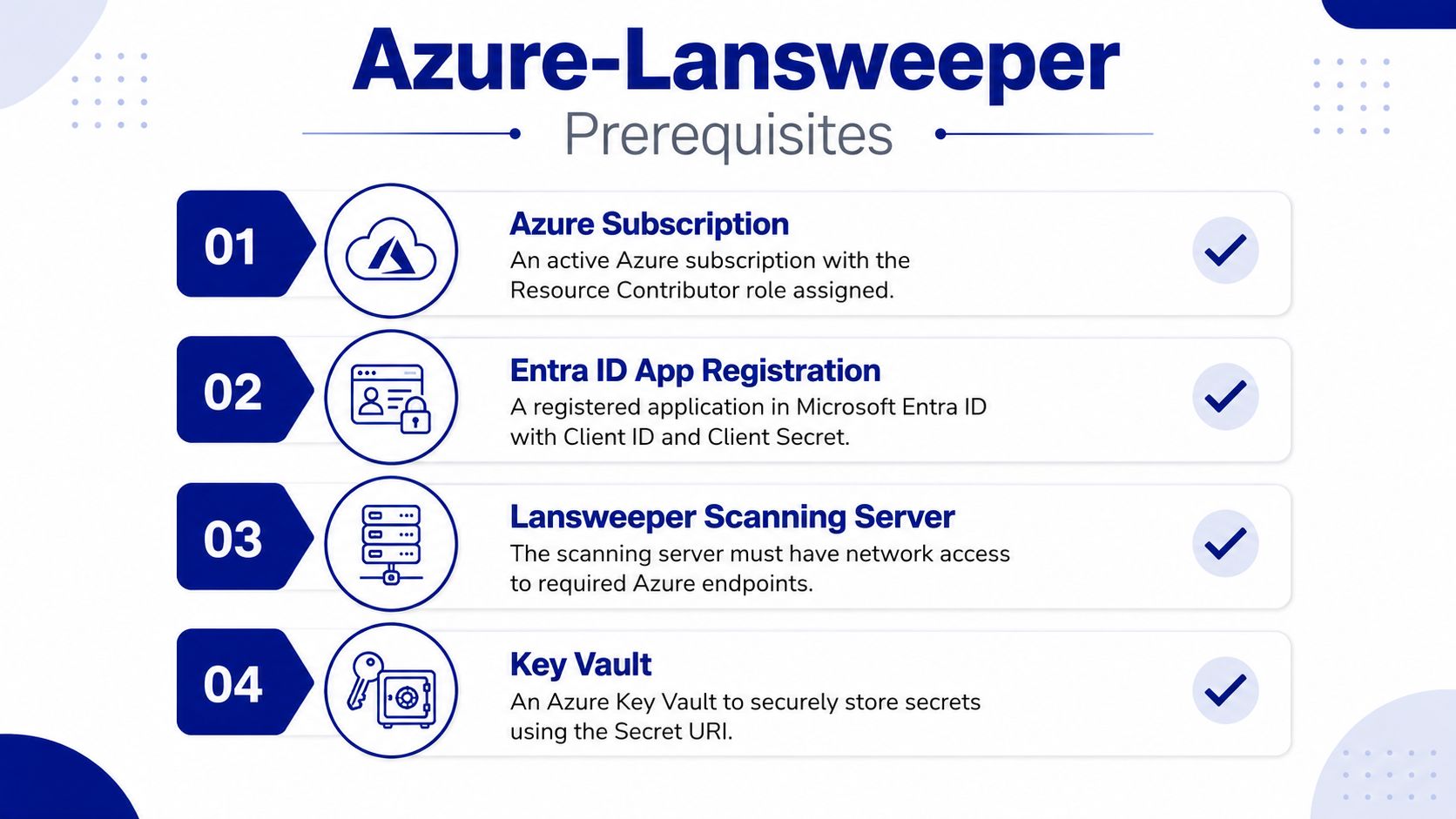
The Key Vault detail is where many first attempts fail. Lansweeper's configuration uses a Tenant ID, Application ID, and Key Vault URI, while the scanning service retrieves the credential from the vault. A vault that exists but denies secret read access is functionally the same as a missing vault.
Practical rule: Treat Azure discovery as a service integration, not a portal wizard. Test identity, network access, vault permissions, and subscription scope before you create the scheduled discovery action.
For broader asset inventory planning, compare the cloud workflow with Lansweeper asset discovery practices. A short preflight checklist prevents a partially configured account from producing an empty inventory that looks like a scanning problem.
Creating and Configuring the Azure AD App Registration
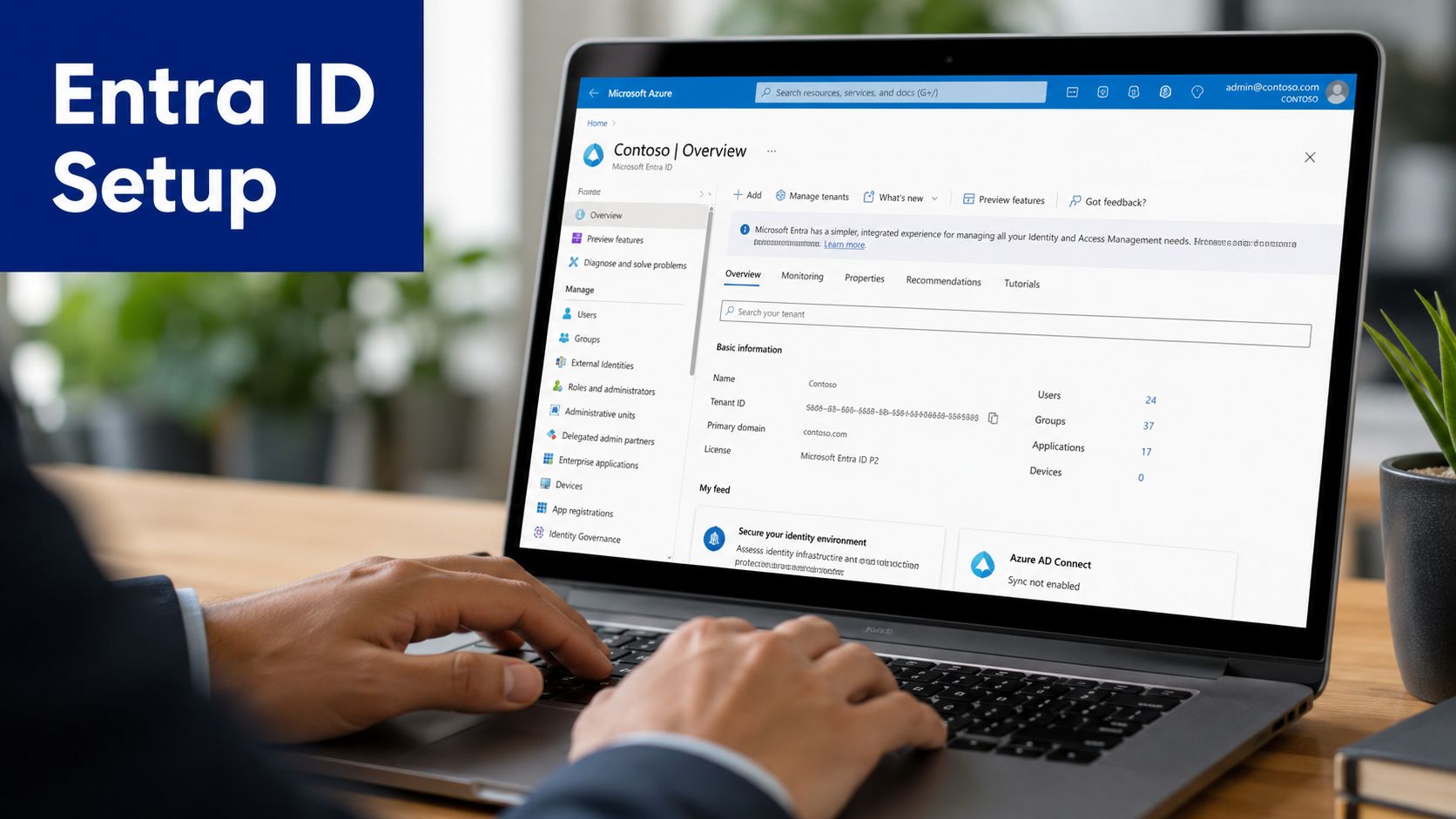
A production tenant can contain subscriptions owned by different teams, with access changing after the initial setup. Create a dedicated application registration for discovery rather than reusing an automation identity with unrelated permissions. In Microsoft Entra ID, use a purpose-specific name such as , leave the redirect URI blank, and record the Application (client) ID and Directory (tenant) ID. These identifiers will be entered in Lansweeper later.
How should the application authenticate?
Use a client secret stored in Azure Key Vault when that matches your organization's Lansweeper workflow. Set its expiry according to the existing rotation policy, store the secret value in Key Vault as a typed secret, and retain the secret URI, not the raw value, for configuration. Keep the value out of tickets, scripts, and Lansweeper fields. A secret that has expired, was replaced without updating the vault reference, or cannot be read by the scanning identity will stop discovery even though the app registration still exists.
Federated credentials may suit newer governance models, provided the scanning service has a supported and tested credential path. Validate the authentication method with the actual scanning server before scheduling discovery.
Under API permissions, use application permissions for unattended discovery, not delegated permissions. Add the approved Microsoft Graph application permission, including Microsoft Graph Application.Read.All where the design requires it, then grant tenant-wide admin consent. Confirm that the permission status shows consent before assigning Azure resource access.
Where should Reader access be assigned?
Assign the service principal the Reader role at subscription level for every subscription Lansweeper must scan. This creates a clear audit point and reduces gaps caused by scattered resource-group assignments. Management-group inheritance can work, but verify it against your organization's policy model instead of assuming every subscription receives the same effective access.
Lansweeper queries Azure Resource Manager for resource groups, virtual machines, and other inventory details. Reader access supports retrieval without write permissions.
Before proceeding, verify:
The service principal appears in each intended subscription's role assignments.
Key Vault permits the scanning identity to retrieve the secret.
The Lansweeper installation meets the 7.1 or newer requirement.
Subscription scope is easy to lose after reorganizations. Record the approved subscription list and compare it with the application's assignments whenever ownership or governance changes.
Adding the Azure Cloud Account in Lansweeper
In the Lansweeper console, open the cloud account configuration and choose the Azure account option. Enter the Directory, or Tenant, ID, the Application, or Client, ID, and the Key Vault secret URI. Don't paste the raw client secret. The scanning service should resolve it from Key Vault at runtime.
Select Test Connection before saving. A failed test is useful because it narrows the problem to identity, vault access, network connectivity, or permissions. Saving first and waiting for a scheduled scan often creates a less obvious failure, especially when the account remains present but produces no usable Azure assets.
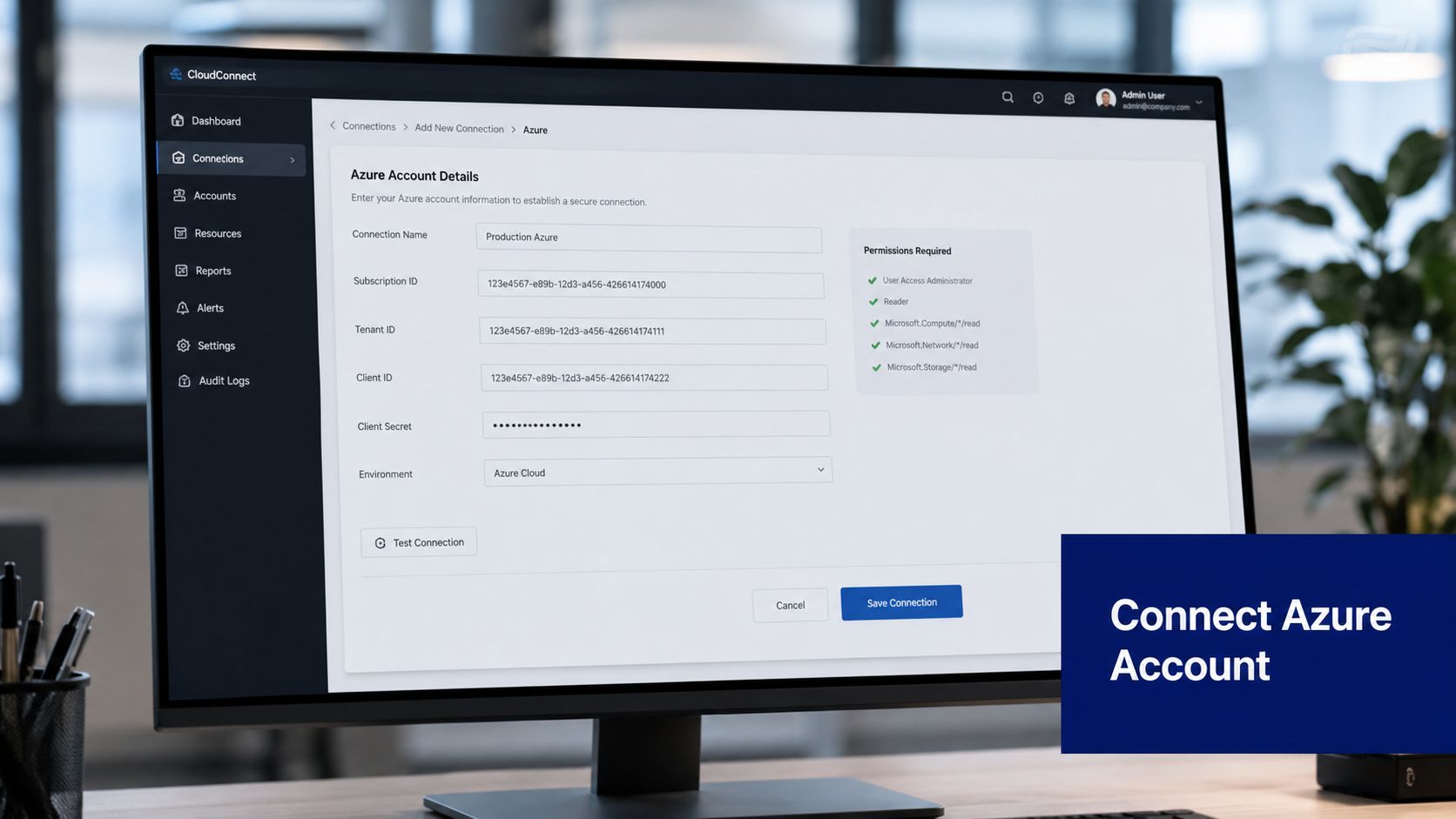
After a successful connection test, the subscription selector should expose subscriptions where the application has Reader access. Choose broad coverage or select subscriptions deliberately according to your governance model. You can also narrow discovery to selected resource groups when a pilot or a controlled reporting scope makes more sense.
How should you choose scan scope?
Use a staged scope when the tenant is complex. Start with a known subscription and a small resource-group selection, validate the resulting inventory, then expand to the remaining approved subscriptions. Broad selection is simpler to operate, but it increases the impact of an incorrect permission or an unexpected cloud account boundary.
The cloud discovery configuration is tenant-based, and Lansweeper states that subscriptions, workloads, resource groups, and optional tags can be selected as part of the discovery action (Azure cloud environment scanning). Record the selected scope in your change-control system. Also record the Key Vault expiry date so the rotation owner knows when to renew the credential.
For related network inventory work, see the Lansweeper IP scanning workflow. Keep cloud discovery and network scanning responsibilities distinct, because a successful network scan won't compensate for an incomplete Azure subscription scope.
Running and Validating Azure Asset Scans
A successful connection test only proves that Lansweeper can authenticate. The first scan must also prove that the registered application can read every intended subscription and resource type. The scanning server queries Azure Resource Manager within the configured scope, then maps returned metadata into asset records. Expect coverage for resource groups, virtual machines, and related Azure resources, subject to permissions and the selected scope. Review the Lansweeper Azure discovery details for the documented discovery boundaries.
Expected inventory data can include:
Resource hierarchy: Tenant, subscription, resource group, and regional context.
Compute records: Azure virtual machines and their associated properties.
Storage and network resources: Storage accounts, disks, network security groups, and public IP resources where supported by the configured discovery scope.
Metadata: Tags and provider-specific attributes that help map cloud ownership and service purpose.
How do you prove the scan worked?
Check the Lansweeper discovery or scan status first. A completed action without errors is only the starting point. Filter the inventory by provider, tenant, subscription, region, and tags, then compare resource groups and virtual machines with the Azure portal using the same subscription and resource-group scope. A deliberately limited account should not be compared with a tenant-wide portal view.
Open several records and verify location, SKU, operating system information, subscription identity, and resource-group association. Check a subscription that is known to be in scope, and confirm that its expected resources appear. If a resource is missing, inspect permissions and scope before treating it as a discovery failure.
Hybrid environments need record-level review. A virtual machine may also arrive through an agent, network scan, or another discovery source, so validation must confirm correlation rather than merely matching names. Allow the initial synchronization to finish before concluding that the inventory is empty, because scan completion and visible asset updates can occur at different times. For configuration-management context, see the Lansweeper CMDB approach.
Managing Multi-Subscription Scope Over Time
The dangerous assumption is that adding a cloud account completes Azure coverage permanently. Lansweeper's support documentation states that new Azure subscriptions in the same tenant aren't automatically added to the existing discovery scope (Lansweeper subscription discovery guidance).
That creates subscription scope drift. A platform team creates a subscription, deploys workloads, and assumes the existing Lansweeper tenant connection covers it. The asset database remains unaware until an administrator explicitly adds the subscription.
What should the governance process include?
Maintain a current subscription inventory in Azure and reconcile it with the subscriptions selected in Lansweeper. Use Azure Activity Log or Event Grid processes to alert the platform or ITAM team when subscriptions are created, moved, or decommissioned.
A workable control set includes:
Ownership mapping: Record the business owner, platform owner, lifecycle state, and intended discovery status for each subscription.
Reconciliation: Compare Azure's active subscription list with Lansweeper's configured discovery scope on a recurring schedule.
Access review: Recheck Reader assignments and Key Vault access during the same governance review.
Change control: Require an explicit update to Lansweeper whenever a subscription enters production.
Audit evidence: Keep the before-and-after scope, approval, and validation result with the change record.
Quarterly audits are a sensible baseline for many organizations, with more frequent checks where subscription creation is routine. The central lesson is uncomfortable but useful: stronger authentication and tighter permission boundaries improve security, while also making continuous operational ownership more important.
Use the Lansweeper syslog integration guidance alongside your wider monitoring process, but don't rely on logs alone to identify an unconfigured subscription. A subscription that was never selected may generate no Lansweeper scan failure at all.
Troubleshooting Common Connection Failures
A connection can authenticate successfully and still return incomplete inventory. Troubleshoot from the scanning identity outward, checking Azure permissions, Key Vault retrieval, network access, and the Lansweeper account configuration in that order.
Failure Mode | Diagnostic Step |
|---|---|
Reader assigned at a resource-group scope instead of the subscription | Run for the service principal and verify the assignment scope for every intended subscription. |
Explicit deny or broken inheritance prevents effective read access | Review Azure role assignments, deny assignments, and effective permissions at the subscription and resource-group levels. |
Key Vault secret is missing or expired | Check the secret URI, current version, expiry date, and the vault access policy or role assignment used by the scanning identity. |
Tenant ID or Application ID is incorrect | Compare Lansweeper's cloud account values with the Entra application registration and directory identifiers. |
The scanning server cannot reach Azure endpoints | Test outbound HTTPS access from the scanning server to , , and the Key Vault endpoint. |
License or product version blocks Azure scanning | Confirm that the license and installed Lansweeper version support Azure discovery. The installation must be version 7.1 or newer. |
For ARM access, run from the scanning server after authenticating with the same application design. This separates an Azure permission fault from a Lansweeper configuration fault. If the command cannot retrieve the expected subscription or resource metadata, correct Azure access before changing Lansweeper settings.
Review Lansweeper logs for authentication and authorization codes, then compare their timestamps with Key Vault and Azure Activity Log records. A failed secret retrieval usually indicates vault permissions, an incorrect URI, or expiry. A successful token request followed by authorization errors points toward Reader scope, deny assignments, or a subscription omitted from the cloud account.
A common production trap is subscription-scope drift. The application may read one subscription while a newly created or transferred subscription remains outside the configured discovery boundary. That result indicates partial connectivity, not a failed credential. Check the affected subscription's role assignment and Lansweeper's explicit selection before rotating secrets or recreating the app registration.
RPC errors can originate in the wider scanning environment rather than Azure itself. Use this RPC unavailable troubleshooting guide for Lansweeper for endpoint or service checks, while keeping ARM, Entra ID, and Key Vault validation separate.
Stackingo offers Lansweeper licensing through its enterprise software marketplace and can help align procurement with discovery, CMDB, and IT asset-management requirements for an Azure rollout. Visit Stackingo to review licensing options and plan coverage from subscription inventory through governed Lansweeper Azure discovery.