
Www Lansweeper Com: Buyer Guide for 2026
Www Lansweeper Com helps teams discover and inventory IT assets. Use that visibility to frame the buying decision: choose the asset band you need, define what discovery can establish in a license negotiation, and check how the 2026 report migration could affect the evidence you rely on. Reconcile discovered assets with your license entitlements before drawing conclusions. A scan can support the review, but the contract and entitlements determine whether your licenses are compliant. Get those questions answered before signing.
What Lansweeper Is and Where It Fits
Lansweeper is an IT asset discovery and inventory platform. It identifies hardware, installed software, and active users across local networks, remote laptops, and cloud accounts, then brings those sightings together in an asset record. The product fits best at the discovery layer, with integrations into service desk and CMDB workflows. For procurement, assess what its inventory can support, then evaluate the contract and service processes separately.
Where the company came from
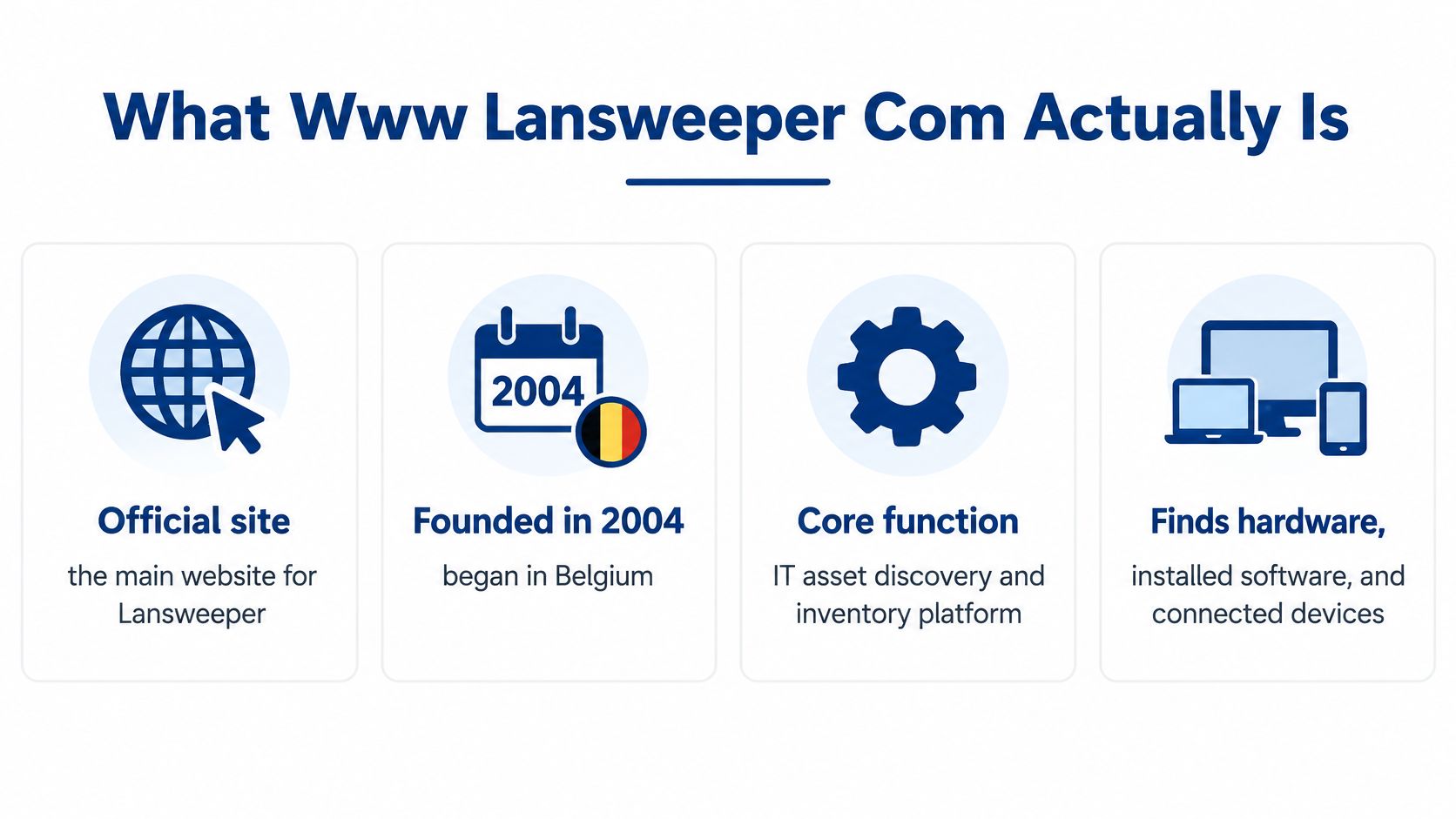
The Lansweeper about page says the company launched in Belgium in 2004. Dovesco acquired the business in 2018, and in June 2021 Lansweeper secured a €130 million minority investment from Insight Partners. The company then had more than 150 employees across Belgium, Spain, Italy, Ireland, the United Kingdom, and the United States.
Its customer base spans industries with very different IT estates. The Lansweeper 2021 investment announcement reported approximately 100 million connected devices across more than 25,000 customers, including Mercedes, Michelin, Sony, Nestlé, IBM, Maersk, Samsung, Carlsberg, and FC Barcelona, as well as governments, banks, NGOs, and universities. That mix points to a platform used across varied environments, not just standard office laptop fleets.
A discovered install is not a license entitlement.
Use discovery to establish what appears to be present. Reconcile those records against your entitlements, contract terms, deployment rights, and user or device scope before relying on them in a renewal or audit. The scan supplies evidence of observed assets; it does not establish what the agreement permits.
That distinction matters even more when reporting processes change. During the 2026 report migration, preserve and reconcile the evidence your renewal decisions depend on, rather than assuming existing reports will carry over unchanged. A stronger inventory improves visibility, but it is not, by itself, proof of license compliance or savings.
The company's history and customer mix help frame the product's role: broad asset discovery across mixed IT environments. Evaluate it on the quality and usefulness of that inventory, while treating entitlements and contract rights as separate evidence that procurement must reconcile.
Lansweeper Plans and Asset Capacity Rules
Quotes are sized by assets, not named users, and that's where buyers get caught. The Lansweeper pricing page describes subscription based licensing organized by asset capacity, with a free option for fewer than 100 assets, Starter containing 2,000 assets, Pro starting at 2,000 and expandable to 9,000, and Enterprise starting at 10,000 assets and scaling to any size.
This isn't an unlimited enterprise wide entitlement. It's a ceiling, and you need headroom under it through your next renewal, not just on signing day.
Lansweeper asset plans and what the quote must include
Plan | Asset capacity | How it grows | Stackable |
|---|---|---|---|
Free | Fewer than 100 assets | Fixed small network cap | Not stackable |
Starter | 2,000 assets | Fixed at 2,000 | Not stackable |
Pro | 2,000 to 9,000 assets | 1,000 asset bands | Not stackable |
Enterprise | Starts at 10,000 assets | Scales to any stated size | Not stackable |
Helpdesk Agent | Separate from asset capacity | Separate SKU | Yes, stackable |
The rule that changes renewals
Asset licenses are not stackable. You can't buy a second asset license and combine it with the first to raise capacity. If you undersize, you don't top up with another license, you renegotiate the band. Plan for that now, while you still have influence.
Helpdesk Agent licenses are different. They're a separate SKU and they are stackable, so your agent count can grow without touching the asset band. Keep those two lines separate on every quote you compare. Blending them hides what you're paying for capacity.
Sizing rule: pick the smallest band that still covers growth to your next renewal, and never build a plan that depends on combining two asset licenses.
How to count before you ask for a price
Count reconciled unique assets after duplicate matching, not raw scan totals. A laptop seen by an agent, a network scan, and a directory sync is one asset. If you sum the three feeds, you'll overbuy a band you don't need.
Do the counting work in this order:
Run discovery first: get the estate discovered before you commit to a number.
Deduplicate: use the merged count, not the sum of sources.
Add growth: include planned sites, acquisitions, and cloud expansion to the next renewal.
Round to a band: map the result to Pro's 1,000 asset steps or to Enterprise if you're past that range.
Confirm integration scope on the written quote for whichever plan you choose. Don't infer API or connector rights from the tier name. If a workflow depends on pushing asset data into your service desk or CMDB, get that stated in writing against the exact plan you're buying.
The vendor also advertises a trial window you can use to test discovery before committing to a band. Use it to validate the count, not to admire dashboards. A fortnight of real scans in your own ranges tells you more than a sales estimate.
For a structured view of how the band affects monthly cost, work through the detailed Lansweeper pricing breakdown with your reconciled count in hand. Bring the number. Vendors price to the number you bring.
How Discovery Builds One Asset Record
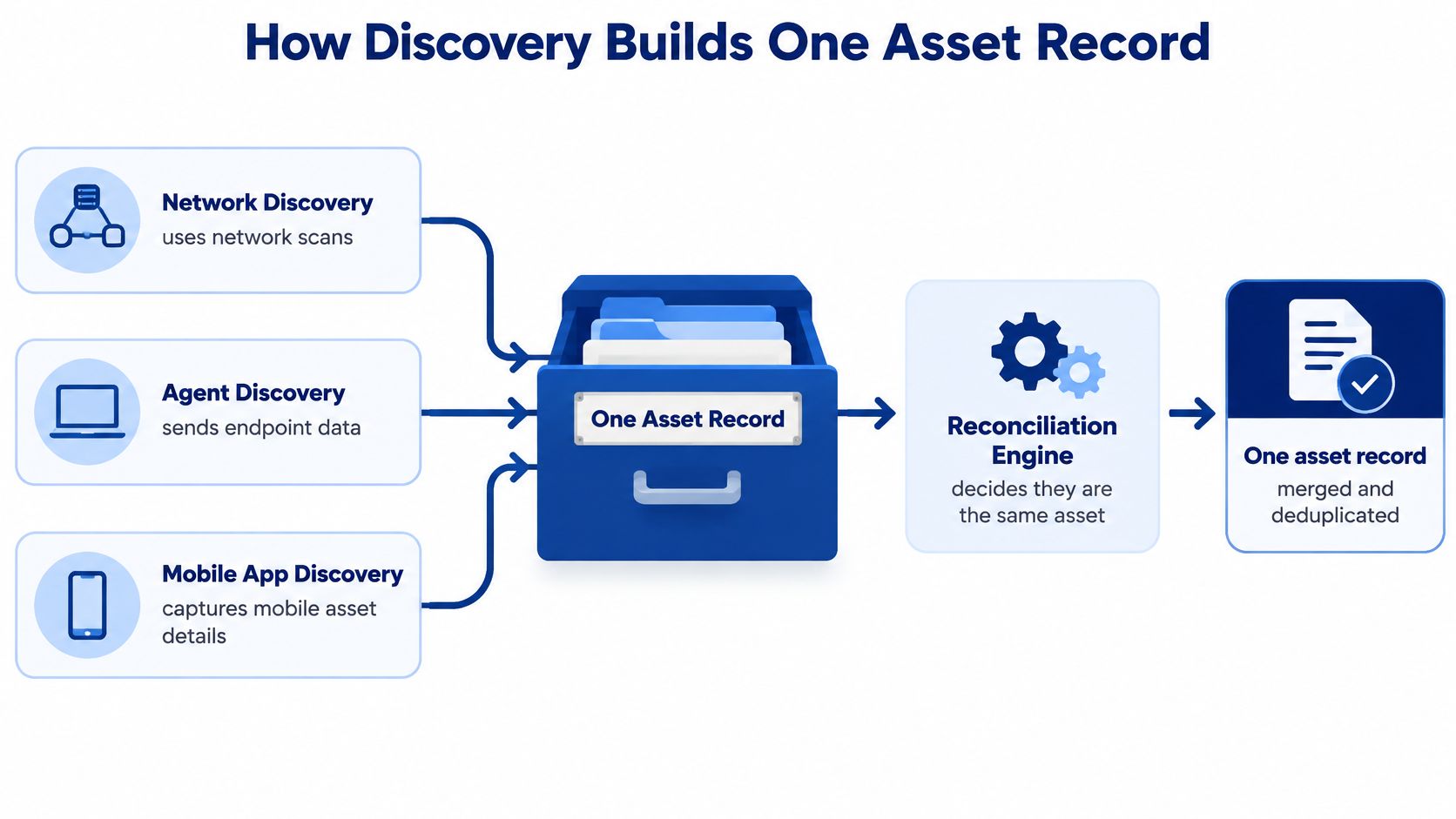
Think of a filing cabinet with one drawer per asset. Three collectors keep dropping reports into the cabinet, and a reconciliation engine decides which reports describe the same machine and files them in the same drawer. Without that decision step, you'd have three drawers for one laptop and a licensing baseline nobody trusts.
The Lansweeper Cloud Discovery documentation describes three mechanisms feeding one inventory. Network Discovery scans devices on your network, IT Agent Discovery tracks laptops and other remote or transient endpoints, and Cloud Discovery connects to Azure, Amazon Web Services, and Google Cloud Platform using secure machine to machine authentication rather than network scanning.
What each collector actually does
Network Discovery uses an IT/OT sensor to actively scan configured IP ranges, and it can add a traffic sensor that reads a copy of network traffic instead of probing every host. That's how you find gear that will never run an agent, including switches, routers, firewalls, printers, cameras, UPS units, and VoIP phones.
The Lansweeper asset discovery documentation explains that the reconciliation engine matches records from different systems, such as an IT agent, a traffic sensor, and a WMI scan, and merges them into one asset record. It also generates network and dependency diagrams from that inventory, so nobody draws the map by hand.
Cloud Discovery doesn't scan anything. An admin creates a provider connection, authenticates with machine to machine credentials, sets filters and a scan schedule, and the results sync to the Lansweeper site. Different path, same drawer.
Three discovery paths and what each one is for
Path | What it sees | How it connects | Gap if skipped |
|---|---|---|---|
Network Discovery | Devices on configured IP ranges, including network gear | IT/OT sensor active scan, optional passive traffic sensor | Switches, printers, cameras, UPS, VoIP phones |
IT Agent Discovery | Laptops and other transient endpoints | Local agent on the device | Machines that rarely sit on the LAN |
Cloud Discovery | Azure, AWS, and Google Cloud resources | Machine to machine credentials, then sync to the site | Cloud workloads with no network scan path |
Identity and workspace connectors | Intune devices, Microsoft 365 and Entra users and licenses, Google Workspace ChromeOS | Provider connection into the same inventory | Users, assigned licenses, and cloud managed endpoints |
The details your security team will ask about
The Lansweeper network discovery documentation states that a local hub coordinates sensors and stores credentials in an encrypted on premises vault instead of sending them to the cloud, and that collection supports SNMP versions 1, 2c, and 3 on UDP port 161, plus SSH, HTTP/HTTPS, mDNS/Bonjour, SSDP, and UPnP.
Beyond the three cloud providers, the Lansweeper cloud discovery feature page identifies connections to Microsoft Intune, Microsoft 365, Microsoft Entra ID, and Google Workspace, bringing endpoint compliance, user identities, groups, license assignments, and ChromeOS devices into the same view. It also links cloud resources to on premises systems so you can trace dependencies across both.
Skip one path and you leave a hole the other two can't fill. Agents don't see printers. Network scans don't see a laptop that's been at home for six months. Neither sees a cloud workload that never touches your ranges. If your estate has all three, you need all three, and the guide to running Lansweeper against AWS estates is worth checking before you scope the cloud side.
From Inventory to Tickets and Spend Evidence
When a support agent opens a ticket about a failing laptop, the asset record can already show the device, its owner, and installed software. That gives the service desk useful context before it asks the user for basic details. The value comes from putting relevant inventory into the ticket workflow, not from another dashboard.
The Lansweeper integrations page says the platform integrates with more than 35 applications, including Jira, ServiceNow, HaloITSM, and Axonius. It offers a GraphQL API for building applications and a 14 day free trial with unlimited access to all features. Integration access also depends on the plan: Starter covers service desk ticket enrichment, while Pro provides full integration access.
For a service desk shortlist, ALVAO Service Desk is a per-agent ITIL service desk with Outlook, Teams, and Power BI integration. Compare its fit for your support workflow separately from the discovery decision. The inventory source and the ticketing tool solve related, but different, problems.
Reclaimable seats need evidence, not just a scan
A scan can identify candidate applications, but procurement still has to reconcile usage with contract entitlements. Use a clear process:
List unused or unauthorized candidates: Pull applications from inventory for review.
Check entitlements: Match each application to the contract line that covers it.
Confirm possible reclamation: Ask the named owner whether the application is idle before counting a seat as reclaimable.
Prepare the evidence: Use confirmed findings in renewal discussions or business unit chargeback.
Skipping the entitlement check leaves procurement with a scan report while the vendor can point to the contract. The inventory is useful evidence, but it does not establish what the agreement permits. Finance should be able to trace each proposed seat change from the discovered installation to an applicable contract line.
If finance can't trace a seat from discovery to a contract line, the integration isn't finished.
Reporting changes can also affect the evidence chain. The Lansweeper platform experience documentation says the 2026 experience consolidates hundreds of reports into approximately 30 interactive dashboards. It also says more than 85% of custom reports are eligible for automatic migration, while classic scanning and reporting remain accessible through embedded views.
Check the exports that feed finance's renewal files before relying on dashboard output in negotiations. A report that does not carry across cleanly can leave a gap between discovery and spend evidence. Confirm the service desk workflow as well, using the guide to how Lansweeper asset data feeds ticketing workflows, before setting expectations for a go-live date.
Enterprise Jobs Lansweeper Is Bought For
A manufacturer with a 6,000 asset estate, hypothetically, might use network discovery for site equipment, agents for laptops that connect to the LAN only twice a month, and cloud discovery for AWS. After merging those records, the company counts unique assets to determine its band, rather than adding overlapping scan totals. It can then send the consolidated inventory to ServiceNow.
That example shows the enterprise jobs Lansweeper supports: security and audit context, service desk workflows, and a clearer view of assets across sites and cloud environments.
Vulnerability and audit context
Security teams use a reconciled estate to identify machines missing patches and devices that should no longer be present. A shared inventory gives procurement a consistent starting point for licensing discussions, rather than requiring teams to reconcile separate spreadsheets. The scan establishes what was found; entitlement still has to be checked against the contract.
Service desk context
Ticket tools can pull asset details into a service request, so the agent can see the device and its owner before replying to a password reset, laptop swap, or software fault. That context reduces basic follow-up questions and helps the service desk handle the request with less back-and-forth.
Hardware and facilities coverage
For facilities teams, the job-level question is whether the discovery paths cover equipment outside the endpoint fleet. Use the discovery paths table to match the relevant sensor coverage to the sites and devices in scope. An agent-only inventory leaves facilities teams without the network visibility they need.
Renewal decisions across cloud and software
At a renewal meeting, procurement may have one export showing assigned licenses and separate lists of cloud resources. The team needs to compare those records with the proposed renewal quantities and identify which entitlements apply. A consolidated inventory makes the starting list easier to review, but it does not prove ownership or contract rights. Better discovery improves the evidence; it is not compliance certification or a savings claim.
Match each job to its discovery path before buying. Audit work depends on reconciled records, facilities coverage depends on the relevant sensors, and renewal planning depends on checking discovered assets against entitlements. If a required path is out of scope, the inventory will not support that job.
Lansweeper supplies the inventory; the service desk and contract repository are separate purchases. If that inventory will feed a CMDB, review how Lansweeper data supports a CMDB. Feeding it unreconciled records only moves the cleanup work downstream.
What Can Break in the 2026 Migration
Your audit export may be the first thing to break. A 2026 interface change can affect the reports, exports, and integrations that audit, vulnerability, procurement, and executive workflows depend on. Review their behavior before setting a cutover date.
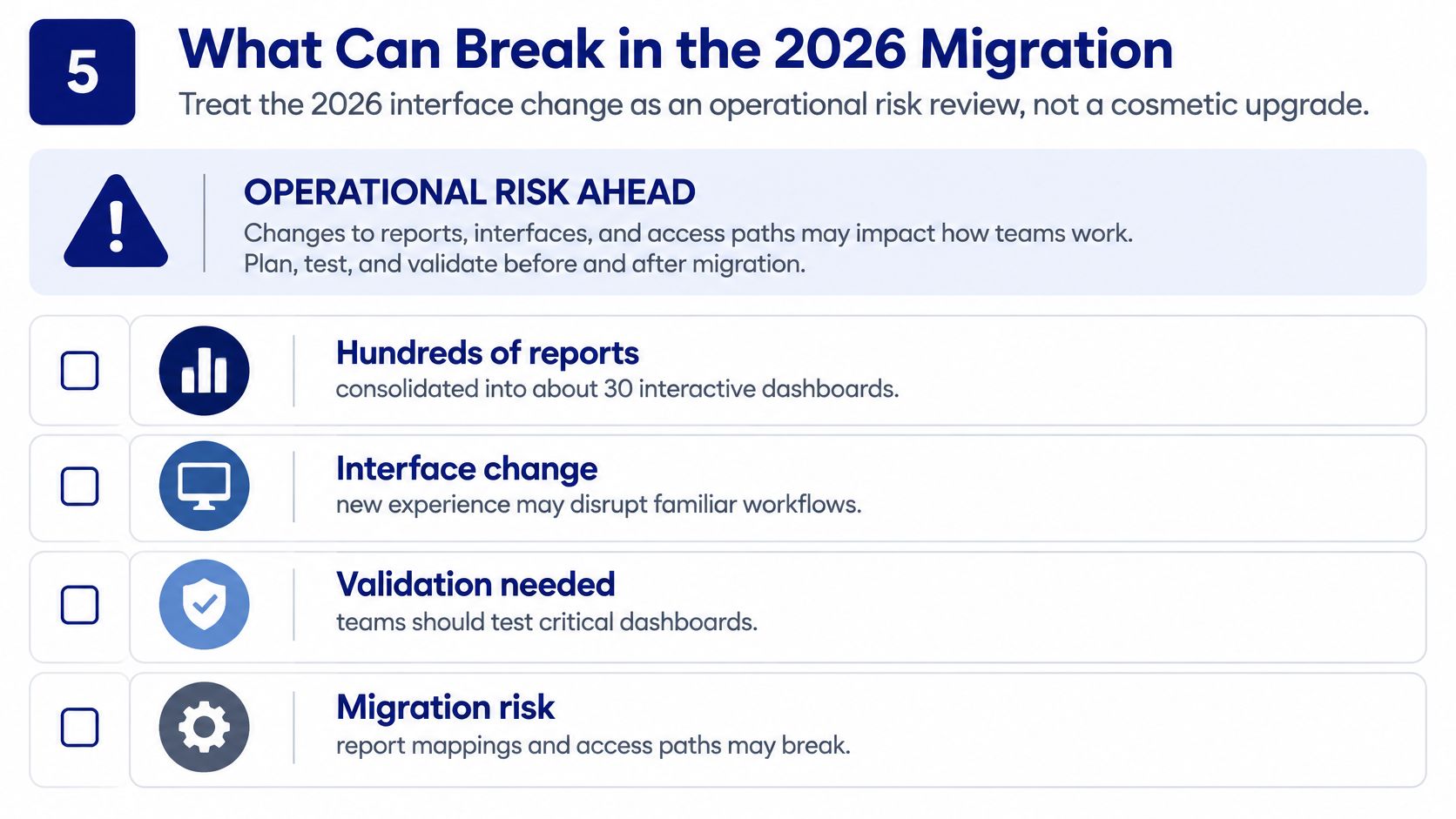
Reports that do not migrate automatically deserve particular attention. Bespoke compliance evidence and hand-built integration logic may not be reproduced by a standard dashboard. A high automatic migration rate can reduce effort, but it does not remove the risk to the evidence your team relies on. Better discovery does not establish license compliance or savings; buyers still need to reconcile entitlements, and a reporting change can disrupt that work.
Run these five acceptance checks
Export your report inventory: mark every report as auto migrate, rebuild, or retire.
Document each exception: record field names, filters, schedule, API consumer, and permission group for every report that will not migrate.
Replay a month of outputs: run audit, vulnerability, procurement, and executive exports on a copy, then compare row counts with the current system.
Verify the plumbing: confirm historical data and scheduled file drops still reach the locations finance expects.
Write the rollback down: define the rollback trigger and keep classic views available during testing.
Assign a named owner to every report that will not migrate. Put the owner, rollback trigger, and acceptance signer in the change ticket before setting a cutover date. For multinational estates, document time zone handling and who signs acceptance in each region.
Do not switch the system of record in the same week as a vendor audit or a renewal negotiation.
The AI features need a governance answer too
The Flexera State of IT Asset Management report says 51% of companies spend more than $5 million annually on cloud software, while 29% spend more than $15 million. Lansweeper's AI Usage Tracking is early access, and its Lens Chat and Traffic Sensor capabilities are beta.
Beta findings should not set contract terms. Before AI-generated answers inform an audit position or negotiation, document data completeness, production readiness, retention, and the region processing the data. Without those answers, keep AI output to triage and out of contractual decisions.
Keep classic scanning and reporting views live until the five acceptance checks pass. Track platform changes in the Lansweeper change log and update the test plan to match what is shipping.
How to Size and Buy Lansweeper
Set the asset band from a reconciled count, then choose a buying route. Include expected growth through renewal so the quote fits the estate you expect to manage, not just today's total.
Free: for a small network where you want to test whether discovery works before paying.
Starter: roughly 2,000 assets, when ticket enrichment is the main buying case.
Pro: 2,000 to 9,000 reconciled assets, with the band covering growth through renewal.
Enterprise: 10,000 assets or more, or an estate expected to reach that level within the term.
Three checks that aren't about capacity
Set the Helpdesk Agents scope before requesting a quote. These licenses are priced separately and stack, so specify the agent count alongside the asset band. For the Intune, Microsoft 365, Entra ID, and Google Workspace connectors, decide which are needed on day one and which can wait. Timing them separately helps keep the initial request focused.
Use the plans section to establish which integrations and API access fit the selected plan. In the written quote, list the required integrations, API entitlements, asset band, agent count, and any migration exceptions with their named owners. That gives procurement a document to compare against the requirements, rather than relying on a demo conversation.
Two buying paths
Buying direct keeps the negotiation with the vendor and suits teams that have already reconciled and validated their asset count. The alternative is to send identical quantities through a licensing marketplace, so procurement can compare options using the same inputs rather than manage a single opaque renewal thread. Stackingo operates as a commercial front for multi-vendor license comparison. It handles the quoting route, not discovery, and no Lansweeper discount is claimed here.
Put five items in the request: reconciled asset count, expected growth to renewal, the connectors needed on day one, whether an on-premises credential vault is required, and whether beta AI features may inform contract decisions. For most regulated buyers, keep beta AI features out of those decisions.
Make the quote testable before signing. Check that the asset band covers expected growth, the Helpdesk Agent count is explicit, connector timing is clear, and migration exceptions have named owners. These details give procurement a specific basis for comparing the offer and managing the renewal.
Lansweeper Buyer Questions Answered
Is www.lansweeper.com the official Lansweeper site?
Yes. The official site provides information about Lansweeper's asset discovery and inventory platform. Use it to check published product details, then rely on the written quote for the commercial terms you are buying.
Can I get a written quote before choosing a plan?
Send procurement your reconciled asset count, expected growth, integration requirements, credential vault preference, and position on beta AI features. Ask for the asset band, agent count, integrations, and migration exceptions to appear in the quote. A quote based on the same requirements across options is easier to compare than a single renewal proposal.
Does Stackingo sell Lansweeper licenses?
Stackingo offers a marketplace-first purchasing route for enterprise software licenses across multiple brands. You can submit a structured RFQ to compare options; Stackingo is the commercial front, not the discovery engine. Stackingo can support that comparison, but no discount or particular Lansweeper price is promised here.
What should I check before signing?
Make sure the document records the terms that matter to your purchase, including the asset band and any migration exceptions. If a requirement is missing from the quote, ask for it to be added before signing.


