
CBA Lansweeper Explained: What It Means and How to Use It
Updated: Oct 12
You're staring at a Lansweeper report, and the software looks clean until the license side tells a different story. One vendor shows installed titles with no matching entitlement, another shows duplicate coverage, and procurement wants a number you can defend before the renewal lands. That's where CBA Lansweeper work matters, because the data has to move from inventory into a contract view you can use.
What CBA Actually Means in a Lansweeper Context
An IT lead usually sees the problem first in a dashboard, not in a policy document. A software row shows up, a contract row exists somewhere else, and the question becomes whether the installation is covered. In practice, CBA works as the bridge between a discovered installation and the commercial entitlement tied to it.
Why the acronym gets confusing fast
CBA is overloaded across the market. Some vendors use it in SKU naming, some resellers use it for co-term structures, and some internal teams use it as a shorthand code for contract tracking. That's why a single definition matters more than the letters themselves.
Lansweeper itself has no feature, field or report called CBA. In this article, CBA means the entitlement view that ties Lansweeper-detected software back to the purchased agreement that covers it. That working definition keeps the discussion grounded in one commercial question, which is simple, “Is this installation covered?”
A useful way to think about it is this:
Discovery side: Lansweeper finds the software, version, and instance pattern.
Contract side: your records show the license, term, and reseller detail.
CBA view: the two get matched so finance and IT can see coverage gaps.
Practical rule: if the installation can't be tied to a contract row, it isn't compliant enough for a renewal conversation.
For teams that also want the configuration management angle, this CMDB and Lansweeper guide is the right companion read, because the same asset truth should support both operational and commercial decisions.
How Lansweeper Data Feeds a CBA View
Lansweeper does the hard part first, it finds assets across the environment and normalizes what it sees. Its asset intelligence model combines active network discovery, an endpoint agent, passive sensing, and cloud connectors to keep inventory refreshed across IT, OT, and cloud estates, then deduplicates and normalizes the results before exposing them downstream (Lansweeper documentation). That matters because duplicate records are exactly where license math gets messy.
What the platform usually surfaces
Once the scan data lands, the platform can map installed software to recognizable products and show the contract relationship in reporting views. In a real workflow, an IT lead typically checks the asset detail page, then the license compliance report, then the vendor summary to see what's covered, what's exposed, and what needs cleanup.
A report set like that usually includes:
Installed product name, so the software can be identified consistently.
Version and edition, so the record matches the right entitlement.
Instance or seat count, so a single device doesn't get misread as multiple claims.
Contract reference from your own records, so the installation links back to a purchase row.
The modular release model helps here too. The current on-prem line includes version 12.9.0.3, with LsPush 8.4.100.1, LsAgent Windows 12.6.3.3, and SQL 1300, which shows that collector, endpoint, and database components are versioned separately (Lansweeper changelog). That separation gives you flexibility, but it also means compatibility has to be managed during rollouts.
Sample CBA View Fields per Asset (Lansweeper Data Plus Contract Records) | Workstation Example | Server Example |
|---|---|---|
Asset name | Finance-LT-044 | APP-SQL-02 |
Publisher | Microsoft | VMware |
Product | Office desktop suite | vSphere component |
Edition | Business | Enterprise |
Version | Current installed version | Current installed version |
Contract reference | Agreement row linked to workstation | Agreement row linked to server group |
For a broader product view, the Lansweeper overview page is useful because it shows how asset discovery and reporting fit together before the commercial layer is added.
Why CBA Reporting Matters for License Compliance
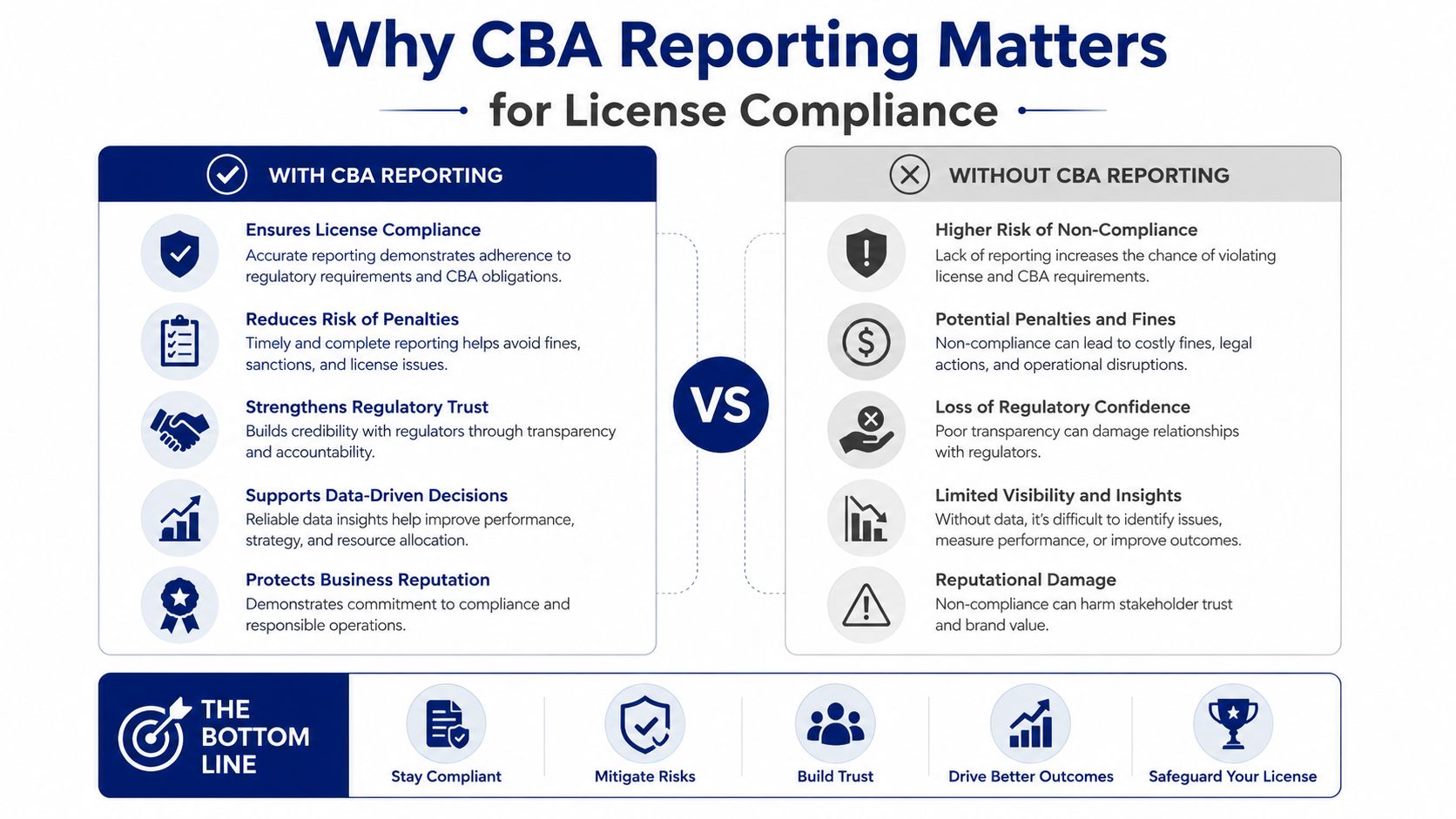
CBA reporting is the difference between “we have software” and “we can prove coverage.” Without it, renewal teams guess, auditors push harder, and finance ends up funding waste or exposure. With it, you can separate clean entitlement from inventory noise.
The three compliance outcomes that matter
First, over-licensing shows up when the CBA-covered side is larger than the actual installation footprint. That doesn't create audit panic, but it does create renewal waste, because you're paying for capacity you aren't consuming.
Second, under-licensing is the dangerous one. When discovered installs exceed covered entitlements, the risk shifts to vendor audits and remediation pressure, especially in publisher-driven environments where coverage is tightly enforced.
Third, audit posture improves when the report can show a clean trace from asset to agreement. Auditors care less about a static invoice list and more about whether current installations reconcile to active entitlement records.
A clean CBA record usually looks like this, covered assets map to the right product family, version, and term, and duplicate records are resolved before the report leaves IT. A risky record usually has orphan installs, stale keys, or contract rows that no longer match the current estate.
Operational takeaway: if procurement sees a clean CBA table, renewal conversations stop being defensive and start being commercial.
That logic is especially important in renewal prep, and the Lansweeper full stack guide is the right place to connect inventory hygiene to broader asset governance.
Turning CBA Insights into Smarter Procurement Decisions
CBA data becomes valuable when procurement stops treating it as an internal IT report and starts using it as sourcing input. The point isn't just to know what's installed, it's to compare what's installed against what was bought, what's still needed, and what can be consolidated.
Vendor-by-vendor buying versus a marketplace-first model
When every publisher is negotiated separately, each renewal gets its own story. That usually means isolated quotes, inconsistent packaging, and a lot of time spent defending historical purchases instead of fixing them. A marketplace-first model uses the same CBA evidence across vendors, so the buying team can compare commercial terms side by side.
Vendor-by-Vendor Buying vs Marketplace-First Procurement | Vendor-by-Vendor Buying | Marketplace-First Model |
|---|---|---|
Negotiation scope | One publisher at a time | Multiple vendors benchmarked together |
Data basis | Isolated vendor report | Shared CBA evidence across contracts |
Renewal pressure | High, because each vendor controls its own framing | Lower, because comparisons are visible |
Consolidation opportunity | Hard to spot | Easier to identify across SKUs |
RFQ quality | Variable | More structured and comparable |
The fields that matter most are the ones procurement can act on, seat count, edition, and contract end date. Those three tell you whether a SKU is oversized, whether a bundle can be simplified, and whether the next RFQ should target a reduced scope.
For buyers who want a broader market lens, the Gartner-focused Lansweeper note helps frame how the platform fits into larger software decision-making. If you use an RFQ-led marketplace approach, you can also route CBA data through Stackingo, which is built to turn structured license requirements into parallel vendor quotes across software categories.
A Realistic Multi-Vendor Renewal Workflow Built on CBA Data
A solid renewal cycle starts with export, not negotiation. The IT owner exports the Lansweeper software inventory, matches it to the contract records, cleans the contract fields, and normalizes edition names, seat counts, and end dates before procurement ever speaks to a publisher. That single cleanup step prevents the usual spreadsheet drift that makes renewal math unreliable.
How the handoff should work
Procurement should receive a dataset that already answers the basic questions, what is covered, what is uncovered, and what can be consolidated. From there, the RFQ can be built around the actual estate rather than around whatever the vendor thinks the estate looks like.
A practical workflow looks like this:
Export the source data. IT sends the CBA snapshot with asset, contract, and term fields.
Clean the master sheet. Procurement normalizes naming, groups duplicates, and flags obvious gaps.
Issue a structured RFQ. Vendors quote against the same usage baseline.
Score the responses. Each quote gets compared to the CBA footprint, not to a prior invoice.
Award and reconcile. The final buy gets tied back to the Lansweeper report for audit trail.
Procurement rule: if the RFQ doesn't reference the same asset baseline as the compliance report, you're negotiating blind.
The strength of this method is timing. IT validates the data, procurement uses it for negotiation, and finance uses the result to size any true-up reserve before the renewal closes. That division of labor keeps everyone honest and gives leadership a defensible number.
Troubleshooting the Most Common CBA Reporting Gaps
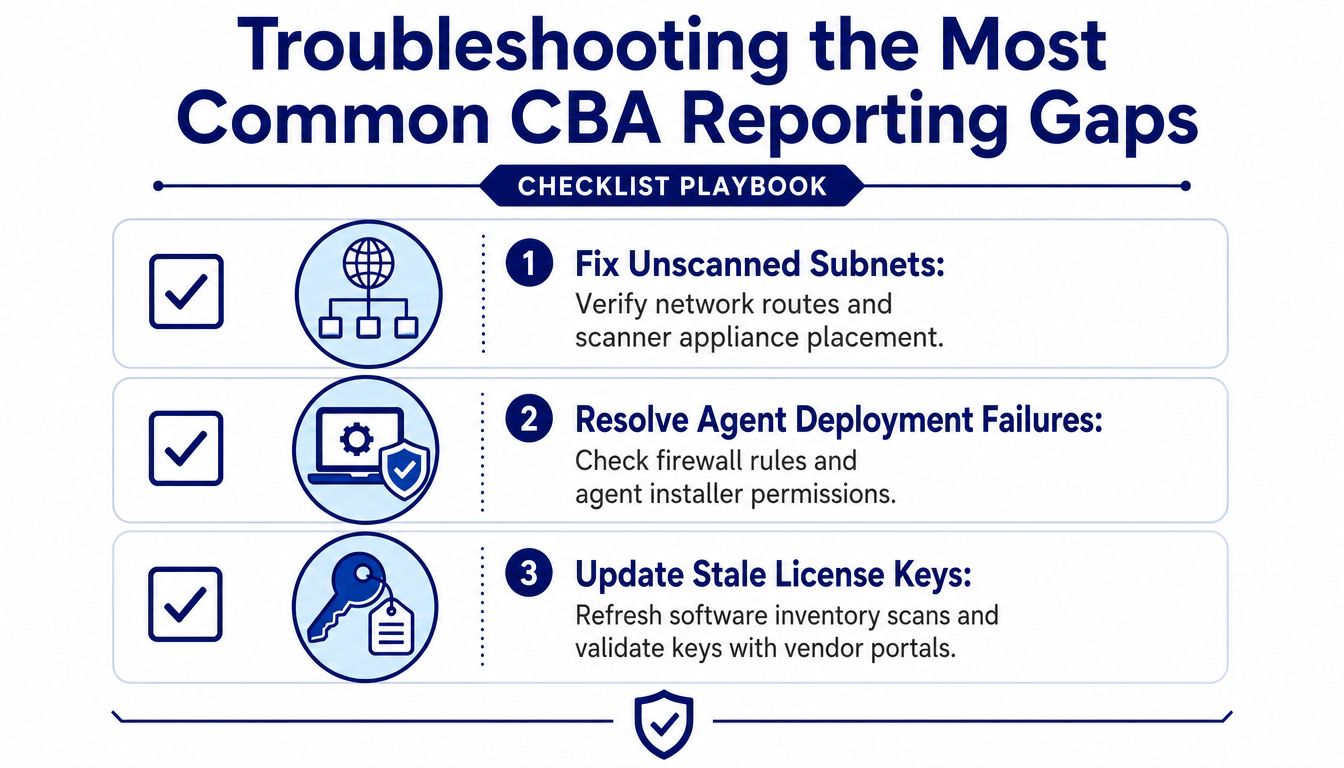
Bad CBA output almost always comes from data gaps, not from bad intent. If the report looks off, the first assumption should be scan coverage or mapping quality, because those are the parts that usually break first in mixed estates.
Where the report usually goes wrong
Unscanned subnets are the most obvious issue. If discovery coverage misses a segment, the report will undercount installations and make the entitlement picture look cleaner than it really is.
Agent failures on remote endpoints create the next layer of noise. Laptops off the corporate network, endpoint permission issues, and blocked installers can all keep the CBA record stale.
The quality checks that catch most problems
Check subnet coverage: verify the discovery path before you trust a low software count.
Review agent deployment: confirm that remote machines report back.
Refresh license keys: clear out stale rows tied to decommissioned assets.
Validate fingerprints: make sure publisher recognition is current for the software you track.
Cross-check custom fields: confirm seat-count mappings against your source system.
A useful internal control is to compare CBA totals with Active Directory groups or another authoritative endpoint list. If the two diverge, you either have missing discovery or a mapping problem that needs correction before procurement uses the report.
The ticketing and Lansweeper workflow guide is helpful when you want to turn those data issues into a repeatable remediation queue instead of a one-off cleanup exercise.
Next Actions for IT and Procurement Leaders
Treat CBA output as a working procurement asset, not a static report. The best teams export the current snapshot, tag each row with contract end date, true-up exposure, and consolidation potential, then use that sheet to drive the next renewal motion.
Set a quarterly rhythm
IT should own discovery quality and data integrity. Procurement should own the commercial narrative, vendor contact, and RFQ structure. Finance should own the reserve position so any exposure is visible before the final quote lands.
A useful operating model is simple:
IT validates that discovery, agent coverage, and software recognition are current.
Procurement benchmarks the commercial terms against the CBA baseline.
Finance tracks the cost of overage, renewal timing, and reserve needs.
Leadership reviews the exceptions, not the raw inventory dump.
If you run that cycle every quarter, the data gets cleaner each time, and renewal conversations become faster because fewer rows need explanation. That's the point of CBA Lansweeper work, it turns asset truth into buying power.
Use Stackingo when you want Lansweeper-driven license evidence converted into structured RFQs, comparable vendor quotes, and a cleaner renewal path. Visit Stackingo if you want to turn CBA data into a procurement workflow that your IT, finance, and vendor teams can all work from.