
Lansweeper 81
Updated: Oct 10
Your Lansweeper 8.1 environment may appear stable while your administrators spend increasing time managing database growth, sync delays, aging Windows dependencies, and renewal complexity. The right decision isn't whether to install another patch. You need to determine whether 8.1 addresses your operational bottleneck, whether the underlying infrastructure can support it, and whether upgrading the platform is more sensible than migrating to a current release.
Why Lansweeper 8.1 Matters for Enterprise IT Teams
An IT director may see a stable Lansweeper environment while administrators absorb the hidden cost: slower reports, harder-to-monitor synchronization, expanding database maintenance, and time spent supporting aging dependencies. Asset discovery still works, but the effort required to keep inventory data accurate can reduce its operational value.
That makes Lansweeper 8.1 an operational review point, not another feature release. Lansweeper was founded in Belgium in 2004 to discover and inventory technology assets, installed software, and users, according to the Lansweeper company history. By 2021, the company had attracted a €130 million investment from Insight Partners, supporting its expansion.

What operational problems does the 8.1 line address?
The documented fixes target costs that enterprise teams often discover only after they become recurring workload:
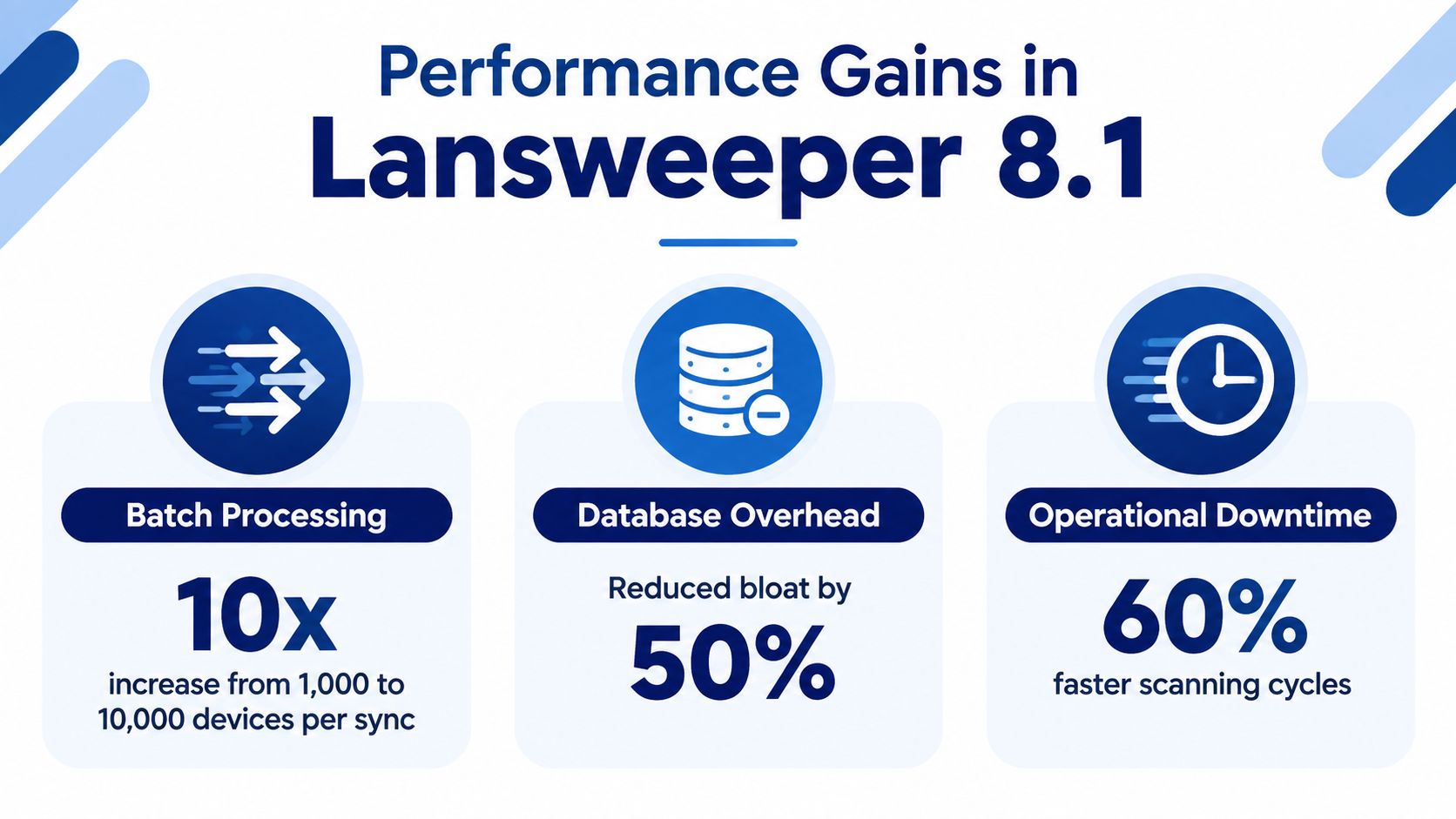
Synchronization pressure: Version 8.1.110.1 increased continuous-sync batch processing from 1,000 to 5,000 records. That change can reduce administrative attention around large synchronization queues, although teams should validate the effect against their own estate.
Database overhead: Version 8.1.120.4 fixed unnecessary growth for users who were not synchronizing with the IT Asset Data Platform, as recorded in the Lansweeper 8.1 release documentation. Removing avoidable journal growth helps limit maintenance work and makes capacity planning easier.
These fixes matter because technical debt consumes operating time before it appears as a formal outage. Administrators may need to investigate delayed data, schedule extra database housekeeping, or explain inconsistent reporting to service-management teams. The release notes identify the defects addressed, but they do not establish how every multi-site deployment will perform after upgrading.
Procurement rule: Approve Lansweeper 8.1 as a targeted remediation when synchronization pressure or journal growth is part of your estate's workload. Require deployment testing, rollback criteria, and a review of whether the older release remains suitable for your broader platform roadmap.
For teams connecting inventory with configuration management, the Lansweeper CMDB implementation perspective provides useful context. Review that operating model before procurement, so licensing decisions account for reporting, service management, and asset governance rather than treating the scanner as an isolated tool.
Technical Requirements and Infrastructure Planning
An enterprise upgrade fails before deployment if the hosting design is vague. Lansweeper 8.1 uses a Windows-only installation stack, a 64-bit x64 host, Windows Installer 2.0, and .NET Framework 4.8, according to the official installation requirements. The database tier requires a supported Microsoft SQL Server release. SQL Compact is not supported.
Procurement should separate minimum compatibility from an operating design that can sustain discovery, database ingest, backups, and reporting. A small estate may fit on a modest Windows host. Larger environments should use server-class infrastructure and avoid making scanning, reporting, and database work compete for the same resources.
Which infrastructure requirements should you document?
Component | Minimum, under 1,000 assets | Recommended, 1,000+ assets |
|---|---|---|
Operating system | Windows host with a 64-bit x64 architecture | Windows Server deployment |
Platform prerequisites | Windows Installer 2.0 and .NET Framework 4.8 | Same prerequisites, managed as infrastructure |
Database | Microsoft SQL Server 2016 SP11+, 2017 CU18+, 2019 CU2+, or 2022 | A supported SQL Server release sized for ingest and reporting |
Compact database | Not supported | Not supported |
Network and access | Reachable targets and permitted scanning traffic | Planned network headroom across sites and scanning paths |
The 1,000-asset threshold is a planning signal. Lansweeper recommends Windows Server above that level per the same installation requirements. Treating the threshold as a performance guarantee is a mistake. Scan frequency, telemetry volume, concurrent activity, and reporting demand can require a stronger design below it.
How should you size the scan host?
Lansweeper does not prescribe fixed CPU or RAM thresholds because asset count, data volume, scan frequency, and network performance change the workload. Its performance guidance points administrators toward scan-server performance charts, CPU and RAM monitoring, and concurrency tuning before the scanner becomes a bottleneck.
Use a measured sizing process:
Define inventory scope and the scanning schedule.
Measure scan-server CPU, memory, thread utilization, and network headroom.
Increase concurrency gradually and record saturation.
Separate database and scan workloads when reporting or ingest competes with discovery.
This planning also exposes technical debt that patching alone cannot remove. Unsupported database choices, shared hosts, and unplanned network paths turn each upgrade into a coordination exercise. Document ownership for the scan host, SQL platform, backups, patching, and recovery before approving the design.
Organizations with mixed operating-system estates can review the Lansweeper Linux scanning context. The primary installation stack remains Windows-only, so hosting, patching, high availability, and disaster-recovery plans must account for that constraint. Procurement through Stackingo can then evaluate licensing against the actual server, database, and scanning architecture instead of treating license selection as a separate administrative purchase.
Performance Improvements and Operational Impact
Performance approval should rest on operational evidence, not release-note summaries. For Lansweeper 8.1, the relevant question is whether administrators spend less time clearing queues, managing database growth, and responding to inconsistent scan cycles.
Start with a controlled baseline. Record synchronization completion, backlog behavior, manual interventions, storage alerts, backup duration, and reporting responsiveness before testing. Repeat the same observations after the upgrade, using comparable inventory scope and scheduling. This separates genuine improvement from changes caused by workload, network conditions, or concurrency settings.
What should you measure before approving the upgrade?
Use the following validation points:
Synchronization behavior: Compare completion patterns, backlog formation, and administrator intervention during equivalent runs.
Journal growth: In environments that do not use the IT Asset Data Platform, review over the test period and confirm whether avoidable growth has stopped.
Database administration: Track cleanup work, storage warnings, backup duration, and report responsiveness. These measures expose technical debt that release changes cannot fully remove.
Scan-server saturation: Monitor CPU, RAM, thread capacity, and network headroom while adjusting concurrency. A faster process is not an improvement if it creates contention elsewhere.
Telemetry scope: Test performance-counter collection separately from ordinary inventory scans, because the two workloads consume resources differently.
Lansweeper's performance-counter scanner documentation describes remote collection of Windows and Linux telemetry without deploying an agent first. Treat that capability as another workload to size. Frequent collection can consume scan-server and network capacity even when periodic inventory scans remain healthy.
Endpoint count alone does not explain operational performance. Scan concurrency, telemetry volume, database ingest, server capacity, and network conditions determine whether the platform produces a predictable cycle or a queue of recurring exceptions.
For adjacent event data, assess the Lansweeper syslog integration topic as a separate architecture decision. Adding a source also adds ingestion, retention, monitoring, and reporting work. Include those costs when Stackingo evaluates enterprise licensing, so procurement reflects the operating model rather than only the product edition.
Upgrade Checklist and Legacy System Compatibility
An upgrade plan fails when teams treat compatibility as an endpoint problem only. The Lansweeper server, SQL platform, scanning credentials, target machines, and reporting dependencies all need assessment. Legacy Windows systems create particular risk because the supported installation baseline has moved on.
Lansweeper's requirements update states that installing on Windows 7 SP1, Windows 8.1, Windows Server 2008 R2, and several older Windows 10 builds stopped being supported on March 1, 2023. The same guidance points buyers toward a materially newer installer than the 8.1 line, so organizations should treat 8.1 as part of a lifecycle review rather than assume it remains a suitable long-term destination.
How should you execute the assessment?
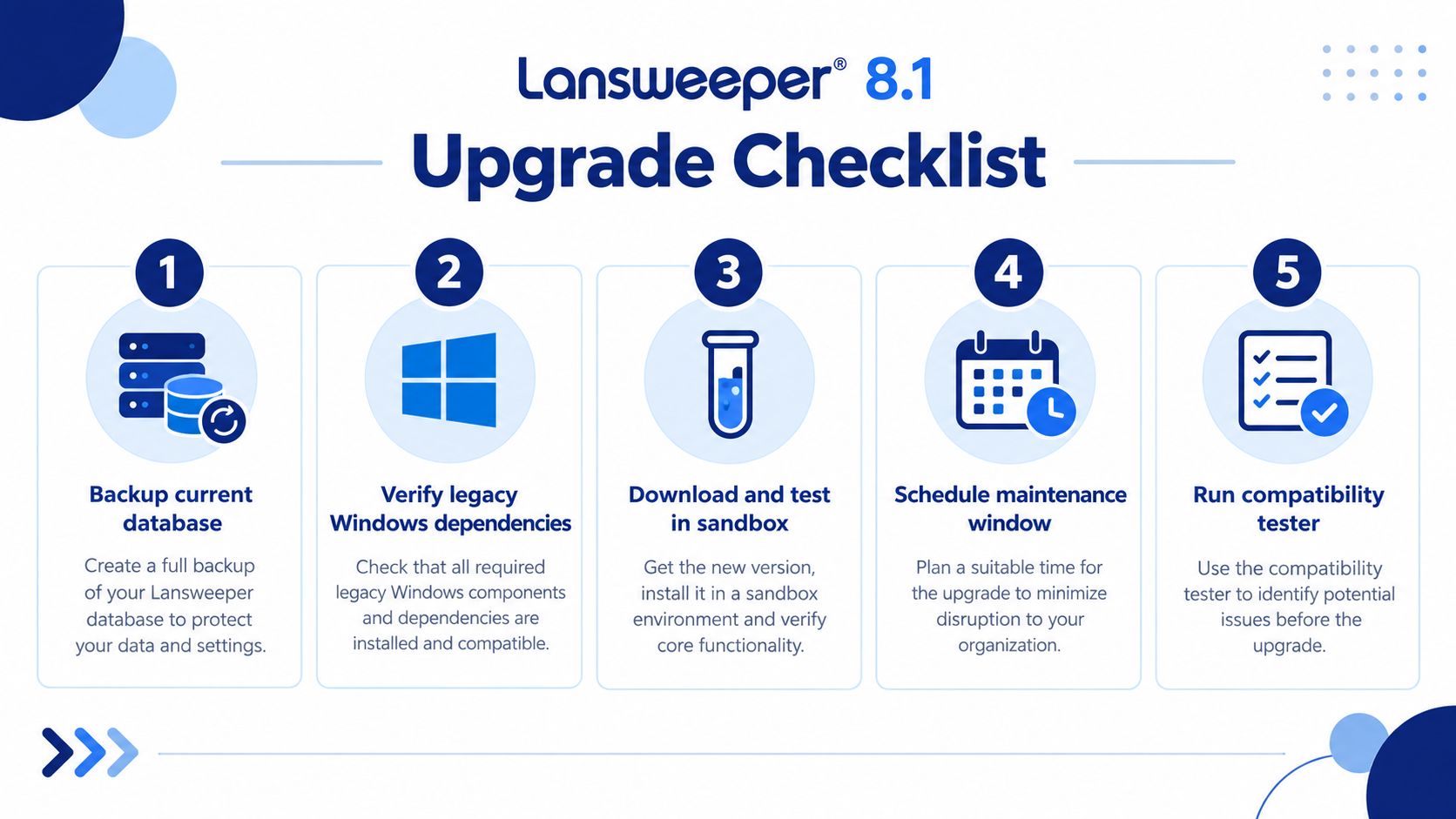
First, inventory the dependencies. Identify the Lansweeper host, SQL Server version, scanning servers, credentials, reporting integrations, and operating systems that support discovery. Include exceptions, because one legacy management server can determine whether a migration preserves coverage.
Second, protect continuity. Back up the database, document configuration, export critical reports, and record current scan coverage. If the platform fails during migration, your recovery objective should be based on documented evidence, not administrator memory.
Third, test in isolation. Use a sandbox or equivalent controlled environment. Verify installation, database connectivity, scan behavior, report output, and integrations before scheduling production work.
Which compatibility risks deserve executive attention?
Legacy host dependency: If the current Lansweeper server depends on an unsupported Windows release, plan a host migration rather than forcing an in-place upgrade.
Credential failure: Deployment requires DNS resolution to an IP address, an IPv4 address, the Task Scheduler and Remote Registry services, firewall access, and an administrative credential with access to the target's C$ administrative share. Lansweeper writes an executable into , as specified in its deployment requirements.
Agent connectivity: The Lansweeper agent requires outbound TLS 1.2 or higher. Its minimum requirements include an x64 1 GHz single-core CPU, 2 GB RAM, 500 MB free disk space, and 100 Mbps network speed. Recommended values are an x64 2 GHz dual-core CPU, 8 GB RAM, 1 GB free disk space, and 1 Gbps network speed, according to the agent requirements.
Reporting continuity: Validate report fields and downstream exports, not just whether the application starts.
For IP discovery planning, use the Lansweeper IP scanner guidance as an input to coverage testing. Patch 8.1 when it resolves a confirmed operational issue, but migrate to a supported current platform when the host or dependency chain creates lifecycle risk.
Procurement Strategy and Marketplace Advantages
The technical decision and the commercial decision should run together. A platform upgrade can be technically sound yet commercially inefficient if your team negotiates licensing, renewals, quantities, and support through disconnected vendor conversations.
Direct vendor purchasing may be appropriate when your agreement is simple and your existing account structure already works. It becomes less efficient when your organization manages several OEM relationships, changing asset scopes, different subscription terms, or renewal dates that don't align.
What should enterprise buyers compare?
Start with a structured RFQ that captures:
Scope: Sites, asset categories, discovery methods, reporting requirements, and expected growth.
Commercial model: Subscription quantities, term options, support requirements, and renewal treatment.
Technical services: Migration assistance, implementation support, testing, and post-upgrade administration.
Alternatives: Current Lansweeper licensing, a supported upgrade path, and any broader platform change.
Governance: Approval owners, security review, procurement controls, and budget timing.
A marketplace-first process can place multiple vendor and partner options into one comparable workflow. It can also make discounting more visible where partner pricing is available, while reducing the repeated effort of restating requirements to every supplier.
Stackingo provides an RFQ-led marketplace for enterprise software and hardware licensing, aggregating options from multiple technology OEMs into one purchasing workflow. For Lansweeper buyers, that model can simplify quote handling and subscription provisioning while keeping the technical scope connected to the commercial request. The relevant Lansweeper licensing workflow should still be evaluated against your contract terms, deployment plan, and support expectations.
Commercial discipline: Don't ask for a price before you define the estate, deployment model, support scope, and renewal assumptions. An inexpensive quote with ambiguous quantities is not procurement efficiency.
Decision Framework for Enterprise Buyers
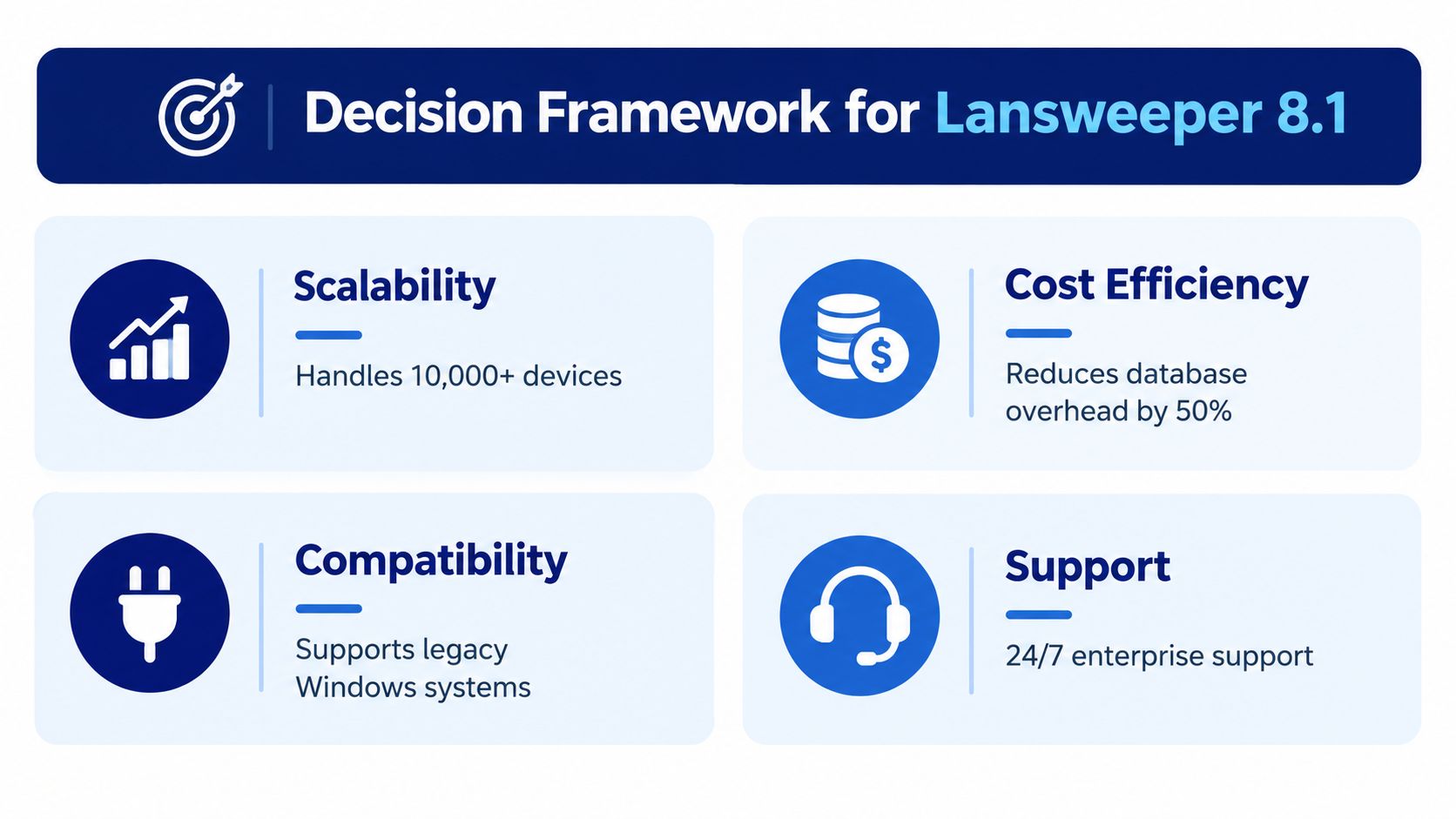
CIOs and procurement leaders should approve Lansweeper 8.1 only when three conditions align: the release addresses a documented operational problem, the infrastructure can support the workload, and the commercial path is clear.
Use this decision sequence:
Confirm the problem. If administrators are dealing with continuous-sync pressure or unnecessary journal growth, 8.1 contains relevant fixes. If the main problem is unsupported Windows infrastructure, a host migration or current-version evaluation should take priority.
Validate the architecture. Confirm the Windows host, SQL Server release, scan-server capacity, network paths, credentials, and agent connectivity. Treat the scanner and database as infrastructure components.
Define success. Measure scan coverage, synchronization behavior, database maintenance effort, reporting continuity, and operational exceptions.
Choose the lifecycle path. Patch when 8.1 resolves a known problem and the surrounding environment remains supportable. Migrate when legacy dependencies or installer age create unacceptable technical debt.
Run procurement competitively. Compare licensing, support, implementation, provisioning, and renewal terms in the same RFQ rather than approving a license in isolation.
When should you upgrade immediately?
Move quickly when database growth is creating recurring maintenance work, synchronization backlogs affect reporting, or the current deployment depends on unsupported infrastructure. These are operational and lifecycle risks, not merely version-management preferences.
When should you wait?
Pause when you can't reproduce the problem, don't have a verified database backup, lack a rollback approach, or haven't tested legacy discovery paths. Waiting for evidence is sensible. Waiting while unsupported dependencies remain unowned isn't.
A practical steering group should include the IT operations lead, database administrator, security representative, service-management owner, procurement, and finance. Each stakeholder should approve a different part of the decision, but everyone should work from the same asset scope, compatibility findings, success criteria, and commercial assumptions.
If your organization is evaluating Lansweeper 8.1, use Stackingo to submit a structured licensing and procurement request covering scope, support, provisioning, and upgrade requirements. Compare the commercial path before you commit, then align the selected license with a tested infrastructure and migration plan.