
Lansweeper 80 Explained: A CIO's Guide to Version 8.0
Updated: Oct 10
Is “Lansweeper 80” a product tier, a network port, or a software release? For procurement teams, the term usually refers to version 8.0, including its credential-free Asset Radar discovery capability, rather than Port 80 or an 80-asset allowance.
That ambiguity has practical consequences. A CIO evaluating the platform must separate the version reference from current licensing, security controls, migration effort, integrations, and governance requirements. Public pricing presents asset-based options such as Free, Starter, Pro, and Enterprise, but it does not resolve what the search term means (Lansweeper pricing information). This article assesses Lansweeper 8.0 through procurement and migration questions, not a feature list alone.
Decoding the Term: What Is Lansweeper 80?
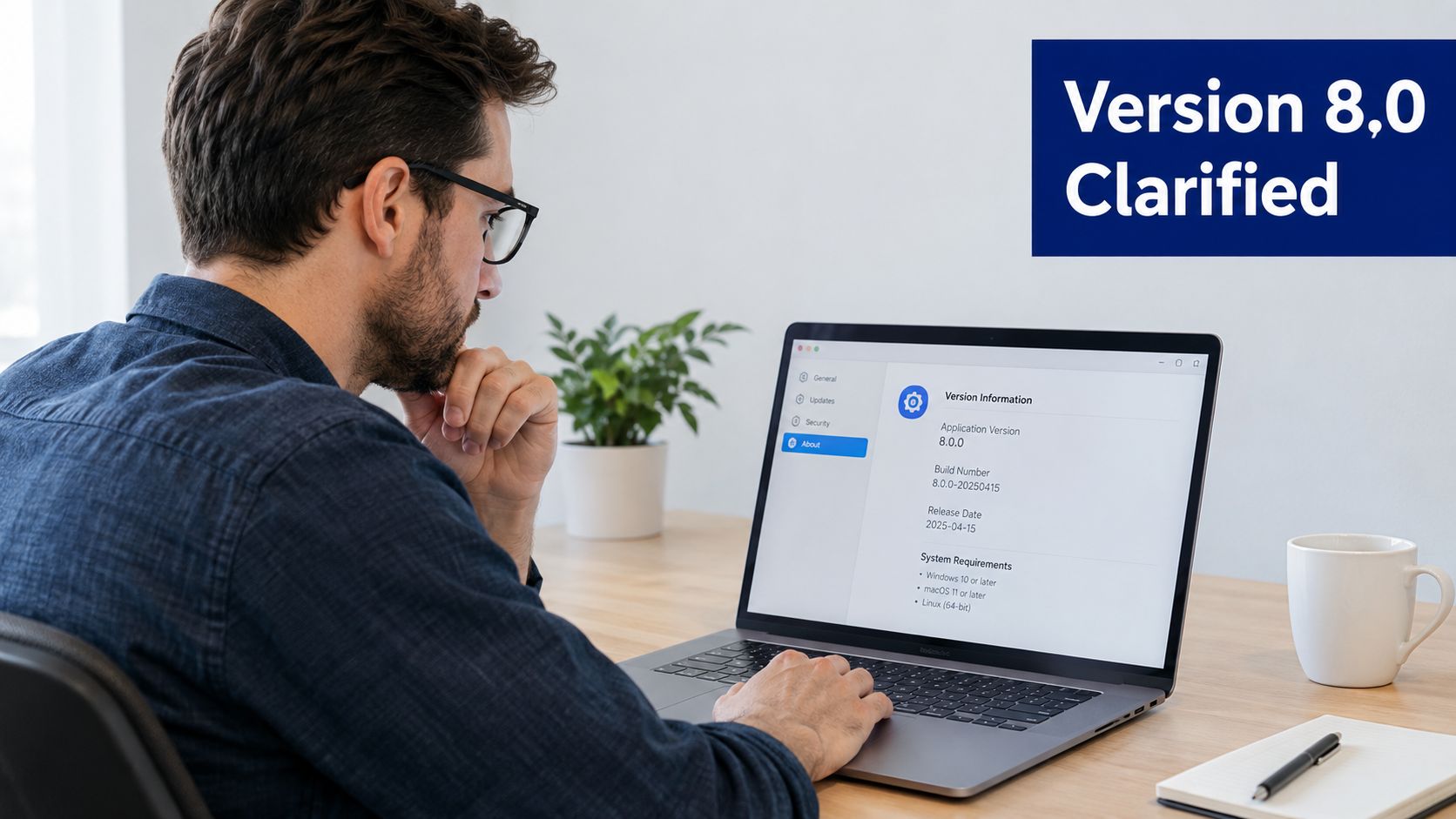
Lansweeper 80 means Lansweeper 8.0, a software release. It does not describe a product package limited to 80 assets or refer to Port 80. Version 8.0 matters because it introduced Asset Radar, a credential-free discovery method for identifying devices that may appear only briefly on a network.
The confusion usually reflects different buyer questions. A search for Lansweeper 80 may concern:
Version information, specifically Lansweeper 8.0.
Port information, if “80” is assumed to mean a web or network port.
Asset capacity, if the number is interpreted as an 80-asset allowance.
Deployment guidance, particularly for an older on-premise installation.
These topics require different technical and procurement decisions. Separating them prevents an evaluation team from using release documentation to answer licensing questions, or treating a network-port reference as a product entitlement. Current commercial pages emphasize asset-based tiers, so historical version terminology should not be used as a proxy for today's licensing model.
For a CIO, the useful interpretation is direct. Assess Lansweeper 8.0 as a discovery capability milestone, then examine whether the existing platform, licensing arrangement, integrations, security controls, and governance model support the intended operating model. The release label does not settle migration effort or commercial fit.
Lansweeper launched in 2004 and has developed into a technology asset intelligence platform covering IT, OT, and cloud assets. Its public company information states that the platform discovers over 80 million connected devices for more than 28,000 customers, including Mercedes, Michelin, Liverpool FC, Carlsberg, Nestlé, IBM, and Samsung. That scale gives the release enterprise relevance, while a controlled technical and commercial assessment remains necessary.
For broader context on asset discovery, review this Lansweeper product overview. In internal documents, write “Lansweeper 8.0” for the release. Address Port 80 and asset entitlements separately only when they are in scope.
What Are the Key New Features in Version 8.0
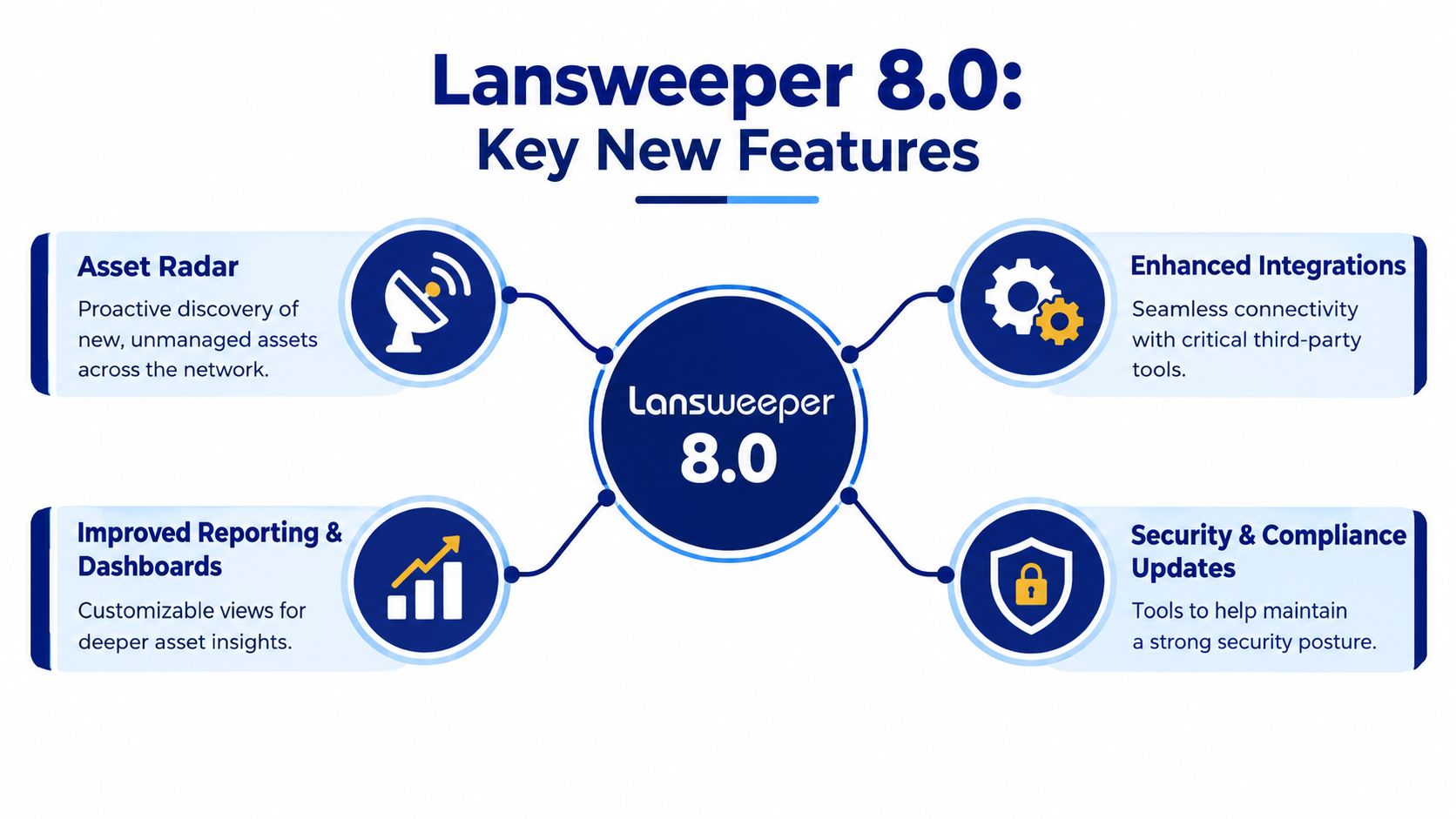
Which Lansweeper 8.0 capability changes the procurement case most? Asset Radar. It uses credential-free scanning to extract asset information from captured network packets, helping identify devices that scheduled scans may miss (Asset Radar technical documentation).
Why credential-free discovery matters
Discovery programs commonly combine credentials, agents, and scheduled network scans. Each method leaves gaps. Credentials can expire or conflict with approved access policies. Agents may be absent from unmanaged endpoints. Scheduled scans may miss devices that connect briefly and leave before the next scan.
Asset Radar targets that visibility gap. In enabled or Logging Only mode, the server captures specific packets flowing within its own subnet, rather than only packets addressed to the server. This gives the discovery process more passive, time-sensitive coverage.
The capability was introduced in Lansweeper 8.0.130.12, with emphasis on assets that appear briefly on the network, including rogue devices (Lansweeper 8.0.130.12 release summary). For security and infrastructure leaders, the practical outcomes include:
Rogue device visibility: Teams can investigate devices absent from the approved inventory.
Lower credential dependency: Network activity can reveal an asset without credentials for every observed device.
Better transient coverage: Short-lived connections are less likely to disappear between scheduled scans.
Investigation context: An unknown device can become an asset record for ownership, classification, and follow-up.
Asset Radar complements authenticated scanning, agents, cloud connectors, and ownership workflows. Packet-based discovery can establish that a device is present. It does not determine whether the device is authorized, who owns it, or what remediation should follow.
That distinction matters in procurement. A buyer should evaluate Asset Radar as a discovery input, then confirm how its records enter the organization's CMDB, incident process, and exception reviews. A Lansweeper CMDB guide provides broader context on connecting discovery data with configuration management.
A practical deployment review should ask:
Which subnets will be monitored?
Who may access captured discovery data?
How will unknown devices be classified?
Which security workflow starts when an unmanaged asset appears?
How will the organization distinguish a temporary guest device from a control failure?
The strongest implementation treats Asset Radar as an input to governance, not as a standalone security control. Its value depends on the organization's response to newly discovered assets.
How Do Licensing and Entitlements Change
Should a CIO treat “Lansweeper 80” as a licensing entitlement? No. The term commonly creates confusion with the product version, while current commercial discussions are organized around asset bands. Public tiers include Free for 100 assets, Starter for 2,000 assets, Pro for 2,000 to 9,000 assets, and Enterprise for 10,000 or more assets (Lansweeper pricing tiers). Use those bands as a starting point for validation, not as evidence that “8.0” defines the price or usage rights.
A version upgrade and a contract renewal are separate procurement decisions. The technical change may preserve an existing entitlement. Changing the deployment model, feature scope, or commercial agreement can require a new review, however. Obtain written confirmation from the vendor or authorized channel instead of relying on an old installer, forum reference, or version label.
Questions for the commercial review
The commercial review should define:
What counts as an asset: Confirm how endpoints, servers, network equipment, cloud resources, OT devices, and transient discoveries are counted.
Which features are included: Verify the entitlement for Asset Radar, analytics, cloud discovery, reporting, and integrations.
How growth is handled: Establish the process and commercial impact when inventory exceeds the selected asset band.
What happens at renewal: Document pricing mechanics, renewal dates, support rights, and any change in commercial structure.
What the migration includes: Separate software access from data conversion, configuration, validation, and implementation services.
How inactive records are treated: Determine whether archived or decommissioned assets remain in the licensing calculation.
Ask for these answers in the order form, license agreement, or an attached entitlement schedule. Verbal assurances do not give procurement a reliable basis for budgeting or audit response.
The budget must cover more than the subscription or license line. Include discovery server capacity, scan-server operations, database administration, integration maintenance, security review, training, and the internal work needed to classify unknown assets. A low initial quote can still produce a costly operating model when ownership and data-quality processes remain manual.
Procurement rule: Do not approve a Lansweeper 8.0 migration until the entitlement definition, asset-counting method, feature scope, renewal treatment, and implementation responsibilities appear in the commercial documentation.
For a broader explanation of licensing routes and deployment requirements, consult this Lansweeper licensing reference. Base the decision on the target operating model and documented rights, not on the assumption that a historical version number maps directly to a current price.
What Is the Upgrade and Migration Checklist
A controlled upgrade starts with evidence. Before changing the environment, document the current installation, scan architecture, database arrangement, discovery methods, integrations, reports, credentials, and ownership model. The objective is to preserve the inventory's reliability while introducing the new discovery behavior.
Before the change
Use this pre-flight checklist:
Record the baseline: Export or document critical reports, scan targets, server assignments, credential configurations, schedules, and integration endpoints.
Confirm support boundaries: Verify that the planned version, database arrangement, operating systems, and connected tools are supported by current product documentation.
Back up the data: Create and test a restorable database backup, and preserve configuration details separately. A backup that hasn't been tested is an assumption, not a recovery plan.
Map discovery methods: Identify where agents, authenticated scans, cloud connectors, and network monitoring are already used. This prevents duplicate collection and conflicting ownership.
Plan a pilot: Select a controlled portion of the environment that represents the major asset types and network conditions. Don't make the first production run your compatibility test.
During the upgrade
Control the change window and assign named owners for the application, database, network, security, and service desk workstreams. Keep a record of configuration changes, errors, scan behavior, and decisions. If Asset Radar is introduced, define its subnet scope and access controls before enabling production collection.
The endpoint agent itself is lightweight. Lansweeper documentation lists minimum requirements of a 1 GHz single-core x64 CPU, 2 GB RAM, and 500 MB of free disk space, with recommended resources of a 2 GHz dual-core x64 CPU and 8 GB of RAM (Lansweeper discovery agent requirements). That doesn't mean the whole deployment is lightweight. Server-side processing, database performance, network throughput, and scan cadence will usually determine data freshness and operational stability.
After the upgrade
Validate the result by checking:
Data integrity: Compare representative asset records, relationships, software data, and lifecycle fields against the documented baseline.
Scan execution: Confirm that scan servers reach their assigned targets and that failures are visible to operators.
Agent behavior: Verify that agents check in as expected and that endpoint data remains current.
Asset Radar scope: Confirm that monitored subnets produce expected discoveries without creating uncontrolled noise.
Integrations: Test ticketing, exports, APIs, dashboards, and downstream CMDB workflows.
Governance: Assign owners to unknown, duplicate, stale, and unauthorized records.
Teams managing mixed operating systems should also review this Lansweeper Linux resource. Migration success isn't measured by whether the installer completed. It's measured by whether decision-makers can still trust the inventory after the change.
What Are the Integration and Compatibility Notes
Lansweeper 8.0 should be evaluated as a data source within the enterprise architecture, not as an isolated inventory console. A CIO needs to know how asset records reach service management, security operations, analytics, procurement, and governance workflows.
The first compatibility question is ownership. If Lansweeper discovers an asset, another system may own incidents, configuration items, vulnerabilities, or procurement records. Define which platform is authoritative for each data domain, then establish synchronization rules that prevent duplicate records and conflicting updates.
Integration review priorities
ITSM workflows deserve early testing. When an unknown or noncompliant device is discovered, decide whether the result creates a ticket, enriches an existing configuration item, or enters a review queue. The workflow should carry enough context for the receiving team to act, including asset identity, location, ownership status, discovery method, and data freshness.
API and export controls need equal attention. Ask how your team will extract asset data, how authentication is managed, how failures are monitored, and how schema changes are handled. A technically available integration can still become an operational liability if nobody owns field mapping and exception management.
Analytics use cases are especially relevant for capacity and refresh planning. Lansweeper's performance scanning collects CPU, memory, disk, and network utilization from Windows and Linux endpoints. It can calculate averages across 7-day, 14-day, and day/night windows, helping teams distinguish sustained contention from short-lived spikes (Lansweeper performance counter scanner).
That information becomes more valuable when it reaches the right workflow. A service desk may need a concise asset context, while infrastructure teams need trend data and procurement needs normalized ownership, lifecycle, and entitlement information.
Review this Lansweeper ticketing guidance when designing the handoff into service operations. Test failure handling as carefully as the successful path. An integration that works only when every record is complete won't support enterprise governance.
What Are the Procurement and Governance Impacts
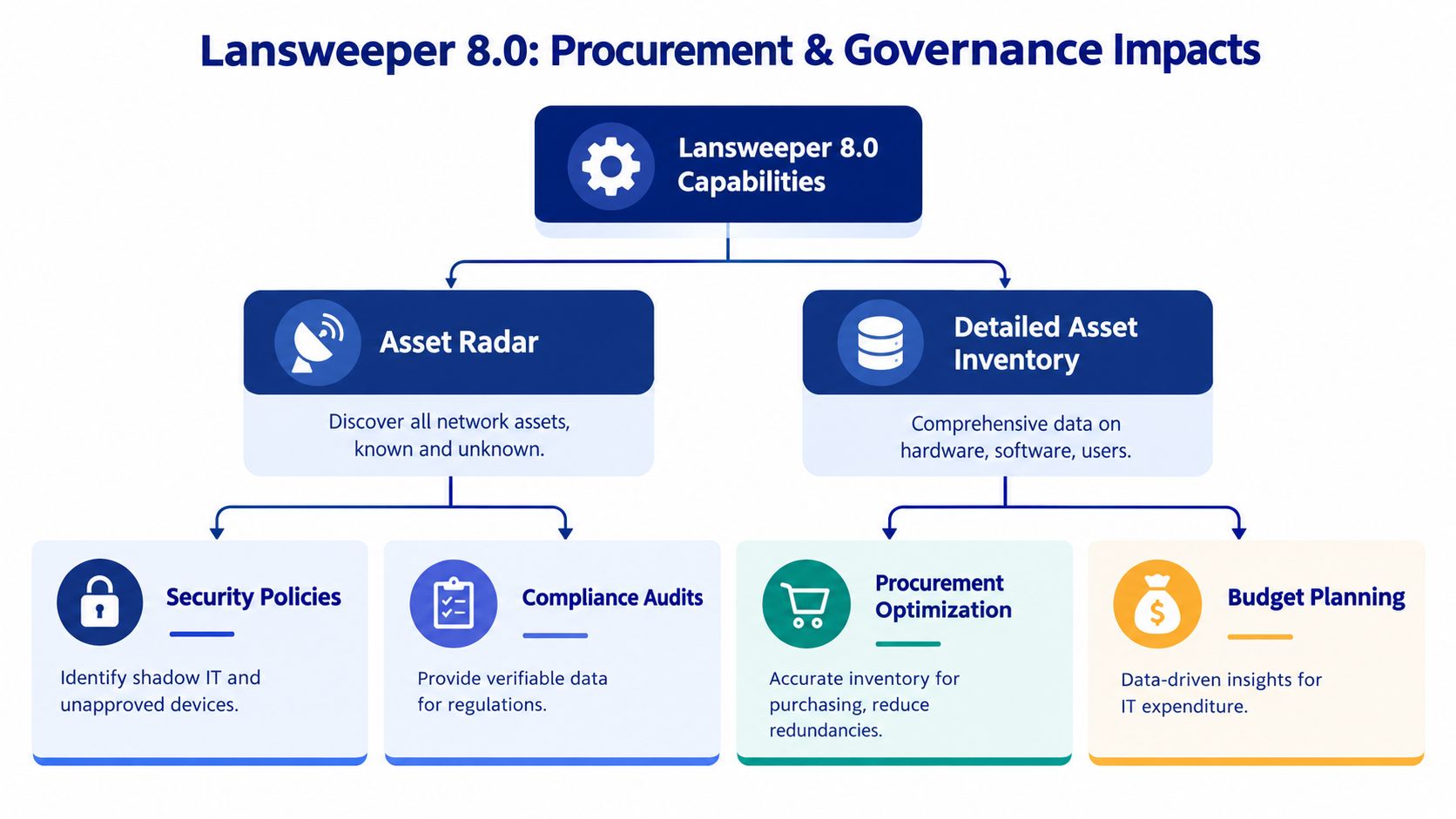
How should a CIO treat a newly discovered device that was never approved, assigned, or included in the asset register? Asset Radar makes that question operational by exposing devices outside the expected inventory process. Discovery does not reduce risk by itself. The organization needs rules for investigation, approval, ownership, evidence retention, and final disposition.
Security policy needs an operational response
A rogue-device workflow must connect discovery to accountable action. Security may quarantine or investigate the device. Network operations may validate its connection, the service desk may identify the user, and asset management may assign ownership and lifecycle status. Without those handoffs, Lansweeper can create another queue of unresolved records rather than a controlled remediation process.
Governance leaders should define the evidence required for:
Authorization: Whether the asset is approved for network access.
Ownership: Which person, department, supplier, or site is accountable.
Classification: Whether the device is IT, OT, cloud, network, endpoint, or an unknown category.
Control status: Whether required monitoring, patching, or security tooling is present.
Disposition: Whether the asset is retained, remediated, isolated, or retired.
These decisions should also shape procurement requirements. A platform that detects unmanaged assets but cannot support clear ownership, escalation, and audit records may increase visibility without improving control.
Procurement can use better inventory evidence
Centralized asset intelligence supports purchasing when technical records connect to commercial controls. Accurate discovery can reveal duplicate tools, unsupported hardware, unused capacity, and assets excluded from a planned refresh. It can also show where paid entitlements do not match the technology the organization operates.
Lansweeper states that it grew from its 2004 launch to discovering over 80 million connected devices for more than 28,000 customers (Lansweeper company scale). For enterprise procurement, that history can indicate product maturity and installed-base scale. It does not replace customer references, security due diligence, support validation, or a proof of concept.
Governance principle: Treat every discovered asset as a decision record. The organization should know whether it is approved, owned, protected, licensed, and still required.
Stackingo operates as a marketplace-first enterprise IT licensing platform, aggregating software and hardware licensing options through an RFQ-led purchasing process. In a Lansweeper evaluation, that model may help procurement teams standardize requirements, compare commercial scenarios, and manage the vendor relationship through one purchasing front. Assess it alongside authorized reseller terms, implementation accountability, and the customer's own governance controls.
What Key Questions Should CIOs Ask Before Buying
A CIO should approve Lansweeper 8.0 only after the technical case and commercial case agree. The following questions expose gaps that a feature demonstration often hides.
Discovery and security
What assets must the platform discover? Define IT, OT, cloud, transient, remote, and network-connected assets before comparing products.
How will Asset Radar discoveries enter governance? Require a documented workflow for unknown, rogue, duplicate, and temporary devices.
Which discovery methods remain necessary? Credential-free packet observation can complement, but not automatically replace, agents, authenticated scans, and cloud connectors.
Who can access discovery data? Review role design, data retention, subnet scope, and security monitoring responsibilities.
Licensing and commercial control
How is an asset counted? Ask for examples covering inactive records, cloud resources, network equipment, OT devices, and transient discoveries.
Which features are included in the proposed tier? Confirm Asset Radar, analytics, reporting, integrations, support, and cloud or on-premise capabilities in writing.
What changes at renewal? Clarify price treatment, entitlement changes, support scope, and the process for increasing the asset band.
What is excluded from the quote? Separate licensing from deployment, data cleanup, integration work, training, and ongoing administration.
Architecture and migration
Where is the performance bottleneck likely to occur? The agent requirements are modest, but server architecture, database operations, network throughput, and scan cadence can affect freshness.
What is the rollback plan? Require a tested backup, named decision owners, recovery criteria, and a defined maintenance window.
How will data quality be measured? Set acceptance criteria for duplicate records, stale assets, failed scans, ownership, and integration errors.
Which system owns each record? Document the source of truth for asset identity, incidents, configuration items, lifecycle, and procurement status.
Long-term value
Can the platform support the target operating model? Evaluate whether teams can move from inventory collection to repeatable security, service, lifecycle, and purchasing workflows.
Will the data be usable outside Lansweeper? Test exports, APIs, ticketing, reporting, and downstream analytics with realistic records.
Who will operate the platform after implementation? Assign responsibility for discovery scope, credentials, integrations, exceptions, and governance reporting.
A strong buying decision doesn't depend on the phrase Lansweeper 80 alone. It depends on whether version 8.0's discovery capabilities fit your security model, whether the current entitlement is commercially clear, and whether your teams can turn asset intelligence into controlled action.
Stackingo helps enterprise buyers structure Lansweeper licensing requirements, compare multi-vendor commercial options, and coordinate an RFQ-led purchasing process through one commercial front. Visit Stackingo to prepare a clearer Lansweeper 8.0 evaluation and request a quote aligned with your asset, integration, and governance requirements.