
Lansweeper AirWatch Integration Guide for IT Teams
Updated: Oct 10
You discover the missing devices during an audit. Some are enrolled in Workspace ONE UEM, others appear only in procurement records, and a few have no reliable owner attached. Lansweeper AirWatch scanning can close much of that visibility gap, but it shouldn't be mistaken for a complete endpoint management or remediation system.
Why Connect Lansweeper and AirWatch for Mobile Visibility
An MDM dashboard can show every enrolled phone while ITAM still lacks a dependable owner, procurement status, or support history. Connecting Workspace ONE UEM, formerly AirWatch, with Lansweeper brings that management inventory into a broader asset record without installing an agent on each mobile device.
The connector is available from Lansweeper version 7.2 onward and supports enrolled Android, iOS and iPadOS, Chrome OS, and Windows Phone devices, according to the Lansweeper AirWatch scanning requirements. Lansweeper was founded in Belgium in 2004. Its company history also records Dovesco's investment and a €130 million minority investment from Insight Partners announced in 2021.
The integration improves visibility, but the API's scope determines what teams can do with that visibility:
MDM-sourced inventory comes through the Workspace ONE REST API. It can identify enrolled devices and expose management attributes stored in the UEM platform.
Agent-based discovery suits endpoints that can run software and report directly to the asset platform. It can provide a different evidence path from enrollment records.
Operational management remains in Workspace ONE. Lansweeper does not replace enrollment controls, policy delivery, remote actions, or remediation workflows.
For lifecycle control, MDM data may be enough to reconcile assigned devices, identify unused records, and support refresh planning. Compliance teams need more evidence when decisions depend on current health, policy state, offline status, or remediation history. Those fields may require validation in Workspace ONE or another control system.
Practical rule: Use the integration as an inventory bridge first. Confirm that its returned fields support each governance decision before treating the record as proof of compliance.
This distinction helps ITAM, audit preparation, ownership reconciliation, and procurement analysis. Teams reviewing the wider asset architecture can also examine Lansweeper's role in IT asset management before deciding where API inventory is sufficient and where operational evidence is still required.
Prerequisites and API Credential Setup
Before creating a scan target, establish a controlled Workspace ONE API identity. Lansweeper needs access to the REST API, so an interactive administrator account is usually the wrong foundation for a repeatable inventory process. A dedicated service identity with read permissions is easier to govern, rotate, and audit.
Workspace ONE's requirements describe enabling API access, generating an API key, and assigning permissions covering device management, group management, enrollment user accounts, applications, and custom attributes. The exact role design should match the fields you need, while avoiding unnecessary write authority.
What credentials does Lansweeper require
Lansweeper's documentation identifies these required fields:
Name: A recognizable label for the scanning credential.
Username: The Workspace ONE API user or service identity.
Password: The associated credential, stored according to your organization's security controls.
Server URL: The reachable Workspace ONE UEM endpoint.
API key: The key generated for REST API access.
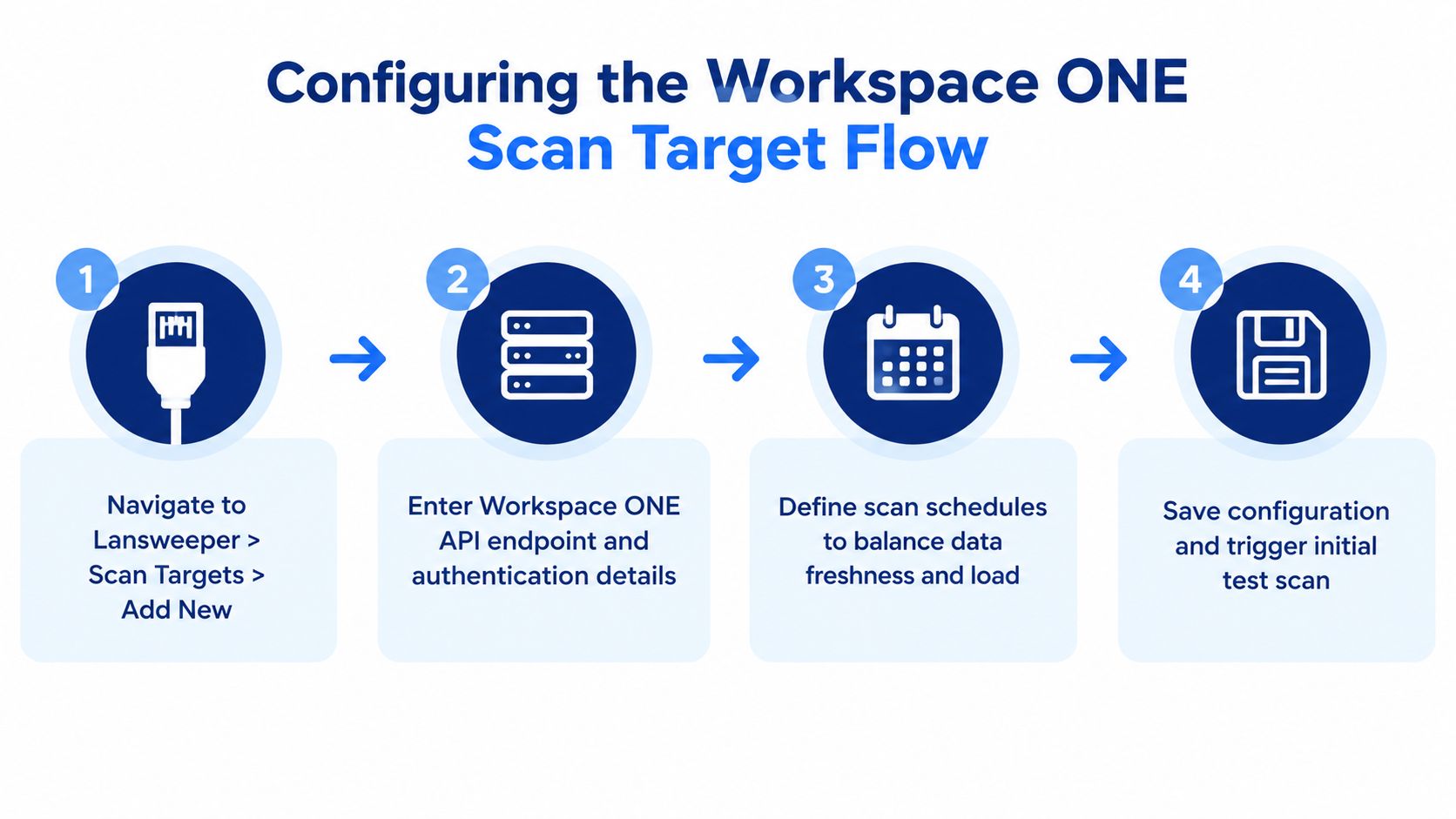
The Lansweeper credential documentation explains that submitting an AirWatch credential automatically creates an AirWatch scanning target. Its internet-access guidance also shows that AirWatch scanning depends on API reachability, not on an agent installed on each mobile device.
How should you test access
Test from the Lansweeper scanning server, not only from your workstation. Confirm that the server can reach the tenant endpoint, that outbound firewall rules permit the connection, and that the API identity can authenticate without interactive prompts.
Keep the credential lifecycle explicit. Record ownership, rotation responsibility, expiration behavior, and the process for updating Lansweeper when the API key changes. A scan failure caused by a locked or expired account can create an inventory gap that isn't obvious until someone compares records manually.
Configuring the Workspace ONE UEM Scan Target
A successful connection can still produce an inventory that is too thin for a lifecycle decision. Configure the Lansweeper target so each scan answers practical questions about scope, ownership, and the records your governance process must review.
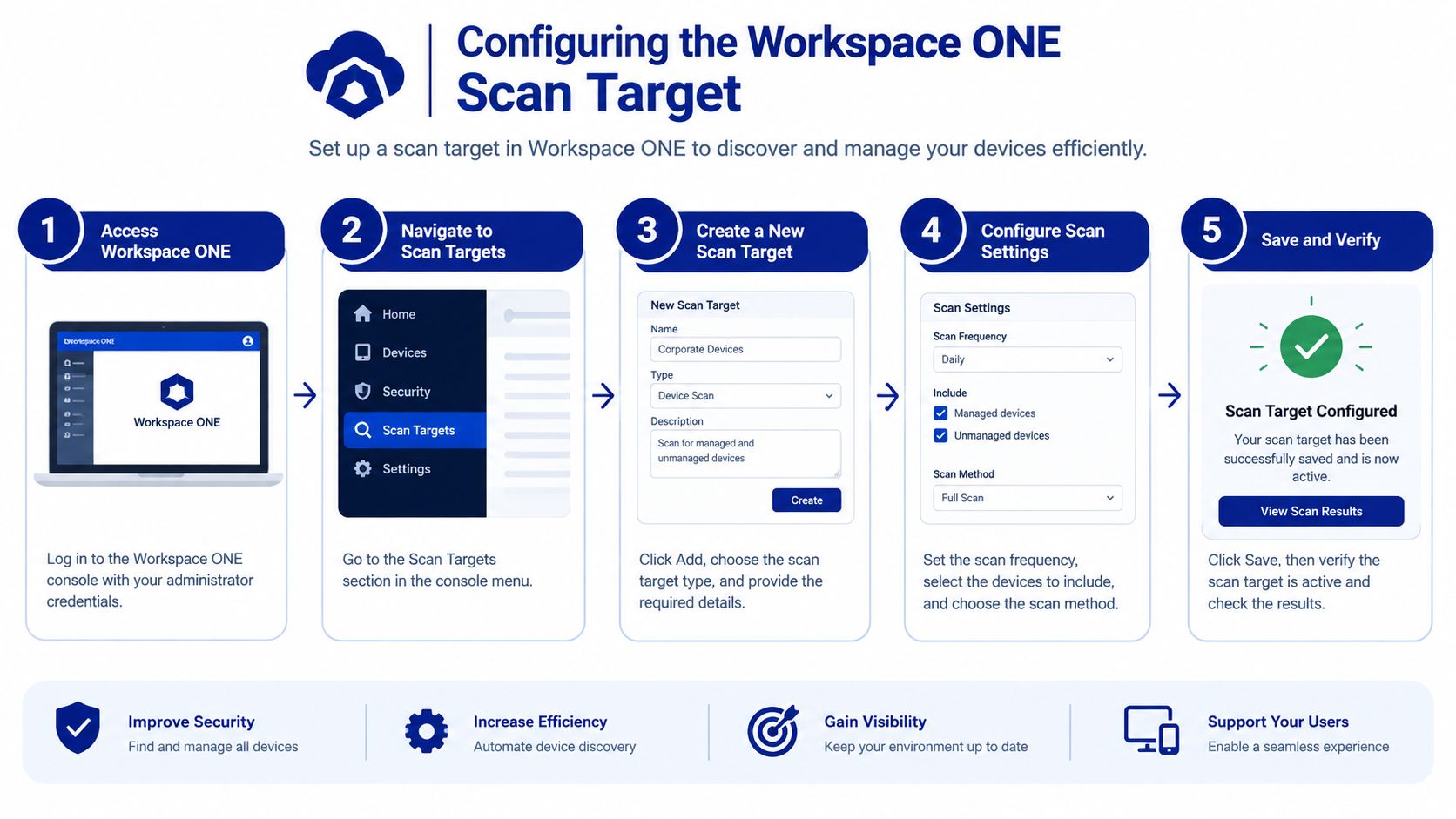
Create the target in Lansweeper's scanning configuration and select the AirWatch scanning type. Enter the dedicated API credential, verify the tenant's server URL, and set a schedule that keeps mobile records current without creating unnecessary API traffic.
The connector covers enrolled Android, iOS and iPadOS, Chrome OS, and Windows Phone devices. Devices outside Workspace ONE enrollment will not appear through this target, even if they exist elsewhere in the organization. Treat that boundary as an inventory limitation, not evidence that the wider mobile estate is complete.
What should the scan configuration include
Use a controlled setup rather than treating the first successful scan as the finished design.
Name the target clearly. Include the tenant or organizational context when the enterprise operates separate Workspace ONE environments.
Map the credential. Select the dedicated API credential and confirm that it points to the intended tenant.
Set the schedule. Match scan frequency to how often mobile inventory affects procurement, ownership review, or lifecycle decisions.
Run a controlled initial scan. Check returned assets, identity fields, ownership data, and application information before expanding the process.
Separate tenants where necessary. Distinct targets and credentials make failures, ownership, and access reviews easier to trace.
Lansweeper processes these scans in the background, so they do not appear in the normal queue like conventional network or agent scans. The AirWatch scanning guide explains how to wait for the schedule or trigger an immediate scan from the AirWatch target.
Judge the result by record usefulness, not connection status alone. Compare returned assets with the devices expected in Workspace ONE, then sample serial numbers, user associations, OS versions, and installed applications. This review shows whether MDM data is ready for lifecycle control or needs another collection method. Broader discovery practices, including Lansweeper Mac scanning considerations, can help identify where API inventory should complement other sources.
Mapping Device and User Attributes to Asset Records
The connector's value depends on how your team uses the returned fields. Lansweeper's AirWatch inventory can include device name, enrollment date, model, OS version, IMEI, serial number, installed applications, network details, and user information, according to the AirWatch mobile device report.
Those fields answer important identity and ownership questions. They don't automatically prove that a device is compliant, reachable, actively used, or ready for a management action. A record can be complete from an inventory perspective while remaining insufficient for a remediation decision.
AirWatch Inventory Fields and Governance Use Cases
Field | Governance Question Answered | Limitations |
|---|---|---|
Device name | Which enrolled device is this? | Naming conventions may be inconsistent or changed outside the asset process. |
Enrollment date | When did the device enter UEM control? | Enrollment doesn't prove current usage or continued ownership. |
Model | Which hardware family is deployed? | Model data alone doesn't establish condition, warranty, or replacement eligibility. |
OS version | Which software baseline is reported? | A reported version doesn't by itself prove policy compliance or remediation status. |
IMEI | Which cellular identity belongs to the record? | It may not apply to every device type and shouldn't replace serial-based reconciliation. |
Serial number | Can procurement or asset records identify the hardware? | Matching still depends on clean records and consistent formatting. |
Installed applications | What software is reported on the managed device? | Presence doesn't automatically establish license entitlement, active use, or business approval. |
Network details | What connection information does the UEM record expose? | It doesn't establish continuous reachability or current network state. |
User information | Who is associated with the device? | Association may be stale, shared, delegated, or incomplete. |
Where inventory stops being actionability
Use the data confidently for reconciliation, ownership review, fleet segmentation, and reporting. Be cautious when turning it into automated compliance decisions. The available documentation doesn't establish refresh behavior for every field, how offline devices are represented, or whether application and user data remain current under all operating conditions.
That distinction should shape your CMDB design. Store source, last observed state, and confidence indicators where possible, and document which records came from Workspace ONE rather than an endpoint agent. Teams refining that model can use Lansweeper CMDB guidance to connect asset data with broader configuration management practices.
Validating Syncs and Troubleshooting Common Issues
A successful connection test proves only that Lansweeper reached the API. Validation requires checking whether the returned inventory is complete enough for the decision you need to make.
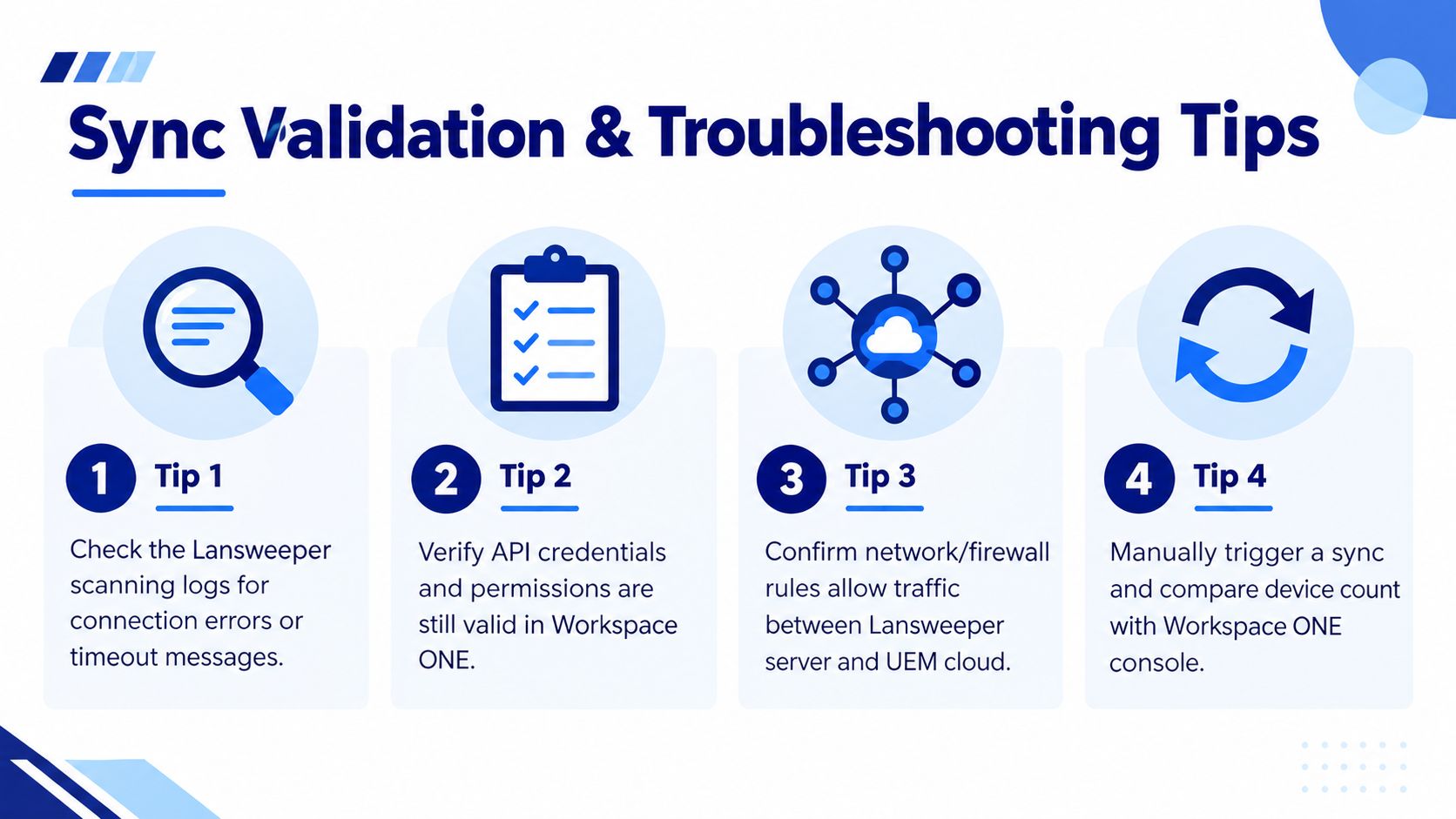
Start with the scan logs, review the target status, and inspect representative records. Then compare the asset population with the corresponding Workspace ONE enrollment view. Exact matches aren't always expected because filters, platform scope, archived devices, and record timing can differ, but unexplained gaps require investigation.
Common symptoms and practical fixes
Authentication error: Recheck the username, password, API key, and assigned read permissions in Workspace ONE.
Connection timeout: Test API reachability from the Lansweeper scanning server and review firewall or proxy controls.
No visible scan activity: Remember that AirWatch scans run in the background rather than appearing in the standard queue.
Stale device data: Check whether the device has recently communicated with Workspace ONE and treat the record as last observed, not necessarily current.
Partial inventory: Review scope, tenant configuration, platform eligibility, and API responses for incomplete result sets.
Duplicate assets: Compare serial number, IMEI, device name, and user associations before merging records.
Create an operational health check that assigns an owner to failed scans and unresolved record gaps. If your wider Lansweeper environment reports connectivity problems, the troubleshooting context in Lansweeper RPC unavailable guidance can help separate local scanning issues from the AirWatch API path.
Don't automate a governance action until you know what a missing value means. It may indicate a real device condition, a scope mismatch, an offline record, or a collection problem.
Turning Mobile Inventory into Procurement Decisions
Once the inventory is trustworthy, connect it to decisions that procurement and finance can act on. Device models, OS versions, applications, and user associations can support refresh planning, platform consolidation, license reviews, and vendor negotiations.
A useful report should expose more than a device list. Segment assets by model, reported OS version, enrollment status, application presence, ownership, and last observed information. Then ask focused questions:
Which devices need lifecycle review because their hardware or software no longer fits the standard?
Which applications appear across the fleet and require entitlement reconciliation?
Which user associations need confirmation before renewal or replacement?
Which platforms create overlapping administration or procurement requirements?
The connector won't calculate total cost by itself. Combine the returned inventory with purchase records, contract terms, support status, and finance data before using it in an RFQ or renewal decision. For organizations comparing vendors and commercial structures, Lansweeper market context can sit alongside your internal utilization and lifecycle analysis.
Stackingo offers Lansweeper licensing and implementation support, including onboarding for Workspace ONE UEM and AirWatch scanning requirements. Its marketplace-first RFQ model can also help enterprise buyers structure comparable software and hardware licensing options across vendors.
Visit Stackingo to discuss Lansweeper licensing, AirWatch connector onboarding, and an RFQ built around your actual mobile inventory and procurement requirements. Use the resulting asset data to separate visibility needs from deeper compliance and remediation capabilities before you commit to a renewal or platform change.