
Lansweeper Intune V2 Setup Guide
Updated: Oct 10
If Intune manages your mobile estate but Lansweeper still shows gaps, Lansweeper Intune V2 can close part of that visibility gap. It connects Lansweeper Cloud to Microsoft Intune through Microsoft Graph, reads managed-device records, and imports supported mobile assets on a fixed or interval schedule. It doesn't replace standard Lansweeper discovery, enroll devices, or deploy Intune policies.
What the Lansweeper Intune V2 Connector Actually Does
The useful mental model is simple. Lansweeper Intune V2 is an API-based inventory connector, not another endpoint-management platform. It reads Microsoft-managed device records through Microsoft Graph and brings them into a broader Lansweeper asset inventory.
That distinction matters in hybrid environments. Your standard Lansweeper targets remain responsible for other discovery methods, while Intune V2 provides a cloud-backed route to supported enrolled devices. The documented scope covers Android, iOS including iPhones and iPads, and Windows Phone devices. Lansweeper describes the target as a way to inventory mobile endpoints enrolled in Microsoft Intune, rather than as a general-purpose workstation scan. See the Lansweeper Intune V2 documentation for the supported scope and architecture.
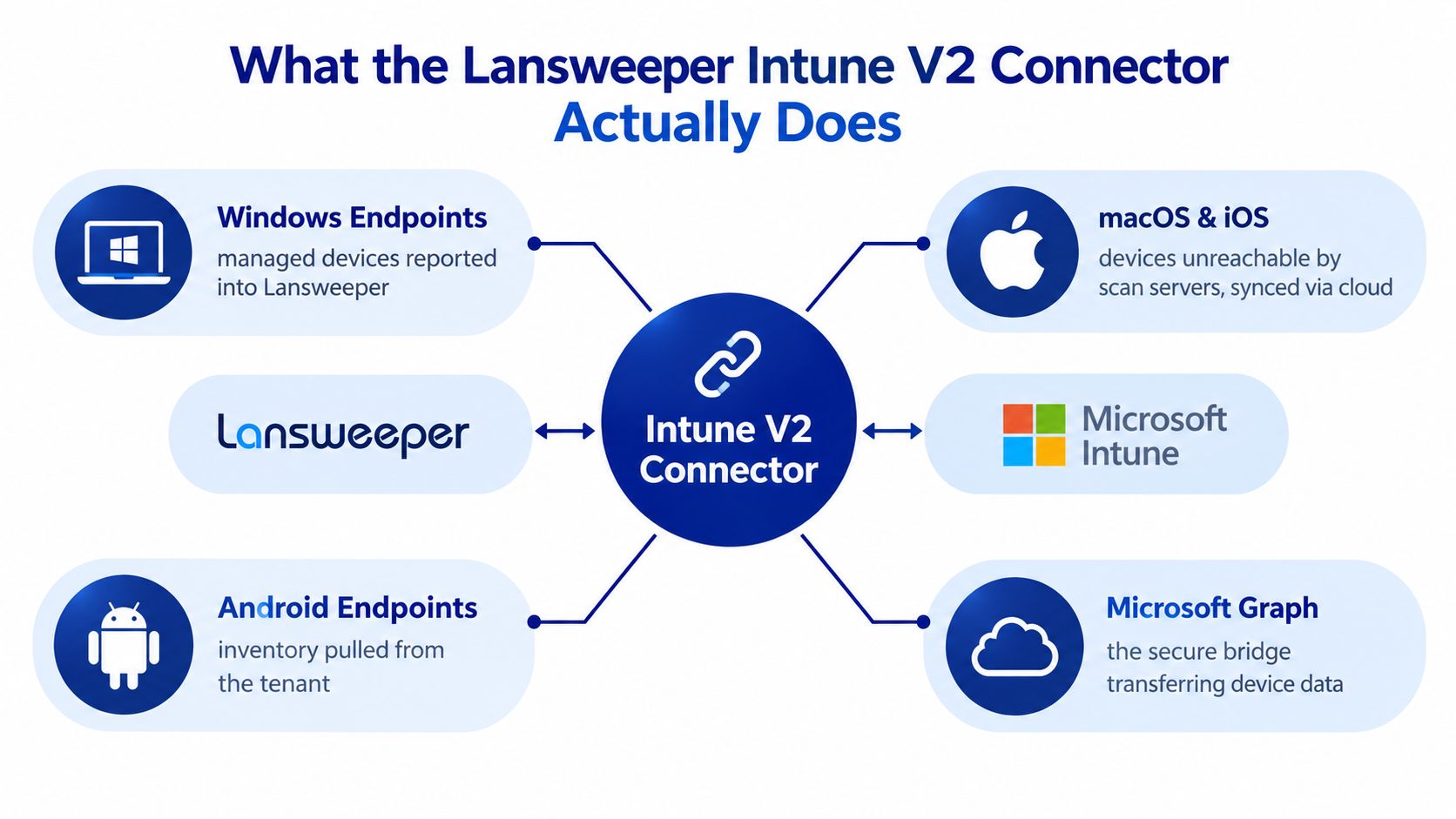
What flows into Lansweeper
The connector uses a Microsoft Cloud Service application and Microsoft Graph access. It doesn't require a traditional scanning agent on each mobile device. Lansweeper then gives you a structured way to correlate Intune-enrolled assets with other discovered assets and report on them centrally.
The boundary is just as important as the capability:
Supported cloud inventory: Android, iOS, iPadOS devices, and Windows Phone devices enrolled in Intune.
Authentication path: Microsoft Entra application credentials and Microsoft Graph.
Scanning behavior: A fixed or interval schedule configured in Lansweeper Cloud.
Operational role: Asset discovery and inventory correlation, not enrollment or policy deployment.
For standard network discovery, local directory data, or other endpoint inventory requirements, keep the relevant Lansweeper scanning targets in place. The Lansweeper overview is useful background when you're designing that combined inventory model.
Practical rule: Treat Intune V2 as one inventory source in your asset strategy, not as a replacement for every other Lansweeper scanning method.
Registering Your Azure App and Setting Microsoft Graph Permissions
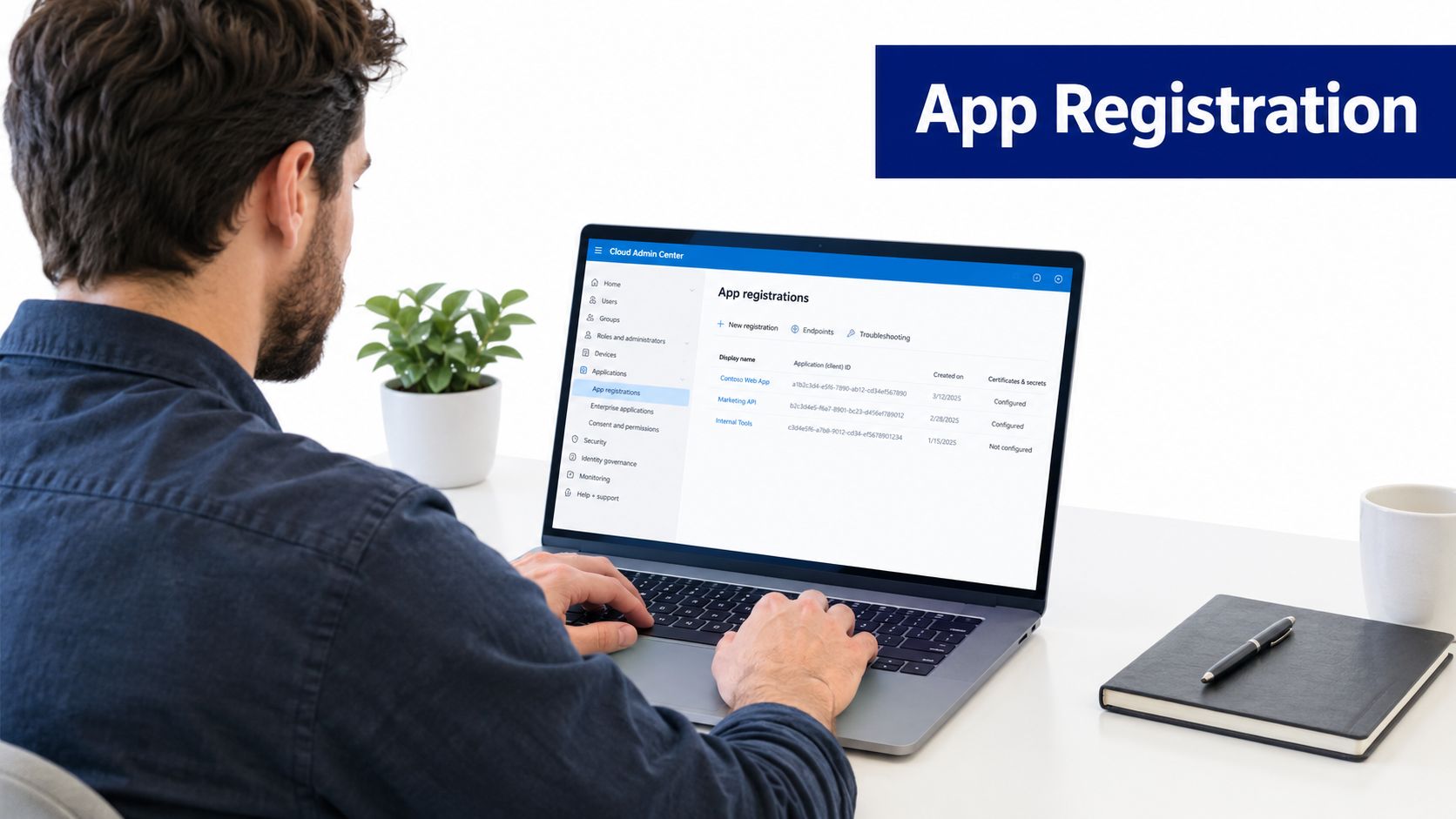
Start with a dedicated Microsoft Entra application for the connector. Give it a name that identifies its purpose and environment, such as , so administrators can recognize it during audits, credential rotation, and tenant offboarding.
The production permission documented for managed-device inventory is the Microsoft Graph application permission . It allows the integration to read managed-device records without depending on an interactive user session. Follow the Lansweeper Microsoft Intune connector workflow rather than substituting a delegated permission.
Registration sequence
Open Microsoft Entra admin center, go to Applications, then App registrations, and create a new registration.
Record the Application client ID and Directory tenant ID immediately.
Create either a client secret or certificate material.
Open API permissions, add Microsoft Graph, choose Application permissions, and add .
Grant administrator consent.
Confirm that consent is reflected for the application before creating the Lansweeper credential.
The application-permission choice is operationally important. A delegated permission depends on a signed-in user context, while this connector needs a service-to-service authentication pattern that can run on schedule. Least privilege also means you shouldn't add broad directory permissions unless a separately documented enrichment workflow requires them.
Keep an implementation record containing the application ID, tenant ID, permission granted, administrator consent date, and credential type. Don't place the secret value in tickets or shared documentation. For related identity and directory considerations, see this Azure AD and Lansweeper guide.
Choosing Between Client Secret and Certificate Authentication
Both credential types can work, but they create different operational obligations. A client secret is faster to create and easier to enter into a small deployment. A certificate usually provides the stronger long-term control for production estates because the private key can remain in a managed secrets system while the public certificate is registered with the application.
The right choice depends on who operates the environment, how credentials are rotated, and what audit controls already exist.
Dimension | Client Secret | Certificate (Recommended) |
|---|---|---|
Initial setup | Simple string-based configuration | Requires certificate creation and registration |
Storage | Must be protected as a secret value | Private key should remain in a managed vault or protected store |
Rotation | Requires replacing the value before expiry | Requires coordinated certificate renewal and thumbprint updates |
Operational fit | Labs, pilots, and limited administrative environments | Production and multi-tenant operations |
Audit posture | Adequate when tightly controlled | Stronger separation between public registration and private key custody |
Main failure mode | Expired or incorrectly copied secret | Expired certificate, incorrect thumbprint, or incomplete renewal |
The documented Lansweeper setup supports either a client secret or certificate thumbprint as the credential material. Whichever option you select, record the expiry date and owner. A client-secret value can be displayed only once during creation, so copy it into the approved secrets store before leaving the registration workflow.
For production, certificates are generally the more defensible default when your organization already operates a certificate lifecycle. Secrets remain practical for a controlled pilot or a break-glass scenario, but they shouldn't become unmanaged permanent credentials. Keep the surrounding web and application infrastructure documented in your Lansweeper IIS reference.
Configuring the Intune V2 Scanning Target in Lansweeper
Lansweeper Cloud separates credential creation from scanning-target configuration. That separation is useful because the same cloud credential can be governed independently from the schedule and target definition.
First, create a Microsoft Cloud Service credential. Supply the Entra application ID, tenant ID, and the selected authentication material. Then validate the credential before you build the scanning target. A successful credential test doesn't prove that the scheduled inventory will meet your coverage requirements, but it does remove a basic authentication failure from the next diagnostic cycle.
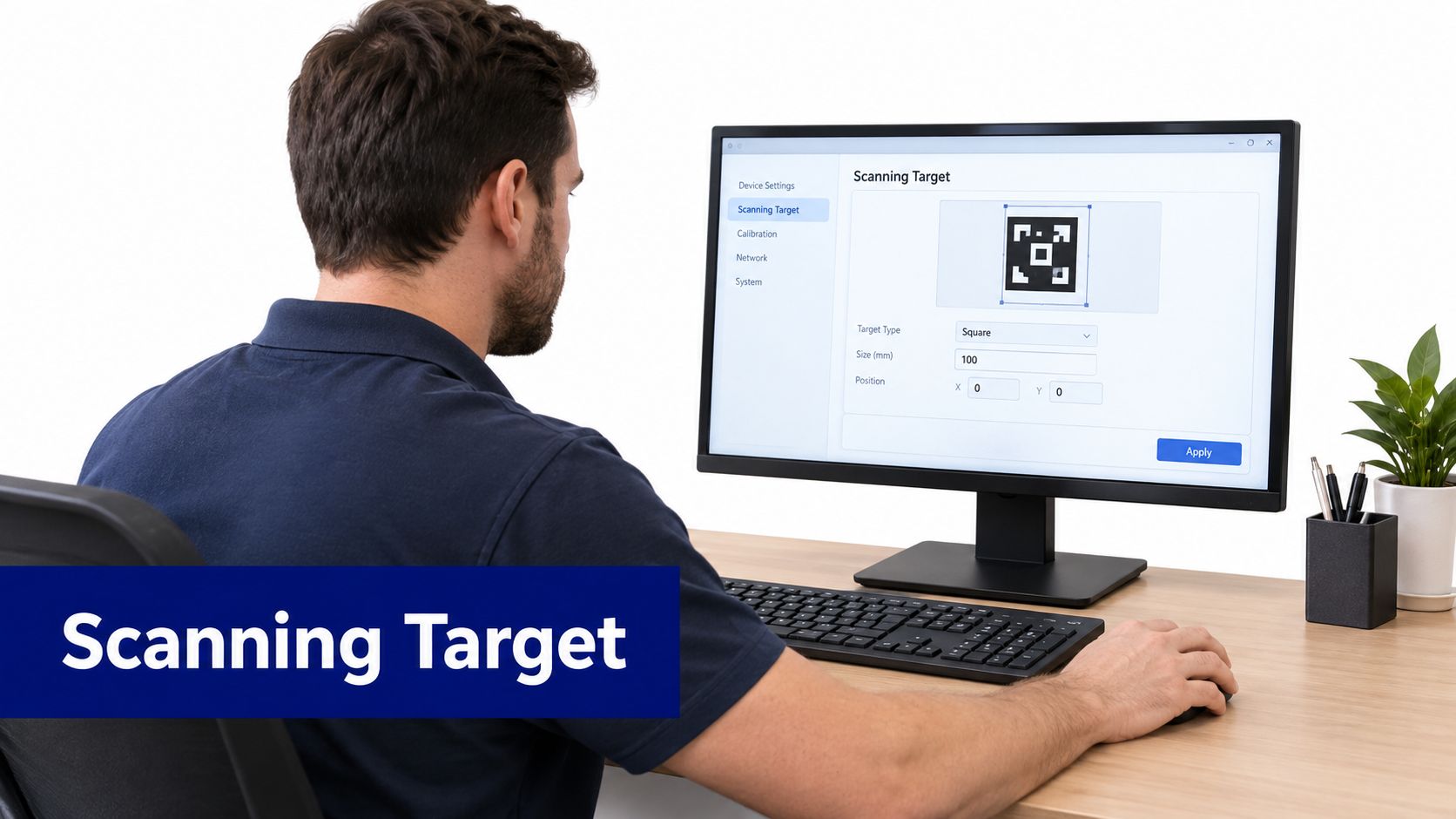
Create the target
In Lansweeper Cloud, go to Scanning, select Targets, and choose Add scanning target. Select the scan server and Intune V2 as the target type, add a clear name and description, select the schedule, assign the Microsoft Cloud Service credential, and save the target. The official Intune V2 target procedure confirms that the schedule is part of the target configuration.
Use a schedule that matches the freshness your service desk and security teams genuinely need. Don't choose a frequent interval just because it's available. Start with a controlled pilot, verify discovered-device coverage and scan duration, then adjust based on observed behavior.
The first production check should confirm:
Credential binding: The target uses the intended Microsoft Cloud Service credential.
Tenant identity: The directory ID belongs to the intended Intune tenant.
Permission state: Administrator consent is present for the application permission.
Execution result: The target completes without authorization or permission errors.
Inventory outcome: Expected enrolled devices appear in Lansweeper reporting.
Understanding Device and User Sync Mapping
A reliable inventory is more than a successful authentication event. You need to know which Intune records Lansweeper can read, how they are represented, and how your teams will identify the originating tenant.
The connector reads managed-device records through Microsoft Graph and places them into Lansweeper's asset inventory. The supported device scope is Android, iOS and iPadOS, and Windows Phone. Records can then be correlated with other discovered assets and reported through the wider Lansweeper environment.
Mapping decisions that affect reporting
Use stable identifiers when you reconcile records across systems. Serial number and device ID are useful correlation keys, but your exact matching policy should account for records that are incomplete, retired, or represented differently across discovery sources.
Intune Graph Property | Lansweeper Asset Field | Notes |
|---|---|---|
Managed device identity | Asset identity or device identifier | Use a consistent reconciliation rule |
Device name | Asset name | Names can change, so don't rely on name alone |
Operating-system category | Operating system | Validate against the supported Intune V2 scope |
Manufacturer and model | Hardware attributes | Useful for lifecycle and procurement reporting |
Serial number | Serial or hardware identifier | A practical cross-source matching value |
IMEI | Mobile hardware attribute | Relevant where the Intune record supplies it |
Last check-in | Last-contact or freshness field | Use it to identify stale records |
Compliance state | Compliance or status attribute | Keep the source context visible in reports |
Primary user UPN | Assigned user relationship | Validate ownership before routing support work |
Enrollment ownership | Ownership attribute | Useful for separating corporate and personal context |
Unenrolled, wiped, or incomplete records may not contain every attribute. Lansweeper won't invent missing Intune values, so your reports should distinguish between unknown, not returned, and not applicable wherever possible.
In a multi-tenant operation, configure each tenant as its own scanning target. That keeps tenant attribution clear and makes consent changes, incident investigation, and offboarding safer. Directory relationships and conventional discovery remain separate concerns, covered in this Lansweeper Active Directory guide.
Troubleshooting Common Intune V2 Issues
Most failures fall into three recognizable patterns. Start by identifying whether the problem is coverage, data completeness, or authentication. That classification prevents you from rotating credentials when the actual issue is a missing permission or an incorrect target assignment.
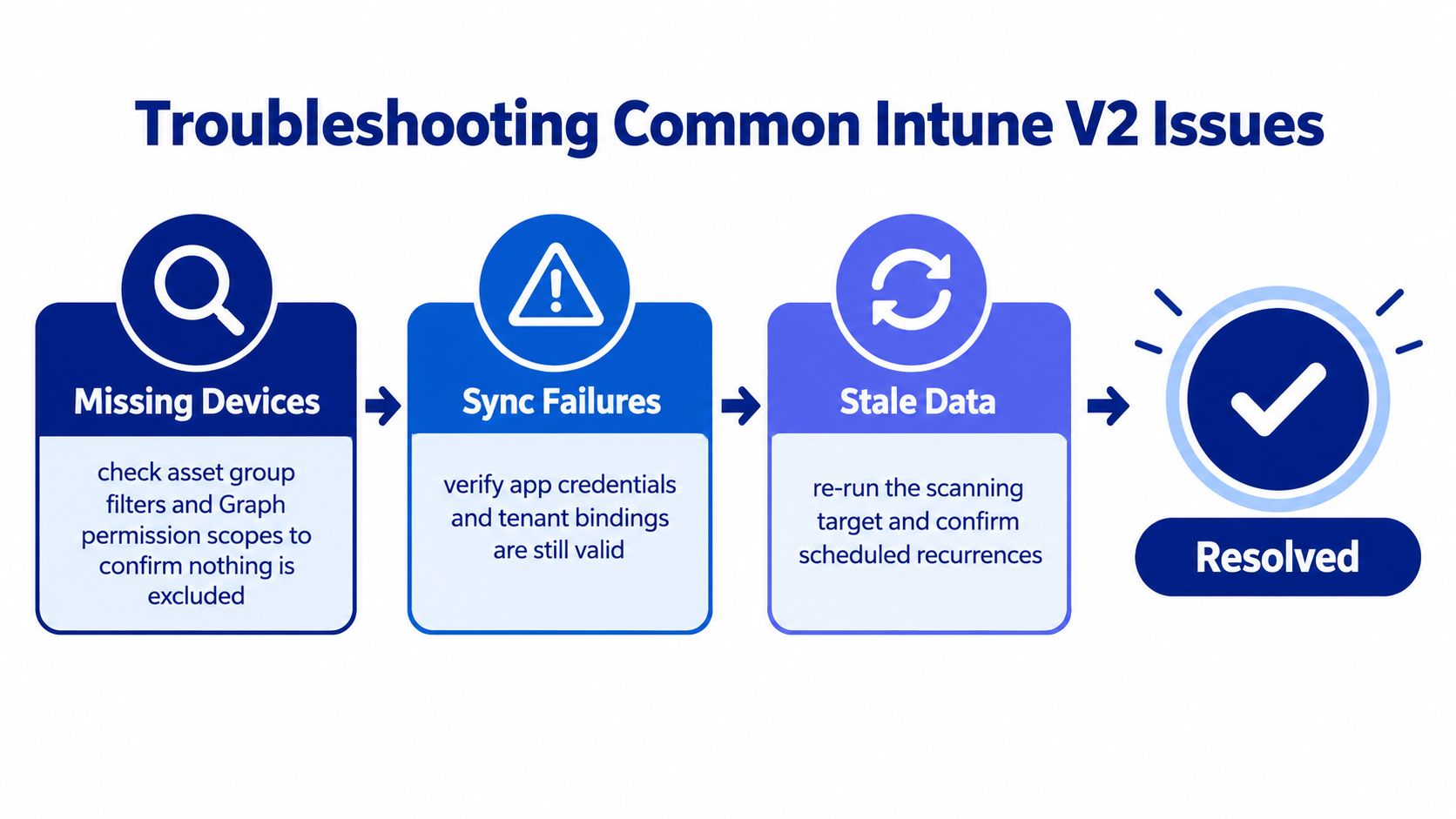
Missing devices
If the target completes but expected devices are absent, check the application permission and consent first. Lansweeper's troubleshooting guidance identifies missing consent as a possible cause. Then verify that the scanning target is assigned to the correct credential and tenant.
Check these points in order:
Tenant ID: Confirm the credential points to the intended directory.
Application permission: Confirm the permission is an application permission, not delegated.
Administrator consent: Verify consent was granted after the permission was added.
Target assignment: Check that the Intune V2 target uses the correct cloud credential.
Device scope: Confirm the missing asset belongs to a supported device category and is enrolled.
Partial inventory
Incomplete details need a different investigation. Review scan issues and error logs for permission problems or failed pages. Microsoft's Intune device-query documentation describes explicit service limits for some Intune-related queries, including a maximum of 10 multi-device queries per minute and 1,000 per month, with no more than three join operators per query. Those limits aren't automatically Lansweeper connector limits, but they show why you should measure behavior rather than assume unlimited API capacity. See the Microsoft Intune device-query guidance.
If you see HTTP 429 responses or repeated throttling indicators, reduce scan pressure, stagger targets, and record the recovery time. Don't treat a partial result as a complete inventory.
Authentication failures after a successful pilot
A connector that worked and then stops usually has a lifecycle or policy cause. Check whether the client secret expired, whether a certificate was renewed without updating Lansweeper, or whether a tenant policy now blocks the service principal.
Review Entra sign-in logs using the application identity, then update the Lansweeper credential with the corrected material. Document the rotation date and test a scan before closing the incident. The recovery runbook should also record who approved the change and which target was validated.
Frequently Asked Questions About Lansweeper Intune V2
What does Lansweeper Intune V2 scan?
Lansweeper Intune V2 is designed to inventory Intune-enrolled Android, iOS including iPhones and iPads, and Windows Phone devices. It uses Microsoft Graph and a scheduled Lansweeper scanning target rather than a traditional endpoint scanning agent.
Which Microsoft Graph permission does Intune V2 require?
The documented inventory permission is the Microsoft Graph application permission . Administrator consent is required, and using delegated permissions can prevent the unattended service workflow from operating correctly.
Does Intune V2 replace Lansweeper Windows scanning?
No. Intune V2 is an inventory connector with a defined mobile-device scope. Standard Lansweeper scanning targets remain relevant for other discovery requirements, so enabling Intune V2 shouldn't be treated as a full endpoint-management replacement.
Should you use a client secret or certificate?
A client secret is simpler to deploy, while a certificate generally offers a stronger governance model for production environments when the private key is properly protected. Choose based on your organization's rotation, storage, and audit processes rather than convenience alone.
Enterprise Best Practices for Monitoring and Governance
A connector becomes dependable when the surrounding controls are dependable. Configuration is only the starting point. You need ownership for permissions, credential expiry, scan health, tenant attribution, and the disposition of stale records.
Build the operating record
Maintain one record per tenant containing:
Application identity: Tenant ID, client ID, owner, and environment.
Permission state: Granted Graph application permissions and consent history.
Credential lifecycle: Secret or certificate type, expiry date, storage location, and rotation owner.
Target configuration: Lansweeper target name, assigned credential, scan server, and schedule.
Validation evidence: Last successful test scan and known coverage exceptions.
Store sensitive values in the approved secrets-management system. The record should identify where the value is held, not reproduce the value in plain text.
Monitor outcomes, not just job status
A green scheduled job doesn't automatically prove that the inventory is complete. Track a small KPI set that reflects operational usefulness:
Scan-success rate, based on completed target executions.
Stale-device age, based on the last successful inventory or check-in information available to your reporting process.
Attribute completeness, especially for identity, operating system, hardware, and ownership fields.
Unique-device delta, compared with an agreed baseline.
Tenant attribution accuracy, verified in multi-tenant reports.
Microsoft Graph can apply service limits, and those limits aren't necessarily identical to Lansweeper's connector behavior. Use pilot measurements for authorization success, discovered-device coverage, scan duration, and error rate. If throttling persists, reduce concurrency, use a more conservative schedule, and stagger tenant targets instead of repeatedly retrying at full speed.
Operational rule: A partial scan should be visible to procurement, security, service management, and CMDB owners. Silent incompleteness is more dangerous than an explicit failed job.
Run the lifecycle deliberately
For credential rotation, issue the replacement credential, update the Lansweeper cloud credential, run a test sync, and only then revoke the old material. Keep the change record linked to the validation result.
For consent changes, compare the current Graph permissions with the approved baseline, obtain administrator approval, and run a controlled scan after the change. For tenant offboarding, remove the Entra application when it no longer serves another approved workload, revoke associated access, remove the Lansweeper scanning target, and purge tenant-scoped inventory according to your retention policy.
Document throttling recovery as well. Record the first error, the schedule adjustment, the time normal execution resumed, and whether any backfill or reconciliation was required. This creates an operational history that helps you distinguish a transient service limit from a repeatable capacity problem.
For broader asset governance, connect the inventory model to your Lansweeper CMDB guidance. Stackingo can also provide a marketplace-based route for comparing and procuring enterprise software licenses across vendors, which is relevant when Intune and Lansweeper data informs wider IT procurement decisions.
Use this Lansweeper Intune V2 approach as a controlled connector rollout, not a one-time checkbox exercise. Document the Entra application, validate the Graph permission, separate credential management from target scheduling, and measure coverage and scan health in a pilot before scaling. Visit Stackingo to evaluate enterprise software licensing options and structure procurement around the inventory and governance requirements present in your environment.